Archive of posts with category 'Web Stuff'
-
Ethan's Name Plate
My daughter Evie was given a very nice thing soon after she was born - her name cut out of a piece of wood. My son Ethan however wasn’t bought such a thing and I decided that I should try to make something along the same lines. The idea developed into making a nameplate for his bedroom and after thinking about it for a little while I came up with an idea.
The laser cutter is still my favourite thing in the DoES Liverpool workshop, and the thing that I’m most capable of using, but it does have its limitations. It only produces flat things, it can only cut thicknesses of maybe 3-6mm, and it really produces things in only 1 or 2 colours (the colour of the material and whatever colour it turns out if you engrave).
I don’t entirely remember where the idea came from but I decided that I’d like to try layering multiple materials on top of each other to allow me to introduce more colours. I also came up with the idea of a forest scene. Part of the idea behind this was to give me the option of mixing wood and acrylic together in the piece. I decided on a night time scene as that feels like the most interesting time to be in a forest, with a full moon beaming down and some of the nocturnal creatures coming out.
I don’t really think of myself as a very artistic person but I did want to avoid simply pulling together clip art so I decided that I really had to create all the elements that I was going to use by myself. As I work most of the week and do childcare most of the other times I really just had short snippets of time to work on the project during the evenings. I find this can actually work quite well sometimes as it forces me to think about things more rather than just diving in and rushing things. Although it can be a little frustrating when a few days goes past and all you’ve done is draw a few branches!
For the night sky I decided to try a few things that might make it more interesting. Laminated acrylic is a thin plastic material that is made by layering two colours of material together. One of the layers is particularly thin and is ideal for engraving. Generally when you engrave acrylic on a laser the result is actually really subtle. Whereas with plywood where you go from a quite light brown to a much darker brown, acrylic doesn’t really change colour, rather it’s more the shadow caused by the indent that you see. With the laminated acrylic you can get a much more noticeable difference as the thinner layer gets engraved away showing a completely different colour underneath. Looking at the colours of laminated acrylic available there was a nice black on white option that would really work well for a night sky as I could engrave away the black to reveal stars and the moon.
Going for realism I also decided that I should really make my moon more than just a big white circle. Fortunately just a few weeks earlier there had been a super moon and lots of people, me included, had taken photos of it. I used one of the pictures I had taken and applied the “Posterise” filter in the Gnu Image Manipulation Program (GIMP) to reduce it to just a few colours. I then used Inkscape’s “Trace Bitmap” feature to convert this into vectors suitable for the laser cutter. Even with the laminated plastic you still only really get 2 colour options but I decided to try engraving the material twice, so that I engraved the black to reveal white underneath, and then on top of that white did some further engraving to add texture to my moon. The effect actually came out really well, I was very happy with the result.

NASA release most (all?) of their imagery under a public domain license so there’s a few more little items of interest that I added but will leave them to be found rather than describing them here.
The sky layer was quite simple to do structurally as it simply consisted of a rounded box with the moon and some stars engraved on top. When it came to the other layers I was going to have to start cutting elements out, allowing the layers below to show through, but I needed to do this while making sure the whole piece was structurally sound and that pieces wouldn’t either fall through following the laser cutting, or break off easily. Fortunately even in a forest you’re going to get some overlap so I just needed to make sure that my trees overlapped enough to touch the sides and each other, whilst leaving enough space to see the sky below. I was intending to build the trees up from two layers, one for the branches and another for the foliage but again I wanted to make sure I left enough gaps in the foliage so that you could actually see and appreciate the tree trunks I’d put so much time into designing. I did this by mixing some conifer trees with some deciduous which gave me good opportunities to show the trunks. I do like the idea of having hidden elements which, even though they won’t necessarily be seen, I have still put some care and attention into having them look at their best.
The foliage for a conifer tree is fairly simple to do, if you can imagine a child’s drawing of a Christmas tree you can imagine my artistic prowess! I wanted to add some texture to these too rather than having a plain green layer so I added some zig-zag shapes to further suggest foliage. My first attempt at doing this was to draw these shapes as lines which I cut on the laser at high speed and low power so that the line was simply engraved, but I found this gave a much narrower line than I wanted and didn’t look particularly good, so to get the best result I increased the stroke width of my lines in Inkscape then used the “Stroke to Path” menu option to turn this into a polygon that could be engraved properly. The foliage layer was again a little tricky as I had to make sure that the tree touched the frame enough that they wouldn’t break. I had to balance this with allowing enough space so that the layers below would show through. Fortunately in the final product this layer would be sandwiched by other layers and as this isn’t intended as a toy there shouldn’t be too much risk of breakage.
As I’ve said this method of working was limiting my colour options. I was intending to use plywood for the branches of the trees and green perspex for the foliage so I decided to add some woodland creatures to the tree branch layer so that I could reuse the brown for fur, as it happens they’re mostly blocked out by the other layers but there’s definitely a little crudely drawn squirrel peeping out.
The final layer was of course the text layer. Again I decided to use plywood for this layer. I didn’t want to overcomplicate things and it felt like interchanging plywood and acrylic for every other layer would give a nice effect. It actually took me quite a long time to find just the right font. I had some idea in mind of swirly lettering but couldn’t quite work out what I wanted, I forget what search terms I was using but I think I was looking for something vaguely Celtic. In the end I found Ober Tuerkheim which gives a great effect. Again I had to work to make sure that the letters would be properly attached to the frame and wouldn’t be likely to break.

As you can see the first and last letters overlapped the frame, and the “h” was large enough to overlap the frame at the bottom, even breaking the fourth wall. To solve the issue of the other letters I ended up connecting them with small tabs. I can’t quite remember where I got the shapes for the tabs, quite possibly it was a hyphen or other shape from the font, I then moved it around and rotated it to look just right. I didn’t particularly want the tabs to be a feature of the design though so I ended up removing the ends of them. This was actually a fairly simple though time consuming process which I had used multiple times in the project to deal with overlaps, e.g the overlapping branches of the tree. Whenever I had an overlap I would want to only cut the outside of the shapes, and then etch a line to show the overlapping part. Here’s a breakdown of how this worked for the letters
- Letter and tab

- Duplicate both paths and use the intersection tool (I’ve shifted it over and made it red so you can see it)

- Now union the original elements to get the cut path

- Moving the piece that we broke out using intersection into place

- Here you can see the nodes of the intersected piece
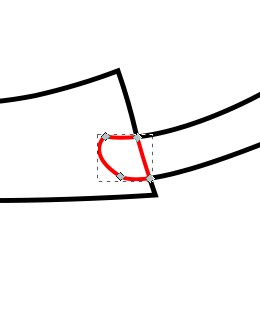
- In this case I don’t actually want the tab to be visible so I remove all segments apart from the one that made up the edge of the letter E
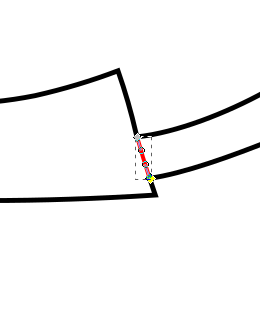
- And here is the finished product

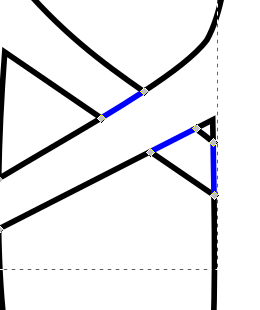
Such a convoluted process really just to get that little line but it really does give a good effect when used throughout. I used a very similar process for overlapping branches as mentioned but here I would end up with little squares making up the intersected part and I’d need to remove opposite edges to show a single branch overlapping the other branch.
Anyway, enough about process and techniques, I’m sure you’ve been waiting to see the finished article, so here it is:
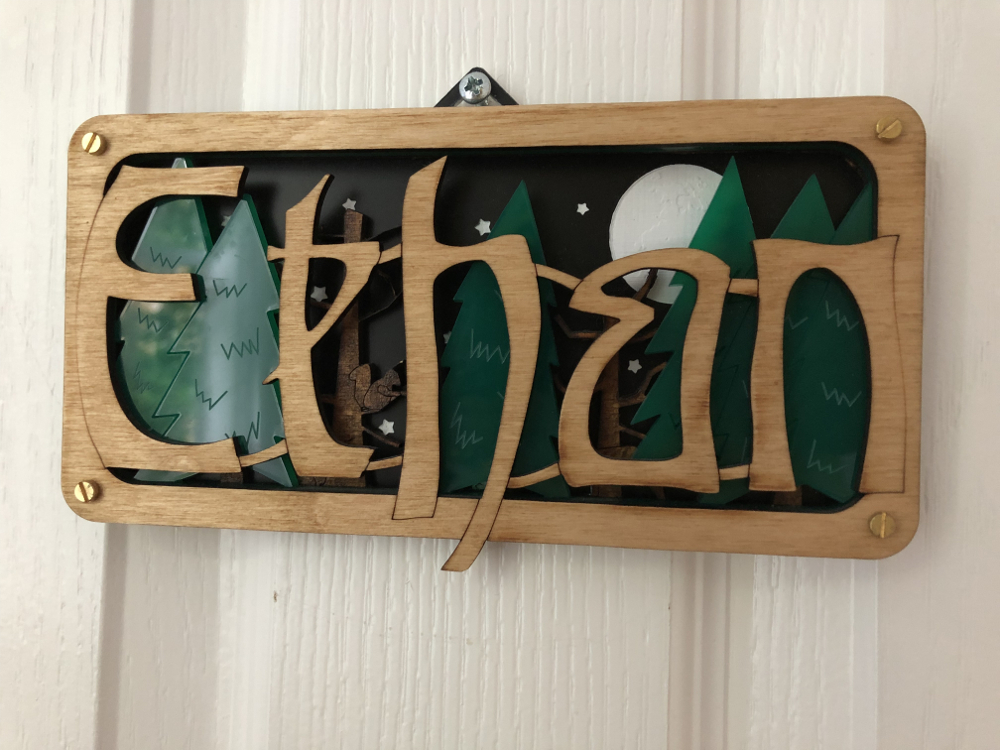
I stained the tree branch layer and used danish oil to finish the letters layer so even though they were both made with Birch ply I still got to differentiate their colours. All-in-all I was really happy with how it came out. Ethan seemed to like it too!
- Letter and tab
-
Year Notes: 2016
So 2016 started quite similarly to 2014 with a new baby in the house. I was fortunate enough that when agreeing to take the job at Axon Vibe I’d had the foresight to request that, in the event that we had another baby, I’d be able to take a 3 month extended parental leave (unpaid). I was so glad I’d done that as it meant I could be much more involved in Ethan’s early days and also give Evie some much needed attention too.
Although I’d been freelance when we’d had Evie, so in theory was more in control of my time, I was also more worried about what money was coming in. Although my extended leave was unpaid I did have the security of knowing I had a well-paid job to go back to. I’m definitely a supporter of extended parental leave, ideally paid, and was able to put this into practice when DoES Liverpool’s admin guy, Seán, had a child last year. We agreed to give him a month’s paid leave rather than the statutory minimum. Obviously as he’s a part-time worker the cost was less to DoES than it might have been for a full-time person, and a month is still a lot less than we would have to give for maternity leave but I did want to make sure we did more than the minimum and was glad that the other directors of DoES agreed.
Someone's chuffed to be a whole 2 months old! pic.twitter.com/MCmV3wEV5n
— John McKerrell (@mcknut) February 3, 2016Looking back it seems like DoES Liverpool’s search for a new home began in earnest around March 2016. We looked at a few places around Bold Street and the Ropewalks, found a reasonable candidate on Victoria Street but then found what we thought could be a great option near the Ship & Mitre pub off Dale Street. It was actually quite a large building, at 8000 square foot over 4 floors, but we were hoping that we might sublet out reasonably large portions of it to other businesses. We took the community on a series of visits and spent some time working out whether we would be able to afford it, but in the end the owners decided to rent it to a charity that they were involved with so it slipped out of our grasp. Following this we got a little jaded and as far as I can recall didn’t really do much more searching until 2017.
I took Evie to MakeFest in the Central Library in Liverpool in June. It was nice to have a day out just her and me and she seemed to find it interesting, though was a bit nervous of some of the costumes from the Comic Con attendees who were wandering around! Makefest is a great showcase of “making” in Liverpool and beyond and has lots of interesting workshops. They’re actually planning for this year’s event so if you’re interested in exhibiting you should definitely sign up. (ahaha! yeah I started writing this in January 2018 so we’ve had two Makefest’s since)
Supporting @lpoolgirlgeeks with Evie at @lpoolmakefest and #LivMF2016 pic.twitter.com/ktrDG3uE78
— John McKerrell (@mcknut) June 25, 2016Jumping to the end of the year we finally come across one of the projects that I wanted to blog about, that triggered me starting on the whole “Year Notes” process! I laser cut some Christmas presents for the kids. It was quite a labour of love taking quite a while to prepare for (given I could only really work on it for minutes each evening) but I was very pleased with how they turned out… for more detail on that see this follow up blog post.
You can tell this laser cutting is important as I've actually bothered with masking tape to reduce scorch marks #weeknotes pic.twitter.com/2FaWvI99e8
— John McKerrell (@mcknut) December 16, 2016 -
Year Notes: 2015
Last year’s notes ended with a cliff hanger, would I take a permanent job at Axon Vibe or would I not? Well the year began straight away with a visit to head office. Flying out to Lucerne in Switzerland on the fifth of January. This was actually my wife’s first day back in work after being off for over a year’s maternity leave. It was unfortunate to have to leave her to sort out our daughter during her first week but I did at least get a later flight so that I could help get Evie to her first morning in nursery.

After much consideration I ultimately decided to take the job at Axon Vibe. I was intending to continue working for them so it’s not like I was looking for other clients, and the money was such that I wasn’t losing out by being a salaried worker. By this point I’d already agreed that I would have my daughter on Friday afternoons so I ultimately decide to work Monday - Thursday but to keep Friday for myself. That would allow me to keep working on my own apps or even doing small amounts of client work on Friday mornings. The view from the terrace (see above) certainly didn’t hurt either!
I wasn’t going to mention too much about what we did at Axon Vibe that year as very little of what we did then has survived. We took some time to work out what our key offering would be, sometimes focussing on business to business applications, and at others trying to develop public facing apps. One interesting thing was that we took on a number of developers and a designer who all worked from DoES Liverpool. By the end of the year we actually had 4 people all working from Liverpool. That was great to see, even if I did find it a little strange sharing an office with colleagues! We also enjoyed a great week in October when we managed to persuade colleagues from Cirencester, Norwich and Edinburgh to visit while we worked on new developments.
Way back in 2011 I’d actually taken over the running of a monthly event that would have geeks meeting up in a local bar on the last Tuesday of the month either just for a social meet-up or to hear someone talking about some technology or, well, anything that happened to interest them. GeekUp was a venerable event that started way back in December 2005 in Manchester. Over time the event became more popular and drew in people from surrounding towns, Liverpool included. I attended my first event in March 2007, gave a talk on OpenStreetMap at the following event and then was glad to attend the inaugural event in Liverpool later that month.
Running for so many years, GeekUp was such a great way for similarly minded folks in Liverpool to connect. Most of my friendships in Liverpool can be traced back to GeekUp, especially if you consider that I would never have co-founded DoES Liverpool if I hadn’t met Adrian McEwen there. While I enjoyed attending GeekUp I found I wasn’t the best at running it. It was easier when we met in a bar as if there was no talk you could easily just chat and have a drink. It’s amazing how a simple schedule of “last Tuesday of the month” and perhaps the odd “Are you going to GeekUp?” on twitter would keep the event going quite well. GeekUp ran for four years meeting in 3345 (now “The Attic”) on Parr Street. On one of the last meetings there we found the room had been double booked (I’m sure with UKIP!) and it turned out we no longer had the booking at all. As we were in the process of setting up DoES Liverpool, and we were planning to host events there, we had a single meeting in Leaf on Bold Street, before moving the event to DoES.
This change really affected the dynamic of the event, it was more difficult to get into the space and when you arrived you found a bland room of desks so it was quite different to meeting in a bar. We actually managed to continue for four more years but I struggled to get around to finding people to talk. Then in 2014 when I did manage to arrange and promote in advance a great line-up of speakers, I struggled to attract an audience! In the end I decided that life was complicated enough without the monthly stress of finding a speaker so 2015 was the year I brought the whole thing to an end. Although I don’t really get time to go out so much these days it does seem like Liverpool is missing a general geeky social meet like this now so it’s a shame there is no GeekUp, but there’s nothing saying someone couldn’t take it on again in the future!
I continued with my running this year too. Living just 4km away from DoES Liverpool it’s actually an easy and fairly short run to get into the office and I’ve tried at times to make it my primary way of commuting. I haven’t managed it often but have a few times managed to run there and back for the four days I would be in the office. No Half Marathon this year but I signed up for the Spring 10K around Sefton Park and managed to beat my personal best of around 46 minutes, I wasn’t too confident as I hadn’t done much speed training but was very happy when I blew almost 3 minutes off my record!
Ok, last tweet on the subject, official results are in, 43:11 :-D http://t.co/Q9bULaos6D pic.twitter.com/o25JdXd2Yb
— John McKerrell (@mcknut) May 4, 2015I tried to take up gardening as a hobby to brighten the place up. I even planted potatoes so that we’d get greenery and useful, tasty potatoes. Though at times the potatoes seemed like they were trying to take over the DoES Liverpool meeting room we didn’t really have a very prosperous harvest and it felt like the time and effort could be better placed!
.@DoESLiverpool potato update: Growing pretty well! Should be harvesting in the next few weeks #weeknotes pic.twitter.com/p1A51gXB3e
— John McKerrell (@mcknut) June 1, 2015DoES Liverpool could still benefit from some more plant life but there definitely needs to be a plan for maintenance for this sort of thing! 🌻
Hm.. anything else happen in 2015? Well we made this little announcement:
Happy to announce that Evie is looking forward to being a big sister! All going well so far. #duedecember pic.twitter.com/iImTotOhFr
— John McKerrell (@mcknut) July 29, 2015As we settled into our new life with work and nursery and with Evie being such a good sleeper we decided that we might actually like to have another little person around the place. Funnily enough while Evie had actually come 10 days late Ethan actually came along exactly on his due date!
I won on the premium bonds today but I think yesterday's prize was better! #itsaboy pic.twitter.com/PXOmL0KpsH
— John McKerrell (@mcknut) December 4, 2015While Ethan seemed originally to be feeding okay we ended up having similar troubles with him losing too much weight and being harassed by mid-wives. After a week of problems we went along to an infant feeding clinic only to be told that Ethan had a tongue tie. A tiny piece of skin was stopping him from being able to move his tongue freely and causing him problems with feeding. Unfortunately our options were limited to waiting 2 months for an appointment in Alder Hey or trying to get it done in Chester Hospital. There was also the option of going private but we really didn’t think we should have to do that and also of the standards of care we’d receive. Being so close to Christmas we were quite concerned about whether we’d managed to get it done before the holidays so we were very happy when we got an appointment for the 23rd December. Poor Ethan ended up picking up a cold meaning the nurse almost couldn’t complete the tongue tie snip, and as it turned out had probably missed some as it really didn’t make much difference to his feeding. It seems ridiculous having to wait three weeks for something that should have been picked up and fixed while he was still in the hospital, and that the much vaunted and well-funded Alder Hey couldn’t do anything about it for months. Obviously we can’t be sure that dealing with it straight away would have reduced the problems, but it would have given Ethan a much better chance and given my poor stressed wife one less thing to worry about!
I feel I should finish on a lighter note though so let’s back-track to October, we’d been invited to a Halloween party and I couldn’t think of what to go as. My wife spotted a Jack Skellington costume in the shop and came up with the great idea of combining it with one of my old Santa Dash costumes, resulting in this great result:
Bit of recycling went on for my Halloween costume pic.twitter.com/bPsG6YcrY0
— John McKerrell (@mcknut) October 31, 2015 -
Year Notes: 2014
So obviously after the events at the tail end of 2013, this year was mostly spent dealing with the fact that we now had a tiny (not so tiny) baby to look after! Work-wise I’d stupidly taken on two new clients just before baby came along so while they were freelance clients who were aware of what was happening, it did mean I had some worries about making sure I could do work for them. In the end one of them tailed away to nothing within a few weeks of the new year and the other was just a week or so’s work that I managed to get in while baby was napping.
In retrospect the newborn stage is actually something of a calm before the storm as they do tend to sleep a lot. We had some issues around baby’s feeding and weight gain which the midwives dutifully freaked us out over but after a few months she did start putting on weight better. In fact once we weaned her onto food, which with perhaps rose-tinted hindsight went pretty well, she started putting on plenty of weight.

The “week’s work” was quite an interesting iPad app and ultimately developed into a continuous 2 days a week. Without going into too much detail it was tourism based and involved having the app open while you were driving a car. It proved quite tricky to develop and test due in part to literally having to go out and drive in a car to get any useful test data. Also my clients were in London and there was times when they would upgrade the app, drive to central London, try to launch the app and find it insta-crashed. The fix was to delete and reinstall, not so easy for a multiple hundred MB app when you’d already gone to the location. With this and another client I’ll get to shortly I learned a lot about the benefits of automated testing, automated smoke testing and continuous integration. The testing tools at the time were not so good as they are now in Xcode but if I had a good method to simulate a drive, and to do smoke tests every time I committed code I could have avoided many of the problems I encountered.
A few months into the year when I was mainly working on some updates to CamViewer and making further small changes to the iPad app I just mentioned I was approached by John Fagan who I used to work with at Multimap. He was wondering if I’d be interested in taking on a full time role at the company that he was working for - Axon Active. I’d not really been interested in full time roles but in fact as this was a foreign company I would be treated more like a contractor, and the money was pretty decent. Ultimately I told John no, only for him to suggest that I might work just a few days a week for them instead. When I mentioned these talks to the people I’d been engaging with on the other app they jumped at the chance to grab my other free days and so I ended up with 5 paid days a week split between Axon Active (3 days) and the other client.
Miserable weather, awesome tunes! - Just posted a 12.40 km run - #RunKeeper http://t.co/F0nJvhTmoD
— John McKerrell (@mcknut) February 12, 2014Looking back on my tweets from the year I see multiple mentions of running. I’ve never really mentioned running on this blog which is quite bad because it’s become a regular part of my life. In fact in 2013 I ran my first marathon, a milestone I forgot to mention in the previous blog post! In 2014 I ran the same race again but found it much more tricky to fit in training around childcare, I mostly did best efforts at the training plan I was using but ended up with a decent result. While in 2013 I managed an awesome 1:40:00 for the half, I managed to follow it up in 2014 with a very respectable 1:43:25. In 2013 I ended up having real issues with my IT band, causing me to limp the last few miles. Annoyingly in 2014 I actually felt much better and had no issues such as this, but then faced a headwind for the same last miles! I could quite possibly have improved my PR if it wasn’t for that.
With Axon Active I was working on a small project they’d been developing around taking in various items of data that would be made available on an iPhone, uploading them to a server and from there deriving information about patterns in the way you live and your future plans that we might be able to help you with. At the time we pulled in location and calendar events and would do things such as suggesting a place you might go to nearby for a quick lunch or let you know about travel options for your calendar appointments.
Axon Active are a Swiss company but most of the people working for them were remote. At the time we had people in France, Edinburgh, London, Brighton, Manchester, even Russia! This allowed me to keep the flexibility of working from DoES Liverpool which was very handy. We would meet every 3 weeks in London for sprint planning and every 3 months for a trip to head office in Switzerland. This worked really well with the new baby, I could choose to work from home or from DoES Liverpool most of the time and the trips to London weren’t too tricky. Having to be away for a week wasn’t so great but it also wasn’t so often. We had plenty of support from my mother in law, Anne, so that made sure I was mostly not leaving my wife home alone with the kid. Also helped that my daughter got really quite good at sleeping from as early as 6 months!
Enjoying the view at the Axon barbecue pic.twitter.com/ZgonV9aqKF
— John McKerrell (@mcknut) April 30, 2014The project at Axon Active was initially just a side-project for an 8 person team but as the year progressed the company really saw the potential of what we were doing and it culminated in a new UK based company being formed at the very end of the year… but that’s really a story for 2015.
Again looking back at my tweets I see that after some discussions with Patrick Fenner I had him and his wife Jen Fenner, through their company Deferred Procrastination, help me with a new design of the WhereDial. They actually engaged an old friend Sophie Green to prepare some artwork for the device while Patrick and Jen looked at improving the functional design and the production method. They developed a way of using screen printing to allow much faster printing of designs onto the laser cut materials (ultimately screen printing would take seconds where laser engraving could take 15-20 minutes per piece). The resultant WhereDial looked really good and I was quite happy with the results. Unfortunately as I got busier with life and paid work I found I didn’t have the time to progress this so never got as far as selling the new versions. I’ve had them around my house and on my desk over the years and it’s interesting to note that while they do look good, the design is quite busy and the colours quite low contrast so it can be tricky to tell what’s happening from across a room. Something to keep in mind if I ever get around to developing the WhereDial again!
What do you think of the new look WhereDial? See it up close and get kits at #MakerFaireUK @DoESLiverpool stand! pic.twitter.com/SMaeAIll22
— WhereDial (@WhereDial) April 26, 2014The iPad app continued on for much of the year, we found it tricky getting the location based stuff working just how we wanted. We were trying to simulate something that a human would do and the clients had a particular level of quality in mind that was hard to replicate. There was also the need for a sat-nav component in the app, we didn’t want to call out to Apple Maps so would have needed to either build a sat nav ourselves or pull in a third party component. In the end this proved particularly difficult to find for iOS leading them to look at Android as an alternative. With my lack of interest in Android and continuing focus on the Axon Active role we ended up parting ways in Autumn. It was a really interesting app to work on but just had some difficulties that would really have required a lot more development resource than me working on my own. I didn’t hear too much from the clients once I handed the code over to their Android developer and I have a feeling that the project stalled around then.
That’s probably it for 2014 really, once that app project stopped I found it useful having two days a week to do more work on CamViewer and also found the time to make some changes to the Chess Viewer app that I’d been working on intermittently. As 2014 drew to a close my wife started to think about returning to work and deciding what hours she wanted to do. Axon Active were also looking to setup the UK company and were offering people full time jobs, me included. I really wasn’t sure that I wanted to make that commitment, my stance hadn’t really changed from the beginning of the year, but I wasn’t really looking for any more work and the money was still pretty decent even as an employee so it was a hard decision to make. I didn’t make the decision until the first week of 2015 so I’ll make you wait to hear!
(Let’s finish up with a photo of me ready for the 5k Santa Dash)
Santa and his slightly concerned reindeer. pic.twitter.com/FanlyQmHSv
— John McKerrell (@mcknut) December 7, 2014 -
Year Notes: 2013
I was tempted to skip this year as I had after all written a blog post that year already, but why not go crazy and write a second one, maybe the 2013 review would have been the first post of 2014 anyway?
Although I tend to write about geeky work related things on this blog it’s really my personal blog so I should definitely mention that the two major events of 2013 for me were personal rather than work related. We (my wife and I) moved house, and got pregnant! The house move wasn’t particularly planned and just came from noticing a house around the corner from ours that looked interesting, checking it out (awful) but then looking at a few more and deciding that actually we really could manage a nice upgrade, and might need to as we’d be needing more room soon.
We were lucky that we could afford a lovely big victorian house, which looks nice and provides lots of room for kids and associated “stuff”, but isn’t the best when it comes to heating and having lots of little jobs that need doing. We actually didn’t move in for 3 months after buying it, but still even now have lots of jobs that need doing and some quite large bits of building work we’d like to do, if we could get around to it (making the cellar a usable space and extending the kitchen). Obviously having lots of jobs to do is standard for owning a house but this place definitely seems to take it to another level!
Also back in 2013 I took on a summer student, Elliot. That was a great experience even if I hadn’t necessarily prepared well enough for having him around. I ended up giving him all sorts of different bits of work to do including upgrades to my CamViewer webcam viewing app and upgrades to the WhereDial. He actually did most of the work towards a Wi-Fi enabled webcam that would have used TP-Link mini Wi-Fi routers as much of the brains with a bespoke Arduino compatible circuit board controlling the motor. Unfortunately in the end I didn’t get around to productising that but hopefully he had some fun working on it and got some good experience. After that summer he went back to university to finish his degree then had no problem finding a job. I haven’t caught up with him in a while but I believe he’s still doing well and applying his great versatility to working on a variety of things from back-end server coding to mobile app dev.
During the summer of 2013 I, with Adrian McEwen, Hakim Cassimally and Aine McGuire exhibited at Internet World trade show in Earls Court, London. That was quite an interesting experience. We were given a prime spot at the entrance to the show and used it to demonstrate a variety of IoT devices including the WhereDial and Bubblino, Hakim and Adrian also promoted their book Designing the Internet of Things. And because spending a week in London wasn’t enough we then spent the following weekend in Newcastle for Makerfaire!

Wow, looking at my notes that was when my relationship with ExamsTutor ended. Unfortunately it didn’t end as well as I’d have liked, they simply decided they did not want to continue the relationship and largely cut off communication. I had owned the IP behind the apps so no further development occurred on those and it looks like they got removed from the app store in Apple’s great cull of 2016 (removing any app that hadn’t been updated in years). A shame to end that way as I’d enjoyed working with them but there wasn’t much I could do once they stopped replying to emails.
My relationship with 7digital also ended this year, as I recall they were looking to take development in-house which was fair enough. I don’t think iOS was ever really a huge priority for them as Apple’s app store rules made it difficult for them to make any money from the app. I know they continued using my codebase for a few years after, it’s hard to tell if they still do, the app’s structure hasn’t changed too much but it’s quite likely it’s had some restructuring under the hood.
As mentioned I (and Elliot) also continued working on CamViewer through that year. Interestingly looking at the Changelog that year seems to have been the start of me adding more functionality to the app. At the end of the year I added support for “HD” cameras that use RTSP by integrating a paid-for library. That was just in time for me to use cameras such as this as baby monitors, something I and my wife have both found really handy over the years.
Pretty much the last thing that happened in this year, Evie was born!

So that’s a review of 2013 done, just 3 more years to cover (assuming I get this done quickly, considering I started this blog post in January (2017) that may not be the case!)
-
New New Blog, New Old Blog
So I’ve decided to replace my previous blog with a WordPress blog.
That was the first line I put on my WordPress blog, which I’ve now replaced with Jekyll. The first post on that was in October 2006, so nearly 11 years ago!
Over the past 11 years I’ve moved away from doing anything PHP, or anything server-side really. I have no particular need of the online editing that you get with WordPress or any of the other features really. I’m also trying to be quite paranoid about what daemons I run on my hosting server. I came across Jekyll (again) as part of a documentation project in my day job and was impressed by how easy it was to use so decided I would start migrating some of my own stuff over.
My first migration was actually the website for my CamViewer iOS app which was already based on Gollum the markdown wiki so should have been quite simple to migrate (actually it was still a bit of a faff due to different markdown versions).
I hoped migrating Wordpress would also be easy as so many people use both technologies. As it turned out there was still plenty of work involved. I ended up using two migration tools. The main Jekyll importer didn’t seem to do a great job of pulling the HTML in but pulled all the comments across nicely so I ended up using exitwp and writing a yaml copying tool to pull the comments from one to the other.
This blog hasn’t actually got any comments functionality at the moment, I figure people can ping me @mcknut on Twitter if they want to make comments but I’ve copied the ones that were on the old site.
My previous blog made use of whizzy fun modern technologies to allow me to host my entire site on Google Base, Google Pages and del.icio.us. Unfortunately, because it was something I had just knocked up there was no comment support, and of course it did require Java and JavaScript to be enabled in the browser.
That original blog was quite a weird thing, I tried to make it so that all the content was hosted online. Unfortunately as it was JavaScript based not much has been saved on the Internet Archive. It does seem like all the original posts are now lost but with any luck I’ve got the content… somewhere.
-
Long time no see
It’s been a very long time since I’ve written anything here. I thought I’d like to write up a small project I did recently, but then there would be a bit of back story, and then a bit more, and oh yes I haven’t blogged in 4 years so I should really do something about that.
As such I’m going to try to write some year reviews. Not promising to make them in depth but it’ll give me a chance to look back and see what I’ve actually been doing all these years (actually it’s pretty obvious to me given that the last post was 4 years ago and a major thing happened just after that but here’s goes nothing..!)
-
Adding a Wiki to MapMe.At using Gollum
I recently added a wiki on my MapMe.At site and found it quite tricky to get working and difficult to find just the right information I needed so I thought I’d write it up.
MapMe.At is still on Rails 2 which seemed to mean I couldn’t install Gollum as part of the site.
I created a separate Rails 3 project that runs alongside MapMe.At and simply hosts Gollum, using instructions from here: http://stackoverflow.com/questions/13053704/how-to-properly-mount-githubs-gollum-wiki-inside-a-rails-app
I wanted it to use the user information in MapMe.At’s session hash so switched MapMe.At to use activerecord based sessions and used information on here to make the rails 2 session load in rails 3: http://www.kadrmasconcepts.com/blog/2012/07/19/sharing-rails-sessions-with-php-coldfusion-and-more/
I’m not actually using the rails2 session as the main session, I just load the information in. I have the following in
config/initializers/session_store.rbmodule ActionController module Flash class FlashHash < Hash def method_missing(m, *a, &b;) end end end end MapmeAtWiki::Application.config.session_store :cookie_store, key: '_mapme_at_wiki_session'Then in routes.rb:
class App < Precious::App

  before { authenticate }

  helpers do
    def authenticate
      oldsess = ActiveRecord::SessionStore::Session.find_by_session_id(request.cookies["_myapp_session"])
      if oldsess and oldsess.data and oldsess.data[:user_id]
        u = User.find(oldsess.data[:user_id])
        email = "#{u.username}@gitusers.mckerrell.net"
        session["gollum.author"] = { :name => u.full_name, :email => email }
      else
        response["Location"] = "http://mapme.at/me/login?postlogin=/wiki/"
        throw(:halt, [302, "Found"])
      end
    end
  end

end

MapmeAtWiki::Application.routes.draw do
  # The priority is based upon order of creation:
  # first created -> highest priority.

  App.set(:gollum_path, Rails.root.join('db/wiki.git').to_s)
  App.set(:default_markup, :markdown) # set your favorite markup language
  App.set(:wiki_options, {:universal_toc => false})
  mount App, at: 'wiki'

end
I wanted a wiki on the site to allow my users to help out with documenting the site. Adding their own thoughts and experiences and perhaps fixing typos I might make. I’m not sure that’s really started happening yet but at least I have a nice interface for writing the documentation myself!
-
WhereDial Ready to Ship
A good few years ago I blogged about making a clock that showed location, similar to the clock that Weasley family had in the Harry Potter books. Well now you can buy one! I’ve spent the last year working on the design and getting the hardware ready. Take a look at the photos below and head over to the website for more information on the WhereDial!
-
-
OpenStreetMap at Social Media Cafe Liverpool
I gave a talk last night at Social Media Cafe about OpenStreetMap. I actually haven’t been too involved in the OSM community of late so it was nice to get back into it a little bit. It was also good to find that a large portion of the audience was not already aware of OSM so it was nice to introduce it to people.
You can find the video of Social Media Cafe on USTREAM. The video will be chopped up soon at which point I’ll link to or embed my own talk here too.
I ended up with 63 slides taking up about 100MB so I’m going to try not uploading it to Slideshare this time, instead I’m going to summarise the talk here.
Why do we need OpenStreetMap?
-
Geodata historically isn’t
-
Current - things change so often maps quickly become outdated.
-
Open - if you know the map is wrong, wouldn’t it be simpler to let you update it yourself?
-
Free - You want me to pay how much for Ordnance Survey data?? Especially an issue when you’ve helped build the map.
-
-
Wiki is obvious next step
-
It’s just fun
We make beautiful maps…
…which we give away
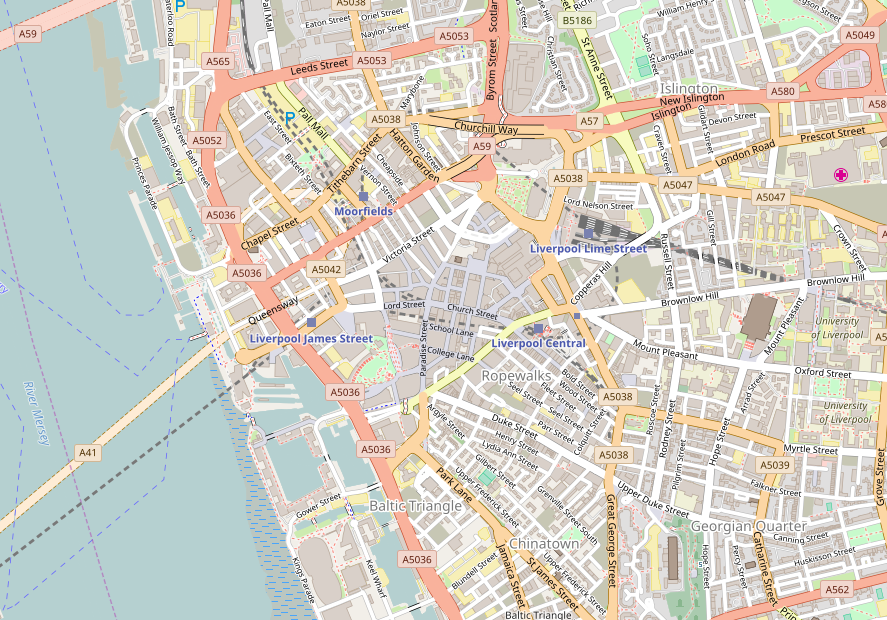
It’s not just Liverpool, or even the UK, in the talk I showed maps of the Hague, Washington, DC and Berlin. You can pan and zoom the map linked to above to browse the coverage.
Some Quotes
“It’s absolutely possible for a bunch of smart guys with the technology we have today to capture street networks, and potentially the major roads of the UK and minor roads”
Ed Parsons, ex-CTO Ordnance Survey currently Geospatial Technologist for Google
“If you don’t make [lower-resolution mapping data] publicly available, there will be people with their cars and GPS devices, driving around with their laptops .. They will be cataloguing every lane, and enjoying it, driving 4×4s behind your farm at the dead of night. There will, if necessary, be a grass-roots remapping.”
Tim Berners-Lee
“You could have a community capability where you took the GPS data of people driving around and started to see, oh, there’s a new road that we don’t have, a new route .. And so that data eventually should just come from the community with the right software infrastructure.”
Bill Gates
Some big names in technology who clearly think user-generated mapping data is a good idea.
Isn’t Google Free?
A lot of people ask the question “Why do we need OpenStreetMap when Google Maps is free?”
Current?
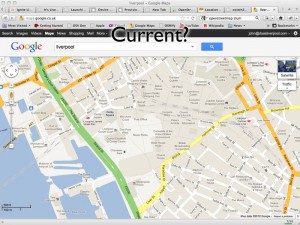
http://maps.google.co.uk/?ll=53.40407,-2.985835&spn;=0.010937,0.031693&t;=m&z;=16
This picture shows a Google Map screenshot that I took on 16th February 2012. In the centre of the map you can see the Moat House Hotel. This was bulldozed in 2005 but still shows up on Google’s map. You’ll also see the Consulate of the United States in Liverpool. This was also closed down some time ago. So you can see that Google Maps isn’t perfectly current (and, for the record, I have now reported these problems to Google).
Open?
Google have launched their own project to map the planet. Map Maker allows people in many countries to edit the data of the map, adding roads and POIs in a similar way to OSM. Unfortunately Google doesn’t then provide full access to this data back to the people who have made it! Map tiles are generated and shapes of the data entered can be retrieved but the full detail of the data is kept by Google. The license offered by Google also restricts its use to non-commercial usage, stopping people who have put effort into creating the data from being able to derive an income from it.
Free?
Though Google’s mapping API is free to use initially they have recently introduced usage limits. Though they claim that this will only affect 0.35% of their customers, it has already affected a number of popular websites that simply can’t afford to pay what Google is requesting. Some examples will be given of these later.
Google Support OSM
It would be unfair to talk about the bad parts of Google without mentioning the good. Google has regularly supported OSM through donations, sponsorship of mapping parties and support through their “Summer of Code” programme.
As do other providers
It also wouldn’t be fair to paint Google as the only supporter, for example:
-
Mapquest sponsors and supports OSM efforts.
-
Microsoft Bing Maps sponsors and supports OSM efforts, even allowing their aerial imagery to be traced.
Workshops
Or, Map as Party (Mapping Parties!)
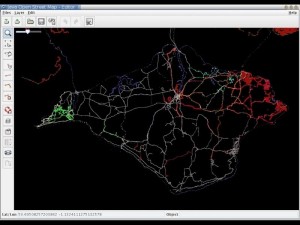
The first mapping party was in the Isle of Wight. At the time the only “free” map data available was an Ordnance Survey map that had gone out of copyright:
A group of people went to the island for a weekend and collected GPS traces of all the roads:
And from these made a great looking map:
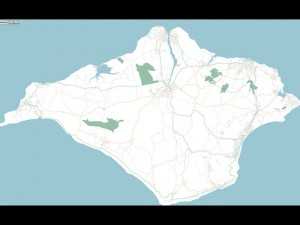
We also held a mapping party in Liverpool in November 2007 which allowed us to essentially complete the map of the centre of Liverpool.
That video shows the traces of everyone involved with the mapping party as they went around Liverpool and mapped the streets. It was built using the scripts referenced on this wiki page
Editing OSM
Visit openstreetmap.org and sign up for an account. If you have GPS traces, upload them, don’t worry if you don’t as you’ll be able to help by editing existing data or tracing over aerial imagery.
Data Model
-
Nodes
- Single point on the earth - Latitude and Longitude
-
Way
- Ordered list of nodes which together make up a long line or an enclosed area
-
Relation
- A method of relating multiple ways and nodes together, e.g. “turning from way A to way B using node C is not allowed”
-
Tags
-
Nodes/Ways/Relations can have key=value pairs attached to describe their properties.
-
Example node tags:
-
amenity=place_of_worship, religion=buddhist
-
amenity=post_box
-
-
Example way tags:
-
highway=primary
-
oneway=yes
-
-
An online flash editor is available (Potlatch) simply by clicking the “Edit” link when looking at any map on OSM. An offline editing desktop app built in Java is also available, JOSM
There are hundreds of tags that you can use to describe almost any data, use the wiki to find more information especially the Map Features page.
License
CC-BY-SA
This license lets anyone use the OSM maps for free so long as you mention that the source was OpenStreetMap and you share what you produce under a similar license.
Very soon the license will change from CC-BY-SA to Open Database License which offers similar freedoms with more suitable legal terminology. Do read into it if you think it will affect you.
OSM in Action
Nestoria, a popular property website, has long supported OSM. A few years ago they made use of OSM data by using the maps generated from the Isle of Wight mapping party to replace the non-existent data in Google Maps. More recently they have been affected by Google’s plans to charge for its map data and so they have switched fully to OpenStreetMap data and maps.
CycleStreets is a great website for finding cycle routes. They offer a directions engine that gives detailed descriptions of routes, allowing you to pick between Balanced, Fastest and Shortest routes. They also offer lots more information and a database of photos to give more insight into a journey. The routes they recommend are ideal for keeping cyclists off the busy dangerous roads and onto the quieter safer more direct routes.
mapme.at is a website that I have built for tracking people’s location. People use it to track places that they visit and journeys that they take. I use it to track everywhere I ever go. Adrian McEwen wrote a script that puts the location of the Mersey Ferries into mapme.at and that’s what you can see in the map above.
A few years ago I worked with ITO World to create some animations of my data. They created great animations which you can find on my vimeo account but below is one showing every journey I took in January 2010 with each day being played concurrently.
All travels in January 2010 run at once. from John McKerrell on Vimeo.
Geocaching is a popular pastime based around GPSes, treasure hunting and maps. Their website used Google Maps and they also had issues when Google started to charge. As a result they have switched to OpenStreetMap too.
Mobile
Lots of mobile apps are available to let you use and contribute to OpenStreetMap
Android
Not being a regular user of Android I can’t recommend any apps personally but there is a large list of OSM Android apps on the wiki and I’ve selected the following based on features they claim to offer.
gopens and MapDroyd both allow you to browse OpenStreetMap maps on the go and claim to offer offline support, allowing you to view maps even when you’re not connected to the internet.
Skobbler Navigation provides a full Tom-Tom style satnav for navigating on the go, all based on OpenStreetMap data.
Mapzen POI Collector is a handy way to collect POI data while out and about, or to edit existing data.
iPhone
Skobbler Navigation is also available for iPhone, again providing a full Tom-Tom style satnav for navigating on the go, all based on OpenStreetMap data.
NavFree is another full satnav app based on OpenStreetMap data.
Offmaps is an OSM map viewer that allows you to download large chunks of map tiles in advance so that you have them, for instance, when you go on holiday. I would recommend the original Offmaps over Offmaps2 as I believe the latter restricts the data you can access.
Mapzen POI Collector again is available for iPhone and is a handy way to collect POI data while out and about, or to edit existing data.
Humanitarian
OpenStreetMap has been heavily involved in Humanitarian efforts, these have resulted in the formation of HOT - the Humanitarian OpenStreetMap Team. Projects have included mapping the Gaza Strip and Map Kibera a project to map the Kibera slum in Nairobi, Kenya. These projects have many benefits to the communities involved. Simply having map data helps the visibilities of important landmarks: water stations, Internet cafes, etc. Teaching the locals how to create the maps teaches valuable technical skills. Some people build on the data to provide commercial services to their neighbours, building businesses to support themselves and their families.
A hugely influential demonstration of the impact of OpenStreetMap involvement in humanitarian efforts occurred after the massive earthquake that struck Haiti in 2010. Very shortly after the earthquake hit, the OSM community realised that the lack of geodata in what was essentially a third world country, would cause massive problems with aid workers going in to help after the earthquake. The community responded by tracing the aerial imagery that was already available to start to improve the data and later efforts included getting newer imagery, getting Haitian ex-pats to help with naming features and working with the aid agencies to add their data to the map. You can see some of the effects of these efforts from the video below that shows the edits that occurred in Haiti around the time of the earthquake.
OpenStreetMap - Project Haiti from ItoWorld on Vimeo.
Switch2OSM
If all of this has piqued your interest then visit openstreetmap.org to take a look at the map, sign up and get involved in editing. Find more information on the wiki at wiki.openstreetmap.org or find out how you can switch your website to OpenStreetMap at Switch2OSM.org
-
-
YAHMS: Revisited, Upgrading to XBee with Wire Antenna
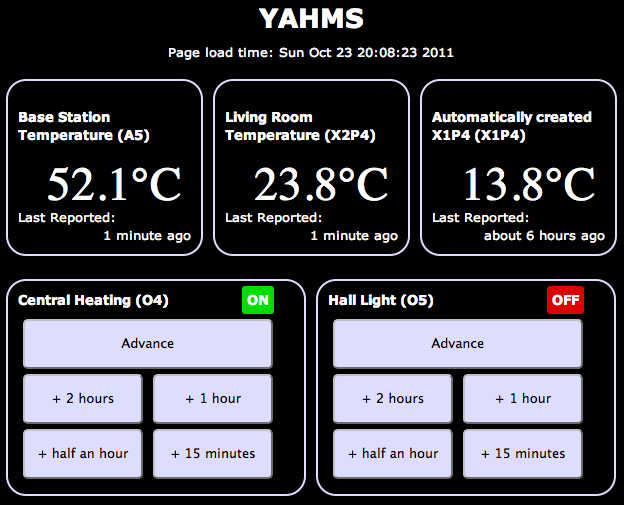
A good few months ago I blogged about my YAHMS project and my YAHMS Base Station. It was a funny time to get the project complete, just in time for the summer, but it has ended up being useful. Being able to turn the hall light on when we come home in the dark is really useful and, with the summer we’ve had, the heating has gone on from time to time too.
It hasn’t been without its problems, though fortunately they have been relatively few. Power ended up being an issue for the temperature probes, using four AA batteries would keep the probes running for about a week. This isn’t bad but would mean replacing them regularly, also when the voltage went low, the voltage detector didn’t seem to work and I would see rising temperatures. In the end I decided to use some wall wart power supplies, unfortunately that means the probes are less portable and also means that half of the circuit was unnecessary, as the wall warts never provide a low voltage.
I’ve also had problems with the Base Station falling off the network after around 5-7 days of use. There was originally a problem with the DHCP lease expiring so I made some changes to make it re-request the lease when it was near to expiring. This didn’t entirely fix the problem so to be sure I switched to a fixed IP. This led to the 5-7 day uptime, I’m not really sure what is happening here, I’m guessing some memory usage problem whereby there are not enough resources left to create a new Client object but I haven’t been able to track it down. When the problem occurs the system still manages to turn the heating on and off at the right times so it isn’t entirely useless, but it does become unresponsive to new settings and won’t send back data either.
Final problem, and the one I’m going to fix today, is that the XBee modules sometimes have issues transmitting data to the base station. I originally wanted to have one upstairs but couldn’t get that to work at all. I ended up putting that one in the conservatory to get “outside” temperatures but it still has issues quite often and has to be positioned right by the door to even sometimes work.
A few months ago I was approached by someone from Farnell who wanted to know if I would like to receive hardware to review on my blog. The arrangement is that they will send me hardware in exchange for a review on my blog and a link to the product on their website. So, here goes…

XBee Wire Antenna Module (Series 1)
Previously I’ve used the chip antenna versions of the XBee series one modules. These were great and really simple to work with but when I tried to use them in a network around my house I had real issues trying to get the signal to pass through walls and ceilings/floors. The best solution would likely be to replace all of the XBee modules with alternatives with better antennas or with more powerful radios. To replace all of the modules would be quite expensive so I’ve decided to go with replacing just the module on the base station and hope that it does a better job of receiving the signals sent out by the other modules. This may be foolish but I’ll give it a go and see what happens.
To replace the module should be a pretty simple job, it’s the same format as the chip antenna module so physically I just have to switch it out for the new one. Before I can do that though requires that I send some settings to the XBee to configure its ID and PAN ID as mentioned in my post about the temperature probes. To communicate with the Xbee I’m just going to use an Arduino Uno and wire the Din/Dout pins on the XBee to the RX/TX pins on the Arduino. I then load a blank sketch onto the Arduino and use the Serial Monitor to communicate with the XBee. What I’ll be sending to it is:
ATMY=0,ID=1234Which broken down means:
-
AT _ - Attention!_
-
MY=0, _ - the ID of this unit_
-
ID=1234, _ - the PAN ID for the network of XBees_
To send those settings open your Arduino software, choose the right serial port in Tools -> Serial Port then open the serial monitor with Tools -> Serial Monitor. Choose to send no line endings from the drop down at the bottom and send
+++then as quick as you can manage change to Carriage Return in the drop down first and send the above AT command. After the+++you should seeOKand after the AT command you should seeOKOK.You must also send an
ATWRcommand too to write these settings to the flash memory.Once I did that I started seeing random bits of binary data appearing in the Serial Monitor. Fortunately this was a good thing, it was the temperature data from my probes starting to show up!
I popped the newly configured module into my YAHMs hardware and waited to see if it worked…
As mentioned it was already receiving data so I started to see temperatures show up straight away. The conservatory probe was working straight away which seemed positive as it had issues before. When I took it upstairs it didn’t seem to work at first so I tried angling the box so that the chip antenna would be “pointing” at the base station. This seemed to do the trick and I started collecting temperature readings. Unfortunately as time has gone by I’ve found that it works less and less. I’ve now moved it closer to the base station which got me a few more readings but again it has stopped working. It looks like I’m gonna need a bigger
boataerial!Hopefully I’m going to be able to try out an XBee with an external aerial which should work well on the base station, by this point I’ll have a few spare XBees, including one with a wire aerial so I should be able to get a much bigger range of readings.
-
-
Reversing the Brain Drain
An unfortunate tweet from a friend yesterday suggesting that he might have to leave Liverpool to get a job, led to a little exchange:
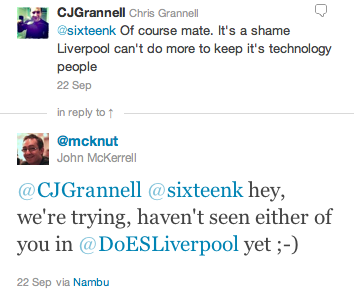
That got me to a realisation:
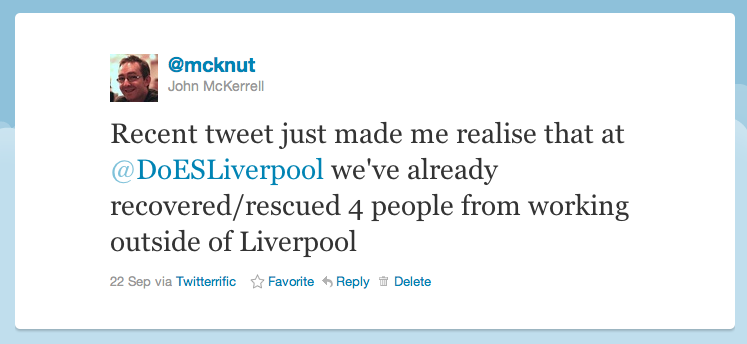
Now that comment is certainly meant to be taken as tongue in cheek, but there’s some very real truth in it. To start with the more tenuous examples. Paul Freeman (@OddEssay) contracts for a company in Eccles, near Manchester. Since setting up DoES Liverpool Paul has been able to spend more time in Liverpool. Yes he’s still working for a company in Eccles but he’s now buying lunch from Liverpool companies and engaging with the Liverpool tech community more regularly.
Let’s move onto Paul Kinlan (@Paul_Kinlan). Paul is a Developer Advocate with Google. He’s based in their London office but also spends a lot of his time travelling around Europe and the world promoting Google Chrome and HTML5. His main reason for being here is to work with developers who are using Google products in the north of England, but by supporting DoES Liverpool and taking a desk with us Paul is now able to spend more time in Liverpool meaning he gets to spend more time with his family who are still based up here.
Finally we have Andy Hughes (@andyhughes86) and Andy Powell (@p0welly). They work for a company in Manchester who had offices in Stockport. Andy and Andy are both developers who worked in an office full of sales people. These were people who spent most of their time on the phone trying to make sales. Not the best environment for a pair of developers who need to get their head down and concentrate. Their company was moving into an office in Central Manchester, a smaller office in a trendier area which was going to mean Andy and Andy would either be in closer quarters with their noisier colleagues, or have to find somewhere else to work. Fortunately they came across DoES Liverpool and came in for their free hot desk day (bringing donuts!) They liked what they saw and took two permanent desks with us. Andy H lives in Runcorn, Andy P lives in New Brighton. Andy H unfortunately still has a long bus ride (but we’ll come back to that) while Andy P now has a 20 minute commute! As it turns out, Andy H is now moving to Liverpool. I had a chat with him recently and asked if he was planning to move to Liverpool before they joined us at DoES Liverpool. He told me that while he really wanted to move here he had resigned himself to living in Manchester. So not only do we have two people who are regularly coming to Liverpool and supporting businesses in the city centre, we’ve also got someone who would have had to live elsewhere being able to live in Liverpool as he’d hoped, paying taxes and again supporting local businesses.
So this blog post certainly isn’t meant to suggest that other places are bad. Generally at the moment though if you want to work for a digital company in Liverpool your choices are to join a digital agency or go it alone. If you don’t want to do this you’ll probably need to work elsewhere. I also recognise that in all of the examples given the person is still working for a company based outside Liverpool. It’s nice though to recognise that even at this early stage DoES is supporting local people and even changing their lives for the better. Hopefully in the future as people start building new businesses based out of DoES those businesses will expand and will start recruiting more and more people from the city who will no longer have to leave just to find a good job.
We also got some more news coverage recently, on Friday getting in the Daily Post for hosting the OpenLabs Developer Breakfast events, and an article 2 weeks ago that we only heard about because someone came into DoES for a look around, as a result of seeing it in the Metro. As it turns out that one was syndicated so we were mentioned all over the place!
-
Another Catch Up, Week 157
A month since my last update, I felt I had to post an update today though as it is in fact the third anniversary of the formation of my company, MKE Computing Ltd!
I’m intending to post a bit of a retrospective sometime over the weekend but thought I’d better update on the general stuff first.
Oh, one other housekeeping note, it seems that for the last few months of updates I’ve managed to mess up the week notes numbers, I first randomly added 3 weeks and then accidentally added 10! This week’s update number was actually lower than the previous one a month ago. I’ve gone through the past updates and updated them to make sure they’re right.
The biggest thing I’ve been “working on” recently is DoES Liverpool. In my last blog post I mentioned that we’d been finalising details of the bank account and the venue. We moved into our space shortly after, spent an intensive week decorating, cleaning up and laying out the space and opened to the public on the 18th July! We’re really happy with how the space has turned out, we’ve got a lovely big open workshop space, a cosy little office space for more intensive working and concentration and then a bright meeting room for when people need a private area or are holding small events. Everyone that has visited so far has been really impressed with our set-up and it’s regularly been compared to a Manhattan loft, we do have a great view onto the gorgeous 1880s built Stanley Building.
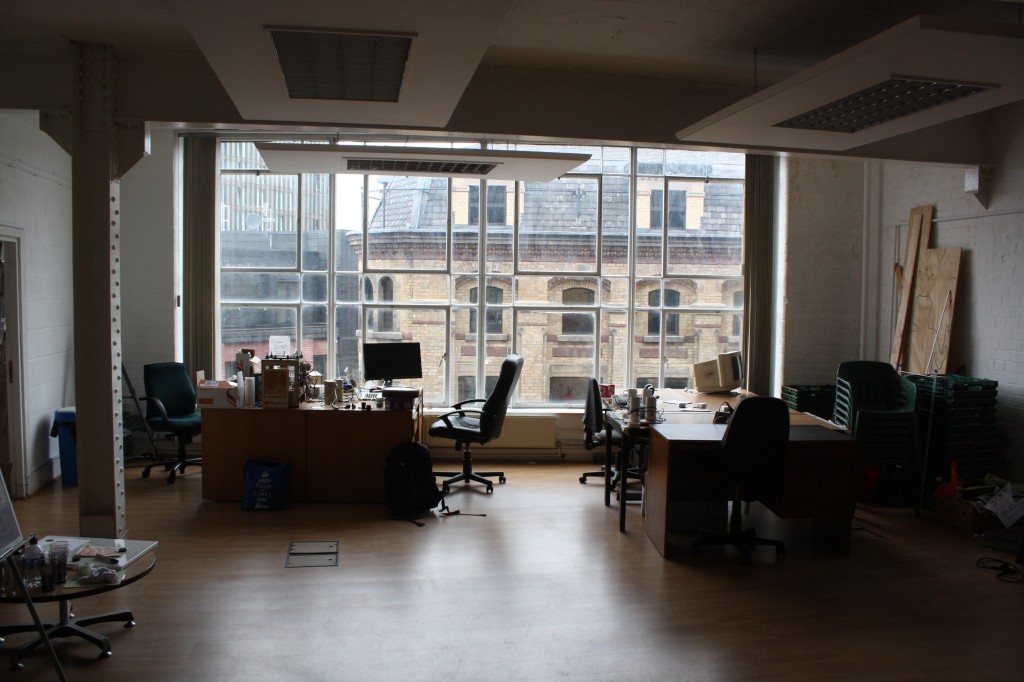
Since opening we’ve had various people coming through the doors, we had an open day on Friday 22nd which saw us get two write-ups in the Daily Post and this week we welcomed in another “permanent” desk user (as opposed to the various hot-deskers). Take a look at the website for more information about co-working, hot-desking and workshop space at DoES Liverpool though there’s a few more posts up on the website for the Maker Night regular making events in Liverpool. (The DoES website is actually brand new so you may not see it yet while the DNS propagates but it’ll be there soon)
Besides DoES I’ve actually been relatively quiet for client work. This has been useful for getting things done on DoES but I definitely need to start getting my hands dirty with code again. I’ve started looking at making some upgrades to my CamViewer iOS app and there’s a few more client apps that should be kicking off soon.
I’ll leave it there for the update but hopefully I’ll get my “year notes” up soon to give a retrospective of what I’ve done in the first 3 years of MKE Computing Ltd.
-
Catching Up, Week 152 (was 165)
Long time since an update but there’s some important things going on so I wanted to get up to date.
In the weeks after my last update I continued to work on the Colour Match app for Crown. I’ve added various features to try to help users find the right colour better including adding in a new set of colours that need to be mixed on-demand, and then a set of colour palettes to let you browse the colours similar to the one the app has selected for you. I submitted that app last Thursday and Apple approved it around Tuesday of this week so that’s now available from the app store.

I then went on holiday for two weeks! Apart from a really crap start to the holiday courtesy of US airways and a cancelled flight meaning we were 24 hours late into our destination we actually had a really good time. We started our holiday in San Francisco, eventually having 2 full days there. This was actually my fourth trip to San Francisco but my wife’s first so it was nice to be able to take her around and show her some of the sights I’ve previously enjoyed. The first day was spent within SF doing a bit of shopping, visiting Chinatown and then over to Fisherman’s Wharf to do a boat cruise under the Golden Gate bridge (a first for me actually). On the second day I hired a car (an hour spent in a queue, thanks National!) and we explored a wider area. We drove into the Presidio and I took a photo of my wife with the Yoda fountain at the Lucasfilms HQ. We then continued on to the Golden Gate bridge, we drove over and parked at the viewing spot on the other side to take a photo, we then drove back over and to Baker Beach for a few more photos. The weather wasn’t really beach weather, more gray and cool, but it was still nice to see and take a few photos.
After this we went onto the Golden Gate park. I was originally looking for the Japanese Tea Garden but we ended up getting lost and ending up at the rose garden. This was nice enough to walk around so we had a look and I took some photos. From here we headed south, I was aiming to take the coast road but unfortunately I relied on the GPS too much and it took us mostly on a boring highway to our next destination - Half Moon Bay. The weather still wasn’t really playing ball so we didn’t spend too much time here but drove a short distance north to visit Barbara’s Fish Trap. This is a great little fish restaurant that I found last year (with a WhereCamp friend John Barratt). We both had a mixed seafood selection consisting of a big selection of breaded seafood delights. In the evening we headed back into town to join the WWDC2011 European developer gathering. Unfortunately I hadn’t managed to get a ticket for WWDC (but can you imagine how annoyed I would have been missing the first day due to cancelled flights?!) so it was good to be at least a little involved. I enjoyed a nice micro-brew beer and a good chat with Dave Verwer of Shiny Development and the European Apple developer liaison David Currall.
After San Francisco we flew to Detroit to see friends. This was a great relaxed time, it was good to catch up with friends and meet their new 9 month old twins! We didn’t get up to much while we were there but we did go on a quick trip into Detroit to see Michigan Central Station and even drove over to pay a quick visit to Canada on the other side of the Detroit river. On our last day we made the two hour trip up to see our friend’s grandparents who live on the shore of Lake Superior. They were actually on the shore of Saginaw Bay, so not the main part of the lake, but it was still huge and an impressive sight.
After Detroit we carried on to New York City. We stayed near Times Square and did all the tourist things including visiting Liberty and taking in the view from the top of the Empire State Building. There’s been a few links dotted through this post but if you want to see all my photos take a look at my set of America photos over on flickr.

So, finally, week 165. Just before I went away we signed the paperwork to register a new Community Interest Company - DoES Liverpool. The idea behind DoES Liverpool is to create a space in which people can come together, can use a workshop to design and build products, can co-work on desks and ultimately can build businesses. Much of this week has been taken up with organising paperwork for the company and the bank account and finalising details of the venue. If you’re interested in hearing more about DoES Liverpool then be at GeekUp on Tuesday in Leaf on Bold Street from 6:30pm to hear all the details.

-
Launching Bubblino and Client Apps, Week 146 (was 159)
I spent most of this week updating the Crown “Colour Match” iPhone app that I’ve previously made a few small changes to (I had nothing to do with the original codebase on this app). There was a few false starts while I waited for the graphics for the app, there was a few issues getting them through in just the right formats for the low and high res iPhone screens, but once I’d got them I did manage to make some headway.
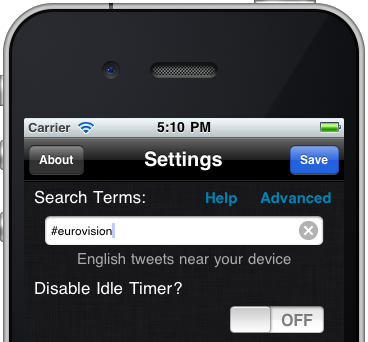
The other thing I did was to launch the new version of Bubblino & Friends. This new version offers some great new graphics, new animations and audio that has been created just for the app. I’m really happy with the app and have enjoyed using it to follow some hashtag searches myself but I have to say that sales have actually been quite low since it launched, lower than I’d like anyway. I think that it’s not clear to people why they need an iPhone app to help them use twitter’s search features. As I say I’ve enjoyed using it but, as ever, people are just never sure about putting down that 59p/99c for something they don’t know they need. Hashtags are in use so much though, from the Eurovision Song Contest Final today (#eurovision) to episodes of The Apprentice (#apprentice OR #theapprentice) people are hashtagging tweets all the time and I do hope this app will become a great way to consume these. I can think of a few things that could improve the experience including finding a way to see more of the tweet text (without, of course, hiding Bubblino away!) with one obvious thing being an iPad version. I’ll be listening carefully to any feedback I get and pushing updates out as soon as I can.
Finally, this week we held two of our Maker Night hacking evenings in the Art and Design Academy of Liverpool John Moores. With a 7-9pm session on Wednesday and a 6-10pm session on Friday we all made lots of progress on the various projects we’ve been working on. On Wednesday I got more involved in the Cupcake 3D printer we’ve been building so that I could spend Friday looking after it (as Ross Jones who has led the build so far couldn’t make it). Friday night’s event was actually part of a wider event going on in Liverpool called Light Night with events occurring all over the city. This was great as it meant we had lots of visitors coming down and finding out about what we were doing and looking at our mini-exhibition of hardware hacks (we had my location clock versions 1 & 2, Mycroft’s Radio, Bubblino and an Internet connected temperature guage). While it was great to tell the visitors about what we were up to it did delay my work on the 3D printer! We eventually got the final few bits done and everything wired up and managed to test the plastic extruder and the platform stepper motors that move everything around. While it was great to have some success I’m afraid the most we managed to “print” was things like this. Next month’s Maker Night should be great as finally the first real objects should be printed, just a shame I won’t be there to see them! If you’re interested in going, head over to the Maker Night website.
-
YAHMS: Base Station
Bit of a delay as I’ve been busy with other things but in this post I’ll be completing the set of YAHMS hardware by discussing the base station hardware and software. The base station has a few jobs to do in my YAHMS setup:
-
Physically connect to the relays via digital output pins.
-
Download the config for digital output pins and then control them.
-
Receive the XBee signals from the temperature probes.
-
Take samples from an on-board temperature sensor.
-
Submit samples received locally and via XBee to the server.
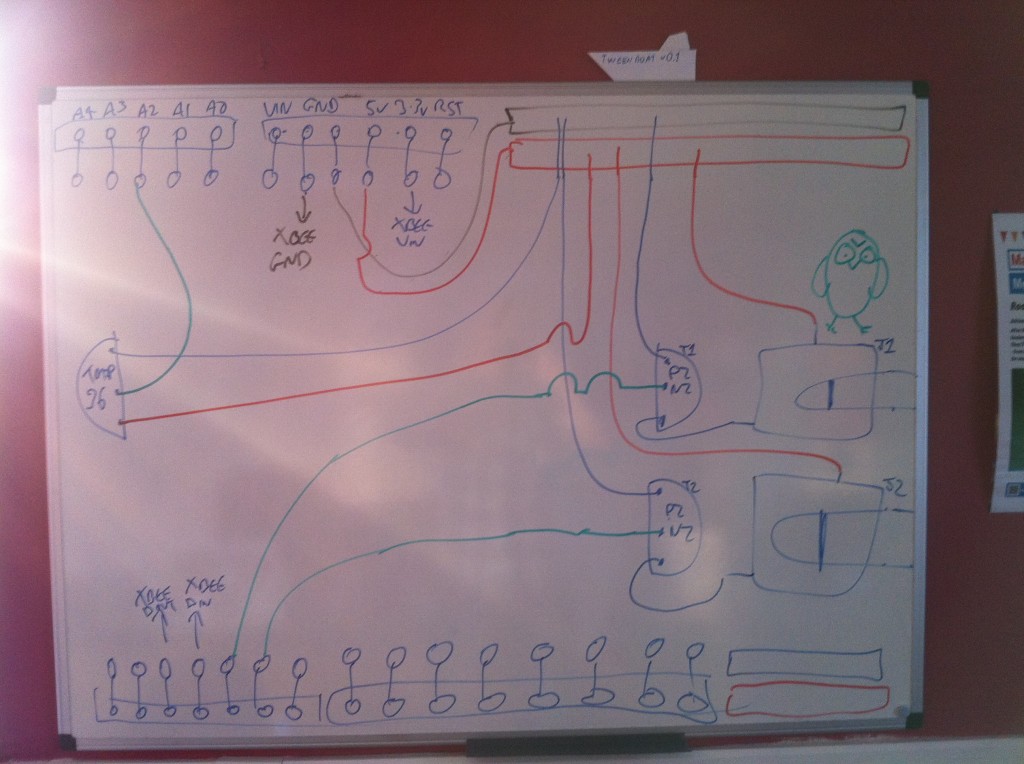
The circuit for this is fairly simple though, just connecting up some inputs and outputs. I mentioned connecting an XBee to an Arduino in the temperature probes post, we simply need to connect the DIN and DOUT pins up to the Arduino so that it can receive the information (and of course the power and ground wires). Because I like to use the main serial interface on the Arduino for outputting debug information back to the computer I’ve gone with connecting to pins 2 & 3 and using the NewSoftSerial which essentially means the serial interface will be provided by software. This isn’t ideal as in theory it means you’re more likely to miss data as it comes in, but the latest software serial drivers largely get around that issue by being interrupt driven. So I end up with the XBee power and ground going directly to one of the grounds on the Arduino board and the regulated 3.3V output, and then pin 2 (DOUT) on the Xbee is plugged into pin 2 on the Arduino and pin 3 (DIN) goes to pin 3 on the Arduino.
I have two NPN transistors turning on the relays (using transistors so that the magnet in a coil relay won’t cause a burst of current draw to the Arduino digital pin) which are plugged into two 3.5mm audio jacks. I have 5VDC power going onto the tip of the headphone jack, the sleeve connection of the jack then goes to the collector on the transistor and the emitter of the transistor completes the circuit by connecting to ground. The base of the two transistors go to pins 4 and 5 respectively on the Arduino.
I also decided to add a temperature sensor onto the board just because I had lots handy and to make sure that I had something to sample locally. The TMP36 is wired to the 5V power supply and then the VOUT goes to A5 on the Arduino to sample the temperature. See my temperature probe post for more details on TMP36s.
Here’s a picture of my original circuit diagram:
And here’s a fritzing version of that diagram:

And here’s a photo of the finished product:
 The board I’ve used here is a prototyping shield that I got from @oomlout at MakerFaire. Being a shield it’s really handy and has two sets of connected track on the ends allowing power distribution. I couldn’t find a part for it in Fritzing so I’ve just used the breadboard piece and tried to arrange the parts in the diagram in a similar way to how they ended up, but with more useful spacing.
I had a few small physical problems with the board when it was completed. The pins on the headers on the prototyping shield are note long enough for it to properly stand above the RJ45 jack on an ethernet shield. You can kind-of push it down so that all the contacts are made but it’s not quite ideal. This also means that the RJ45 shielding will short circuit any connections it’s butting against on the prototyping board. That caused a bit of a debugging nightmare for me at first until I realised and applied some insulation tape! Things fit well if you put the ethernet shield on top of the prototyping shield but unfortunately the ethernet shield then didn’t work, I assume because it needs the ICSP connection.
The hardware here is pretty simple but I’ll do a parts list as usual for completeness. Thought I’d also include this cheatsheet which I drew on the second whiteboard in our office:

It’s worth noting that as YAHMS is completely configurable you can actually have whatever circuit you want using any of the digital output pins or Analog input pins, and choosing whether to use the XBee or not, my circuit is only really shown as a guide. In the future I intend to add support for digital inputs too.
Once that was all done it was time to write some software. As I mentioned in the first post I’ve actually open sourced the software for this so you can grab the source code for YAHMS from github and extend and fork it as much as you want. Unfortunately at the moment it has a few non-standard dependencies. The main thing is the new version of the Ethernet libraries that Adrian McEwen (@amcewen) has been working on. These will be part of an Arduino build in the near future but for now you can try getting them from his github fork of the Arduino environment. They’re really useful though as they provide DHCP and DNS support meaning no more fixed IP addresses! I’m also using a HttpClient library that Adrian has also written. This isn’t actually available properly from anywhere yet (but keep an eye on his github repositories!) so I’ve linked to a zip file of the version I’ve used below, that also contains a few other libraries that it uses. The final custom library is a version of this XBee Arduino library that I’ve hacked to support NewSoftSerial instead of just the standard Serial interface, see the links below for that too. You’ll also need NewSoftSerial of course and the Flash library which I’ve used to decrease memory usage. Follow the instructions in
patching_print.txtto patch the system Print library to support the Flash objects.If you manage to get through the rather complicated compilation process for YAHMS you’ll find that you just need to edit the MAC address in YAHMS_Local.h and you’re ready to go. In theory you should not have to configure anything else locally once I have yahms.net working fully. Once running on an Arduino that sketch will retrieve an IP address via DHCP, synchronise the time using NTP and will then attempt to retrieve the latest config for the MAC address from
yahms.netyahms.johnmckerrell.com (yahms.net does work but seems I’ve forgotten to update the source code). Currently there’s no way for you to put your config into yahms.net but hopefully I’ll get that up soon enough. Until that point you can edit YAHMS_SERVER in YAHMS_defines.h and use something on your own system.Config is requested by a HTTP GET request to a URL like the following:
http://yahms.net/api/c/a1b2c3d4e5f6/1/00000000Which breaks down as follows:
/api/c/ a1b2c3d4e5f6 / 1 / 00000000 MAC address of your ethernet shield, as registered with yahms.net Protocol version, currently ignored Time last update was retrieved, idea being that the server will return nothing if the config has not updated, also ignored and incorrectly sent as zeroes by the YAHMS code right now And should return something like this:
YAHMS
A:5
O:4,5
X:2,3
C:30 6 * * * 60 4
C:0 7 * * 8 120 4
C:30 19 * * * 60 4
C:40 16 13 4 * 60 4
C:2 8 6 5 * 60 4
S:60
Which breaks down as:
YAHMS _header, identifies this as YAHMS config_ A: 5 _comma separated list of analog pins to take samples from_ O: 4,5 _comma separated list of digital pins to use for output, controlled by control blocks given later_ X: 2,3 _Pins being used for Xbee as RX then TX_ S: 60 _comma separated list of settings, the first number is a number of minutes that this system is offset from GMT - the server is expected to handle daylight savings time and change this accordingly_ _and a set of control blocks_ C: 30 6 * * * 60 4 _pin 4 turned on at 6:30am every morning for 60 minutes_ C: 0 7 * * 8 120 4 _pin 4 turned on at 7am at weekends for 120 minutes_ C: 30 19 * * * 60 4 _pin 4 turned on at 7:30pm every evening for 60 minutes_ C: 0 * * * 2 10 5 _pin 5 turned on for 10 minutes every hour, every Monday_ C: 0 14 * * 2 10 5 0 _pin 5 turned **off** for 10 minutes at 2:00pm on Mondays, i.e. cancelling out the block on the previous line_ The syntax for the control blocks is inspired by the syntax of crontab although YAHMS only supports either a number or an asterisk (*) for the numbers, and instead of a command the time is followed by a number of minutes, a pin that you want updating and the state you want it to have. An asterisk in a numeric column means that this column always matches, a number means “only use this block when this field has this value”. Here’s a breakdown of the fields:
Field Example Description C: Identifies this as a control block m 30 number of minutes past the hour (0-59) h 6 hours since midnight (0-23) dom 3 day of the month (1-31) mon 5 month of the year (1-12) dow 2 day of the week (Sunday is 1, 8 is weekend, 9 is weekday) len 45 length of time the block is active, in minutes (stored as an int so -32,768 to 32,767 though it would be unlikely you’d use values that big) pin 4 the arduino digital pin that you would like to control state 0 This field is optional and is “on” by default, 1 is on, 0 (zero) is off. So this would give us a very specific control block that turns pin 4 off for 45 minutes from 6:30am on the 3rd of May, but only if that day happened to be a Monday.
At any point in time it would be possible for a number of control blocks to be active for a pin. If any of these blocks specify that the pin should be off then this gets priority and the pin is turned off. The default state for a pin when no control blocks are active is also off. Generally you would only need to have “on” control blocks but the “off” blocks allow you to override, so you can have a block that turns the heating on every evening, but add a temporary “off” block to turn it off on a particularly warm evening.
For sampling, the YAHMS system will take a sample from any analog pins that you have requested on every cycle of the loop method. It will store the last 10 samples and then submit a smoothed value back to the server. For the XBee values it will check every cycle for an XBee packet (waiting for 5 seconds). If it receives a packet it will record a smoothed value from the samples that have been sent. Every minute the system will submit any samples that it has taken, and will then blank the XBee records. This way you won’t get continuous records from the XBee if it stops transmitting. The samples will be sent to the following URL as a HTTP POST:
http://yahms.net/api/s/a1b2c3d4e5f6/1(Again that’s the MAC address and a version number in the URL)
The POST data is sent as
Content-Type: application/x-www-form-urlencodedand will have a format similar to the following:A5=0b8&X1P0;=226&X1P1;=039&X1P2;=05f&X2P0;=233&X2P1;=18f&X2P2;=18f&X2P4;=0de&Each sample is a three digit hex number (three digits is required to send to 10 bit accuracy). The samples from Arduino analog pins will have keys of A0-A5 and samples from an XBee are given as X, then the ID of the unit (the Arduino code will only support single digit IDs at the moment, i.e. 0001-0009 are supported), then the letter P then the XBee Analog/Digital pin that was sampled. So in the above we have a value of 184 from Arduino analog pin 5, then 550 from pin AD0 (pin 20 on the module) of the XBee with ID 0001, we have some more values and end with 222 from pin AD4 (pin 11 on the module) of the XBee with ID 0002.
The code for yahms.net currently requires Rails 2 but I’m thinking that I should update it to work with Rails 3 considering that’s been out for ages. I’m intending to do this update before releasing the code. If anyone particularly wants a copy then let me know and if lots of people do I’ll just release it anyway. For now I’ve linked to a small PHP script below which you can use to send config to your YAHMS system and store the submitted data in a text file. Below are the links to the other custom libraries too:
Do let me know if you find this interesting or useful! I really hope someone does and the more feedback I get the quicker I’ll release the yahms.net code and improve the whole system!
-
-
Weeknotes Week 145 (was 158)
 Quite a mixed week this week as I was expecting some materials from a client to come through to let me work on some updates for them but they didn’t come through until Friday. In theory it was also a short week due to the May Day bank holiday in the UK. As it happened I ended up spending Monday making some final changes to Bubblino, including the addition of bubbles! Such an important thing for Bubblino but I kept forgetting to add them. Really happy with how they came out, they’re randomly generated and individually controlled. At the moment the bubbles all float up which is a bit different to the real Bubblino, but they look good for now. I finally got the app submitted early on Tuesday morning so hopefully it’ll get accepted in the next few days and we can get it up for sale. The new version is going to be on sale for 99c/59p so it’ll be interesting to see if it generates any useful revenue.
I also spent some time this week trying to improve my App Store Positions service. I’ve noticed recently that the graphs it generates of positions have been fluctuating quite wildly. I’d previously checked that it was successfully completing all the downloads it does so I couldn’t really see what might be the issue and was assuming it was a problem on Apple’s end. As it turns out the problem is definitely on Apple’s end but I have been able to work around it. Basically Apple’s servers are sometimes returning the wrong result for the request I send, i.e. I might request UK Navigation Paid apps and get Venezuelan Navigation Paid apps back. While I would notice a response coming back with incorrect XML because it didn’t have positions data in, I wasn’t checking that what I got back was what I asked for. Fortunately I’ve been able to add a check in and am now retrying all requests that get bad responses. Unfortunately this means that my downloading is now taking about 1 hour 15 minutes when previously it was only taking 30 minutes, but at least I’m getting the right data now! I also improved the style of the emails it sends so that high performing apps are towards the top and the highest app store rankings show up first so I’m glad to be getting some nicer data to present there.
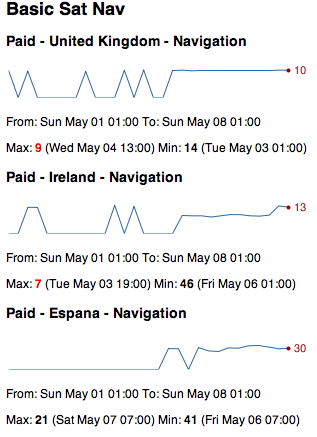
Apart from this most of the week was spent on little bitty things, some (hopefully final) changes to the Chess Viewer and answering various emails. Next week should be more active working on a client app, though that hasn’t started well as I’ve found that the image resources I’ve been sent through are all arbitrarily sized. I’m sure I’ve got a fun week to look forward to.
-
More Bubblino & Friends, Week 144 (was 157)
This has been quite a short week due to the Easter bank holiday on Monday and the public holiday for the royal wedding today. I decided to spend the three days working on the Bubblino & Friends iPhone app that I built back in January.
Soon after January I talked to local artist and illustrator Sophie Green about her providing new artwork for the app and within a week or so she delivered some really nice pics for Bubblino, Pirate Parrot and another character that’ll be new with this version. I also chatted to a voiceover guy who came up with some great quality audio for Pirate Parrot.
Unfortunately I then got busy and so nearly three months passed without progress. This week I’ve finally got going on it again and have made loads of progress. I’ve added the new character and new art throughout. There’s a new tasteful tweet view UI and a nice simple form for building up advanced search queries that even searches using your phone’s location.
The update is essentially done now so I can’t wait to get it on the store, there’s just one more feature I keep forgetting about and some testing to be done but hopefully in just over a week there’ll be a new Bubblino & Friends available to buy on the app store!
Oh, and introducing my new robot friend:

He’s currently going by the name “Mr Roboto” but I’m open to suggestions for something better!
(The text for these weeknotes was all entered through a Kindle device. The screen is so great in the sunlight that I’m desperate to find ways to work on it. The keyboard is a little difficult so I may have to see if it’s possible to use an external one.)
-
YAHMS: Relays
 This should be a fairly short post as the relays are quite simple. I decided to intercept the power to the heating by taking apart an old mechanical timer like these, stripping out all the mechanics and making use of the exposed connections which simply needed shorting to turn the socket on. With the mechanics removed there was plenty of space to fit the relay and the DC connector. I decided, for no particular reason, to use some 3.5mm headphone type jacks to handle turning the relays on and off. wiring it all up was fairly simple, the relay has 5 connections two for the DC connection and 3 for the AC connections, the AC ones are wired up differently depending on whether you want the AC circuit to be on or off when the DC signal is present. I also wired a diode across the DC connections on the relay as protection against any reverse current generated by the coil when the DC power is turned off. After reading the rating on the central heating system’s plug I went for (what I thought was) a 13A rated relay, when I opened the plug later on to rewire it though I found it only had a 3A fuse inside! At least my relay unit will be more capable if I want to use it elsewhere.
The place where my central heating plugs in actually has just two sockets. With this relay and the heating plugging into one that meant I only had one spare. I had already decided to use Powerline Ethernet to get network access to my boiler and so I didn’t actually have anywhere left to plug the Arduino in. I thought it would be a shame to have to load in an extension just for the sake of the Arduino so I began exploring other options. The first thing I looked at was tapping 5v from somewhere in the Powerline Ethernet device I was using, having taken it apart and looked up various of the ICs on the internet though I decided that probably wasn’t a good idea. I’m sure there’s somewhere I could’ve taken it from but considering the device was mostly about varying voltage and playing with everything from mains voltage to DC on the IC and a different level of DC over ethernet I decided to leave this one alone. I ended up looking on Farnell to see if they had any self contained switching PCB power supplies and with some searching help from Adrian McEwen again we found this 5VDC 2.75W switching PSU. I managed to fit this and an old USB socket into my old mechanical timer so that it was not only relay controlled but also provided 5V DC of power via USB, just the thing for an Arduino! The result is quite a nicely put together unit, the only problem being the black insulation tape I’m using to cover up the big circular hole where the mechanics were, I really ought to sort that out sometime. I quite liked the size and capability of the PSU though and may even get some more to power the XBee modules if the batteries don’t power them for long enough.
So, bill of materials for this unit are as follows, I’m not going to bother putting a circuit diagram in as it’s so simple but post comments if you have any questions.
Part Quantity Mechanical timer 1 These are not the ones I used, just an example, so I can’t guarantee they’ll have the same amount of space, in fact they do look a bit smaller than mine. 5VDC/250VAC PCB Relay 1 Data-sheet - I had thought this was 15A rated but looking again seems it might be only 6A Diode 1 Not entirely sure what type of diode this was, just what Adrian had lying around 3.5mm Jack 1 Data-sheet 3.5mm Plug 2 needed for this project (one either end of the connecting cable), this is a pack of ten though Data-sheet 5VDC 2.75W switching regulated PSU 1 Data-sheet Female USB Type A socket 1 Just one I had lying around  For the light switch I went with this 5A solid state relay which I rejected for the central heating control when I thought I needed a 13A relay. Again it just required a simple circuit with a 3.5mm jack and a protection diode across. I’m housing all of this inside a thermoplastic junction box. it does the trick but probably isn’t ideal and has unsightly rubbery cones coming off each side which you can cut down to fit cables. Bill of parts for this one would be:
Part Quantity Thermoplastic junction box 1 Not ideal but does the job Solid state 3-15VDC/240VAC Relay 1 Data-sheet Diode 1 Not entirely sure what type of diode this was, just what Adrian had lying around 3.5mm Jack 1 Data-sheet 3.5mm Plug 2 needed for this project (one either end of the connecting cable), this is a pack of ten though Data-sheet So next blog post should cover the base station, and that’s when thing start to get a bit more interesting.
-
iOS In-app purchases, week 143 (was 156)
 Spent much of this week finishing off the next stage of development for the Chess Viewer. One of the key things we wanted to get into this version was the ability to buy books from Everyman Chess’s website. If you look at their iPhone app page you’ll see that they have a selection of books available in the right format for the iOS app. Each of these is sold for $19.99. At the moment it would be quite a faff to buy the book in Safari on your phone and then download it and get it into the app, the new functionality aims to make this much easier by letting you browse the books on the phone and purchase them with your iTunes details. I was a little nervous about how difficult this could be having read some horror stories, but it did all seem relatively straight-forward so I had only allowed 2-3 days for it. In the end it did take just about 3 days and wasn’t so bad, I think I was well prepared having read some great web pages about it so that when I did have problems I knew how to handle them. This page had some great information and a class to use to work with the app store. This in-app purchases walkthrough was also invaluable. The first of those links seemed to be aiming for a different sort of thing than I was so I actually used the second more but reading both was good to know what to expect. The second one was good for taking you through the steps you’d need to do, including setting up the items to be purchased in iTunes Connect, and also telling you what you’d need to do before testing. A second page by the same guy gives a good breakdown for how to handle “Invalid Product ID” messages from the app store. I did get to a point where I was repeatedly getting no valid product IDs from Apple’s servers and so was seeing no products in my store, in this case (following the instructions on that page) I needed to delete the app and reinstall it to get things going again.
 I got all of this working and managed to finish the other features and fix a few remaining bugs. I’m really happy with how things are looking, the app has gone from being a fairly basic looking iPhone app (with lots going on under the hood) to a much better presented app (with even more going on under the hood!) Hopefully we won’t find too many bugs while testing over the next few weeks and can get the new version on the store soon.
A few more libraries that really helped me were ASIHTTPRequest - a great iOS class for handling web requests which made it really easy for me to submit files back to the server if people have problems with them, I’m sure I’ll be using this one again. Also ZIStoreButton - a class that mimics the buy button on the app store, it shows up as a blue button with a price in and when tapped changes to green and says “Buy Now”. I’ve linked to my own github fork there as I did make a few changes to make it more compatible with pre-iOS4 devices and to (IMHO) better match the style of the app store button.
Apart from this I attended the 4th Maker Night of the year. That was good fun, we had a great turn-out and had people working on all sorts of different things. I found I wandered between projects catching up with people and helping out but did get time to help complete a few pieces for the Cupcake 3D printer we’ve been building. Also this week, on a similar vein, I’ve been writing up my experiences with my new “home management” system - YAHMS. There’ll be more to come from that when I get time.
-
YAHMS: Temperature Probes

My wireless temperature probes work by using an Xbee module to transmit readings from a TMP36 down to the Arduino base station. The XBees aren’t too cheap, coming in around £19 or $23 so I tried to be cheap and ordered mine from Sparkfun, I bought this XBee (series 1) with Chip Antenna and these breakout boards. I was intending to solder the module directly onto the board and didn’t take notice of what Sparkfun says about “please order the accompanying 2mm sockets (you’ll need 2!) and 0.1” headers below.” (these ones). Once I saw what a stupid idea it was to solder the module (means you can’t switch them around between boards, handy for testing and reprogramming) I ended up buying these headers from Farnell.
As mentioned, to take the temperature reading I’m using a TMP36, these take a voltage of around 3-5.5V as input and will output a voltage between 0-2.7V to indicate the temperature, which can be from -40 - 125°C. In the end I needed three of these for this project, two for another project and managed to kill a friends’ (or it was already dead) so I just bought 10 to make sure I had enough.
XBee modules require regulated 3.3V input, as I’m using the very basic breakout board that just breaks the pins out without adding any functionality I used a MCP1700(-3302E/TO) which accepts up to 6V. In my first order I just bought two, one for each temperature probe. The first time I tried one I managed to connect it to the batteries the wrong way round (in fact the wires on the battery pack were colour coded wrong!) which unfortunately killed the regulator. With this experience and a few others I’ve realised that for something that only costs £0.36 it’s never worth buying “just enough”, always get plenty. The data sheet for that part suggests putting 1 µF capacitors on the input and output, I had issues finding any with that rating that were cheap enough so ended up going with 3.3 µF capacitors. I eventually ordered 10 regulators so ordered 20 capacitors, might as well make sure I had enough to match!
In my initial experiments, when I was still using solar cells, I realised that although the regulator would regulate a large voltage down to 3.3V, if the input voltage was too low the output voltage would actually come out less than 3.3V. This gave me some interesting values when the XBee would just about continue to work, but the reference voltage against which the TMP36’s output was being measured would also drop resulting in temperatures shooting up as the batteries ran out!
I found the solar cells weren’t charging enough to power the XBee throughout the day, let alone through the night, so I decided to switch to batteries. I bought some of these 6xAA battery packs, I later realised I only need 4 batteries to power my regulator (and in fact 6 would be too many, I’d been thinking of Arduinos which would need more like 9V input) but it’s simple enough to short a few connections so that the packs work with 4 batteries instead. One problem I did have with these was that I didn’t get any connectors so I was trying to solder the wires directly onto the pack, this really didn’t work well because the plastic started melting before the solder did, so next time I’ll be buying some PP3 battery connectors like these.
To get around the issue of the voltage dropping below 3.3V I decided to use a voltage detector to detect when the input voltage was getting low and turn the whole circuit off, I used these TC54VN detectors to check for an input of at least 4.2V, meaning that my circuit should now provide between 4.2V and ~6V (4x1.5V AA batteries) to the regulator, or nothing. The voltage detectors I got are “Open Drain” which essentially means that when the voltage is above 4.2V, “VOUT” is floating, i.e. does nothing. When the voltage goes below 4.2V VOUT is pulled to ground. I actually expected VOUT to output the input voltage when the input voltage was high enough but it turns out I would need a TC54VC if I wanted that. The Open Drain version worked well enough once we figured it out (I had a lot of help from Adrian McEwen on this one). I’m using a transistor to turn on the voltage regulator. I pass the battery input to VOUT via a resistor and then onto base on the transistor via another resistor, this way the transistor is turned on, until the voltage drops and VOUT is grounded, short-circuiting the voltage meaning it doesn’t get to the transistor.
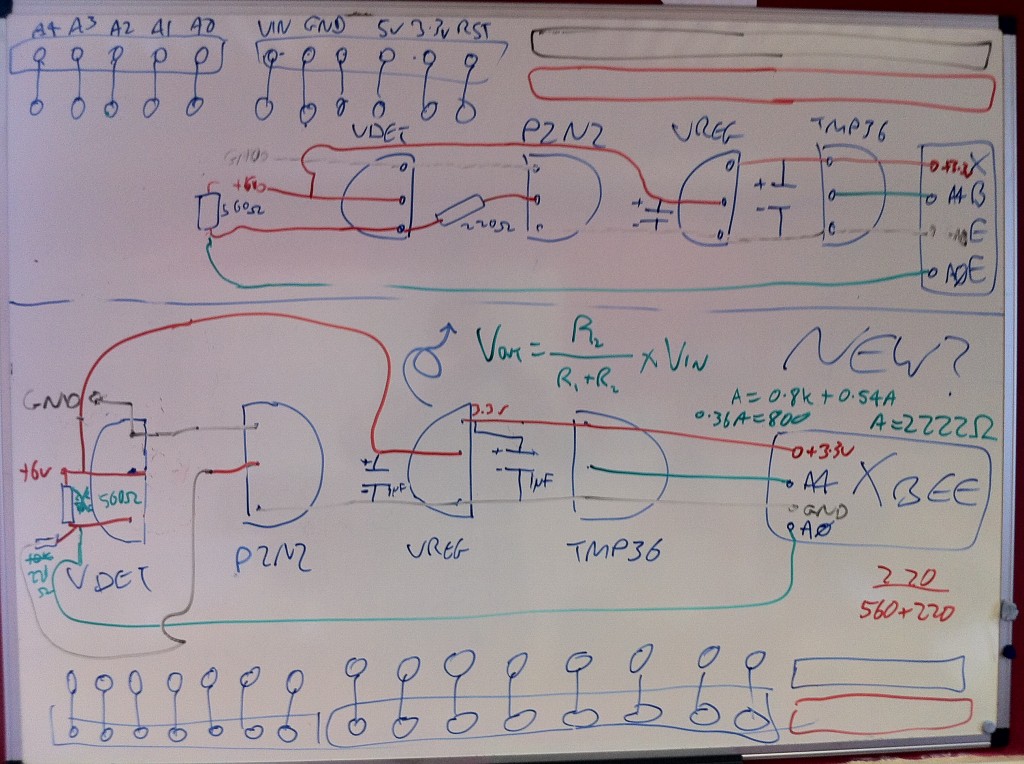
The picture above shows the circuit diagram as I was working on it, ignore the Arduino-style pins at the top and bottom. The two circuit diagrams should be just about the same, the higher one was supposed to be clearer. Here’s a fritzing diagram which should hopefully be more useful:

You’ll notice that I’m also running a wire to pin 20 on the XBee, this is A0 and will take an analog read from between the two resistors, they’re acting as a voltage divider which should mean I’ll be able to monitor the battery level and get an idea when I’ll need to change the batteries in advance. It should be possible to calculate, using V=IR, what reading I’ll get as the batteries approach 4.2V.
This seems like a good time for a bill of parts, so here goes:
I’ll also mention now that the Lady Ada article about TMP36 sensors was also really useful for teaching me how these work.
So that’s the power circuit and the temperature sensor all connected up to the XBee but you still need to program the XBee so that it’ll do something useful with that data. Again Lady Ada was really useful here, I followed the instructions on the Tweet-a-Watt which outline how to send current data via XBee. I used essentially the same programming to get my XBee to report the temperature and battery usage data from AD0 and AD4. I also bought the Rough Cut of Building Wireless Sensor Networks from O’Reilly. Unfortunately that only covers Series 2 XBees whereas I’m using Series 1, but the sections about how to wire an XBee up to USB for programming and what apps to use on the computer to speak serial to the XBee were really useful.
To connect the XBee to the computer I actually used an Arduino programmed with an empty sketch (basically
void setup() {} void loop() {}). Pin 2 (DOUT) on the XBee was plugged into Pin 0 (RX) on the Arduino and pin 3 (DIN) on the XBee was plugged into Pin 1 (TX) on the Arduino. In this way I’m basically just piggybacking on the Arduino so that it provides a USB -> Serial interface. I then used the Serial Monitor in the Arduino IDE to send commands to the XBee and monitor the response. There’s more about this in the Tweet-A-Watt article. The program I sent to my probes was the following:ATMY=1,SM=4,ST=3,SP=FF,D4=2,D0=2,IT=13,IR=1,ID=1234Which broken down means:
-
AT - Attention!
-
MY=1, - the ID of this unit
-
SM=4, - Sleep Mode SM (4 = Cyclic sleep)
-
ST=3, - Sleep Time (3 milliseconds after wakeup to go back to sleep)
-
SP=FF, - Sleep Period (0xFF - 255 x 10 ms = ~2.5 seconds)
-
D4=2, - enabling pin AD4
-
D0=2, - enabling pin AD0
-
IT=13, - number of samples (0x13 - 19 samples per packet)
-
IR=1, - sample rate (1ms between samples)
-
ID=1234, - the PAN ID for the network of XBees
Once that has been sent to the XBee it will go into sleep mode. This will mean that the XBee cannot be re-programmed unless you reset it. I actually haven’t figured out how to do that yet and so can’t modify the program on my XBees! I advise that you make sure you’re ready before sending it. It will sleep for 2550ms and then wake up, perform 19 samples with 1ms delay between each, transmit them and then go back to sleep again.
Once you’ve sent that to one of your XBees you can then place the module into the temperature sensing circuit and it should start transmitting temperatures. On the base station you would connect an unprogrammed XBee to an Arduino as above and send the following to it, this just sets the PAN ID and the modules own ID (to zero):
ATMY=0,ID=1234Now if you monitor the output on the serial connection you should see data being sent about every 2.5s. You can then use the XBee library for Arduino to parse this, or use the code for YAHMS as will be explained later in this series. If you are going to use the XBee library, be aware that the version available for download (0.2.1) actually contains a bug meaning it will give the same output for all pins, use the version in SVN instead which has been fixed.
Still to come, the relays and the base station, watch this space!
-
-
Tasty tasty YAHMS
I’ve mentioned a few times on recent blog posts about the Arduino project I’ve been working on to provide an internet controlled system for my central heating. I’m glad to be able to say I’ve finally got this working, but not only that, I’ve also opted to release the source code so that others can make use of it. The source code comes in two parts, the code to run on your Arduino and the code to run on the server side. I’m releasing both parts as Open Source Software as I realise that I’m not necessarily going to get time to add features that others need and by opening up the source code I can allow more people to get involved. I’ll be running the server side on yahms.net and will be letting anyone sign up to use the site. Right now that’s not hugely useful as new programs can only be added by inserting directly in the database but hopefully I or someone else will get around to knocking up some more UI and an API. I haven’t really mentioned what the site or the system actually does so I’ll give some brief summaries about the system and the hardware and then will be posting full build logs for all pieces of the hardware shortly.

A little more about the system in general then. I decided before Christmas that I wanted to be able to control my central heating from the Internet. What made me finally decide to do it was when I realised that my existing controller is simply plugged into a 3-pin socket meaning that all I needed to do was set the existing controller to be on constantly and then find a hardware solution that would allow me to get in between the 3-pin plug and socket to control the system. One of the things that made me decide I should build the system was the spate of cold weather we had. It seemed to come on all of a sudden so there was a number of mornings we’d wake up at 7am and find that because the weather was so cold the heating hadn’t been on for long enough. To solve this I decided I needed some intelligent temperature control that would turn the heating on earlier when we’re having a cold morning. A similar but different problem is when we go on holiday for a few days and come back to a cold house, with the heating controlled from the internet we’ll be able to have the heating fully off while we’re away but make it turn on a few hours before we get home.
So, the smallest part of the system is the temperature “probes”. Partly just to experiment with Xbee but also to get an idea for how the house retained heat I decided I wanted to put a few wireless temperature probes around the house. In theory they should be very simple just using an Xbee with a TMP36 temperature sensor feeding into them, in actual fact I’ve ended up with about 10 separate parts, most of which are there to make sure I get a steady regulated power source to the Xbee. Originally I had been hoping to power them from a battery-backed solar panel but in the end I’ve had to go with batteries.
To control my hall light I’m using a solid-state relay wired into the power line for the light. I had hoped to be able to make this non-invasive by wiring into the light switch but had difficulty getting the wire through the wall to the switch so ended up having to cut the line and re-connect it in a junction box which I could then wire up to my relay. The light is turned on by short-circuiting the two wires on this line and can be done either by turning my relay on or by using the existing switch. This means you don’t have to use the internet to turn the light on, but once the internet has turned it on you can’t turn it off locally, but that’s not a big deal.
To intercept the power to the heating I used an old mechanical timer with all the mechanics removed. This left me with a nice simple device which I only needed to short circuit two connections to turn on the circuit. A simple relay did the job here too and I had enough space left to add in a power module so that I can provide 5v USB power from it too, but more about that in the dedicated post. I can leave the existing heating controls set to “Constant” so that as soon as I turn the socket on, the heating comes on too.
Finally, to control the two relays and receive signals from the Xbee modules I put together a simple Arduino shield. It has an Xbee module connected to receive the signals, some wired jacks to send signals to the relays and also a temperature sensor, just “because”. The Arduino also has an Ethernet shield so the software is able to download configuration from yahms.net and turn the relays on and off in response to that config, it can also submit sensor readings back over the connection too.
So that’s the general overview, I’ll go into more detail in the next few posts and talk more about the software as well as the hardware and what they’re both capable of.
-
Big iOS Database, Week 142 (was 145)
Another week spent on the Chess Viewer app. One of the features that I’m adding is support for searching within the chess games, specifically of the filenames and the headers that are generally attached to each game. In the original app I was reading all of this information into memory and storing it in a big in-memory data structure of arrays and dictionaries. This made the searching fast but also made it complicated and could result in having very big data structures in memory. To fix this I decided to use Core Data.
Core Data is the “Model” part of the Model View Controller paradigm in iOS and is the recommended way to store your data. It’s generally backed by an sqlite database so can be quite quick but as it’s an Object Model can be simple to work with from code without having to use SQL. I ported the code over to use it pretty quickly and then sent a build over to the client to try out. Unfortunately the app crashed for them soon after launching, in fact they couldn’t get it to launch at all. It turned out that as the code was parsing the chess files and building up the Core Data data model it was using excessive amounts of memory. It could also be really slow, some files (specifically The Week in Chess) can hold around a thousand games, each of those games will then have an average of ten headers each meaning you end up with around ten thousand headers to store. This alone causes the parsing to be slow and use memory, but if you have multiple of these files (and TWIC is updated weekly) it could cause real problems. This was mostly a problem on the iPhone 3G but it would be silly to refuse to support it.
In the end I decided to use sqlite without going via Apple’s Core Data model. Perhaps there was a way to optimise the existing code but I couldn’t find it in the days I spent on it. Considering the search function was supposed to be a half day task I really needed to move on! Previously I’ve tried using the sqlite functions directly, these are a real pain to work with so it’s fortunate that I came across FMDB quite recently. This is a library that wraps the C functions of sqlite with a nice Objective-C interface making things much easier to work with. Again I managed to port the code over to use this without too much difficulty… I still had to make various optimisations to make sure that the big imports don’t take too long and that the searching would be as fast as possible. It’s “funny” when spending so much time on something like this, it’s only really going to affect people upgrading to the latest version that have big files, as this is when the database will be built initially. When downloading files in the future it shouldn’t be so bad considering there’ll only generally be one file being processed at a time.
In case anyone else has issues I thought I’d paste in some snippets (uninteresting bits of code replaced with comments) to show how I ended up doing things:
// OPEN THE DATABASE

// All the insert statements are the same so this makes sure
// sqlite doesn't have to parse them repeatedly
[db setShouldCacheStatements:YES];

// This stops sqlite from writing to disk so much, increases the
// chance of db corruption but if we die half-way through an
// update we'll need to start from scratch anyway
sqlite3_exec([db sqliteHandle],
    "PRAGMA synchronous=OFF", NULL, NULL, NULL);
sqlite3_exec([db sqliteHandle],
    "PRAGMA journal_mode=MEMORY", NULL, NULL, NULL);
sqlite3_exec([db sqliteHandle],
    "PRAGMA temp_store=MEMORY", NULL, NULL, NULL);
// Use memory as much as possible, <a href="http://www.sqlite.org/pragma.html">more on sqlite pragmas here</a>

// I actually tried to make sure I didn't use any autoreleased
// objects but there was one I couldn't avoid and could be
// some in code I didn't control anyway.
// Having my own pool means I can release these periodically
NSAutoreleasePool *pool = [[NSAutoreleasePool alloc] init];

// This monitors how many inserts we've done
NSUInteger numUpdates = 0;

// Tell the database not to commit the inserts straight away
[db beginTransaction];

// FOR EACH FILE

    // FOR EACH GAME IN THE FILE

        // INSERT ROW IN DATABASE FOR FILE

        // FOR EACH HEADER IN THE GAME

            // INSERT ROW IN DATABASE FOR HEADER

            ++numUpdates;
            if (memoryWarning || numUpdates > 5000) {
                [db commit];
                [db beginTransaction];
                memoryWarning = NO;
                numUpdates = 0;
                [pool drain];
                pool = [[NSAutoreleasePool alloc] init];
            }
So what’s happening there is every 5000 inserts for a file we’re committing the transaction to the database and clearing the auto release pool. This way we should hopefully not run out of memory but will run as fast as possible. You’ll notice there’s a memoryWarning flag too, this gets set separately by a notification, so if we get a memory warning before we’ve done 5000 transactions we’ll still commit the transaction and clear the pool to clear out as much as possible.
And, finally, more progress on my Arduino control system, I’ve got all the bits working now so that I can control my central heating and hall light from a website. The UI still needs a lot of work but it essentially matches the abilities of the original central heating controller and that’s the minimum I need in the short term. I’ll be putting some blog posts up with build logs soon.
-
MKEReviewRequester, Weeknotes Week 141 (was 144)
Spent this week making improvements to the Chess Viewer that I released for Everyman Chess a few weeks ago. It was good to spend some time re-factoring an app that I actually started building about a year ago.
Monday was largely spent redoing the code for the “ChessBoardView” to use Core Animation Layers. I had to make some quite fundamental changes so that I could track the movement of the pieces but at the end of it I had a board that shows nice animations as pieces move around and are taken, and also added the ability to flip the board around to see if it from the point of view of the black player.
On Tuesday I added a feature to prompt the user of the app to review the app on the app store. Lots of apps have started doing this but I couldn’t find a simple small library to implement this, so I did it myself. The code for MKEReviewRequester is now available on Github, there’s some instructions in the README file but it’s fairly simple. Set some variables when the app launches, call a method every time a significant app action occurs (an ebook is read or a game is played) and then call another method at the point you want to display the alert to users. The code was all based around some code I found on this blog post, I just wrapped it together into a nice simple class.
Got lots more done on the app too but have run into a problem with preparing Ad-Hoc builds on my Xcode4 install so annoyingly I can’t show the updates to the client. Need to check whether I can distribute a different app and also try my old laptop, hopefully one of those will work.
Today (Friday) I’ve finally managed to get the memory usage on one of my Arduino projects down so that it fits within the 2K of RAM provided. I should hopefully be writing up some build notes on that with more details shortly.
-
Social Media Cafe Liverpool, Week 133
I’ve had a busy week this week attending the various Social Media in Liverpool Week events that I wrote about last week. I just wanted to post an update to talk about the Social Media Cafe Liverpool iPhone app that I released last night.

Unfortunately I wasn’t able to declare the app live last night but the review went through and I can finally do it, head here to download the app and get lots of information about the great talks we’ve had at Social Media Cafe over the last year. You can find the slides for my Life Cycle of an iPhone App talk here.
As I mentioned in my talk, I have made the app available as Open Source Software under the Artistic License 2.0. What this means is that anyone can go away and create apps based on my code. The main requirement is that if you do so then you can’t modify the source code to hide the fact that I was the original creator, but read the license for confirmation on the details.
The source code is actually available in two parts. The Social Media Cafe app is quite simple and small and provides an app that will download a feed of information and then pass it on to a “Hierarchy View Controller”. This is part of the “HierarchyApp” which is a separate code base which I developed last year. I’ve also released this as open source under the same license so with both of these available anyone should be able to develop some interesting apps with a minimum of effort. Click the following links for more information:
Social Media Cafe iPhone app on GitHub
While the data within the app can be updated by modifying a simple text file on a server there’s still plenty of features that the app could do with, which will require modifying the source code. It might be nice to have a page of information about the next event, or perhaps a page showing recent twitter traffic. If you have any ideas for features, or you come across bugs, then add them to the smcliv Issues page on GitHub and hopefully I, or anyone else who feels like delving into the code, will add them.
If you do use the code then I’d love to hear about it and see what you’ve done, and if you want me to help you develop an app I’d still be happy to get involved.
-
General Update - Week 132
So, what have I been doing since November 27th?
- Secret Location Startup
- New version of Basic Sat Nav/Basic GPS launched 19th December with audio support and Spanish translations!
- “HTML5” and Android version of Examstutor.com apps almost finished!
- Bubblino & Friends iPhone app went from idea to submission in less than 24 hours, and is live on the App Store!

- CamViewer for Foscam Webcams goes live after a short dev time and gets hundreds of downloads and rave reviews on the App Store!
- After over a year “in development” Chess Viewer has gone live offering an advanced viewer for chess e-books popular amongst chess fanatics. Further development is planned including in-app purchase of e-books from Everyman Chess.
And all of this has taken me to the point where I’ve had 50 apps live on the app store! Not all of these are live right now as some of the Revise apps were replaced by Examstutor.com apps but I currently have 18 Examstutor.com, 15 Reviseapps.com, Basic Sat Nav, Bubblino & Friends, CamViewer, Chess Viewer, Credit Cards, iFreeThePostcode = 39 apps live right now and another one should be coming this week. Even discounting the carbon copies that’s still 9 separate code-bases, and again doesn’t include the app I completed for 7digital which Apple are unfortunately barring from the store. I’ve been busy and hopefully will continue to be with both client work and my own projects as this year progresses.
If you want me to help with a mobile web, or native mobile app, then get in touch by emailing me at john “At” mckerrell “dot” net
-
Social Media in Liverpool Week
I’ll be posting an update of what I’ve been up to recently soon but I also wanted to write something about what’s happening in the coming week. We’re celebrating “Social Media in Liverpool Week” (we got told off for calling it Social Media Week™(C)®) and also Global Ignite Week with a week of activities in Liverpool. Getting into the spirit of things I’ve agreed to speak at two of them.
The first event of the week is Ignite Liverpool tomorrow in the LJMU Art & Design Academy. I was quite disappointed not to be able to speak last year (though I must admit I did enjoy my time on a yacht in the Whitsundays ;-)) so I jumped at the chance to speak this year. I’m going to be giving a talk on “Open Source Software Projects I Have Known”. I’m intending it to be a fairly lighthearted overview of various applications and projects that people should really be aware of and using. There’s lots of other talks lined up so if you’re in the area you should definitely come along. There’s not many tickets left so be quick!
On Wednesday there will be a meeting of the Society of Swandeliers, or the Friends of Swan Pedalo. In Autumn John O’Shea of Re-Dock procured a Swan pedalo that was being sold off cheap by Liverpool Biennial organisation. This meeting is of people who have shown interest in working with the pedalo to try to determine what to do with it. We’ve all got lots of ideas but a 6ft fibreglass swan isn’t so easy to move around so it can be quite difficult to arrange activities for it. I’ll be going along and hopefully we’ll all be able to work something out.
Thursday is time for another Social Media Cafe Liverpool event, also in the Art & Design Academy. I’ll be giving a talk on the lifecycle of an iPhone app. I’m intending to give an idea of the various stages you go through when building an app and getting it live on the app store. I’ll also have a few surprises during my talk too. There’s also going to be a live skype interview and more besides so head over to the website to sign up for that.
Finally on Friday there’s going to be the Social Media Social or “Oh, I follow you on Twitter”. More details on that can be found on the Social Media Cafe Liverpool website but essentially it’s a free party in the Leaf bar on Bold St. Entertainment will be provided (but you’ll need to buy your own drinks!) I’m going to a friend’s birthday party first but should be there later on in the evening.
So a busy week ahead, should be fun!
-
Working with Android addJavascriptInterface
I’ve been spending a few days this week trying to get my Examstutor.com apps working on Android. I had already decided to do this using HTML and spent the past two weeks creating a “HTML5” version of the app. I was surprised but pleased about how quickly I managed to complete this, partly due to it always being easier doing something the second time. This HTML5 version uses localStorage a lot to store the test modules and various other bits of data. It’s probably not something that I would actually release as currently it stores too much data in localStorage, but I built it in such a way that I can build plug-ins that work on different devices meaning that I only need to recreate the device specific code for storing and retrieving data and the rest of the code that handles the interface should be the same.
Once I got the HTML5 version done I had to begin on the Android app. The app is very basic with a WebView (a WebKit control) taking up the whole screen. I then load the HTML5 app inside there and leave it do the rest. To provide the device specific code I’ve created a Java class with methods that match the plugin interface. I then add an instance of that class to the WebView using addJavascriptInterface. In theory I thought that would be all I’d need to do to get it working, due to a few idiosyncrasies of
addJavascriptInterfacethat wasn’t the case, as I’ll explain in the following few paragraphs.The first issue I found was that the object that is exposed in the JavaScript appears not to act like a normal JavaScript object. The way I had my code arranged there was a global singleton
ExamsTutorobject and then the plugin would be another singleton calledExamsTutorDevicePlugin. To save having to decide which object’s methods to call,ExamsTutorwould copy all the functions from the plugin into itself, as follows:for( var key in device ) { obj[key] = device[key]; }In that example I’ve already assigned
ExamsTutorDevicePlugintodeviceandobjis going to be theExamsTutorsingleton.After that code I would expect a call like
ExamsTutor.someDeviceSpecificMethodto work. Unfortunately I found it wasn’t and when I added some logging statements it turned out that the code was never going into the loop. In the end I decided to add a JavaScript singleton that would wrap the Android object, a little annoying that I need to do this but as you’ll see it ended up being useful later, here’s a snippet from that class:var ExamsTutorDevicePlugin = (function() { var a = ExamsTutorAndroidPlugin; return { log: function(message) { a.log(message); }, requiresInitialPathway: function() { return a.requiresInitialPathway(); }, showPathwayDialog: function() { a.showPathwayDialog() }, currentPage: function(page) { return a.currentPage(page) }, ...The next issue was the types that could be sent to and returned from the android interface. In my plugin interface I had already arranged to send various JavaScript Objects and Arrays in and out of the functions. After some testing I found that
addJavascriptInterfaceonly allows basic data types such as boolean, int and String. Fortunately this is simple enough to fix. I’m already using jQuery inside my web app and have the JSON plugin so I can use$.parseJSONand$.toJSONto make sure that I only pass strings to and from the Java. I was worried that this would result in me having to do lots of packing and unpacking on both sides of the interface but actually on the Java side I will generally just be storing the JSON to files so it shouldn’t be much of an issue. Another snippet from my JavaScript singleton with this in place would be:defaultPathway: function() { return parseJSON(String(a.defaultPathway())) }, setDefaultPathway: function(pathway) { a.setDefaultPathway($.toJSON(pathway)) },You might notice in that snippet that I’ve used
parseJSONrather than$.parseJSON. This was due to the final issue I’m going to describe here. For some reason the string objects returned by the Android interface don’t seem to react to thetypeofoperator in the way I might expect, and in the way jQuery’sparseJSONmethod was expecting. The first thing that$.parseJSONdoes before parsing is some sanity checking to make sure it has a string:if ( typeof data !== "string" || !data ) { return null; }For some reason, calling
typeofon the strings returned by Android was giving"object"and so this check was failing and jQuery was giving up on the parse. Fortunately this was simple enough to handle. I added a local parseJSON method to coerce the json to a string and also to handle the exception that might be fired by jQuery:function parseJSON(json) { var data = null; try { data = $.parseJSON(json); } catch(e) { data = null; } return data; }With that I managed to get the app to the point where I can select a Revision Pathway and have it download the information for that pathway and download the test modules from the Internet. There’s still plenty more to be done but as you’ll see from the screenshots it’s not looking bad already.


-
47 Live Apps, Week 122

Last week I mentioned that we’d got the examstutor.com apps finished and submitted. This week they went live. Apple approved them all on Tuesday evening at which point they moved into the “Processing for App Store” state. Unfortunately it then took about 24 hours for all the apps to get through this stage as 6 of them ended up sitting there for ages. We finally got everything sorted out and put the apps live on Wednesday night. The apps have started selling straight away which is a great relief though not a huge surprise as the old apps were still selling ok. This is the first time in a while that I’ve had a free app on the store that I really care about the sales of so it’s interesting to see how the “Login” versions are doing. Currently they’re “outselling” the paid-for apps by way over 10 times but this isn’t a huge surprise. It’s good to see that people are interested though and hopefully some of those will convert to sales. Examstutor.com is now featuring the apps on the homepage and has a good set of pages describing the apps so it’s no surprise to learn that existing subscribers are already downloading the free apps and logging into them. If you want to see more information then take a look at the iPhone apps section on Examstutor.com
Getting these 18 apps live actually took me to 47 separate apps live on the app store, which I like to think - even if some of the apps are just different content - is a pretty good number. Because the Examstutor.com apps are intended to replace the old “Revise” apps I have now taken the A-level versions of those down but I’m still at 36 live apps. 17 of my own (3 not available in the UK), 18 examstutor.com apps and one Credit Cards app I did for Moneyextra.com. Many of these may be repeated but if we ignore the repetitions that’s 5 different apps I’ve got live on the store now and 3 others that are completed but waiting to go live for various reasons. Quite happy with my portfolio and hope I get to continue building interesting apps in the new year.
A quick update on my clock. I ended up deciding to bolt the motor onto the mechanism rather than using glue again. After various problems including broken drill bits I managed to get it secured and turning nicely. Unfortunately when I tried to get it working with the software it stopped working again. I’m now not sure if there’s a problem with my circuit board or somehow there’s a new problem in the software. I’ve had to leave it alone for a while though as I have other things to work on but hopefully I’ll get it going eventually.
I’ve also been working on a brand new start-up idea that someone came to me with a few months ago. I’ll be doing the bulk of the technical work including a Ruby on Rails back-end and supporting mobile apps. I can’t really go into too much detail about it right now but it’s hopefully going to be an interesting return to the location space for me. Watch this space for more info as things progress on that.
-
Apps and Clocks - Week 121 (& 120 & 119)
 So these weeknotes are rapidly, or rather slowly, becoming “monthnotes”. The past few weeks have seen a few interesting things happen though so I thought I’d get another post up. Last week saw the completion of version 1.0 of the Examstutor iPhone apps. We managed to get the content for all of the 9 subjects we were hoping to support finished and so submitted 18 apps! We’re now just waiting to see what Apple will say, hopefully they’ll go straight through without any rejections but you can never be too sure. We’re submitting two apps per subject. One is quite simply a paid-for app, you pay your money and you get access to hundreds of questions on your subject. The other will be a free app in the store but is intended to be used by schools and colleges (and, in fact, individuals) who have signed up with examstutor.com for use of their online and mobile service. On downloading the free app they will be prompted for a username and password, when they enter this they will get full access to all the content “free”. We’ve included a few tests (generally around 20 questions) for people to use on the free app though so that if they download it by accident they still get to try it out and can then decide to upgrade if they want.
Last week I also managed to get the final few issues sorted out with my chess app, it’s looking better and hopefully I’ll be able to submit to the store pretty soon.
I also got most of the work done adding features to the Ruby on Rails site I mentioned in my last blog post. I needed to generate PDF invoices for a selection of addresses and services in the database and managed to get the work done pretty quickly. This was the whole point of converting from the awful PHP to a new codebase but I was still surprised by how quickly I got it done. I mainly need to make some changes to the PDF document to better match what the client wants and then let them try the system out and see what they think. I’ve used Prawn for the PDF generation and have been quite happy with it finding it pretty easy to use.
Final thing to mention is my location clock that has been quite popular on this blog previously. I originally built it at Howduino Liverpool in May 2009 - around 18 months ago. It has sat around with barely any updates since then and so was still made up of a big messy bundle of wires.

With the second Liverpool Howduino event coming up I decided I really had to get around to soldering this up, and I wanted to get it done before the event so that I could play with something else on the day (Xbee modules, lasers and a second four handed clock powered by servos were all on my list). Leaving it to the last minute I finally got started on building a circuit board on Thursday and did manage to get it finished off on Friday. Unfortunately I had a few issues with it, various connections connected that shouldn’t have been, and others that should have been were not. I then found that for some reason the software that had been working fine before had stopped working too. Fortunately I finally managed to get it all working on Saturday so now have a fully working circuit board and software.

So why am I not happy now? When I came into the office this morning I picked up the clock and started looking to see if I could get a chime to fit in the casing and where would be best to fit the arduino and cut holes for the ethernet, USB and power ports. I brushed past the motor and it wobbled, I thought “hmm, that seemed loose…. OMG, THAT’S LOOSE!!” After something like a year of being firmly stuck on by Araldite the stepper motor has now detached itself from the mechanism so my clock is still not working. I’m going to go out at lunchtime and see what glue I can find that might be able to stick a metal motor onto a brass mechanism, or possibly try to think of an alternative!
-
Catchup - Week 118
Wow, it’s been a while hasn’t it? I’ve been working hard the whole time so just not had time. Thought I should get a quick update out as some interesting things are happening.
 The app I worked on back in July was for 7digital, a leading online media and music store. They’ve been talking about the app recently and announcing their mobile strategy. Unfortunately Apple have not allowed it into the store but we’re hopeful that it will get in eventually.
The revision apps I’ve been working on in the past few months are changing… I’m now working with ExamsTutor to build a bigger suite of apps selling to schools and individuals. This is great as it saves me a lot of work on the server side (even if it does mean my existing server-side stuff is now redundant) and also means I’ll have an established conduit to schools.
The chess app I was working on way-back-when is nearing completion and may be out by Christmas!
I’ve also been working on a project to rebuild a really simple PHP app with Ruby on Rails. The original system was very simple, essentially giving an admin interface to 4 tables, but was so badly written that adding any features was a complete pain. The migration to Rails hasn’t taken too long (though slightly longer than I expected really) and is now complete meaning I can begin adding some new features to the system.
I’ve started working with someone on a new location start-up, can’t say too much but hoping it’s going to be big and will be a good reintroduction into the geo-world for me.
We’re also still enjoying the office and have now achieved a full 6 days since the last explosion!
-
Quick notes for Week 113
Just a quick one so that I’m not missing a week out. Last week I finally started developing the new iPhone revision apps. Development went well and progressed really quickly.

I also started planning for Howduino which is going to be returning to Liverpool (at long last!) on the 20th and 21st November. Howduino is a hardware hacking event inspired by the Arduino platform but encapsulating many other aspects of hardware hacking and “Internet of Things”.
I have a few ideas for what I want to work on, I’d like to do a new more capable version of my clock - ideally with more hands that are individually controllable. I’m also hoping to have a look at building a laser projector. Potentially for both ideas I’m going to need stepper motors so I put a request out on Freecycle/Freegle Liverpool requesting “broken printers”. I ended up getting 5 in the end. “Unfortunately” two of them seem to work fine so we’ve adopted them as office printers but the others will be taken apart for parts, I also managed to find an old SCSI scanner of my own to disassemble too as you can see in the photo above!
-
Weeknotes Week 112
A pretty uneventful week this week. I’ve been away for the previous two weeks so this week was about settling back into work. Fortunately while I was away I had access to email so didn’t have the usual half day spent catching up on email (that was spent in the hotel bar when the midday sun was just that little bit too hot).
My main focus (again, see the previous week notes) was to get the admin interfaces for the revision app finished. I didn’t quite get them done before I went away but did manage to get them finished off by Tuesday. I also had to port the existing web site from PHP to Ruby. Not a particularly big job as the existing web site only consisted of two pages but I still wanted to make sure I got it right, part of the existing site was the redirects to iTunes which supposedly earn an extra few percent of any sales so they needed to work. Once I’d got these bits done and properly tested I had the big “go live” on Wednesday. As seems to be fairly usual with a rails project I found that when I went to put it live on my server, the server’s version of rails didn’t match my laptop’s. After plenty of faffing though I managed to get the new www.reviseapps.com live and make sure the existing two rails sites (OpenStreetView and my app store positions app) continued to work.
Thursday and Friday were spent designing the new iPhone app. I managed to get a good way through this and have documented what is going into this Milestone 2. I’ve even got the iPhone app project created and added to git so hopefully I’ll be able to hit the ground running with some coding next week. I’ve actually given myself a deadline for Milestone 2 (which is iPhone app v2) of next Friday. I did this with the previous milestone which ended up taking 3 weeks instead of 3 days too so we’ll see how well that works but I’m hoping things will go a bit faster this time.
Next week will therefore be mainly spent trying to get this iPhone app built and hopefully sourcing some new equipment for the new office!
-
OAuth Nightmares, Week 109
Quite a varied week this week, though as the title suggests, it did involve some nightmares, and as the map should suggest it involved a bit of travel.
Supposedly my main focus was to get the web based admin interfaces for the revision apps sorted out. As I mentioned last week I found I was using the wrong version of a plugin so I tried using the right one and it worked better. As it happened I still wasn’t entirely happy with the interface offered so I’ve kept using my own form fields for some parts and used the defaults elsewhere. By the end of Monday I’d got enough of the admin interfaces done to declare them “finished” and then moved onto the next task. That task is to allow uploading of three large blocks of text and have the code parse the text to work out what the questions should be. This is to allow the teacher I’m working with to use his existing word documents to upload questions without having to make any changes. I got that nearly finished this week but got a bit sidetracked on a few other issues. I’m hoping to have that finished today and get a few other bits done so that I can have the whole first milestone finished this weekend.
On Tuesday I took a trip down to London. The main reason I was going was to meet the people at 7digital. The iPhone app I was working on earlier this year was for them so we decided that I should go to visit them and finally meet them in person. The meeting was fairly short but went well and we discussed a few of the features they’d like to get into the next version. The first version of the app is actually still in the review process for the app store (as far as I know) but hopefully it’ll get through soon.
While in London I also met up with the guy that I’ve been working on a chess app with. We discussed some of the features in the current version of the app and highlighted a few hopefully fairly simple steps that we can take to get the app to version 1.0 and ideally get me paid!
While on the trip to London I also had a play with Twitter’s OAuth support. Twitter have decided that Basic Auth is too insecure and leads to leakage of password and so everyone needs to use OAuth in the future. This is definitely a good idea but meant that I needed to change the way I was accessing Twitter with mapme.at. I found a fork of the main twitter4r library with OAuth support and managed to get it working quite easily in a small standalone script. When it came to incorporating this into mapme.at though I came across some issues. The first, very basic, script I modified worked fine but the next one gave me errors. After trying to find the problem over the course of a few days (while trying to do other work) I finally found the issue. The fireeagle library that I was using was “monkey patching” the OAuth library. Basically all it was doing was wrapping one method call so that it could change a few properties on the object that was returned. Unfortunately the fireeagle changes were based on an old version of the OAuth library and so ended up breaking the main OAuth library. Once I’d fixed that I had a few more issues as I remembered I had in the past made a few changes of my own to the twitter library, both by modifying the library in place and by monkey patching it in my own code. I ended up creating my own branch on github that has fixes in for broken friendship methods, an extra friendship method and a few other small fixes.
-
Busy again? Week 107 & 108
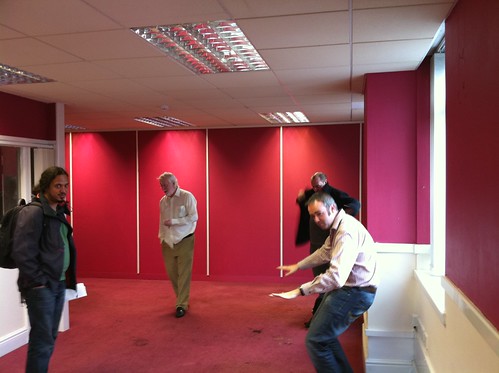
So I managed to miss last week’s week notes out. I’m not really sure why that was, I think because over the weekend I sometimes feel I don’t want to do “work”, i.e. the weeknotes, but then during weekdays I want to do proper work, not weeknotes. Oh well, here I am now so I might as well get on with it.
Week 107 was actually pretty good, fairly relaxed but quite productive too. I finally started work on the new version of my GCSE & A-Level revision iPhone apps. I spent the whole of the Monday brainstorming the feature-set that I’m aiming for and then building this into a list of Milestones and breaking down the first few milestones into more detail. Once I’d done that I entered all the information into the Trac setup that I’ve previously mentioned. I quite like how Trac is all set up for handling milestones and versions of apps as it has worked out really well for managing this project.
Although these are iPhone apps the first thing I needed to do was to create a web app for managing the questions. So far I’ve just been taking the questions from the teacher as a collection of word documents and then in a part-manual, part-automated process turned these into XML files for the iPhone app to read. I wanted to make a web-based system that the teacher could use himself to upload questions so that he can sort everything to do with the questions out, taking up less of my time. Along with properly planning this project out and setting milestones I also decided I really needed to try building this project using “Test Driven Development”, i.e. writing a set of automated tests for functionality and then building out the functionality until the tests pass. This is actually the first time I’ve tried doing this for a whole project and it’s been an interesting ride so far. I’ve found that it’s really slowed me down, partly just from having to learn about the various Ruby modules and Rails plugins and getting myself up to speed with them, but I do think I’m getting better quality code and structure as a result so I’m going to continue doing it.
The first features I completed were the ability to import the existing XML files into the database and then export “test modules” from the database into the same XML format. This is about making sure we can manage questions from the database in the future and that, if necessary, I can continue to use the existing iPhone code to launch apps. I then started work on the admin interfaces. I’ve done so many admin interfaces over the years, especially back when I was doing PHP. I was hoping the state of things had changed so that it would be nice and easy to set something up to do all the work for me, especially considering rails has scaffolding which I haven’t used before but have read about and is supposed to do this sort of thing. I happened to find out about the Ruby Toolbox that week and that had an Admin Interfaces section which suggested active_scaffold was the most popular plugin to use.
I started playing with active_scaffold this week with mixed results. It was really simple to get set up but then some of the features didn’t seem to work. I managed to work out eventually that I needed another plugin to support it - recordselect. I got that installed but then it didn’t seem to work right, the ajaxy bits just didn’t do what they were supposed to and I was getting nowhere. I ended up dropping the ajaxy bits but did post a message to the active_scaffold mailing list. I’ve now had a response telling me that I need to use a different fork of the recordselect plugin, the main version only supports Rails 3 whereas I’m still using Rails 2. Hopefully once I do that things will go better.
I got sidetracked on Thursday this week by having a look at a few bugs in the chess app I’ve been working on. It seems I’d missed out some functionality of the PGN format and it was tripping up when trying to read some more complicated files. I spent all day Thursday and some of Friday on this but finally got it sorted on Saturday morning. I’ve now sent a new version over to the client and I’ll find out what they think when I meet them on Tuesday.
Other interesting things that happened in the past two weeks… in week 107 I had feedback for mapme.at requesting support for xAuth in the API and XML output. On Saturday morning I had some time so I had a look into it. The XML output turned out to be trivial. The JSON output is quite simple, I construct native datastructures like arrays and hashes and then call .to_json on the resulting object. Turns out if I call .to_xml on the same object I get perfectly reasonable XML out. The xAuth support was a little more tricky. xAuth is a mechanism whereby mobile and desktop apps can take a username and password from a user and then make a call to a server to exchange this for a token that can be used to make requests. This is better because the app then doesn’t need to store the username and password and they’re also not being passed over the network repeatedly. It also means that you don’t have to go through the convoluted OAuth process of app -> web browser -> app. I managed to get both these features out on Saturday morning and the person who had requested them was quite surprised and happy. Hopefully he’ll be using them in a Windows Mobile 6.5 twitter app soon. One other thing I tried to do was to convert mapme.at from using Basic Auth with Twitter to using OAuth instead, Twitter are turning off Basic Auth support at the end of the month and so I really need to switch soon. Unfortunately it looked like the twitter4r library that I use doesn’t yet support OAuth so I decided to postpone the change, I’m really going to have to do something this week, either find an OAuth compatible version of twitter4r or use an alternative library.
When looking back at my previous post I noticed that a good chunk of it was about how the mapme.at server went down and took ages to come back up. Yesterday I upgraded some packages on the server again and rebooted it, happy in the knowledge that the disk check completed last time and so that should’ve found whatever the problems were. Unfortunately at 12:30 this morning (just before going to bed) I got a tweet, an SMS and an email from pingdom telling me that mapme.at was down. I looked into it and saw that yet again it had mounted the disk as read only. I began a disk check and went back to bed. It’s still running now but hopefully will be done in the next two hours. I’m going to have to get in touch with Hetzner and demand that they give me new drives I think as I can’t have this going down for so long so often.
Again to finish on some good news, I have an office! You can see it in the photo above, and Adrian McEwen practicing his DJing (or perhaps pretending to sit at a desk). A bunch of us freelancers in Liverpool have been umming and ahhing over getting one for months now. Hakim happened to be walking past an office building on Duke Street with a sign mentioning office space to let. We had a look at a selection of the offices they had available and settled on one with enough room for four of us with plenty of natural light (though hopefully not too much so we can still see our screens). We received the keys on Thursday and most of us moved in properly on Friday. It’ll be interesting to see how this goes for me, I’ve predominantly worked from home for the past 5 years so I’m not sure how I’ll find working in an office again. Right now it’s looking like being a lot of fun and good to see people every day but considering none of us really got much work done on Friday we’re going to have to be more careful in the future. I’m sure as things calm down and we get used to it we’ll be really productive, and hopefully able to make use of each other’s slightly differing talents.
I’ll be dropping some stuff off in the office today and then heading to How? Why? DIY! to see what it’s all about. If you’re in Liverpool you should come along!
-
A more relaxed week - Week 106
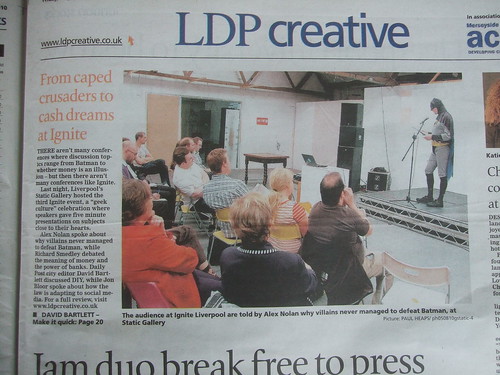
Not quite so stressful a week this week though it did have its moments. I spent Monday morning catching up on some much delayed tasks. Nothing particularly interesting just bits and pieces like polishing off the print styles for case studies on the Marketing PRojects website and adding a blog feed to the homepage.
A new bug was reported on the music iPhone app though which caused some consternation. The app allows you to log into a site and download the information about music that you’ve previously bought. It seemed though that for some users it would display nothing even though the information was being downloaded. It didn’t take me too long to track it down to something relating to an SQLite database I was using. I would parse the reponse from the server and then add all the information to the database. I would then close the database in one function and then reopen it in another function and read it back in. For some reason though when I tried to read the information back in it was finding no rows in the database. The bug seemed only to occur on iPhone OS 3 and only for certain users. In the end I couldn’t track down the actual cause and had to just save the information to the database but then ignore the database and just use the information from memory. It’s obviously a more efficient way of doing things, there’s not really much point reading the information back from the database when you already have it in memory. I guess I was doing it that way to make sure that I always read the current data from the database to make sure it was always in the same format. Now the database is only used when you first load the app and everything works nicely. Annoyingly though I wasted a day trying to sort that out.
I also worked on adding some features to a property management database that I wrote last year for The Restaurant Group. This is a site built using the Zend Framework to give a fairly lightweight API onto a database and then a rich JavaScript interface built with JQuery and the Multimap API. Most of the features were fairly simple and were sorted within a day. The most troublesome one though was to add the ability to log into the system by entering a username and password from a Microsoft Active Directory system. I managed to get the authentication step working without too much difficulty using the Zend LDAP Authentication class but I also needed to check the groups that the user was in to determine whether they were allowed to make changes to the system or were only allowed to view the information. After a few hours of getting nowhere we eventually decided to try using an alternative library. adLDAP is an LDAP wrapping library specifically tailored to accessing Active Directory systems. I used this and again managed to get the authentication working easily but the groups still caused some issues. In the end we found that the AD system I was testing against was set up in a non-standard way. After a few tests against the real live system we found that the library was working fine and I eventually managed to get it all working.
I also managed to spend a little time on the chess app, didn’t make too much progress but I’ve managed to get the full moves view to slide in from the side and slide out again when you’ve selected a new move to go to (or clicked the “X” in the corner).
The final thing that caused issues this week was the mapme.at server. On Thursday morning I decided to upgrade the kernel as ubuntu was telling me there was a new one available with some security fixes. The upgrade went fine and I carefully made sure that all the services were running and that nothing had been broken by the upgrade. A few hours later I just happened to go to the site only to find I was getting errors. I logged in to try to track down what was happening, at first this was difficult because oddly I was getting no errors in the log file. It was only when I realised that the filesystem had mounted itself as read only that I realised something fairly major was wrong. This has happened once before and at the time I just rebooted the system and it came back fine, I rebooted now though and it didn’t come back. I was hoping it was doing a disk check so I left it for a few minutes before eventually requesting console access from my hosting provider hetzner.de. When that came through I found the system was complaining that it couldn’t find the superblock, or the disk or something along those lines which was when I realised something was quite wrong. I put in a support request for them to take a look and waited for them to get back to me. After an hour or so of no response I sent them another email, two and a half hours after the original request I was told it was just a filesystem error and that they had booted into the rescue system to run a disk check. After over 12 hours of waiting for more information I emailed them again to be told that the disk check was waiting for input and that I should just run it myself, so it had essentially been doing nothing for all that time! I logged into the rescue system and ran the check myself. It took nearly two hours but finally after that I got the machine back up and running. I realise now that I should really have been able to handle most of the “repair” myself but I’m still very disappointed with Hetzner’s feedback. Taking hours to give any response and then failing to anticipate that the disk check would need user input (“fsck -y” would have fixed this) are pretty crap. At least now I’m more prepared if anything similar happens in the future. Not only am I more confident about how to fix the problem (though I’m still not 100% sure how to get into the “rescue system”) but I’ve now also invested in the services of Pingdom. When mapme.at went down it actually took me a few hours to notice but now that I have Pingdom set up it should alert me ASAP if there’s any further problems.
To end on a positive note, I went to the third Ignite Liverpool on Thursday night. We had another really fun night with talk subjects ranging from cows to cannibilism, and had Batman talking about using the “Systems Failures Approach” to analyse why his arch enemies were so unsuccessful (see photo above). Social events in Liverpool are just getting better and better these days. At the end of this month we’ve got the second Social Media Cafe Liverpool and Jelly Liverpool to look forward to (both on the open labs calendar). There’s also How? Why? DIY! which is not, as it may sound, going to consist of a Sunday afternoon putting up shelves but will offer a day of interesting sessions aimed at helping people use the full potential of the technology, community and social media facilities available to them. Take a look at the link for that one as there’s some interesting sessions planned and I’ll be going along to try to get people interested in mapping too!
-
Finishing Projects - Week Notes 104 & 105
Well, as you may have noticed I missed last week’s notes. I’ve had a pretty harried few weeks trying to close out the two iPhone projects I’ve been working on. Mainly this was simply because I’d finished the time that I’d assigned to the projects and so any further work was not making me any money, but also July is the end of my financial year and I really wanted to get this work invoiced for so that I could include it in this year’s earnings (the second year for my company). Not only was I trying to get these two client projects finished but I also wanted to make some progress on the chess app that has remained untouched for a few months now.
It’s difficult to say for sure but it looks like the two client projects are just about finished. One has zero live bugs and the other just has a few with questions attached which I’m hoping should result in no more work. One thing I’m finding though is that I’m definitely getting my time estimates for projects wrong. These two client projects I originally estimated as 5 and 10 days respectively. The 10 day project was eventually increased to 13 days (I submitted a “complete” app only to be sent wireframes for how the app should work, not sure if there was a communication issue here) but all in all I’ve probably spent at least 50% more time again on each one. I suppose what I’ve been doing is thinking of the time it’ll take for me to get an app together that fits the spec without considering time for the client testing and for the client to make the various modifications they’re likely to request. I’m definitely going to be more careful about any estimates I submit in the future.
I did spend some time getting a “full game view” working on the chess app. This view is intended to show the complete description of a chess game including all commentary and variations. As the game is progressed using the controls the current move should be highlighted and if any move is clicked then the visible game should be altered to show that move. I actually managed to get this pretty much done and working in half a day last week with another half day spent on some other tweaks. I sent it off to the guy I’m working with on this and he tried it out. There did seem to be a couple of issues with handling of incompatible file types (it was crashing rather than giving an error message) and a few issues with handling very large files but in general it seems to be working. I now need to experiment a bit with the placement of the full game view and then I think we’ll just be working out what other tweaks we need to do to it before we can release it.
Last week I also spent an interesting two days with Dave Verwer of Shiny Development. He’s asked me to help him out with some iPhone training so we spent the two days going through his materials and making sure I understood everything and was clear on how he presented it. Dave has been developing in Objective C for many years, initially for the Mac but with the iPhone SDK since it was released, so it was really good just spending the time with him and learning even more about the iPhone SDK from him. I’m basically going to act as the overflow taking on any courses when Dave is already booked up, the first course is booked in for October so it’s going to be really interesting to see how that goes. If you’re interested in getting trained up in Objective C and the iPhone SDK then you should definitely give Dave a call. Whether you want in-house training for a company or you’re an individual who wants to join one of the public training sessions you’ll have a great experience and be building iPhone apps in no time.
Final thing to mention is something I finally got set up today. I’ve been using SVN for a long time for various personal projects including mapme.at but I’ve also more recently been using Git. Git is great as a distributed VCS giving me the ability to check-in code on the train and branch projects with ease, but the lack of an enforced server-side component has led to me being a bit sloppy about how often my code gets backed up to a server. Today I finally worked out how to properly host git modules on a server. I’m actually doing it over SSH so it’s fairly simple, I just need to create a “bare” repository on the server:
mkdir foo.git
cd foo.git
git --bare init
Then the following commands link my local repository to the remote one and pushes all my changes up:
git remote add origin ssh://git.example.com/path_to_repository/foo.git
git push origin master
I think when I’d tried this previously I was using an old version of Git that didn’t properly support
--bareso I’m glad that everything worked easily this time. I then took this one step further by setting up trac as a bug tracking system. It wasn’t too hard to set up on ubuntu using these instructions they’re a bit out of date though so once I’d setup mod_python I then found I needed to do that bit again and use WSGI instead using these instructions. I’ve also installed the Git plugin so that I can browse my Git repository from within trac and also most importantly I can resolve and update bugs from my commit messages using the post-receive script on that page (which must be namedpost-receiveand put in therepository.git/hooks/folder).So a busy few weeks. As I’m coming to the end of projects I’m getting to the post-project comedown that I tend to have after being so busy and then becoming quiet again. I’ll still need to finish off any final bugs on these two client projects and get this chess app more complete. I also have emails from clients with various bits and pieces that need doing but I should finally be able to get started on some new projects, I just have to work out which ones!
-
Week Notes Week 103
Just a short week this week so a short blog post too I think. Fixed plenty of bugs in the two client iPhone apps I’m doing at the moment and got new versions over to the clients for testing. One of the apps seems to be running a bit slow but I think this is just an issue with how I’m keeping the UI up to date which should be quite fixable. They seem happy with the UI now which means that they’re happy with the functionality so hopefully it’s just some final bug fixing and polish left to do. I haven’t heard anything back about the other app so I’m hoping they’re happy with that one now too.
I finished off the week by attending the Hacks & Hackers event organised by ScraperWiki and OpenLabs Liverpool. The idea of the event was to bring together Journalists (hacks) and software developers/hardware hackers/general web people (hackers) and see what they could come up with by working together. We began the event by introducing ourselves and those with a specific interest in a topic declared this interest. We then had 10 minutes to meet each other and form groups around the various topics and then had 6-7 hours to get building something.
I ended up in a group who wanted to look at the social legacy left by the World Cup in Africa. Not something that specifically relates to me but I thought it might be interesting to see what we could produce. After an hour or so of looking for data sources we ended up realising that there really wasn’t much out there. We had tried looking for data on the social implications of the World Cup, looking at how previous similar events had affected developing countries and tried comparing aspects of this World Cup to England’s bid for the 2018 tournament. In the end we decided to bring together 11 facts about the South Africa tournament and 11 facts about England’s bid and display them like player lineups.
Trying to find 22 statistics proved fairly difficult, unfortunately we couldn’t find a single source to use for all of them so there was no opportunity for me to automate the process, which also meant I didn’t get to try out ScraperWiki. It did have one benefit though as the journalists could all spend the afternoon researching while I and the other developer, Francis Fish, could be working on the presentation mechanism.
We decided the best way to get the player lineups to display would be to use a HTML page styled up to look correct and then use CSS & JavaScript to present the statistics when the shirts were clicked on. Some of the CSS got quite tricky, and is still not perfect, but the JS wasn’t too bad just using jQuery to animate between properties. I thought having the numbers appear on their own on the shirts and then having any extra descriptive prefix and postfix fade in would look pretty good. A small description of each stat also appears below. I also tried out a jQuery plugin that allows fading between colours including alpha channels. This gives some nice effects allowing you to fade a colour background in by increasing its opacity without having to change the opacity of elements within the element. In the end though I found I didn’t need this but I may use it in the future.
If you’re interested in seeing what we created here’s a link to it, The other World Cup. (Now updated with the correct link)
-
Week Notes Week 102
So a very busy week as I had various projects to try to finish off and plenty to do to prepare for my State of the Map talk. Also kittens!

It might seem a bit odd to mention kittens on a blog post about my work week. It’s actually quite sensible though, these fluffy critters took up a sizable amount of time in my week!
But apart from that. Most of my time last week was spent trying to tie up loose ends and get the iPhone apps I’ve been doing ready for testing. I discussed the changes in functionality needed for one of the apps and the client has agreed to pay for some more of my time to get those bits added, so that’s great. I spent some time getting the most important changes done but will do most of that extra work this week and will hopefully get that app finished soon.
The smaller app that I was waiting for sign-off on I finished on Monday and sent that off to Testing first thing Tuesday. I was quite happy with it and felt it was working well. I heard from the client on Friday but haven’t yet had time to look at how many bugs they’ve found, hopefully not too many!
I began some work on new functionality for mapme.at to allow users to consolidate their favourites. Part of this work is to allow user’s to take their old favourites and merge them with places that mapme.at has found in the OSM database. The other part is to allow users to manually match OSM places on to Foursquare venues that perhaps have slightly different names or for other reasons the automated matching hasn’t been able to manage. I was hoping to have this ready by the time of State of the Map so I could announce this great effort to come up with a repository of ID mappings but unfortunately with kittens and finishing client work I didn’t manage it. In fact I didn’t even manage to finish my presentation until I was on the train to Girona and finally had an hour to sit in front of my laptop with no distractions and no interruptions. My talk on Friday seemed to be well received. People were interested in some of the applications and uses of the site and there was definite interest in the ID mapping data that I explained would be available in the future.
I described the site as a “Social Location Experimentation Platform”. I had come up with this term a few days previous, I think trying to channel some of the excitement that BERG find with their name (based on British Experimental Rocketry Group). Though I came up with it after the description I think my explanation was valid. I pointed out that the mapme.at platform allows experimentation not just by developers who can come up with some interesting and fun apps (like Adrian McEwen’s ferry trackers or my “Weasley” clock) but also by users who are able to experiment with mapme.at and with other location tracking applications like Foursquare and Google Latitude and can do it knowing that even if they only play with a service for a week and then stop using it, they won’t have wasted that week of data collection because mapme.at will do the job of storing up all their history in one place that they can access at any time and from any other compatible service.
If you’re interested in reading through my talk you can find the slides here.
As I spent most of yesterday travelling I now have a very short week this week (and hence this blog post being very late). I’m probably also going to the Hacks and Hackers event on Friday which will also restrict the time I have to spend on client work. Hopefully there’ll be less interruptions from kittens too (though this blog post has already been interrupted by them once!) On that note I better get started, see you next week!
-
Week Notes Week 101
Monday last week was spent making some final changes to the app I’ve been working on for the last few weeks. I’d originally quoted 10 days on that app so Monday was the last of the days I’d allocated on it. I wanted to make sure I got all the functionality in place so that in theory the only thing left was to add some polish to better meet the client’s branding and just make sure the app was easier to use. I delivered that last thing on Monday and arranged a call to discuss it with the client on Thursday. The call was preceded by an email with a mock-up of the app showing some slight new functionality. In the call they then went on to describe more of this and how they would send through some more mock-ups. These came through on Friday and showed various other new functionality. I had already mentioned that I’d finished the allotted time for the project and the client did seem amenable to the idea of paying for some more so I now need to go over the new documents, work out exactly what is new and how much time it’s going to take. Hopefully we’ll get that sorted and they’ll agree to pay for what should only be a few more days.
The rest of the week I spent finishing off the other iPhone app I started a few weeks ago but had to pause while we waited for sign-off. This has been coming along quite nicely, I got much of the functionality done by Wednesday and went in to visit the client and talk through the look and feel. They showed me some changes I’d need to do and also got the rest of the graphics to me by Friday so this app is nearly complete, just some visual changes that I’ll need to finish off today.

I was trying to keep this coming week free because Friday is the first day of the OpenStreetMap “State of the Map” conference. I’m really looking forward to this as it’s always so interesting and it’s great to catch up with some friends I see all too infrequently. I have a speaking slot which was actually recently moved so that I’m second up! I’ll be talking about how I’ve used OpenStreetMap to develop a “location-based social network” - i.e. mapme.at. I’m hoping it will go well and shouldn’t be too hard to prepare or give the talk as it’s always easier talking about something you’re heavily involved in. I do want to get time this week to work on some new functionality for the site though so that I’ve got something to announce! All that needs to be done by the end of Wednesday as Thursday will be spent getting to Girona via Barcelona.
So a fun and, as ever, busy week ahead. Better get started!
-
Week Notes Week 100(!)
Ah, week 100, I did notice this milestone coming up last week and thought that I should do something special for it. Unfortunately I then forgot. I’ve actually had a fairly quiet week of getting my head down and working so I don’t really have much to report. Maybe I’ll make 128 the milestone instead or 104 as that would be my 2 year anniversary. Or probably I just won’t worry about such things.
So, this week I spent all 5 days working on the new client iPhone app. After my good progress last week I managed to get the essential functionality completed by Tuesday and so I compiled a list of things I’d missed on the first pass or bugs I’d found, and started working through it. I made good progress on some bits but had a few issues working with the client’s API for one call so ended up spending more time than I was expecting on that. It all boiled down to accessing an API call on a different server which had a different OAuth implementation. It looks like they have a slight bug in their implementation that meant I had to be very careful about the order of my URL parameters. I managed to get that sorted though and sent a version of the app over for them to try out on Friday night.
I’ve got plenty of things to work on today but hopefully they won’t be as tricky as that last task. Today is in theory the last scheduled day I’ve got on this app but it looks like I’ll definitely be spending a little more time tidying up the loose ends. I finally got sign off for the other client app I was working on weeks ago so I’ll be going straight onto that one as soon as I can.
-
Unpaid Ruby on Rails Internship in Liverpool

Quite often when people ask me about new features on mapme.at they get what is becoming a stock answer of “it’s on the list”. In most cases this really is true, the problem is that the list is very very long and I’m getting very little time to work on it. I’ve decided that I need to sort this out and the way I’m going to do this is by recruiting some help. In a previous job in Manchester we worked with the University of Manchester to recruit their second year students on summer internships, and in later years even full sandwich year placements. This was a great experience for both the students and for us who had to train them and work with them. I’m looking to this as a possible solution to my problem on mapme.at.
Firstly - the unpaid bit - at the moment mapme.at is not generating any revenue. I’m fine with that and am fully intending to take my own sweet time to push it in that direction. That does mean that any money spent on it comes out of my own pocket. I think that working on mapme.at could be a great opportunity for someone beginning a career in software development. They would be working on a popular site getting plenty of traffic and API usage. They would also get the opportunity to work with me, a software developer and entrepreneur who has worked on leading websites in a career spanning over ten years.
What would you be working on? Well mapme.at is a popular and successful location based social networking site. The site started in June 2007 and since then has added many users who make use of the various functionality offered. The site interacts with many other services including Twitter, Foursquare and Google Latitude to give a single central store for users’ location history. It offers users the ability to restrict what level of detail they show to different contacts and also gives interesting and useful visualisations of their data. The API allows anyone to build an app that interacts with the data, querying or even updating many aspects of a user’s data, with their permission of course.
So what am I looking for? When I’ve done this before I’ve worked with 2nd year Computer Science students giving them an opportunity to work during the summer holiday. This is the type of person that I’m expecting to hear from. It’s quite possible that people in different stages of their career will be interested, perhaps a school leaver that’s not looking to go to University or someone who’s already been working in the field and is looking for a change. Recent graduates would also be likely candidates. I really need someone who has experience working with software development and can demonstrate an aptitude for it. They don’t necessarily have to have used Ruby on Rails before but some experience of web based development and use of relational databases would be expected. I will expect to provide some basic training and support, though I’d also hope that they will be the type of person to pick up new technologies quickly.
As I’ve mentioned the ideal would be for someone to come in and work for me unpaid over the summer for a few months. They will gain some great experience in working on a web startup and I’ll get some development done on mapme.at. I definitely wouldn’t want to leave anyone out of pocket though. I’d certainly be willing to pay someone’s expenses if they’re going to have to travel to get to Liverpool each day, though I wouldn’t go so far as to pay for someone’s accommodation so they’re definitely going to need to live somewhere nearby. I should also mention now that I will be expecting this person to work with me on-site in an office in central Liverpool so I’m not looking to work with anyone remotely.
So, are you interested or do you know anyone who might be? If so get in touch by emailing me at my first name “at” my second name dot net, or just by leaving a comment on this posting.
-
Week Notes Week 99
Spent most of the week on a new client iPhone app. Quite an interest project for a fairly big client, hopefully it should result in a large number of downloads when I get it finished. The first thing I needed to do was to interface with their OAuth API. This was as fiddly as ever, not helped by the fact that their API returned XML during the OAuth handshaking when every (well, both) OAuth API I’ve worked with in the past has returned URL encoded key/value pairs. Got past that though and managed to get the OAuth stuff working well. I then integrated the code that I worked on recently for showing data in a hierarchical format. That worked pretty well, I’m really stretching the limits of what that code can do now but considering that code was based on the iPhone’s iPod application and the app I’m building is related to music playing it should work out quite well.
In essence the app needs to do the following:
-
Authenticate with the client’s API
-
Download user information
-
Present that information to the user
-
Allow the user to select items to download from the server
-
Download the selected items
-
Allow the user to interact with the downloaded items
I’m now 4 days into the project (took Friday off) and I believe I’ve completed the first 4 of those tasks with just the last two to go. I’m hoping the downloading will be simple enough as I’ve covered something very similar in the chess app just a few weeks ago, and then hopefully the interacting won’t take too long either. I’m really trying to get the bulk of the work on this one finished early so there’s more time to spend testing and fixing bugs later. As you’ve probably noticed I’ve found recently that the iPhone apps have been taking longer than I’ve been predicting!
Friday was spent working on my existing client’s slightly buggy iPhone app. It was being reported that the current version of the app with my changes was running slower than the last version before I got involved. Obviously this reflects badly on me so I was eager to find out what I was doing wrong. The problem basically came down to a point where the original developer had allowed an in-memory dataset to become invalid. It didn’t matter in that version of the app though because no-one would be able to see that it was invalid, whereas my version allowed some editing. This meant that when I added a new item to the dataset that overlapped on an existing one I was downloading all the data from the server again. This meant two network connections per-action and so was making the action doubly slow, especially noticeable over a 3G or GPRS connection. Fortunately I was able to handle the overlapping on the device so that only in very specific cases do I need to request all the data again (basically when one item gets broken into two items, they will both get new identifiers so I need to call back to the server to find out what the new identifiers are).
This week I’m back on the new client app all week, really hoping to get it finished, possibly even a day or two early to allow maximum time for testing.
-
-
Week Notes Week 98
Quite a varied week this week, but also a short week due to attending a wedding on Thursday so having Thursday and Friday off. The project that was due by the 10th did get put back to “sometime in July” which is actually a good thing really as it clears space for the project I need to work on for the next few weeks. The other project that I was waiting on sign-off for still didn’t get signed off so I actually almost ended up with some free time.
Monday I worked on my Chess app. I completed the “version 1” that I’d been working on which involves managing and viewing chess games and downloading from the Internet. As it happened my timing was quite good (if 1 month late) as I was able to get the app demoed to the clients on Wednesday. I’m still waiting to hear the feedback from that meeting but a quick summary was that “the main features [are] there, but that at the same time plenty of UI adjustments worth looking at”. Which is probably good news.
Tuesday I caught up with some email sending in the morning but decided to take another look at my app store positions app I worked on a few weeks ago. I’ve now been downloading top 100s for the Apple app store for the past month which means I am storing a lot of data but wasn’t really doing anything with it. My friend Colm recently launched a World Cup iPhone app - Total Football 2010 - and it’s been interesting watching his success in the various Sport Top 100s around the world. I decided I really needed to do something with my data so knocked up a script to send daily email summaries of app positions.
First changes were to add some database tables for storing user info. I went with a basic “users” table for storing an email address and various other information that might be useful if I make this a web-facing app. Also a “user_apps” table for linking Apple application IDs to my user IDs. Both tables have a boolean column so that I can turn off the emails per-app or per-user. I then put together my script. The main thing I wanted to do was to get the current position of the app in the top 100 and a graph showing the recent performance. I decided that a sparkline was the best way to do this. I also wanted to use google charts API to save me needing to install any software to generate the graphs. Fortunately I found this page on Google Charts Sparklines and was able to tweak the settings to get exactly what I wanted. After a few runs I decided to add a few more data-points showing max and min positions, and also showing the dates that the data was taken from. Each email is supposed to show the data from the last week but if a user has no data for a time then it might show less.
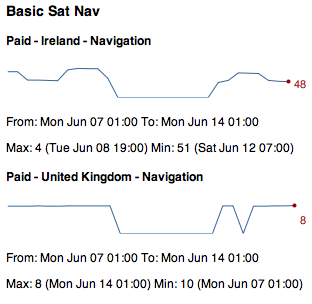
I’m quite happy with the results, and you can see an example in the screenshot above (big dip caused by my scripts failing to run for a few days :-( ), but as was mentioned by Dave Verwer there’s really quite a lot of information. When I was working on my own data I wasn’t surprised to get lots of results considering I have 28 apps live, but even when running Colm’s data with his single app he still gets loads of results because he’s being successful in lots of countries. One feature suggested by Dave was adding a summary at the top giving stats such as “iPhoneApp1 has increased by 20 places. iPhoneApp2 has dropped by 80 places” which does seem like a good idea but will require some work. Next time I spend a random half day on this I may well add that!
Finally, on Tuesday night I got some feedback about mapme.at which led to a long email conversation because it turns out the CBC (Canadian Broadcasting Corporation) wanted to use the site to track a road trip being taken by one of their presenters! They really like the fact that it can show you a whole journey and overlay the tweets and check-ins that you make along the way. Unfortunately because they wanted to show the social media on the map they couldn’t just use the existing export functionality because that will only show a trace. To help them out I made a special version of the existing “history” page which I termed the “headless” version. This version takes off the top and left bars of the page leaving only the map, the timeline and the lifestream of social media on the right. I also modified the page so that instead of just saying “I am here” it now shows your username and profile pic instead. They seemed really happy with the changes and I’m hoping this will lead to some increased traffic and more users for the site. If you’re interested you can take a look at the page here. They’re using Google Latitude to trace the journey and it looks like they didn’t turn it on for the first stage but I’m hoping that from here on out they’ll have it running continuously, still looks pretty good though.
This week I’m beginning a new 2 week project working on a music app for a pretty big client. Not going to go into too much detail straight away but hopefully I’ll get to talk about it more when I get a little way through it.
-
Week Notes Week 97
A short week but by no means a quiet week. All iPhone again too.
I started off by working just over a day on a new client app, supposed to be 5 days with nothing too tricky (now delayed waiting for my client’s client’s sign off). A few interesting situations came up with the novel UI they were looking for but nothing I couldn’t handle, including:
-
Mock-ups showed a screen into which you enter a ten digit number. Mock-up showed three boxes to split into three, three and four digits. I “interpreted” this to mean that so long as the digits were split up to make them easily readable that would be enough. I added a handler for the
textField:shouldChangeCharactersInRange:replacementString:delegate method so that any time characters were added or removed I would allow the change but then reformat the text. -
 In the mock-ups it also showed a number pad on top of the toolbar. As far as I can tell it’s not possible to move the standard Apple number pad, not without doing hacky things like inspecting the hierarchy of views and pulling out the number pad and moving it to another place. I also wasn’t sure that Apple would be too happy about this change in their sacrosanct UI principles. I did consider allowing the number pad to just pop up and cover up the toolbar but on this view it’s actually important for the user to have access to the toolbar buttons to get help. As the whole point of this screen is to enter a number it didn’t really seem appropriate to have the user close the number pad to get the toolbar and then have to open the number pad again once they’d viewed the help. I ended up handling it by moving the toolbar up at the same time that the keyboard appears. This way I can use the standard keyboard and still have the toolbar visible. I’m not 100% sure it works but it makes sure the info button is available and still allows the standard number pad to be used.
You should be able to get an idea for what I’ve done from the screenshot, I’ve blanked out some sections as I’m under NDA but the bits I’ve discussed are still clear.
I had intended to spend the whole week on this app but the sign-off issue I mentioned above meant I needed to pause. It actually worked out quite well though as it gave me more time to spend on the hierarchy app I’ve been working on. I added some features that allow you to search for items and have different “categories”. The categories allow you to follow different paths for filtering information. It is quite similar to the iPod app on the iPhone which gives you, amongst others, the following paths:
-
Artists: Artists > Albums > Songs
-
Albums: Albums > Songs
-
Songs: Songs
-
Genres: Genres > Artists > Albums > Songs
I’m quite happy with how I’ve built the app, it’s really configurable and allows new categories to be created with ease by just specifying a name, icon and path.
An interesting issue I came across with this app was that I wanted to demo it on the iPad using the standard iPhone app scaling to make it bigger and easier to see from a distance. As it stood though the app was a “Universal” iPad & iPhone app, but because I hadn’t written any iPad code if I tried to run it I’d just get a big blank screen. I fiddled about though and found out how to downgrade it, having not found any information on the web about doing this I promptly blogged about it.
Friday ended up as a bit of a manic day, I was travelling down to Oxford to have a meeting with a client on Saturday morning. I was also attending the Cathedral Valley lunch. Before I could do either though I ended up having to meet with client to try to fix their iPhone ad-hoc provisioning problems. Unfortunately as it turned out we ended up having just ten minutes before I needed to leave for my lunch and the most we established was that it wasn’t working!
Heading back from Oxford now after a really successful client meeting. I met up with the teacher that I’ve been working with on the Revise GCSE & A-Level apps and also someone else that we’re looking to work with. We discussed the revision apps and came up with lots of new features that could go into them. As part of the full meeting we also ended up discussing not one but two potential new projects. Definitely a successful day and lining up lots of work to do for the summer.
Next week? I don’t like to predict as it never works out. I have one client app that’s supposed to be live by the 10th but which I’m waiting for feedback on so not really expecting much to happen with that, hopefully the project from this week will get sign off and I’ll be able to finish that. Really need to get some things finished off as the following week I should be starting on a really interesting music app.
-
-
"Downgrading" a Universal iPad/iPhone app to iPhone only
For the past month or so I’ve been creating all my new iPhone projects using the “Universal” setting in Xcode. When doing this you are then given two essentially separate codebases to complete, one for the iPhone version of your app and the other for the iPad version. Obviously you can share code between the two but the root of each app (the “App Delegate”) is separate. I’ve been creating apps this way knowing that at some point in the future I’m going to want to upgrade them and thinking that I might as well start from the Universal app now so that everything’s ready.
Unfortunately this does mean that if I try to run these apps on an iPad, to demo to people for instance, I end up with a big white screen as I haven’t actually implemented any of the iPad specific code. This would also be an issue if I wanted to release one of these apps to the app store without writing the iPad code.
I had a quick Google around for a solution but didn’t come up with anything so I decided to have a poke about to see if I could figure it out myself. Turns out it’s quite easy.

The first thing I looked at was the Build Settings for the app, looking through I found one labelled “Targeted Device Family” which was set to “iPhone/iPad”. That seemed an obvious candidate so I changed it to iPhone and tried the app on my iPad. This loaded the app in a half-size iPhone style window but when the app loaded up I was still left with a white window and no content. Seems it was running my (non existent) iPad code in an iPhone style window. I didn’t see anything else useful in the Build Settings so I had a look at my Info.plist file. There’s a number of settings in there that seem to reference the iPad so I edited it in a text editor and prefixed all those settings with “backup-“ so that they would no longer be noticed. Recompiled the app and loaded on the iPad and it worked fine.
As a bonus hint, I made my icon 72x72px even though the iPhone icons are 57px. This then worked fine and looked good on both the iPad and the iPhone. Fairly obvious really but worth knowing.
So, to recap, to convert a Universal app so that it appears like an iPhone app when run on an iPad:
-
In build settings modify the “Targeted Device Family” setting it to “iPhone”
-
Open your Info.plist file, ideally in a text editor, and rename the properties ending in ~ipad so that Xcode will ignore them. You could of course delete these but I wanted to keep them handy for when I do convert this to a proper iPad app in the future
-
Remember to make your icon 72x72px so that it looks good on the iPad too
Disclaimer: I’m only doing this for demoing at the moment, and haven’t had any issues. I suggest you test it out for a while before submitting an app with these settings to the app store. I take no responsibility for anything that goes wrong if you try these instructions!
UPDATE - I noticed that if I don’t change the Targeted Device Family and leave it at “iPhone/iPad” you actually get iPhone style but full size and full res. Generally this can look quite odd but it’s useful to know anyway.
-
-
Week Notes Week 96
So, quite a varied week with a surprising ending.
On Monday I tried to get the version 1 of my chess app finished. I actually started a new project from scratch for this. Everything so far has been about building modules for parsing files or for visualising different aspects of the chess board and game. This new project was intended to cover other aspects of the game including downloading files from the internet and managing them on the device. I spent the day on it and got a good way through it, completing the download aspect and beginning the file management, but I didn’t manage to get close to a “finished” version so I’ll need to continue work on that when I get time.
Most of the week I devoted to working on a new client app. They need the app to allow you to navigate through a hierarchy of information resulting in some detailed information and the ability to view web pages. I think this is actually quite a popular format of app and is probably the type of thing most people do as one of their first apps. For some reason it’s taken me 18 months to get around to it. It came along quite nicely and I’m quite happy with how I’ve done it, does seem the type of thing that might come in handy in the future too. Part of the app was an embedded web browser, loading standard web pages in a view with basic back/forward/stop/refresh controls. I had a look around the web and was surprised to find that no-one has open sourced such a thing. It didn’t really take me very long to do it myself but as it’s something in use in so many apps I would have expected someone to do it. I might have to do it myself, if I get around to it.
Thursday morning I had an interesting time at an event organised by North West Vision+Media on Developments & Opportunities in the Education Market. With my ever expanding range of iPhone education apps (currently 26 apps live) I thought this would be an interesting event to go to and try to find some new opportunities in the market. The event was really interesting with different people having different perspectives and agendas. I actually found it quite inspiring and wrote lots of notes on ways to improve the experience of my iPhone apps and ways to expand the scope and sales potential. Much of that was not actually related to the speakers, just that the opportunity to sit and think about education helped to focus some thoughts I’ve been having recently. I was a little dismayed by a few choice quotes from Ray Barker of the British Educational Suppliers Association regarding how the future of education is walled gardens and that the culture of free is nearly over. Walled gardens have never really been a good thing, look at AOL and Compuserve whose walls fell when the World Wide Web came along and offered open access to everyone. Apart from this though I had a good experience at the event and even got the opportunity to speak in response to a question of how mobile phones are being used in education. Also after the event I chatted to someone who’s been working with a school that has given iPod Touches to every student and doesn’t know what to do with them, I’m hoping there’s some real opportunities to be had there.
Finally Friday. I had fully intended to spend Friday at home working on my client app, that was until Dave Verwer of Shiny Development called me up at lunchtime on Thursday and asked if I wanted to be on BBC Radio Manchester the following day talking about the iPad. It seemed quite an unusual opportunity but I jumped at the chance to hawk my own apps and services over the airwaves. Unfortunately they wanted me to be available in person to chat on the breakfast show so it meant being up early enough for the 7am train. In the end I had quite an interesting chat with the host Allan Beswick. He was calling the people queueing up outside Apple stores (and by extension, me) barmy, but did seem a little excited about the device. I got a few comments in about the evils of anti-competitive practices and mentioned my own development services but didn’t get the chance to mention my own apps! Shortly after that I got another call from Dave Verwer asking if I would like to go on Radio 5Live, so from regional to national radio! That one didn’t go so well, unfortunately I think my phone had poor signal so they couldn’t get hold of me when they originally tried, so when I did get on the radio I managed a few sentences to answer a question before they carried on talking to Rory Cellan-Jones in the studio. A short while after that one I then got another call from someone at BBC West Midlands also looking for someone to come on and chat about the iPad. This one, mid-afternoon on Friday, went the best of the three I think. I answered a few of the presenter’s questions, managed to talk about my own apps quite a lot and also discussed the money-making opportunities with the app store.
If you’re interested in listening to these follow the links below to the BBC iPlayer, the links will probably only work for the next few days:
-
Week Notes Week 95
Again this week I’d been intending to work on a new client iPhone project but unfortunately it hasn’t been signed off by my client’s client, but that did leave me free to put more time into the chess app, or that was the idea (again, see last week). This week I managed two pretty solid days on the chess app and made some real progress. I’ve now got an area at the bottom of the screen showing the moves for the game and a set of buttons on the side for moving forwards and backwards in the game and for taking any alternative branches. I’ve created an internal wrapper for the game which models the game and you can send messages to it telling it to go forwards or backwards in the game, when it does this it also alerts any other objects observing it that the state has changed meaning I can automatically update the moves view and chess board view when the game is progressed.
Something I’ve spent a fair amount of time on is making sure that all the rotation code works. It can be quite fiddly making sure that when you rotate the phone all the UI components end up in the right place. The SDK does provide you with various hooks that are supposed to make things easier but in the end I’ve largely had to manually set positions of elements to make sure they go into the right places.
There’s still plenty to do on the app. To complete the elements I’ve done so far I need to add the ability to read comments that might be interspersed in the game, and to indicate better when these comments or alternative branches are available. When that’s done I really need to start working on something for managing the games that you have stored on your phone and allow downloading more, neither particularly simple jobs. I then also need to offer more functionality for reading through the game so there’s still a good way to go.
On Monday, after having my old server’s disk fill up for the umpteenth time, I decided I might as well get the server move done and dusted. I’d previously copied most of the files from my old server to my new one so all that was required was configure all the services - the web server, database server, mail server, etc. - perform another sync, copy the databases across and then switch the DNS. It actually went fairly smoothly in the end and I think I managed to keep the downtime to a minimum. The final rsync only took about 5 minutes but then the database dump and import took about 10-15 minutes each. Wasn’t helped that every time I imported the database my connection to the server seemed to hang so the import would finish (the magic of GNU Screen) but I wouldn’t actually see until I tried to do something in the window and SSH finally told me that the server had disconnected.
I don’t think I had any other real problems though and I definitely managed to get everything transferred before my app store positions script started running, so definitely within about 4 hours everything was ready. I’ve actually switched to running directly on the bare metal so I’ve gone from a virtual machine on an older server to running directly on a quite modern server. I’m glad to report that the app store positions downloads are now taking 50 minutes so basically half the time they took on the old server. Queries of the database also seem to be much faster which is really good, maybe that’ll help me to get around to writing some externally accessible query mechanisms, like a website.
The rest of the time was spent on my revision apps. On Tuesday I spent some time preparing a press release which you can find here. It’s the first press release I’ve put out about the apps and is largely intended to get a bit more attention to them just as the exam period is coming around. The apps are doing quite well and seeing increases as we get to the exam period but I’d still like to see some bigger increases to be completely happy. On Friday I prepared a few more apps for submission, it’s probably getting a bit late now but I had the material ready so seemed a shame not to use it. One was for “Human Biology” for AS-level students - another Biology app but this time focused on the human side of things. The others were for the American market. I’m actually quite excited about this, it’s a huge market and has taken relatively little effort to prepare new apps tailored to US students. The questions aren’t too different so it just required some tweaking of the grading algorithms and then repackaging. Whenever Apple get around to reviewing them we should see Grade 10 and Grade 12 Biology, Chemistry and Physics appearing in the store. Again it’s probably a bit late in the school year but it will be good to see some healthy sales in another market if this works out.
So that’s about it for the past week. Not sure what I’ll spend most time on in the next week, I do need to get version 1 of the chess app “finished” but I now have 3 other iPhone apps basically confirmed and needing completing by the end of June. Think I’ll be keeping busy for a good while yet!
-
Weeknotes Week 94
Well, this past week was supposed to be devoted to a new client iPhone app. “Unfortunately” I didn’t get sign-off for it but that did mean I could keep going with my chess app. With various other bits and pieces to cover I’ve managed to spend about a day, maybe two on that in the last week. Last Monday I also ended up finishing off the wordpress blog project for Clear Digital and then taking a trip over to Manchester. I had an interesting meeting with a potential client who want to do a really big iPad project. They initially wanted me for 12 weeks full time which actually spooked me a bit as I don’t usually do full time. I’ve yet to hear what’s happening with that but could be an interesting project to work on if they do want me to go ahead with it. After that meeting I met up with Dave Verwer and went to NSManchester in the evening. While at NSManchester I gave a very hastily put together presentation on the iPhone app store positions app that I worked on the previous week. Talk seemed to go well and I had time to chat with some interesting people in the pub afterwards too.
I got home from Manchester at about 11:30 and began my planned server migration. My current server is hosted by Hetzner and is a “DS3000”, AMD Athlon 64 3700+ with 2GB memory and 2x160GB drive (probably, I bought mine over a year ago so specs may have changed). They now have an “EQ4” which offers Intel i7-920 quadcore with 8GB memory and 2x750GB drive for exactly the same price, though with a setup fee. I’m currently hosting mapme.at on one of these and it’s running really well so I decided to upgrade my other server too. On the older server I’ve been using VMware to host most of my stuff in a virtual machine. The idea for this was that when it did come to moving servers in the future (i.e. now) I could do it by simply copying the VM across and starting it up. By about 3:30am on Tuesday morning after wrestling with VMware and networking for many hours I was getting pretty tired. I got a few hours sleep (as much as my cat would let me before she decided she needed feeding) and then tried again in the morning. After another few hours I decided that VMs were not the way to go :-/ Considering I host everything on ubuntu and that’s super easy to set up anyway the ease of setup isn’t really that big a deal, also having to copy massive virtual disk images wasn’t proving to be fun anyway. I’m going to host my services on the bare metal which means I can switch from one server to the other by doing a simple rsync to get up to date, re-syncing databases and then switching DNS. Unfortunately I haven’t yet had time to do this, ideally I’d do it overnight like I attempted last week but considering the app store positions app keeps filling up the disk and knocking out services I’m worrying less about the downtime, it should be minimal anyway now it’ll just take some resyncing.
I ended the week by attending the Liver & Mash event organised by Mandy Phillips. The event was in the spirit of previous “mashed libraries” events which have tried to introduce librarians to the concept of mashups and the many ways in which they can be useful. I wasn’t really sure what to expect from the event but had agreed to talk on “Maps” so prepared some slides and went along. In the end the event was really useful, it wasn’t really too dissimilar from other web/technology events I’ve been to. Everybody was really interested in mashups using various web APIs, hardware hacking with Arduino and other techologies, and pretty much anything that interests geeks. The libraries side of it gave it some focus but was easy to get to grips with for someone like me who has had minimal experience of libraries recently.
Most of the talks were given in three tracks and the rooms were assigned by order of popularity. As it happened my talk on maps was voted most popular and I was asked to give it in the main room to everybody! The talk seemed to be well received, looking at the twitter back channel, with most people finding the various examples I gave interesting. I only had 15 minutes so gave some basic background on maps in general and where my experience of online mapping started. I gave some examples of using mapping APIs and OpenStreetMap then finished off with a quick overview of mapme.at and my experiences of tracking my location. As usual slides can be found on slideshare (usual problems with videos, though these can be found on my user page on vimeo).
In the afternoon I also ran an hour and a half workshop on mapping. I’m not sure how well this went as we were in a fairly small room and I hadn’t particularly prepared any tasks for attendees to try out. I tried to go through some of the best ways to use mapping APIs (use mapstraction!) How to get involved with OpenStreetMap, how to edit the map using GPS, Aerial imagery or even the new Ordnance Survey data. I also covered the various ways to use OSM data including loading it into mapstraction or using the Cloudmade APIs to generate custom map styles and retrieve data through the web services. I got plenty of questions from my audience though and gave answers for all of them so hopefully they enjoyed it.
All-in-all I think the day went really well. Unfortunately when my talk finished at 3:30 I had to rush out straight away and didn’t get to enjoy the evening revelry. Instead I hopped into the car to rush to London for a leaving party!
-
Week Notes Week 93
So, a much quicker update after last week’s delayed entry. This past week I’ve been working on a project for Clear Digital. A relatively simple project that required setting up a Wordpress blog and re-skinning it to match the client’s requirements. I hadn’t played with Wordpress so much in quite a while so it was an interesting experience. Turned out not to be too difficult, making use of plenty of existing plugins to extend functionality. On a recommendation from Dave Coveney I used the Thematic theme. This is more of a tool than an actual theme itself. The theme you get is very simple but it allows lots of hooks to extend the theme and customise it how you like. I think there’s lots of themes that are based off this but I chose to create a new theme building on top of the very basics that Thematic provides, the better to match the client’s requirements. Wordpress provides “widgets” which are small UI elements that you can drop onto the page in various places. Things like tag clouds, a calendar of your blog posts, a list of Categories, and lots of others. Thematic provides quite a few different places that you can drop Widgets making it even easier to customise your blog.
In case it helps someone else, here’s a complete list of the plugins I used:
-
Category Posts Widget - allows me to show a few specific posts at the top of the homepage.
-
Flexi Pages Widget - This and the following plugin helped with showing groups of links to internal pages
-
Like - For showing the new Facebook “Like” buttons
-
Tweetmeme Retweet Button - For showing a “Retweet” button and count
-
WP Google-buzz - a “Buzz” button, and count
-
MM Forms - For displaying contact forms
-
Regenerate Thumbnails - we’re displaying thumbnails on the homepage and this plugin was handy when I was playing around with the size
-
Twitter Tools - to display the latest tweet from the client
-
Wordpress Popular Posts - for showing a simple “most popular in the last 30 days” widget.
As well as this project, I also started out on a new personal project last Sunday. I intended it to be just a quick thing to try something out but it’s started taking a lot more time and resources than I expected. As you may know I have quite a few iPhone apps in the app store. Right now I’ve got 22 live on my own account and another that I did for a client under their account. Though Apple provide perfectly good sales statistics they don’t give any indication of how well you’re doing in their “Top 100” charts. Though much of the desire to know your position is due to vanity there are some uses to knowing, you can use it for marketing and if you reach the top 20 it’s a good reassurance that you’re going to make a reasonable sum of money from sales.
Apple don’t provide this information but a number of other people do. APPlyzer offer access to some of the data for free and require you to pay for more. An iPhone app called “PositionApp” also gives you some information and allows you to select favourite apps but still didn’t give me the information in a way that I liked, so I decided to write my own.
I had already found a perl script that would download the information for the Top 100s and would give me information for a specific app, category and country if I wanted. I was originally running this twice a day but unfortunately I hadn’t updated it to list some of my latest apps so when I found that two of my apps were in the Top 100 in the UK Education category I decided I needed a better option. If I was going to download the Top 100s I really ought to be putting them in a database them so that I could do more with them in the future.
I started by writing a script that would do the basic download of the XML and for some reason decided to throw the XML in the database for later parsing. Actually a large part of my reasoning behind this was having minimal time but wanting to leave something downloading data as I went off to OGGCamp. As it turned out storing the XML in the database was an incredibly bad idea, after a short while I had thousands of entries with 600KB of data in each meaning that an SQL query to request the latest download to check if it had changed took 15 seconds!
So, version two, parse the data straight away. The data was in XML so obviously the safest way to parse it was to use a proper XML parser. Because the file was pretty big I decided to go with a SAX style parser. After spending a while doing this and getting a completed parser going, I found that my XML parsing was taking over a minute! I’d already noticed that sometimes the HTTP request from Apple could take up 15 seconds and doing that 5000 times (for all the categories and countries) was going to take a long time, so an additional minute was terrible news!
Next day I decided to skip the “proper XML parsing” and go with a regex. After half an hour of coding I had something that would parse the entire 600KB file in less than a second, much better.
I’ve now been running this script four times a day for nearly a week. I’ve downloaded approximately 20 batches of data in that time. Each batch is pretty big as I’m querying 40 categories in 62 countries for two types of app (free and paid), which comes to 4960 requests four times a day! Each of those requests then generates 100 positions entries meaning I now have over 10 million position entries in my database. This quantity of data has been causing its own problems but so far I’m keeping on top of them. Yesterday I added a few more indexes to the tables and converted the tables from InnoDB to MyISAM. This gave much better results. The 6pm batch yesterday took 5 hours to run whereas the midnight batch took 1 hour 45 minutes and the 6am batch took just an hour to run. I’m also coincidentally hoping to move to a more powerful server this weekend so that should help too.
So, future plans for this data? Well basically I’m not sure how much effort I’m willing to put into it. The main thing that I want to get out of it is positions for all of my apps on some sort of regular basis, and the ability to query history for apps even if I haven’t specifically remembered to add them to my list. Other people might have other ideas of things to do though so I’m intending to dump the data out into some basic form, CSV most likely, and make it available to download. Hopefully I’ll get around to putting a web interface on this to allow people to look for information on their own apps or even register to get emailed position updates but any of that will be time permitting, and I’ve got lots of work to keep me busy!
If you’re interested to know though, Basic Sat Nav is continuing to do well in the UK Navigation category, hovering around the number 10 mark and hovering around the 60 mark in Ireland. My GCSE and A-Level revision apps are doing nicely in the run up to the exams, none of them getting particularly high in the Top 100 but most of them making appearances in various positions. Even iFreeThePostcode is sitting at number 60 in the UK Free Navigation category.
I’ll be talking about this project a little at NSManchester on Monday night so go along to that if you’re interested to know more.
-
-
Week Notes Week 92
I’m a bit worried things are getting far too samey here. This past week I spent a day fixing up a client’s buggy iPhone app and then another day working on another client’s PHP+JS property database. I also managed to get time to make some progress on an interesting client app that I’m not going to talk about in detail.
Well, that’s how I started writing this blog post a week ago, and then other activities took over and dragged me away. I attended OGGCamp over the weekend which was really interesting but did take up plenty of time. I’ll continue below and hopefully get week 93’s post out a lot sooner!
 During the last week I did tweet a few times about chess moves so I’ll now admit that the interesting client iPhone app is based around chess. Obviously the rules of chess lead to some very interesting challenges while coding. For instance I had expected that validating moves was going to be very difficult to do. I think this was because I imagined taking a piece and a starting square and having to figure out all the places that it can go to. While this isn’t overly difficult it could be fiddly and time consuming.
In actuality when it came down to it I found it wasn’t so hard. In my situation I have a starting square and a destination square and need to figure out if it’s valid for a given piece. This is actually much easier, or at least was much easier for my brain to work out.
For instance with a knight, even though they have a funny way of travelling all you have to check is that they’ve travelled 2 squares sideways and 1 up or down, or vice versa, anything else is wrong. I also made sure that before doing custom moves per-piece I also did some basic sanity tests like making sure the starting square and destination were within the board and that the destination square didn’t contain a piece of the same colour.
I’ve included a screenshot above to liven this post up but it doesn’t really show what the app does, in fact the app doesn’t do very much at the moment. I’ve been very careful to keep my code very modular so I’m actually hoping to use it in a number of apps, or at least do an iPhone and iPad version of the main app. For a lot of the code I’ve even been trying to stick to pure C rather than Objective-C as I believe that will help me if I try porting this to Android.
Unfortunately I’ve had to put this app down again while working on another project this week which I’ll mention in the next post but I’m hoping to get back to the chess app again soon so that I can get it finished off and delivered to the client. I promise my next post will come a lot sooner, I’m already writing it in my head!
-
Week Notes Week 91
Another busy week but I finally made some progress on my interesting iPhone app. I got the first version of my parser working so that I can parse most standard versions of the file. One thing that has made this parser more “interesting” is something said to me at WhereCamp by Philipp Kandal: “If you’re aiming at Android and iPhone platforms, code in C”. Even though my client has made no particular reference to Android, a growing interest by other clients and by myself led me to decide that the parser at least should be written in basic C. Using no more interesting libraries than
, and I've got my text database file reading in a character at a time and building up a (hopefully) elegant data structure based on linked lists. I've had trouble getting my head around memory management in C in the past but I'm hoping that my experience with Objective C is going to help me after my many years of scripting languages and garbage collection. For that project I also got going on some of the Objective C iPhone code too creating my own custom View class to generate the User Interface and a model to hold the current state of the app (currently in Objective C though I’m starting to consider moving this to C/C++ too). The view’s looking good already but I’ll be switching my current basic code out to use CALayers to enable some nifty animations later.
I finally got Foursquare “push” support working too, so if you update your location on mapme.at and map yourself to a “place” we’ll try to find a similar venue on Foursquare and check you in on their site too. Currently matching is quite strict requiring that the location be within 200m and have exactly the same name but I’m looking to add some functionality to improve this by allowing people to manually match up Foursquare venues to OpenStreetMap places. I also need to add something to allow people to consolidate their old “favourites” so that they match the new OpenStreetMap places too. Not sure when I’ll do that but hopefully I’ll grab a few hours to do it in the next week or so.
Monday was spent working more on the problematic client iPhone app again. A list of specific things that needed fixing, including a problem with API sessions expiring mid, er.. session. All of these were fixed only for this to reveal that the app works really badly on anything but a perfect internet connection leading me to book another day in for next week to try to sure up the resilience a little more.
Friday involved a variety of small tasks but did result in a good Cathedral Valley lunch with local entrepreneurs, one of which was a designer eager to find a freelance developer to work with on future projects. I also had a meeting with a local agency which looks like it’ll turn into a good iPhone project so, though I didn’t get very much work done that day it may lead to some interesting future developments.
Next week is looking like more of the same with a day for my client’s PHP+JS property database app to tidy up some bugs on that. I’m hoping that I’ll get my iPhone project into a more completed state where it’s fully usable for a specific purpose if not particularly good looking. Once that milestone is hit I can start looking at future directions for it with the client.
-
Week Notes Week 90
Well, this week was busy even though in some ways I feel I got nothing done! The week started on Sunday as I had agreed to work on a client’s iPhone app. It had been developed by someone else but they wanted some new functionality added. I’d suggested a day should cover it but did mention that things could take longer, I’d need to see the code before I was sure. As it happened of course things did take longer and once I’d started over the initial day on it the client had more features I could add so I ended up spending two days on that one. Unfortunately even with those two days there wasn’t enough time to track down some annoying bugs so I ended up spending hours here and there trying to improve things and will likely spend more time on it next week.
Something else that happened on Monday was that a press release went out from Clear Digital about my new non-exec director post with them. I’ve obviously known about this for a while now so when I tweeted about it and got lots of congratulations back it was a really nice surprise. It’ll be interesting to see how things go with Clear Digital. I’ll be working with them to define the technical direction they should take on the various projects they do. I’ll also work to connect them with the developer community to help them find the best people for the job on those projects. Can’t really go into any of those projects right now but should be some interesting things to talk about in the future.
Tuesday was my second planned day working on another client’s map based property database, went pretty well, got through most bugs and they want me to allocate more time later in the month to finish the rest off.
I agreed to talk at the second Ignite Liverpool event on Thursday so spent Wednesday morning preparing my slides. The format of an Ignite presentation is fixed, you must have 20 slides that appear for 15 seconds at a time leading to an interesting experience for both the presenter and the audience! A (possibly defacto) tagline for Ignite is “Inspire us, just make it quick”, people also say that you’re supposed to talk about something which you’re passionate about. I couldn’t think of anything too inspirational though I did have a few quirky ideas. In the end time got the best of me and I ended up repackaging the Why I Track My Location and You Should Too talk that I gave at Where 2.0. Though I did cheat a little on timings at the end as the laptop we used for presentations couldn’t embed my videos, I feel I got the full experience of the strict timings. At times having to pause and wait for the next slide (“as you can.. will.. can… see!”), at other times running out of time and having to skip on. I feel it went well and as ever the video of my Weasley Clock seemed to impress people more than the rest of the presentation! Take a look at the review of the event on LDP Creative.
I finally got around to submitting another three revision apps to the app store. A2 Chemistry Unit 1, AS Biology Unit 2 and AS Chemistry Unit 2 will all be appearing once apple have reviewed them.
Friday morning I spent joining Nat Severs, aka Nomad’s Land on a walk from Liverpool to Crosby. He’s attempting to walk around the entire coastline of Britain for charity. He started around Portsmouth on the 10th of January and is now somewhere around Blackpool! He’s making great progress so I wish him luck for the rest of the trip and suggest you donate some money to his charities. Our walk took about 2.5 hours and seemed to cover around 7 miles. It was good to get out for a walk as I haven’t been out for about 6 months. It was a little tempting to join him all the way up to Southport but I had things to do and had to get home!
Rest of the time this week was spent on more odds and sods. I imagine next week will be similar, I’ve already had to reshuffle my calendar to take a look at my client’s buggy iPhone app on Monday. After that I really need to get my head down and make some progress on the other app. Need to get a parser complete before I can do anything pretty.
-
Week Notes Week 89
This past week was a pretty short one as I was essentially travelling for two days (ok, maybe Monday was spent enjoying the sun (finally) in California a bit).

Most of the past three days was spent catching up on client work that I’ve been rather letting hang while I’ve been away. I’ve started working on a really interesting iPhone app that I’ve been looking forward to for about 4 months now, not going to say too much about it for now but I’m sure I’ll mention something when it progresses. It’s probably not all that interesting to the majority of people but has some interesting challenges which should be fun to work through.
Apart from that I was just making some changes to an existing PHP map based property database and little changes here and there for other clients. For the next couple of weeks or so I’m hoping to spend most of the time getting some client work done and working on some iPhone apps. I might even work on some iPad apps as I picked one up in Palo Alto while I was in the US last week!

OMG iPad!Not much else to report so I’ll finish off with some photos from my trip last week:

Apple Store Palo Alto on night of iPad Launch
Quick stop at Apple Headquarters
Waves at Half Moon Bay -
Week Notes Week 88
Hm.. doing week 88 a day before I should be doing week 89. Oh well, I’ll try to make this a quick one just to get it out.
Last week was really busy with Where 2.0 and WhereCamp in San Francisco. The conferences went really well, met up with lots of old friends and made some really great new friendships. I got my talk finished and gave it to a good sized audience. The people I spoke to seemed to think it went well and especially liked the video of the clock (as usual) and the new visualisations I got ITO World to produce. I put a write-up of the talk over on the mapme.at blog.
All trips taken in the past 3 years from John McKerrell on Vimeo.
At WhereCamp I also got the opportunity to show my visualisations again, including the clock video and the graphs as well as the videos. This was during an “open mic” style session on geo-visualisation which was fun. Various people got up and showed what they’d been doing.
I could probably have done more to get push mapme.at and make connections while I was out there, unfortunately I didn’t get any meetings arranged or anything like that, but I still think the experience was valuable. Hopefully I’ll get to go next year, I’ve already thought of something I can show at the WhereFair!
-
Coming Soon in iPhone OS 4.0?
… or “How do you solve a problem like Background Location Tracking on the iPhone?”
This post has ended up pretty long and I realize that people of the Internet don’t like to read too much (TL;DR), especially when magical new Apple hardware is being released so I’ve highlighted the preamble below to allow you to jump straight to the amazing insightful ideas.
<preamble>
As you probably know if you read my blog, or are aware of my website mapme.at (and it’s corresponding blog) I like to track my location. I think it’s fun and useful. I use it to show friends and family where I am and what I’ve been up to. I use it as a personal record of where I’ve been allowing me to go back months and even years later and find out things like “yes, I was in Company B’s office on that date, they should have paid me”. Lots of other people like to track their location too using it to help with socializing, with fitness and lots of other uses. Hey even the government thinks it’s good to track people… but maybe we shouldn’t go there.
I use lots of methods to track my location depending on how much accuracy I want to store. At the very least I try to “check in” to every “place” that I visit using the mapme.at mobile page which works well on my iPhone. I also like to store more accurate high resolution traces like the one below of a ferry ride through Sydney, Australia. These are great, especially when I’m taking photos or sending lots of tweets, allowing me to look back later and see exactly where I was when I did whatever I did. I tend to use an iPhone app called GPS Tracker from Instamapper.com to do this. It’s a very simple app and simply stores up locations for a minute before sending them to a server. They have an API which allows me to pull these into mapme.at and show my trace alongside the rest of my location history. The app’s great but having to launch it and keep it active to get a full trace isn’t ideal. Poking the screen every few minutes while driving to stop the phone locking isn’t the safest thing to do! It took me a good few months before I found out that if you were playing music in the background then the foreground app could stay active but even this isn’t ideal. Perhaps you want to listen to the radio instead. It also means that the only thing you can use the phone for is the tracking app, so if I’m walking down the street I can’t track and use twitter at the same time.
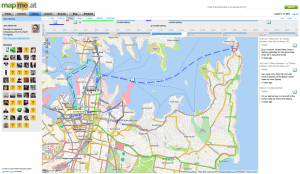
Apple have been quite insistent on not allowing apps to run in the background (well, when I say insistent, there’s simply no way to do it in the SDK). The reasons they tend to cite (sorry, a cursory google didn’t find any official responses) center around the fact that running multiple apps at once causes unnecessary load on the CPU which causes the battery to drain too fast. As an iPhone 3G (not 3GS) user I know that battery life can be an issue on the iPhone, my aging phone sometimes has issues getting through the night!
Not being able to run multiple apps has never been a huge deal for me, apart from this background tracking aspect. My previous phone, a Sony Ericsson K750i, couldn’t run multiple third party J2ME apps at once. It could run the current app in the background though and so has often ended up being a better option for tracking though does require me to carry two phones, this one and my iPhone (I can run 2 apps at once now, 1 per phone!)
So you might ask why I’m writing a blog post about this, none of this is particularly new information. Well, a few months ago I came up with an idea that I was convinced solved the problem and, I thought, would be the direction Apple would take. More recent rumours about Apple simply “turning on” background/multiple apps in iPhone OS 4.0 made me a little less confident that Apple would go with the idea but I’ve decided that even if Apple do allow background apps, “we” in the iPhone SDK Geo developers community need to be a clever about how we handle these apps. As such I’m going to outline what I think(/thought/hope) Apple will do, and then I’ll discuss what we can do if they don’t.
</preamble>
The direction that I think Apple will take is inspired by their solution to the “How are we going to write Instant Messaging apps??” question previously asked of Apple. Their solution to that was to create a single central channel by which developers could send information back to the iPhone even when their app is not running. Developers use the “Push Notifications API” to do this. On the phone, when their app is first run it will request the ability to send push notifications, the OS will show a message to the user confirming that they want to allow this and the app will then be given a “device token” which uniquely identifies the phone. The app then sends this token to a server and that server now has the ability to send push notifications to the phone, using the token, whenever it wants. The Push Notifications API only allows for simple small messages but is an efficient way to allow apps to update their users without running in the background.
So to do the same thing for location updates Apple should offer a single central API for requesting the location when the app is not running. I think Apple will call it something along the lines of “Mobile My Core Location Remote Notifications Me API” but for now I’ll just refer to it as “the API”. As far as users and iPhone (client) developers are concerned the API interaction would be very similar to push notifications. The app would request access to location updates in the background, the user would see a message such as:
**"Ace Tracker" would like to use your location now and in the future** This will allow the app to know where you are even when it isn't running.
If the user accepts, the app receives a token which it sends back to its server. On the server side I’m not sure how Apple would handle things, currently push notifications are done as a very simple SSL encoded binary connection. For background location updating the best solution would most likely be something based on XMPP so that the server could connect to Apple once and just sit and wait for updates. I’m guessing Apple wouldn’t want a polling option with multiple servers continually asking “where are my users?!”, and having Apple pushing to various different servers that may or may not be turned on and active is probably even less likely.
So that’s the crux of it, Apple should offer an API that gives apps the ability to get location updates in the background. But still you might be thinking there’s a problem with this. Way up in my preamble I did mention that one of the problems with background apps is battery usage. Using Core Location continuously on the iPhone is one of the best ways to drain your battery so surely Apple aren’t going to make it easy for developers to do this? Well Apple engineers tend to be pretty smart and I reckon they’ll be able to find interesting and novel ways to reduce the battery usage. Ways that - if Apple choose not to go with an API and just to allow background apps universally - we should use ourselfes.
Using Wi-Fi Positioning it’s possible to get a relatively good location fix just by doing a quick scan of the Wi-Fi airwaves. This might not work so well as you’re walking down a street as your position would keep jumping around by 50-150m or so, but if you’re sat in a bar or an office should give good results. How to know you’re sitting still? Well, one way is just to notice that the nearby access points haven’t changed for the past 5 minutes and decide based on that, another approach would be to use the accelerometer in the phone: if the iPhone hasn’t moved for hours then there’s no point trying to get a location fix at all. Again it might be possible to do similar things using cell based positioning, in cities the cells tend to be smaller which helps to get the accuracy higher. Doing some low power cell positioning to check for movement of more than a few hundred yards before deciding to turn on the GPS could be one way to save power. I’m sure there’s lots more options too.
Obviously some of these techniques aren’t going to work if you want a 1-second high accuracy trace of your location, but if this is what you’re looking for then there’s not much you can do about battery life. A lot of interesting applications could be made using just simple background “checking in” giving a good profile of the businesses you visit on a regular basis for instance. While developers using the iPhone SDK don’t have full access to the hardware and so wouldn’t necessarily be able to optimise for switching between the different locating technologies, Apple do, and this is why I think they should create this API even if they do allow background apps. Even without full access to the hardware I think we as iPhone SDK developers should be able to create something much better than a hundred apps that all simply fire up Core Location, ask for best accuracy, and then constantly push that back to our servers and I think that we should start looking at ways to do this.
Obviously decisions would need to be made, for instance for this to work optimally and not require multiple background processes for different apps there would need to be a single central service to send the location updates to. A central brokering service would be best. While I’d be ecstatic if mapme.at was used other choices would be Yahoo’s Fireeagle or potentially the new location services Facebook are rumoured to be introducing. Also while I talk about a “single centralised solution” I do realise that competition can be good so the idea of multiple implementations isn’t, in essence, bad I’m just trying to avoid everyone in the location space coming up with a solution which just results in multiple background updating processes running and defeating the purpose of this whole exercise!
So that’s my idea. Might be a crazy one, who knows, might even be what Apple have planned anyway. A very knowledgeable friend seemed impressed though and pushed me to write up this blog post (and reminded me about the usefulness of the accelerometer) so maybe there’s something here. Let me know any comments you have, and I’ll be at WhereCamp in a few hours so would love to discuss it with you then. In fact I’ll be in the bay area until late Monday afternoon if anyone at Apple wants to get in touch ;-) If I don’t hear anything I might just write some code and stick it on github!
Addendum
I noticed looking back on my notes for this article that I listed to myself two things that make background tracking difficult: power and connectivity. Connectivity becomes a big issue as soon as you start roaming and would certainly be something worth looking at, having a way to store a trace for a long period of time and then report it back later would be great. I decided not to cover it in this article though as it was just getting far too big, maybe if there’s interest I’ll write something else up.
Also, yes, Android already allows background apps, as far as I know there’s nothing similar to what I’m proposing for that platform, maybe there should be.
-
Week Notes Week 87
This week was spent getting everything prepared for my where2.0 talk next week. One of the things I want to do in my talk is show some interesting visualisation based on all the location data I’ve stored in the past three years. I started this on Tuesday by creating a page on MapMe.At that anyone can use to graph the amount of time they’ve spent in places over the course of a year. The graphs give really interesting results and can give some genuine insights. For instance they show that in 2009 I tended to go to the same places more regularly whereas in 2008 I went to a greater variety of places. I’ve also seen that I went to London more often than I thought last year.
Once I had my graphs done it was time to work on my slides. Though I was originally a little nervous about whether I’d have enough material and spent most of Wednesday procrastinating I have ended up with nearly 40 slides which take me about 20 minutes to deliver. This is 5 minutes more than I have but I’m sure I can get it down, I’m just happy I have enough material!
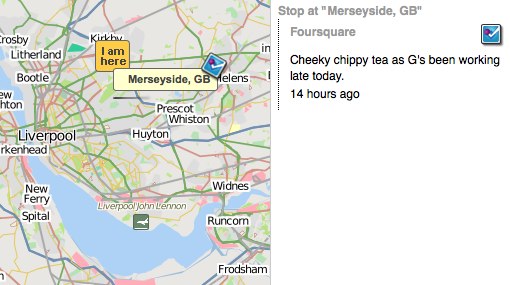
The final thing I spent most of yesterday on was adding in support for foursquare synchronisation. MapMe.At is all about offering as many ways as possible to store your location and currently foursquare is one of the most popular location tracking services around. They have an API so it was obvious to me that I should support it. That’s gone well and I’ve got full support for pulling your check-ins and “shouts” from foursquare into MapMe.At. I hope to get support for pushing your location into Foursquare done before my talk but I can definitely add another logo to my slides now! That support should be rolling out onto the site pretty soon.
This week is the big week then. I give my talk at Where 2.0 actually quite late in the conference so I get to stress about it all the way through. Hopefully it should go ok but wish me luck!
-
Week Notes Week 86
Last week I was intending to spend on all mapme.at, all the time. Things didn’t quite work out so well but I did get some stuff done. The week started slowly as I procrastinated due to jet lag and generally not feeling like getting back to “work” after my holiday. Most of Monday was spent catching up on the bits of client work that had come in during my three weeks away, I also booked in a full day of client work on the Thursday to sort out some problems a client was having.

Tuesday I decided to take a trip into town and debug the problems we’ve been having with the Mersey Ferries on mapme.at. For some reason their positions haven’t been updating on shipais.com and I wanted to see with my own eyes that they were running. Soon after I got to the ferry terminal Royal Iris turned up to confirm that they were running fine. I decided not to pay for a trip myself so that I could talk to the skipper, good thing too as when I got home later in the afternoon I found they’d randomly started working again that morning!
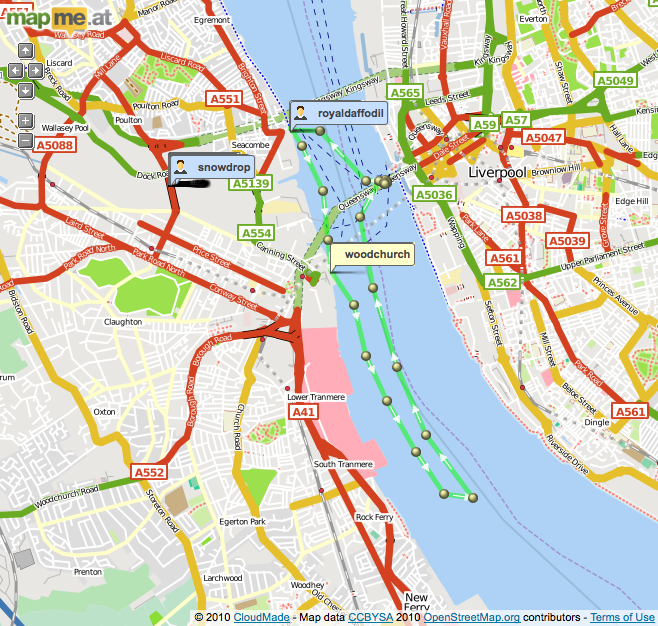
On Wednesday I finally got going with some more work on mapme.at. First thing I needed to do was fix a problem that was causing duplicate places to show up due to the recent updates. Currently when a user looks at an area and they’re zoomed in enough I always download data from cloudmade, de-dupe it against data I’ve already cached and then add any extra records to my database. Cloudmade provide their own IDs for their results and I had assumed that these would be unique, I had also de-duped against the OSM IDs but a bug in that code had stopped it from working. It turns out the IDs provided by Cloudmade change (every time they do an OSM import I’m guessing) but they’re also unnecessary for my purposes - I will only use a result if it has an OSM ID anyway - so I’ve switched to de-duping on the OSM IDs only and everything seems to be working now.
I also started working on integrating Facebook Connect. I want to make it as easy as possible for people to get going on mapme.at, especially if they’re using a mobile app, and I think a good way to do this is by using Facebook Connect as most people are going to have an account on Facebook. I found it quite fiddly to get going with Facebook Connect, it seems to require JavaScript which I wanted to avoid, and there’s a variety of Ruby libraries with no real consensus on which is best. I ended up using Facebooker and following this tutorial which pretty much sorted me out. Watch out for the bug on that page though, you need “before_filter :create_facebook_session” not :set_facebook_session.
On Friday I got most of the Facebook work finished, on my development version I can now attach a Facebook account to an existing mapme.at account and use Facebook Connect for login and signup. I haven’t pushed it live yet as I want to improve the signup process a little but it’s definitely getting there.

This coming week I’ve got a trip to London (today) to talk about some more client work but hopefully I’ll get some more stuff done on mapme.at today. I’m actually hoping to get GPX file import working so that I can have a lot more data for visualisations for my Where 2.0 talk. That’s also going to be the main thing I’ll be doing this week, trying to get my talk completed and ready for handing over on Friday!
-
First WhereCampEU - Definite Success
 WhereCampEU was this past weekend and by all accounts it was a blast! In case you don’t know, WhereCamp is based on the BarCamp model meaning that it’s a conference which is free to attend at which anyone can speak. The schedule is blank until the day of the conference when any of the attendees can announce their talk by putting it on “The Wall”: a big grid drawn out using masking paper allowing you to choose a time slot and a room.
It may have started out blank but the schedule was packed with great talks by the time the conference got going. I tried to go to as many as possible but, especially on the first day, many of the rooms ended up full to bursting. I was also tired because I’d just got off a 24 hour flight from Sydney so I did end up missing a few slots. Harry’s already posted photos of the wall and the talk titles have been copied onto the wiki, now it’s just up to the speakers to add some info about their slot (I’ve only just done mine).
The first talk I went to was about “GeoPrivacy, Your thoughts”, a discussion introduced by Chaitanya. It was interesting but most of the discussion was about privacy on the internet generally, rather than specifically location privacy which interests me most. I later caught the end of the Pedestrian routing talk as they came to the conclusion that for ideal results it really would depend on the user (a young female is likely to want to walk down different streets to an older male, probably). I also found a talk about using Apple’s iPhone “MapKit” library quite interesting as so far I’ve only used the route-me library. It also gave me the opportunity to plug my LocationManagerSimulator code. There was a few talks around the concept of “place” too, with my recent switch on mapme.at to using “places” these were quite interesting.
The evening involved geo-beers kindly sponsored by Axon Active:
Day two started for me with my own talk on Hacking Location into Hardware. I had intended to discuss my “Weasley Clock” a little and talk about how it worked. In the end I think I just rambled on too much and probably didn’t actually help people to understand how either the hardware or the software was put together, but hopefully I was entertaining at least.
I actually quite enjoyed the talk titled “A little light relief. Using global terrain data in your maps”. I only really attended because it promised light relief (and I only just got the pun today!) and because it was being given by an old colleague - Simon Lewis but it ended up being quite interesting and inspired me for some visualisation I need to do soon. The talk covered various aspects of Simon’s attempts to add terrain and relief shading to maps using a selection of open source tools.
I have to mention that one of “my” biggest contributions to the event was actually the logo, which I asked a friend to produce. Though I knew the logo was good originally it looked really great when printed out and mounted on posters, t-shirts and blog posts so I’ll definitely thank Sophie Green for producing that. I’ve used her for my mapme.at business cards before and always been happy with the results.
And there’s more geotastic geogoodness to come with Where 2.0 in two weeks. I will be talking about my experiences of tracking my location for the past few years in a session titled Why I Track My Location and You Should Too. It’s based on the session I’ve given at a few events already but should have fully new material. Maybe this time I’ll actually answer the question of “why?”, but more likely I’ll just show more pretty visualisations and hope no-one notices!
-
Week Notes Week 82
Just got back from a three week holiday to Australia and Singapore (well, in fact I still haven’t actually made it back, I’m on the train home from London after WhereCampEU!) Most of this was written on the train to Heathrow on the 19th February, unfortunately I didn’t really get time or sufficient internets to post it sooner. Hopefully next week’s will be up faster!
Another busy week as I prepared for my holiday which I’m now on! As mentioned last week my focus was supposed to be finishing off the mapme.at features while also mopping up the scraps from the client work I’ve done recently. I also ended up with a new day’s worth of client work which I’d quoted for a few weeks ago but forgotten about. I had finished the bulk of the client work that I’d been planning by Tuesday lunchtime but annoyingly I did find it kept springing back as my numerous related tweets will show. I had hoped that with all this “just one more thing” that someone might have paid me before I left, but alas no.
But enough about client work. The “place based check-ins” for mapme.at that I mentioned last week came along really well and I managed to get the code live on Wednesday (17th February). Since then there’s been a few tweaks here and there but as far as I can tell it all went out without any major problems. I put a blog post up about the changes so take a look at that for more information on those.
Something I forgot to mention from lunch last Friday was that Adrian McEwen asked me if I would like him to take my Weasley Clock to Maker Faire UK. Adrian was there last year and his famous Bubblino was filmed by the BBC. Maker Faire is all about interesting hardware hacks and so my clock should definitely be welcome there. Unfortunately it’s on the same weekend as WhereCampEU so it’s a good thing that Adrian offered to take the clock for me. I’ve wanted to come up with something better for it to show than my location as, even with my current travels, it tends not to change much over the course of a few hours. Something more interesting would allow me to demonstrate the clock more actively at conferences. Adrian suggested we use the mapme.at accounts for the Mersey Ferries so I made a few changes and got the clock showing that.
There’s three ferries but usually only one or two of them are active so the 2 hands of the clock can be utilised. When on their standard route the ferries travel between 3 ports - Liverpool, Seaforth and Woodchurch. Other than that they tend to either be in open water or moored in the docks. Using the new place-based functionality I was able to make sure that all the ports and mooring points were in as favourited places with labels for all the accounts. I then updated the clock’s Arduino code so that it could handle 6 different locations (instead of the existing 4). It seems to be working ok but unfortunately before I handed the clock over to Adrian the ferries didn’t seem to go anywhere. I’ve only described 5 of the 6 “places” so far… I took the opportunity with the redesign of the clock face to add a “Mortal Peril” option which should now occur when the ferries are doing tours down the Manchester Ship Canal!
Now I’m back from my holiday I’m sure I’ll have to spend some time over the next few weeks sorting out client requests that have come in while I’ve been away but I’m really hoping to get some more time to work on even more mapme.at features. I’m speaking at Where 2.0 in two weeks and so need to get a talk written with some good visualisations, and want to have a few products I can announce too.
-
Week Notes Week 81
I tend to ignore blogging trends, in fact I wouldn’t really go as far as to call myself a blogger, but this “Week Notes” trend could help me to work better and more efficiently so I thought I’d give it a go. The week numbers run from the time at which the company was incorporated and MKE Computing Ltd, the limited company I set up to handle my freelancing work, was setup on the 30th July 2008, hence week 81.
This could actually be the worst time for me to start something regular considering I’m actually going on holiday at the end of this week, but what the heck, it’s some content for my blog if nothing else!
So this week has been pretty busy, largely as I’m trying to wind things down for my holiday. Monday and Thursday afternoon I was in the offices of Moneyextra.com where I regularly do a few days work. My work there is generally PHP though has ranged from Perl through VB.net through to an iPhone app in the past. At the moment I’m working on a PHP-based back-office system that they’re doing for Carphone Warehouse. It’s actually based on OSCommerce which I think was last developed in 1973 (honestly, it feels that way) so is really outdated and can be a pain to extend.

My main focus this week and next was actually supposed to be to get lots of work done on my “start up” website mapme.at. I’m giving a talk at the end of March at the Where 2.0 conference and I’m really hoping to have some interesting things to talk about. The main things I was supposed to be doing is developing two iPhone apps to work with the site. One is focused around putting data in, the other more focussed on pulling it out in a unique and fun way. I’ve been having issues decided how to handle authentication though. If I put an app on the app store it’s quite likely that most people who download it have never heard of the site and won’t have an account. I’d like to do something really simple to handle creating an app, potentially even doing it silently in the background. I already use OAuth for the API and it would be possible to handle a signup step as part of that but the OAuth process is quite jarring to many users (the app has to quit, Safari launches and then you have to be sure to reload the app when the signup/login and authorisation has finished). One option would be to use Facebook Connect and automatically create a user linked to their Facebook credentials, this could also be confusing to many users and would require me to integrate facebook connect into mapme.at in general. I think I’ve decided to just stick to the OAuth method for now and to look at improving it once I’ve got an app that I can demo.
As part of looking at authentication though I decided to improve my existing OpenID support. My initial implementation was done in such a way that you could attach the same OpenID credentials to multiple accounts. I guess I thought that might be a useful feature but I think most people found it annoying as it meant that to log in, you had to enter your OpenID and your username, as mapme.at wasn’t using the OpenID as a unique identifier. I’ve now fixed this which should hopefully make things simpler. I’m also intending to reduce the number of fields you need to enter to create an account, but again I think I’ll wait until I’ve got some iPhone apps I can demo.

Something else that I’ve been considering for mapme.at and decided to implement this week is “place based check-ins”. Currently on mapme.at you either map yourself at an arbitrary latitude and longitude, or you create a “favourite” location and map yourself there. There was a few “global” favourites which I had added myself but generally you had to create a favourite manually or use some sort of logging app or API to log your location arbitrarilly. The new functionality means that mapme.at will give users access to a big database of existing shared places. This database, and improved UI on the site, will make it much easier to say “I’m in the supermarket” rather than “I’m at 53.415812,-2.921977”. I decided that having that functionality in place would vastly improve one of the iPhone apps so I decided to start working on it. It’s coming along really well, there’s still work to do but I think I’ll have it out in just a few more days.
On Friday I met up with some old friends, and met some new ones, for lunch. I had a good time and it was good to catch up and find out what others are up to in Liverpool but it did cut into my dev time on the new functionality.
Next week I’m hoping to spend at least another two days working on mapme.at. I’ve got some functionality to finish off for another client on Monday but apart from that it should be mapme.at until I got on holiday to Australia at the end of the week!
-
Basic Sat Nav and LocationManagerSimulator

I’ve just launched an awesome new iPhone app - Basic Sat Nav. A PND/Satnav app for your iPhone that will direct you anywhere in the world. Using Cloudmade’s great geocoding service I can provide essentially global coverage that no other iPhone satnav offers. Okay it doesn’t have advanced features like “Augmented Reality”. In fact it doesn’t have any of the more basic features like “turn by turn directions” but I think there’s nothing better than a series of textual updates telling you whether you’re getting “Hotter” or “Colder” for getting you where you need to be.

Ok, so maybe it’s a bit of a joke but I’ve been amused that everyone who’s seen it has paused for a moment and then said “cool! that would be useful for X”. The most obvious thing that people have asked for is Geocaching support so I may try to add searching for geocaches in the future, I’ll see how things go though as I really want to avoid feature bloat.
Testing a satnav really isn’t the simplest thing to do though. When testing iPhone apps in the iPhone SDK provided iPhone Simulator you get a single location update that puts you in Cupertino. This is obviously completely useless when writing a satnav. To get around this I wrote a new LocationManagerSimulator class that I could add to my project which will take in a Property List file (converted from a GPX file recorded earlier) and will replay the locations in that file every time I start the app. This was a really good way of testing things – so long as I had a well defined route in my GPX file I could then search for a location along that route and the sat nav would update as my recorded position got closer and closer to the destination. If I picked a location halfway along that route I could see the satnav updating as I got further from the destination too.
The simulator will take the HDOP and VDOP values from within the GPX file and will, using a simple metric (× 6) convert these to horizontalAccuracy and verticalAccuracy values. If they’re not present it uses fixed values of 50.0m for these fields. If there’s an “ele” field in the GPX then this will be used for the altitude, otherwise altitude is set to 0m. Currently the code is pretty basic but it does all that I needed it to and should be quite easy for others to use. Simply drop the two files (LocationManagerSimulator.h and LocationManager.m) into your project and change your reference to CLLocationManager to LocationManagerSimulator. If you have a file named
simulated-locations.plistin your project then it’ll read from that by default. Otherwise you’ll want to use the full initWithFilename:andMultiplier: call, this also allows you to pass a multiplier so that the route runs faster or slower. Simulate a driving route on your bike or vice versa!I want people to just go ahead and use this so I’m putting it out there as public domain/CC0 or whatever you need to be able to use it without worrying :-) You can download LocationManagerSimulator from github where you’ll also find a bit more documentation. If you feel guilty about using my code for free then please do buy Basic Sat Nav from iTunes. If you have ideas for improvements then let me know or, better still, fork the project and add them yourself!
Oh, nearly forgot to say, if anyone wants to try Basic Sat Nav out for free then I’ll give promo codes away to the first 20 people that ask in the comments. Unfortunately promo codes can only be used in the US iTunes store though so only ask if you’ll be able to use it!
-
OSM State of the Map and AGI Geocommunity

So one of the great events that I’ve, er.. delayed writing about was the annual OpenStreetMap conference “State of the Map”. This year it was a 3 day conference (previous years had been 2 days) with the extra day accommodating the various commercial people that have started making use of OSM data. It was a great idea to bring in some fresh faces to the conference and actually gave me my first speaking opportunity of the weekend, talking for five minutes about mapme.at. The following two days took a more traditional course with various members of the community talking about the ways in which they are using and working with the OSM data.
A selection of countries gave a “State of
" type talk, these are always really great to hear, especially for the smaller countries where perhaps Internet access or access to GPS technology is not so great. Often in these locations there isn't even any existing map data so there's a great opportunity for the OSM community. The talks from Pakistan and Brazil were particularly memorable and were only made possible due to the great OpenStreetMap Foundation "scholarships" program which was a great way to make sure we had attendees from all areas of the world. It was also good to see these attendees being handed GPS devices as part of the [GPStogo](http://wiki.openstreetmap.org/wiki/GPStogo) program which hopefully they'll take home and use to collect many more GPS traces.  The OSMF Scholarship attendees
The conference took place this year in Amsterdam and it was my first time visiting the city, though I didn’t see much of it in the first few days while at the conference we fortunately stayed on (we being my wife and I) to spend another few days in the city for some rest and relaxation. We had a great time there and I had plenty of opportunities to use my (still relatively new at the time) DSLR camera as you should be able to see from the photos scattered around this post.

I managed to make it three years running speaking at a SOTM conference not only with my 5 minute segment about mapme.at but also with a full half hour on Saturday afternoon talking about OpenStreetView. This is my idea for a project to try to create an openly licensed database of street-level imagery, and ideally some really impressive software to go with it. The talk went well though I had an “interesting” Q&A; session afterward, obviously people are still concerned about the privacy aspect even when related to what I hope will become a very open project. Unfortunately at the time I hadn’t completed the software side enough to launch the project, and as you may have noticed I haven’t yet launched it, more on that soon.

Next week I’ll be attending another conference, and again will be speaking about OpenStreetView. Ed Parsons has written about the conference that he “was disappointed with the introspection and backwards thinking demonstrated … and had all but given up attending” which doesn’t sound like a big vote of confidence. The conference is AGI Geocommunity and fortunately a big effort has been made by Stephen Feldman, Chris Osbourne, John Fagan, Rollo Home and many others to improve the situation leading to a really great and interesting looking programme.

As mentioned I’ll be speaking about OpenStreetView again, but this time I’m intending to have something launched and usable beforehand. It won’t be particularly pretty, it won’t have a huge number of features, and it probably won’t have a huge database of images, but I’m hoping this will all change once I open it out and get more people involved. My aim with the project is to build a database of images and metadata which can be built upon by others who are already working on the software side for viewing these things. It should also provide a home for imagery being created by various people who are already building hardware solutions for collecting it. Unfortunately (for the project, good for me) I’ve been very busy over the summer with paying clients but I’m hoping I can get things finished off this week to allow upload and moderation, then the fun can begin!
I also can’t talk about conferences without mentioning another speaking date I have coming up in November. While the AGI is a national group aimed at representing the interests of the whole UK’s geographic information (GI) industry, they also have smaller groups aimed at bringing together the GI community in different areas. The AGI Northern Group achieves these aims in the North of England with a monthly meeting and this year their first full-day seminar - the AGI Northern Group Where2Now Conference. It’s being held on the 10th November in Harrogate and I’ll be speaking along with a great list of people. Ticket information isn’t yet available but put the date in your diary, check out the linkedIn events page and head over to Tim’s blog for more information on the speakers.
If you’re going to the conference next week and we haven’t met before then please do say “Hi!” I’m really looking forward to it, not just for the great content on offer but also for the opportunity to meet up with some old friends that I haven’t seen in some time, and also to meet some new faces. I’ll close this blog post out though by quoting Tim Waters and his write-up of the SOTM conference, it’ll be interesting to see if the AGI Geocommunity conference can generate just as much emotion:
Yes, I got a bit emotional at the third OpenStreetMap conference, held in the CCC, Amsterdam last weekend – mainly because this globe we are on is the only one we know – we really are mapping our universe, doing it our way. Creating the world we want to live in. [Tim Waters](http://thinkwhere.wordpress.com/2009/07/15/were-making-the-world-weve-always-wanted-to-live-in-sotm09/)
-
YUI Flash Uploader crash in Firefox
Ok, so I’m still not blogging about future and past conferences but I had to post about this one as I’ve just wasted an hour trying to fix it.
I’ve used the YUI Uploader a few times now as a handy way to upload multiple files. In my current project I’m using it mainly as an Ajax uploader, I need to upload multiple files and create a variety of DB records in a few Ajax requests so I thought this would be a good way. Initially I had a few errors because I was getting a 401 - the flash doesn’t pass the cookies through. I sorted this out by passing them in the URL (and modifying the PHP to read $_REQUEST as well as $_COOKIE). I then tried in Safari and found the flash element had zero height so wasn’t accessible. Played around with the CSS and got it working. It was successfully uploading the file but for some reason not calling my JavaScript function callbacks. Oh well, bit odd, let’s try Firefox again. Tried it and Firefox crashed! I then spent an hour trying to figure out why Firefox was crashing.
One thing to mention before I tell you why. The YUI Flash uploader has to get around a limit in Flash 10. The actual process of launching the “Select Files” dialog must come from within the flash. To achieve this you either give the flash the URL of an image or you position the flash on top of some HTML, I was going with the latter, hence my problems when the flash had zero height.
Because my save process involves the flash file uploading and a few ajax requests I had decided to hide the flash during this process, to make sure that during the ajax requests a user couldn’t try adding new files in. I did this by adding “display: none” via a CSS class. This is what was causing the crash in Firefox. It seems that giving the flash “display: none” was detaching it from the page (or something), Firefox didn’t handle this well and so crashed out completely. Safari handled it a bit better, it didn’t crash but my function callbacks were no longer attached.
So, moral of this story, don’t “display: none” your YUI uploader flash. I’ve tried setting “visibility: hidden” and that works equally well, without causing a crash. After spending an hour fixing this I decided I had to post something to try to save someone else that pain, I didn’t see anything similar in my googles of “flash YUI crash firefox”.
-
Helvetireader
I need to blog more, like seriously, for now though… I use Google Reader to read everyone elses blogs. I use it a lot so I was very interested to read on twitter and lifehacker about an extension thingy to allow you to view a nicely restyled version of Google Reader that uses the Helvetica font to give a much nicer experience, Helvetireader. The only ways to use it though is using a userscript that requires Greasemonkey or Greasekit, or a user CSS if your browser supports it. I generally use Safari and don’t have Greasekit installed so didn’t have an option to quickly try it out, so I knocked up a bookmarklet. Add the following link to your bookmarks (I generally put these in my toolbar/”Bookmarks Bar”), then when you’re in Google Reader click on the link and it’ll switch you to Helvetireader. If you don’t like it just refresh the page, if you do then you can look into one of the other options, or just keep using the bookmarklet.
I promise I’ll blog more soon, I’ve got two past conferences and two future ones to tell you all about!
-
Hacking Location into Hardware
UPDATE 2011/11/16: It’s now possible to buy a mapme.at WhereDial “Weasley Clock” just like this one!
Last weekend I went to the Howduino hack day which by good fortune was happening on my doorstep, in Liverpool. The day was organised by two friends of mine - Adrian McEwen and Thom Shannon - who have been doing hardware hacking for quite some time now and wanted to open things up for more people to get involved.

The day was partly named after Arduino (with a bit of Scouse humour mixed in - “how do we know?!”). From their website:
Arduino is an open-source electronics prototyping platform based on flexible, easy-to-use hardware and software.
Basically you get a circuit board that has a USB slot, a power slot and a set of digital and analogue inputs and outputs. You can load software onto the circuit board via the USB slot, the software can then run on the board when it is disconnected from the computer and can operate other hardware through the inputs and outputs. Adrian used one of these devices to make the famous Bubblino twitter monitoring bubble machine and the Mazzini power monitoring project. Thom has used it to make, amongst other things, a light tracking mini.
Though Howduino got its name from the Arduino boards, the day was actually more of a general hardware hacking event. Sophie Green spent most of the day making artworks using “brush bots” which were incredibly simple devices made from motors and batteries mounted on toothbrushes. Some people built a “drawbot” from scratch on the day and a few people tried making racing radio controlled cars with movements controlled by twitter hashtags.
My project was suggested by Grant Bell, he thought that I should use mapme.at to create a “Weasley Clock”. This clock is described in the Harry Potter books by J.K. Rowling, it is used by the Weasley family to see where each member of the family is. Instead of telling the time, each hand shows a photo of one of the family members, the clock face has a number of locations written around the edge, such as “Home”, “Travelling”, “School”, “Holidays” and even “Mortal Peril”!

Now one way in which I could’ve handled this would be to create a web page that showed my location on a picture of one of these clocks. That would be fairly easy to do but much less interesting than the hardware hacking version. I started off by getting hold of an old clock. My Dad has been tinkering with and fixing clocks for years, and often gets given old clocks and told “This stopped working years ago, thought you might like it” so fortunately he has a few lying around and gave me this one:

I spent a morning taking it to pieces carefully and working out how it worked, until I pulled the back off it and the chime spring caused an explosion of gears:

I then took all the bits to Howduino together with a stepper motor that I’d taken out of a floppy drive. After a short while working with Aaron from Oomlout we managed to get the stepper motor going but then I had the problem of connecting the motor to the clock. After many hours of trying to glue and solder the small stepper motor on I finally decided to ask around to see if anyone else had stepper motors. Fortunately someone did, a much bigger motor that could fit through the black of the clock mechanism and unbelievably had a gear on that meshed perfectly with the gears in the clock. With the application of some super glue and a few pieces of metal “salvaged” from an old printer I got the motor attached and turning the hand reliably:
Once that was done I had to write some software. The software for moving the clock is fairly simple. As the motor is a “stepping” motor it can be controlled very reliably. One step of the motor moves it by a well defined amount, with the gearing from the clock 150 steps of the motor turns the minute hand around in a complete rotation, meaning 12 × 150 = 1800 steps will turn the hour hand around completely. I knocked up some Arduino code that reads the current location of the hands from the EEPROM memory on the Arduino. To reset it I manually move the hands to “midnight” and zero the EEPROM memory. I can then tell the Arduino to position each of the hands by an hour. As the hands are still geared together I can only put the hour hand between one hour and another, while the minute hand can be precisely positioned. When the clock has moved to the position you’ve requested, it saves the new location of the hands to the EEPROM memory again so that it’s safe to be powered off.
To get my location I’ve knocked up a MapMe_At class which can request the location for a user. It makes a HTTP request to mapme.at, using the Arduino Ethernet Shield, pulls down the location and uses a very lightweight JSON parser to pull out the label for the favourite location that I’m currently at. From my core code I then request the location of two users from mapme.at every minute, convert that location to a position on the clock and then move the hands. When it works it looks really good, I’m only running the clock forwards at the moment because some of the gearing for the chime is still there and makes funny noises if I run the clock backwards, this means that it can take nearly a minute for the hands to move but considering it’s unlikely for location changes to happen that often this should be fine. I do seem to have a problem whereby the clock stops working after running for a while so I’ll have to do some debugging, but as you can see from the photos and the video it is looking pretty good at least!
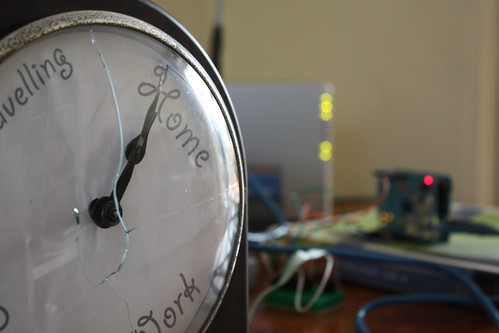
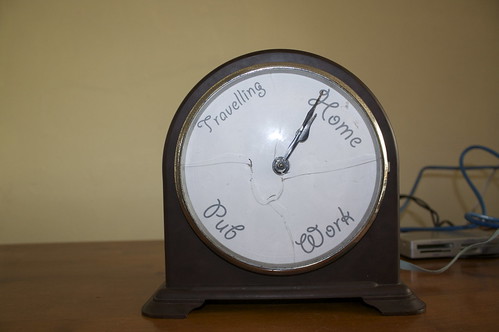
(Unfortunately hardware hacking can have its casualties, as you can see the glass on the face of the clock was one)
I’ll be taking the clock along with me on the next Tech Bus Tour from London to Liverpool. I’ll be updating the face to show our progress between the locations as this should be more interesting than showing that I’m “Travelling” constantly. I’ll also open source the Arduino source code when I get around to tidying it up.
UPDATE 2011/11/16: It’s now possible to buy a mapme.at WhereDial “Weasley Clock” just like this one!
UPDATE 2009/01/04: The code is now available on github, I haven’t had time to fully clean it up and add comments throughout but hopefully it’ll be useful anyway. Download the code here.
-
New mapping APIs available from CloudMade
If you’ve been following my Twitters you’ll be well aware that I’ve just spent the past week in San Francisco. I came here to attend, and speak at, the launch event for CloudMade’s new APIs for location based services. CloudMade is a company that was launched around 18 months ago by Steve Coast, the founder of the OpenStreetMap project, and Nick Black, a core member of the OSM project. The aim of their company is to bring the power of crowd sourced data, specifically OSM data, to more developers and to commercial companies around the world. The first step of this was of course to develop some products to make this possible and to make them available to the world, hence this event.
The event was split into four main sections. Steve started by giving an overview of the OSM project, its history and some glimpses of what’s likely to happen in the future. Nick then came on stage to explain their ideas behind forming CloudMade and what they’re doing to get OSM data into the hands of more people. After this I and four other developers who have been working with CloudMade’s APIs got on stage to give 5 minute presentations about our experiences developing with the new APIs.
Andrew Turner, CTO of GeoCommons, explained how they have integrated CloudMade’s tiles into their Maker application and talked about how the new Style Editor enables great looking mashups. Jaak Laineste of Nutiteq told us how they’ve been integrating CloudMade’s tile, geocoding and routing services into their Mobile map libraries. I talked about my experiences working with the new APIs, though I won’t go into too much detail here as I wouldn’t want to spoil the surprise for Thursday. Andre, of Advanced Flash Components, then showed us a live demo of CloudMade’s APIs being used in a flash application and showed the speedy responses that the API gave.
Cragg Nilson then talked more about the specific products that CloudMade are making available and how people can get access to them. Finally a Q&A; session allowed some light interrogation of the CloudMade team before we moved into another room for demo sessions. Jaak, Andre and I all had a plasma screen each that we used to demo what we’d discussed in our talks. The CloudMade team also demoed various other applications that were using their services, centred around a large range of mobile devices that are able to access the APIs using various applications.
I’ve been really impressed by what CloudMade are offering considering they are still a young company. While a large reason for the quality of their offerings is down to the great team they’ve built up, they do also have an advantage in that the data they’re using, and the license it’s built upon, allow them to offer so much more to the developers using their products. The OSM dataset is incredibly rich and can cover a wide range of features that often don’t get much coverage from standard data providers. Also because the data is free CloudMade can make all of it available in their APIs without having to worry about extra charges such as you might get if you wanted to return vectors from existing data providers.
Now the good news, if you’re reading this thinking “I wish I could’ve gone to San Francisco and seen these great talks”, you need not fret. The whole event is being repeated in London on Thursday 12th. It’s currently oversubscribed but if you are interested in going I believe they’ve managed to arrange extra room so there shouldn’t be a problem with more people going. This page should give more details about the CloudMade launch event in London.
Oh yes, and as a hint to what I’ll be talking about on Thursday, take a look at the new logo for one of my existing mapping sites:
-
Postcodes are Important!
I spotted this article about postcodes on the BBC a few days ago. It points out how UK postcodes in their current form have been around for almost 50 years. Postcodes are of course hugely important. Though there have been stories over the years of Royal Mail managing to deliver poorly addressed, or even cryptically addressed items, the fastest and most reliable of getting a letter delivered is to make sure you address it with a postcode. Postcodes are also being used increasingly by personal navigation devices and online mapping services as a really simple and short way of identifying locations.
Considering how important and useful postcodes are, you would think that the post office would want to make it as easy as possible to get hold of information relating to postcodes. On the contrary, while it’s not particularly hard, it is prohibitively expensive. This, of course, is where the Free the Postcode project comes in. As such I’d like everyone reading this blog to make sure in this coming 50th year of postcodes that they submit as many postcodes to Free the Postcode as they can. Hopefully someone will make an Android, J2ME or Symbian app to make this easy, but in the meantime if you have an iPhone then there’s a new version of iFreeThePostcode available to you now.
I’ll talk about the new version in a moment but first I thought I’d mention how successful the app has been so far. My main source for statistics has been iTunes Connect, this is part of iTunes you generally don’t see. This is what I used to upload the app originally and setup my contracts. Apple also provide some basic sales data which can be downloaded in tab separated files. When I added the app I was able to choose what stores to make it available in but I decided not to limit it, so that visitors to the UK would still be able to help if they wanted to. Using the files I’ve found these are the top 5 countries that have downloaded the app:
GB 1683 US 535 CA 77 FR 69 IT 66 Others 684 Total 3114 With so many people downloading the app you might think we’d had huge numbers of submissions to freethepostcode.org. Maybe 2 per person, home and work? Or at least 1 per UK person to download? Well, while that hasn’t been the case, I’ve found that over the past month and a half since the app was released, nearly 50% of postcodes submitted to freethepostcode.org have come from my app. A few days ago I received the following stats from Dom, the administrator of freethepostcode.org:
In November 307 out of 1723 submissions were from iFreeThePostcode. In December 587 out of 1199 submissions were from iFreeThePostcode.
So in December that was 49% of the submissions, and using a little maths I’m guessing at about 59% for the 9 days in November that the app was available. I’m really happy with that, but hopefully with the bugs ironed out, we’ll be able to get that even higher in the coming months. And so onto the new release…
Two days ago the new version of iFreeThePostcode went live on the app store. I’ve noticed a few negative reviews on the App Store saying things like “I tried to click the button to submit and it didn’t work, 1 star!” It seems that my existing way of telling you that the accuracy of your location wasn’t high enough was a little too subtle. Originally I set the button status to disabled, all this seems to do though is change the text colour from blue to black, not the most obvious change. I also colour the accuracy label red or green depending on whether it’s accurate enough.
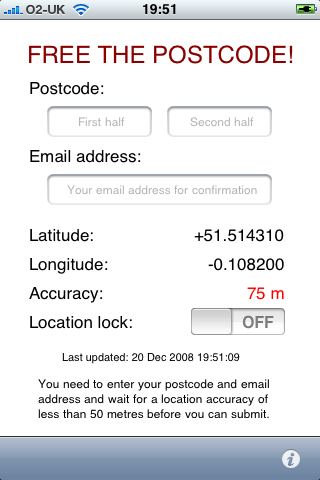
The new version replaces the overly subtle “disabled” button with a label when the accuracy is not enough, this label also shows when you haven’t submitted a postcode or email address. I’m hoping this label will be clear enough and that people will now try waiting for a more accurate location. It’s a good thing to remember that not everyone installing your app will be a technophile, but then even amongst my techy friends there were people who couldn’t tell why they weren’t able to submit. I’ve also made sure that the app remembers the postcode that you’ve put in. The original version didn’t do this because I wanted to make sure that people didn’t accidentally submit the same postcode in different locations, but I’ve realised that this is unlikely to happen, whereas it’s quite possible that someone might be copying the postcode from an email or a contact, and might want to flick between iFreeThePostcode and another app without the postcode being removed.
If you’ve got an iPhone and have installed the app, please leave some positive feedback on the iTunes page to counteract the negative feedback. If you do have criticisms then contact me directly or leave comments on the blog post and I’ll try to put fixes in the next version. If you own an iPhone and haven’t installed the app, why not?! Head over to the iFreeThePostcode page for more information and for the iTunes link.
Oh yes, final thing to mention, this version is of course open source again, see the above link to download if you’re interested in finding out how it works. Patches welcome!
-
BarCamp Liverpool

Wow, BarCamp was such a long time ago. Though I had an amazing weekend and felt really inspired by the end of it, real work brought me back down to earth pretty quickly :-(
So far I’ve only been to one BarCamp, in Manchester, that was really good but only lasted for one day. I’ve also been to a WhereCamp which is basically the same thing specialising in location based services, this one did involve an overnight stay and was also fun (this one actually took place in the Googleplex!). Having had so much fun away from home I was really looking forward to having a BarCamp in my home town.
Something that I’ve been planning for a while to do at the next Liverpool Mapping Party, when I get around to organising it, was to prepare a big printout of the OSM coverage of Liverpool, get some stickers printed up with POI icons on them, and invite everybody to place stickers where there was missing POIs on the map. As I hadn’t got around to organising a mapping party I decided to do this at BarCamp and try to get everyone interested in editing the map. Cue me spending 3 hours the week before trying to finish all the surveying of South Liverpool and then spending hours on the Friday before BarCamp trying to input this data and prepare a PDF file of the map, suitable to be printed at A0 size. I managed to email my PDF over to the printers at 2:30 on Friday afternoon, fortunately they managed to get it printed within the hour so that I could pick it up on my way to the iPhone event. Unfortunately though the print-out came out looking great, and the vector-based PDF file had given a great result, for some reason all the road names were missing! This is the second A0 printout I’ve done that has had problems so I’m definitely going to have to spend more time on it if I try again.
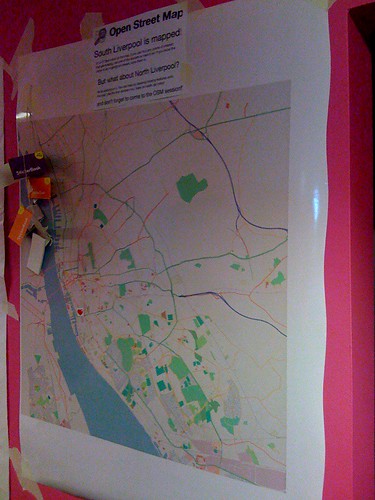
This is a photo of the map at the beginning of the weekend. Unfortunately it didn’t look much different at the end, only a few people bothered putting stickers on it. This was a little surprising to me but I guess that actually most of the people at BarCamp were from outside of Liverpool, and most of the ones from within Liverpool were from the parts that had been mapped. There was also an issue that the map was at such a small scale, and the stickers so big, that each one covered an area of about 1km2. I think the idea could still work but definitely needs to to be done with a larger scale map, more like the type of area you’d try to cover at a mapping party.
The talks at BarCamp were quite varied. Unfortunately as it has been so long now I can’t remember too many of the ones I went to, and I haven’t been able to find a full set of photos of the sessions board. Adrian did a good writeup here that you should read. I do remember a few of the sessions I went to though including one from Gill Hunt of Liverpool Ventures who talked about VCs and how to look for funding. Last thing on Saturday there was also the “Bitchin’ Pitches” session. I used this one to talk about my iPhone app iFreeThePostcode, it was good to get up alongside all the other pitches and talk about my app, but as I wasn’t really looking for money or anything like that there wasn’t actually all that much point and I didn’t end up winning a prize.
In the evening we all went to the bar downstairs at which Microsoft was sponsoring drinks. Beer tokens were handed out by the organisers which we all dutifully exchanged for beer at the bar. The “Bitchin’ Pitches” session also continued into the party with the best pitches being repeated in front of everyone. Melinda Stockington pitched her idea of a site that allowed you to log how often you read books and Adrian pitched his Arduino based Mazzini project for which he won first prize!
Due to the effectiveness of the MS sponsored drinks we were a bit late arriving on the Sunday but when I got there I decided to go for the “Let’s talk about sex” session as I couldn’t find anything else that interested me. I wasn’t really sure what to expect from a load of Geeks talking about sex, it wasn’t quite as scary as you might expect though and most of it was a discussion of relationships and the Internet, including things such as the volatility of the “relationship status” on Facebook. Much amusement when someone suggested the use of HTTP error codes in sexual situations, the following being the ones I found most amusing:
-
411 Length Required
-
413 Request Entity Too Large
-
405 Method Not Allowed
-
416 Requested Range Not Satisfiable
I don’t know if we covered normal status codes on the day but I just noticed the following could be used too:
-
100 Continue
-
201 Created (pregnancy ensues!)
After this I went to a talk about “CodeWiki” which unfortunately I wasn’t really paying attention to at the time. This was followed by John O’Shea’s discussion about his Meat License Proposal. Again I wasn’t really paying attention at first, sitting at the back playing on my laptop. After a while though his talk made me pay attention, basically he’s proposing that to eat meat a person might have to obtain a “Meat License”. To get a license the person would have to have killed an animal with their own hands. It sounds fairly grotesque, but I found it a really interesting proposal and raises some good questions about how much we know of what goes into making the food we eat. Afterwards I talked to John about some work that he’s done as co-director of an artist’s collective that could make some good use of maps, hopefully I’ll be in touch with him again soon (just as soon as I get around to replying to his email!)
Later on in the day I gave a talk about the use of location tracking services on the iPhone. Really it was just to give me an opportunity to talk about mapme.at and get some opinions of what people expected from this type of service. It was also good to chat to Paul Stringer about his experiences from creating Coffee Buzz.
The final talk that I went to was Adrian’s Don’t Just Change the World… Improve It!. This was a good inspirational talk, it reminded us that the North-West was the birthplace of the industrial revolution and probably has a few environmental debts to repay, so if we can get involved with this side of things it would be a great way to repay those debts. Maybe I just liked his talk because his last slide was one of my photos!
This artwork was actually just outside the door to the venue for BarCamp and it really summed up Adrian’s talk well, this quote is definitely something to live by:
FIRST RULE OF THE COSMOS GET OFF YOUR ARSE & MAKE IT HAPPEN
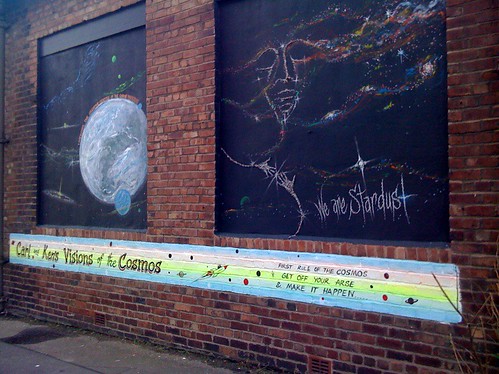
-
-
The Amazing iPhone
Wow, I’ve just had the most geeked out weekend ever, so big in fact that I’m going to have to split it into two blog posts. It started on Friday with The Amazing iPhone event. I had been planning to go to this event for a few weeks but it was only on Monday of last week that I got a call telling me that the organisers would like me to give a short 5 minute talk at the event. Obviously I jumped at the chance to talk about my experiences of iPhone development, and of course to hawk iFreeThePostcode and my own freelance services!

The Amazing iPhone was essentially an opportunity to launch a report that the guys at Kisky Netmedia have spent the past few months putting together. The report is a freely available (CC licensed) download that looks at the iPhone and covers the effects it’s having on the overall mobile landscape, what opportunities it’s creating and what development skills are required to create apps for it. Phil Redmond, the creator of such TV hits as Grange Hill, Brookside and Hollyoaks actually gave an introduction to the event and explained the reasons that he loved his iPhone and how he saw it representing a real change in the culture of internet use in the future. Katie Lips of Kisky Netmedia followed this by giving an overview of the report. The report starts by introducing us to the iPhone and then tries to explain the fanaticism and dedication shown by people who own one, also covering “The Cult of Mac”. It then talks a little about the history of the mobile phone business, covering what came before the iPhone, the players involved in the industry, how they worked and mistakes they perhaps made. We’re then taken through a timeline of the iPhone’s entrance into popular culture and some statistics on sales, growth and market share. The report goes on to cover many other subjects including the attempts by existing manufacturers to compete with the iPhone, who is using the iPhone (consumers and enterprises alike), before going on to talk about apps, the app store and the development skills required to create your own apps.
Three developers then gave an interesting mix of their opinions on iPhone development. Dave Verwer of Shiny Development talked about his recently released Charades app and talked about his experiences as an existing Objective C and Cocoa developer starting out on the iPhone platform. Matt West of Westbright Ltd then told us about his upcoming Zombie Slayer game and told us about his previous work on Palm devices and the difficulties he had handling the distribution process, which is made much easier by Apple with the App Store. Lastly I gave my talk, unfortunately I’d been really busy preparing for BarCamp and so had only knocked together my slides a few hours previous. I began by giving an overview of my background in web development and my involvement in the Open Street Map project. I then talked about iFreeThePostcode, the reasons for its existence and why the iPhone is such a good device for it. I followed this by mentioning my routing app, how the limited specifications of a mobile device made this sort of app more difficult to write but how the capabilities that the iPhone has should allow me to create a great app. If you’re interested you can see my slides on slideshare.
After our talks Paul Stringer, also of Kisky Netmedia, gave a half hour overview of how they set about creating an iPhone app - CoffeeBuzz - and the insights that this process gave them which they then put into the report. After this we had a Q&A; session which saw all the speakers answering questions offered by the audience. My main input of course was on location related questions but a good range of questions were asked, including of course the inevitable “I don’t want to use O2, can I hack the iPhone?”. After the event we all hung around to enjoy some free refreshments and chat to the attendees. It was good to see such a varied crowd including other local developers through to people from a variety of different businesses. I’d definitely recommend reading the report so head over to The Amazing iPhone site now to download it.
-
iPhone Developer for Hire
I am now a “published” iPhone developer. My first app - iFreeThePostcode - went live on the app store a week ago, you can find more information about it on this page.
Before October I had never written Objective-C. Also I haven’t written a huge amount of C over the years, so it was quite interesting to try this out. Every time I’d looked at Objective-C so far I’d always thought it looked a bit odd with the crazy square brackets and the strange method names. In fact here’s a sample from iFreeThePostcode, this is a basic function that receives a new location, stores it for later use and passes it on to another object too:

At Liverpool GeekUp in September Dave Verwer gave a talk about iPhone development. It was quite a basic talk but afterwards I was talking to Dave and he suggested I tried reading “Cocoa Programming for Mac OS X” by Aaron Hillegass. I also got the same recommendation from Colm McMullan, creator of Yofe, so I decided it must be worth reading. I read the whole book while on holiday and the following week set about writing my first app. If you’re planning to start writing iPhone apps I’d definitely recommend this book, if you feel like using the Amazon link on the right then I’ll even make money when you buy it!
My first app was actually not iFreeThePostcode but was in fact a routing app. I’ve taken the Gosmore routing library from Open Street Map, the same library that’s used for www.yournavigation.org, and have ported it to Objective-C. It actually works really well on the iPhone and can give speedy routes, though so far I’ve had to limit it to small datasets. Hopefully that’s a limitation I’ll be able to work around. It was when I was ready to add the GPS support to this app that I decided it would probably be easier to try with a simpler app first, and from there iFreeThePostcode was born.
iFreeThePostcode is a ridiculously simple app. The aim of it is to allow you to submit postcodes to the Free the Postcode project. This is a project to create a public domain postcode database in the UK, a much cheaper option than the existing database which costs a lot when bought from the Royal Mail. When you start up the app it shows you a few text boxes and your current latitude and longitude (or “Loading…” initially). Your horizontal accuracy is also shown and will start off in red. When your accuracy goes below 100m it will turn green and you will be able to submit your postcode. You have to enter the postcode as two separate parts, i.e. “EC4A2DY” would be entered as “EC4A” and “2DY”. You also need to enter a valid email address, this is to stop spammers sending useless data and to allow some tracking of who has submitted what postcodes. If someone is found to be submitting copyrighted data, their submissions could therefore be removed. Once you click submit you should get a success or failure message. Failures can be caused by not entering a valid email address or postcode, or by problems communicating with the server. If your submission succeeds you will receive an email containing a special link. Click on the link and your submission should show up in the current public domain list of UK postcodes the next day!
I really hope that by making submissions to Free the Postcode really easy that a lot more postcodes will be submitted. Obviously this is only useful to iPhone users but by most accounts there’s a lot of us out there, also this might inspire someone else to write a similar app for Android, Symbian or Windows Mobile phones which would take the idea to even more people.
Though there’s not a lot of code in this app I’ve decided to make it open source. Hopefully it will help someone who’s looking to get started with iPhone development. A few of the more interesting parts would be the code for handling the current location and the code for submitting the postcode to the website. To download the source code head over to the iFreeThePostcode page. The code that I’ll make available initially is basically the same as the code that is live except that I’ve gone through it to add some more comments. There are a few bugs that I’m aware of though and I’ll work on them soon and release a new version to the app store as soon as they’re done. For more information keep an eye on that page.
-
PHPNW, web conferences hit the North
Though I’ve spent most of the past three years writing JavaScript, the first five years of my professional career was spent writing PHP. Just 6 months after leaving university I was leading the project to rebuild the fa-premier.com website (now 4thegame.com). This site was, and still is, one of the leading websites for football news, results and stats. As you can imagine this was a big challenge for someone pretty much fresh out of uni. To get the project finished in a short space of time we brought in a few contractors including a guy called Noel Walsh, and a guy called Jeremy Coates. At the end of the project we said “thank you and goodbye” to the two contractors, and I never heard from them again. That was, until a month ago when I got a LinkedIn request from Jeremy.
Soon after, Jeremy invited me along to the monthly PHP North West gathering and while I was there Jenny Dunphy managed to persuade me that I should sign up for the upcoming PHPNW conference.

I wasn’t sure what to expect from the conference. The topics in the schedule looked quite varied and interesting but I’ve been away from PHP for a long time and there was potential for me to be bamboozled. On the other hand I might learn huge amounts to bring me back up to date. For most of the day there was two tracks running so I’ll give a quick summary of the talks that I attended here and then finish with a few conclusions from the day. I didn’t take any notes on the day so some of these may be a bit sketchy.
Welcome Keynote: KISS (Keep It Simple, Stupid)
In this talk Derick Rethans reminded us all that simple solutions can be far more useful than heavily designed systems in many cases. He reminded us that JavaScript should only be used when necessary, and that pages should always work without it. He also pointed out that though frameworks can be great, there are times when they can just be unnecessary and might slow things down. He also showed us a few of his favourite examples of sites that could just do with being a little more basic. This was quite a light talk but was a good intro to the day while we were all still waking up.
MySQL EXPLAIN Explained
Adrian Hardy’s talk was a good introduction to the use of the EXPLAIN statement in MySQL. He took us through a number of examples of increasingly complex SQL statements and showed how EXPLAIN could be used to alert you to the inefficiency of the queries. He also did a good job of explaining the best ways to create indexes on your tables and simple ways to make sure they get used.
Regular Expression Basics
Ciarán Walsh took us through the basics of regular expressions. Though the subject matter was, as promised, quite basic; it was also thorough and hopefully would give a head start to anyone who hadn’t really used regular expressions before. I have written many regexes before but still found the talk interesting and did learn a few things that I hadn’t used before: using the ‘x’ modifier to allow comments in a complicated regex and the ability to use named matches, and the demos of the ctype functions were also useful.
What’s new, what’s hot in PHP 5.3
Johannes Schlüter is the release manager for PHP 5.3 and he took us through some of the new features that we can expect to see in the next release. This was especially interesting for me as I’ve been away from the PHP community for so long that everything he talked about was new. He started by explaining how 5.3 actually contained all of the features that had been slated for the 6.0 release, except for UTF8 support which is taking longer than expected to finish. The new features include such wonders as namespacing (with the contentious backslash operator), PHP archives - PHAR files - which should hopefully ease distribution of PHP code, support for anonymous functions - a feature of JavaScript that I’ve been wanting recently when writing PHP - and, surprisingly, new support for GOTO!
From HTML to Drupal in 30 minutes
With a few potential projects coming up that will require many aspects that you would find in a standard CMS I was quite interested to see what would be covered by this Drupal tutorial. James Panton and Chris Maiden took us through the process of pulling the homepage for the PHPNW conference into Drupal. The main aim of the session was to show how simple it was to create a new theme for Drupal, trying to avoid the classic problem of CMSes that all installations look the same. They started with the original HTML file for the PHPNW conference site and replaced sections of code to add in the dynamic parts that they wanted which was a great way to show the possibilities for reskinning Drupal. I might have liked to see more mention of the capabilities of Drupal but they did a good job of covering what they needed to in the thirty minutes they had.
HTML 5: What’s that all about?
Smylers, a fellow Leeds University alumni, took us through the process by which HTML 5 is being designed and the aims that the W3C and WHATWG groups have for it. It was good to hear that with HTML 5 they’re trying to take on board the issues that have cropped up with previous versions of HTML and the design processes those have had. It seems that the main aim for HTML 5 is to ensure the browsers behave as similarly as possible, offering a level playing field for website designers. The spec for HTML 5 will go into detail about what the browser should do if it comes across HTML that it doesn’t recognise, the priority here being not that browsers expect perfect websites, but that the browsers will be able to guarantee that they handle the bad markup in the same way as other browsers. The spec will even offer a full set of test cases, a first for a HTML spec.
Twittex: From idea to live in 7 days
Now I hadn’t intended to go to this talk, I didn’t really think I’d find it too interesting. I’ve done PHP projects, I didn’t feel that I needed to listen to how someone implemented their code, which frameworks they chose, that sort of thing. Fortunately this wasn’t what Stuart Herbert talked about, the talk was in fact more around the management and marketing of the project, and the issues they had. He explained that on the day that Twitter announced that the UK would no longer be having twitter SMS updates, he decided that his company should work on a project to bring SMS back. They worked on the project over the course of a week, essentially 6 days coding and 1 day testing, and ended up first to market. Unfortunately when they tried to publicise their efforts they found that nobody was interested any more, a week had passed since the announcement and people weren’t so excited any more. Stuart took us through some of the lessons learnt such as the fact that they should have announced their intentions as soon as they had decided to start the project. TweetSMS and a few other sites had done this and had allowed people to register their interest so that once their solution was ready, they would have a ready supply of people willing to pay money to receive SMSes. They did manage to get an impressive product out after 7 days though by building on their existing infrastructure.
Panel Discussion: State of the Community
The final session was a panel discussion chaired by Jeremy Coates with Steph Fox, Ivo Jansch, Scott MacVicar and Felix De Vliegher answering questions. They started by answering some pre-selected questions and then went on to answer some questions from the audience. The questions covered a variety of topics and the discussion got quite heated at times (backslash namespace operator!) Overall though I enjoyed this session and it was definitely a good way to find out the general state of the community and see what people’s opinions were on various matters.
Conclusions
Overall I think the conference went well, I certainly enjoyed myself. It was well organised and I didn’t really encounter any problems during the day. About the worst thing I could say was that I didn’t find any sandwiches that I liked for my packed lunch (these were provided for us), but with central Manchester right next to the venue that wasn’t really a problem. Registration was painless and probably quicker than I’ve had at any other conference I’ve been to. The selection of talks was good and varied, finding enough good material for two tracks at the first conference was a pretty impressive achievement. Fortunately I can say that over the course of the day I didn’t find myself bamboozled and I did manage to pick up plenty of new knowledge from the talks. I really hope that they put the conference on again next year and I’m sure I’ll sign up if they do!
-
New simple URI based map redirection service: mapof.it
 I can finally announce, after first mentioning it two months ago, that my new web app is live.
mapof.it is a really simple app that lets you get access to maps easily, no matter what browser you’re using. To view a map of a location just put the name of the location after the slash in the URI. So to see a map of New York, for instance, just go to mapof.it/new york. You can see a route between two places by just listing the two places with a slash between them. To get a route between two UK postcodes you could go to mapof.it/ec4a 2dy/ec1n 2ns.
It’s such a small and simple app that there’s not really much else left to say in this blog post. Please head over to the site, take a look at the examples and have a play. I’ll be adding more features in the coming days and weeks so it’s worth keeping an eye on it. If you have any suggestions for new features or have any problems, I’m experimenting with Get Satisfaction for this project so head over there and let me know your thoughts.
I realise it hasn’t only been 2 months since I sent that twitter but also since my last blog post. I’ve got one nearly completed and a few more in mind so hopefully there’ll be more soon. I’ve also been posting more recently to blog.mapme.at so head over there if you haven’t seen it, hopefully there’ll be a few more posts on there soon as well.
UPDATE: Some sites don’t handle single line queries too well and can be improved by sending the country code as a separate parameter. You can now do this by putting a colon followed by the country code after your query, for example, mapof.it/mm/liverpool:gb - more examples on the site: mapof.it
-
Location tracking on a "geo" social network
A few days ago I spoke at GeekUp Liverpool about a site that I’ve been playing around with for just over a year. This is the second time I’d spoken publicly about it, the last being at WhereCamp, so I thought I really should put something on my blog too.
mapme.at is a site that I’ve been working on to allow me to log my location in a number of different ways. I originally set it up after the BBC/Yahoo Hack Day in 2007 as somewhere to put the code that I’d written for tracking my location using DNS. Since then I unfortunately haven’t really had much time to spend on it but have managed to develop some parts of it so that it has, for instance: FireEagle and Twitter (direct messages) integration, mapping location through DNS, email, web and mobile app, and the beginnings of a social network aspect.
I recently set-up a blog for it too, the first post highlights a few of the reasons that I think location tracking can be useful on the web. I’ll probably go into more details on that in future posts too. The second post is more instructional, about signing up and creating your first “favourite” on the site, again I’ll likely write a few more posts along those lines. I’m also hoping to go into some detail on the development of the site, including some issues I come across - the first of which is likely to be looking at methods of removing errors that my GPS sends through to the site.
Though the site has been in development for over a year, I really been able to put much time into developing it, tending to add a feature that I want from time to time. Also the site is in definite need of some sprucing up, hopefully I’ll get to that, or get someone else onto it soon. That said it’s quite functional and has a number of interesting ways that you can use to log your location, so get on there and set yourself up with an account or read more over on the mapme.at blog.
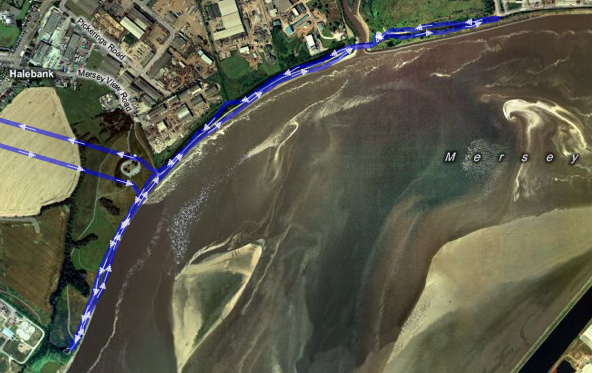 Trace of a 5k run on the River Mersey
(straight lines are my trip from and to home which I didn’t trace). -
OSM Quality Evaluation
Muki Haklay recently put together a blog post about a report that he has been working on over the past year on the evaluation of Open Street Map (OSM) data. I thought I’d link to it here partly to highlight the interesting work he’s done here and also to make a few comments. If you’re at all interested in the OSM project then be sure to head over there and read it.
One of the aspects that I thought he may have missed relates to the way OSM relates the history of OSM entities. A comment I made on his blog follows:
As far as I can tell though the research doesn’t take into account the history of elements in OSM? When you’re looking at the number of users that have worked on an area, you may actually be discounting users who have worked on an area in the past but whose username was then replaced by later edits? I think it’s very important to take this into account as the very peer-reviewing that you are demanding can actually result in the appearance of *less* usernames.
His reply makes it clear that he has thought of this and that he’s happy that by inspecting the data at the level of nodes this is less likely to be an issue. It’s true that in the majority of cases a fix would involve simply moving a node or two along a way. Even though both of the main editors now give you the ability to move a whole way (and all the nodes) at once, which would result in the replacing of the username on the way and all nodes, I’ll admit that this is unlikely to happen very often. That said though, I’m still a little nervous about completely ignoring the history. Any comparison that concentrated on nodes, e.g. only POIs, rather than ways and nodes would have to take this into account much more but clearly Muki’s aware of this and is likely to take it into account in the future.
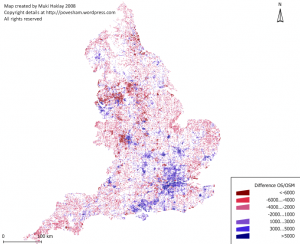
The report (and indeed the blog post) features the above image showing the difference in coverage between OS Meridian and OSM across England. Blue areas show where OSM coverage is good and red shows bad coverage (compared with OS Meridian). I was initially disheartened by the big red blob over Liverpool and most of the North of England. When I looked at the full size version and squinted a bit I was able to see that South Liverpool shows up as a very small blue smudge amongst the red. The following image is a closeup featuring Liverpool and Manchester. From this it’s much easier to see the South Liverpool and Chester are actually pretty well mapped as well as the South West quadrant of Manchester and a few other places, but the majority of the North needs work. Think we need to get some mapping parties planned!

(It’s also worth noting that the data used for this is at least a few months old by now too, I know the Wirral is looking much better these days and some work is being done on Manchester and Leeds)
-
Multimap and OSM Maps on Nintendo Wii and DS
For some reason I’m writing these posts in reverse order of when I actually bought the devices, but a few months ago I bought a Wii. Of course one of the first things I did when I got it was to get hold of some Wii Shop points (by converting the Nintendo star things I got when I bought it) and then to try my simple, functional map page on it. This actually worked pretty well, though on my old fashioned standard definition CRT TV the maps look a little fuzzy, basically everything about the map works. It drags, you can click on the map type buttons to switch types. The pan/zoom widget acts a bit funny but generally it’s ok. After a short while playing about with it though I decided it wasn’t quite intuitive enough, not wii-like enough. I started looking into what you could do with the browser with JavaScript and was happy to find that you can actually get a complete set of information about the wii remote’s status. Unfortunately though you can only get this information while the remote is pointed at the screen. Initially I had ideas of tilting the remote in the direction you wanted to pan the map, but as you’d always have to be pointing at the screen there didn’t seem too much point, currently the following interactions are available:
-
Hold down the “1” button and point the cursor in the direction that you would like to go, map will pan in that direction.
-
Aim the cursor at a point on the map and press “2”, map recenters on that point.
-
Aim the cursor at a point and press “+” or “-“, the map will zoom in or out on that point.
-
Drag the cursor on the map to draw a rectangular box, when you let go the map will zoom in to fit that box in the map (note that this means dragging the map no longer works).
I opted for removing the default dragging action because I tended to find that waving the remote from side to side to drag the map around just wasn’t fun, pointing in a direction and holding a button was a lot easier. I would also have liked to make the zooming in and out more interactive. As mentioned in the previous post, the Multimap API doesn’t expose the functionality for doing smooth zooming, if that were exposed it might be possible to make this a little more interesting. I may look into this in the future when I’m contracting for Multimap if I’m working on the API again. I think the most fun thing would be to access the information from the Wii Fit and navigate the map by tilting your whole body, but unfortunately the Wii Fit doesn’t seem to be compatible with the web browser.
The following video shows it in action. It’s pretty basic, it starts with moving the map around, zooming out one level and then demonstrates the map type widget before zooming out once more:
Now onto the Nintendo DS. I’ve had a DS for a few years now but only got around to buying the web browser earlier this year. The DS browser, like the Wii browser, is made by Opera and is based on the same code as their desktop browser (I think). I was amazed to find that there was actually a good level of JavaScript support in the DS version. Although the Multimap API wouldn’t work on it at first I did manage to get a build working without too much difficulty. The main problem was that the DS browser will not start loading an image until it is visible on the page. The Multimap API however will not make a map tile visible until it has loaded, a slight catch-22 situation. I made a special build that did not have this feature and did get slippy maps to work on the DS but the performance was pretty bad. I’m afraid I have to say now that this was about as far as I took the DS maps. Eventually I knocked up a very simple page that you can see here: maps on the cheap.
A little more hopeful on the DS is native maps applications. Someone has begun working on a home brew maps application. Currently it’s very basic and will just show you some basic Google maps but I’ve talked to the guy working on it and hopefully before long he’ll be adding support for OSM maps in there too.
Technorati tags: api, nintendo, wii, ds, osm, map, openstreetmap, multimap
-
-
Multimap and OSM Maps on iPhone
I really did think that once I’d left Multimap I’d be doing lots of blog posts about all the technologies that I’d been playing around with. Somehow even though I’m not working I’ve still been really busy, I didn’t get time to write any code until last Wednesday!
Anyway, last week I finally gave in and bought myself an iPhone, of course one of the first things I did when I got it was to try my simple, functional map page on it. This map page is just a basic Multimap Open API implementation that I’ve set up with just enough features to do what I generally need. It shows OSM maps, it allows geocoding (hover over the white bar at the top to have it drop down), it has mouse-wheel zooming and it lets me click through to edit the OSM maps at the point I’m viewing, that’s generally about all I need. Oh yes, it’ll also remember your last viewed location in the hash of the URL and in a cookie, I have it set-up as a bookmark at the top of my browser simply labelled Map (feel free to drag that up there yourself).
If you look at the page in a regular browser you’ll see that it’s pretty basic, though it does have a 5 elements “obscuring” the map (ignoring the logos) the full-screen nature of the map makes this less of an issue. However if you take a look on an iPhone, the story is a little different:
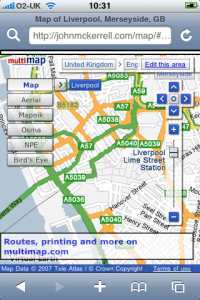
As you can see, things are a little cluttered so I needed to strip things down. The link through to multimap is a bit useless as you can’t print from an iPhone and using multimap’s site to lookup a route would likely crash Safari so that went straight away. The OSM editor is written in flash which the iPhone also can’t handle so the “Edit this area” link went too. After that it’s just the widgets. The location widget is useful but not absolutely required so I pulled that one out. The buttons on the pan/zoom widget are too small to click on the iPhone so I got rid of that too. The map type widget was quite functional but just too big so I decided to keep that in but try to find a way to get it out of the way.
My first attempt at keeping it involved restyling the widget. All of the widgets in the Multimap API can be completely restyled. The API supports you in doing this by allowing you to pass a “class name” when constructing the widget. When you do this the default Multimap class name, e.g. “MMPanZoomWidget”, is replaced by your own, e.g. “altpanzoom”. The resultant widget has no styles whatsoever and can be restyled in whatever way you want, more info about restyling widgets here. I decided to try shrinking the text a bit and then just giving the widget a basic white background and black border.
The problem with restyling the map type widget though is that it has a lot of extra behaviour built in; it can display relationships (click on “Mapnik” and then click on the arrow that shows up, you then get a menu of “Normal”, “Highlighted”, “Mobile”), it can display alternative map types (when an arrow pops up next to “Map”, click it to be offered alternatives such as “Ordnance Survey”) and there’s also a lot of interaction involved in the “Bird’s eye” maps. What this means is that if you want to do anything more complex than changing fonts or colours, restyling the widget is a lot of work. And after all, the widget looks quite nice and it’s shiny nature might fit in quite well on the iPhone so I really wanted to keep it. That’s when I came up with the idea that I’ve decided to stick with. When the map comes up there is a single relatively innocuous button marked “Map Types”. Clicking on this dims the map and pops up the Map Type widget in its full glory, you can then enter the menus or select a map type as you desire at which point the widget disappears and the map shows up again. You can also click the “X” if you decide you don’t want to change map type after all.
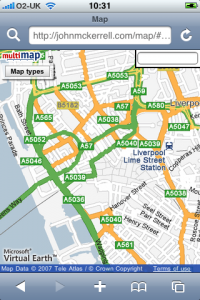
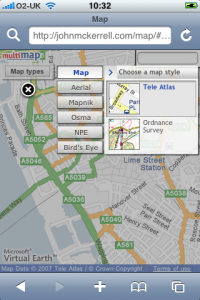
Final visual problem is the search box. The iPhone doesn’t really do mouse hover type events too well so I couldn’t really have it popping down, also it was a little big to start off with. I ended up shrinking it down and popping it permanently into the top right corner. Removed the descriptive text and the submit button as they’re not all that necessary.
Of course once you’ve removed the pan/zoom widget it does become a little more difficult to interact with the map. By default Safari on the iPhone does not create the necessary mouse related events to allow any of the default map interactions to work. These would be dragging the map, double clicking to zoom in and double right clicking to zoom out. With version 2.0 of the iPhone software, Apple have allowed some access through JavaScript to the gesture interface. Although their documentation wasn’t great I did find some useful documentation elsewhere. I’ve now managed to setup the page so that the pinching gesture allows you to zoom in and out, and clicking somewhere on the map will move the map to that point. While it would obviously be nice to be able to drag the draggable map, it seems the iPhone is not really capable of doing this with the Multimap API. In fact I’ve also tried a similar thing with the Google Maps API and it just seems the iPhone is not fast enough to provide live draggable maps with the APIs as they’re currently built.
So to conclude, this now works relatively well, it should be able to show me OSM maps when I’m out mapping and show me Ordnance Survey maps while I’m walking in the hills. Unfortunately it doesn’t look like dragging the map will be possible any time soon. It would also be nice to be able to have the map scaling more interactively, so that you can be sure you’ve pinched enough to show what you want to see. The Multimap API doesn’t currently expose its map scaling functionality in a way that outside developers can make use of it, even if this was changed though I doubt the iPhone would be fast enough to make use of it. Really this just started out with me attempting to tidy up the map a little so that it could work with the iPhone and I’m pretty happy with how it turned out. If you want to try it out just go to http://johnmckerrell.com/map/ on your iPhone, it’s the same URL for normal web browsers and for iPhones, it’ll detect which you’re using and display it appropriately.
Check back here shortly to read about my attempts to display maps on Nintendo devices, for now though here’s a final screenshot to show how well the map and widget work in horizontal mode:
Technorati tags: api, apple, iphone, osm, map, openstreetmap, phone, multimap
-
No longer a blue badge holder
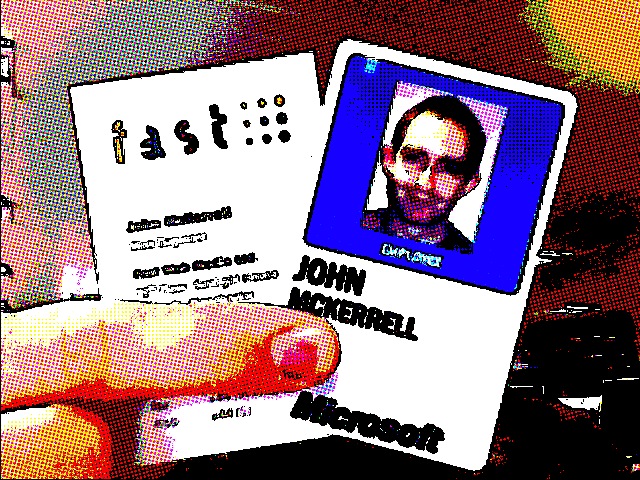
So I’ve left Multimap and I’m no longer a Microsoft employee, I have relinquished my blue badge and handed in my laptop. I’ve really enjoyed working at Multimap. The people I’ve worked with have all been friendly, incredibly intelligent and fun to be around. Not only has working with them been great, but the many times we’ve managed to meet up outside work has also been fun, including my wedding and stag do and lots of other occasions too.
Three years ago Fake Ed Parsons came to me in a dream and told me the secret to draggable maps. I knocked something up and then sent an email through to Multimap. Apparently the email was passed on to Sean Phelan, the founder of Multimap, who then passed an email around the senior management asking which of the following options they should use:
-
Tell me to stop
-
Sue me
-
or offer me a job
I’m obviously quite happy that they decided to go with the 3rd option! I worked for Multimap as a contractor for 6 months and then started working there full time at the end of September 2005. Since then I’ve worked on the API full time. Though I’ve written nearly all of the JavaScript in the API it wouldn’t be much use without the work put in by others in the team to build the many great web services that it uses. “Tiling the world” to make sure we had map tiles and imagery in as many places around the world as possible was also a huge undertaking that went really well. I’ve spent the last month or so knowledge sharing and I’m confident that the people who will be taking on the API work from now on will have no problem. I’ll also be doing contract work for Multimap in the near future too so I won’t be completely hands off on it.
The photo above shows my blue badge before I handed it back but I thought it would be amusing to also show an old business card of mine with it. Before I started working for Multimap I actually worked for a Manchester web agency - Fast Web Media. When I started working there they were actually a subsidiary of “FAST Search and Transfer” and were working on a “soccer search engine”. That project was eventually shelved but the company continued doing it’s flagship Premiership football scores and news website and started taking on more client work. Though they were eventually spun out from FAST to be a separate entity, FAST continued to hold the largest single share in the company. Fast forward to now and we find that Microsoft has bought FAST. The sale appears to have gone through so now it seems that Microsoft will now own the largest share of my old company. This is a fact I’m thinking I should highlight to any potential companies that I might work with, every company I work for gets bought by Microsoft!
-
-
State of the Map: Weekend Review
So “State of the Map” is over for another year :-( But it was a really good weekend! The standard of the talks was really high and the organisation of the conference in general was very well handled.
Though Saturday might have seemed to have a slightly more commercial slant (partly due to my own talk) I think in general it didn’t detract from the experience at all. As far as I can remember ITO were the only company launching a product and that product has obvious and immediate benefits to the OSM community. The main other commercial speakers - myself and Ed Freyfogle of Nestoria were talking about our own experiences of trying to use OSM data, and other crowdsourced data, and hopefully the lessons we’ve learned will be valuable for the OSM community.
Apart from this the various “State of _
_" talks were interesting as it's really good to see how various countries are progressing in OSM, and it's good to see how coverage is increasing at a generally rapid pace. I'm just noticing that there was no "State of Great Britain" which is perhaps a little odd. I suppose we assume that everyone knows what it is, when in fact many of the attendees were visiting from foreign countries (they'd have to be or we couldn't have so many "State of _ _" talks!) My favourite had to be the Italy one which featured this video: Apart from this there were also lots of talks about how people were using the data. Unfortunately this year there was no pulsing maps but work is continuing on renderering the data, there’s a number of people aiming to get routing services going with the data, and there was also newer uses such as Wikitravel’s Free World Travel Guides and more active development on uses with mobile devices.
Ed Parsons also talked about Google’s Map Maker, in general covering the same ground as his earlier blog post but offering more reassurances that Google was not out to destroy OSM and would most likely be willing to work with the OSM community in the future. He raised similar concerns on the current OSM CC-BY-SA license to those I made so hopefully we will be able to make a switch to an alternative license before too long.
The new license was mentioned a few times during the weekend but the difficulty of obtaining pro bono legal help has been slowing it down. It’s hoped that a second lawyer may take a look at it in the next week or so. Also Ed and I both expressed interested in getting Google and Multimap to take a look at the license too with a view to the companies using OSM data if the license is suitable. No idea what will become of that though. In Ed’s talk about Map Maker he also listed the countries currently being mapped by Google. The long list of Caribbean countries inspired Gervase Markham to set up an OSM fieldwork pledgebank. The idea is that if 60 people pledge to donate 10 pounds and an hour’s mapping effort then Grenada, and other Caribbean countries, will be mapped in OSM in no time, and hopefully a lucky one of the 60 will get to go to Grenada to do some OSM fieldwork!
Chaitanya has already blogged his weekend review and I thought he summed it up pretty well in his post:
The main reason I see OSM getting viral adoption and growth in the future is the pragmatism within the community. From the founders down everyone is already (only 2-3 years into its existence) asking what do we do now that we have (or very quickly acquiring) data? What applications can we build with this? What do we need to change to make OSM even better, make it a viable data choice for commercial uses ahead of the likes of TA and Navteq etc etc. **Bravo!**
Technorati tags: sotm, sotm2008, sotm08, osm, map, openstreetmap
-
State of the Map: Day 1 Review
Not really a review, just thought I’d mention that day one went really well, even without SteveC managing to get there for his keynote. My talk seemed to go ok although I rushed through it and then was told I didn’t have any time for questions as the previous talks had overrun. A few people have grabbed me for questions though which is good. I’ve also published my slides on slideshare.
As I say the day went really well, the theme of the day was “OSM in the real world” which meant that there was a slight commercial slant, but also a number of demonstrations of how people are using the data. This is one of the most important things about OSM, the open availability of the data which I’ve been intending to blog about sometime but not had time.
If you want more information about what was talked about you can take a look at the schedule, some reports here or Chaitanya’s blog where he’s been putting notes for each talk.
Technorati tags: sotm, sotm2008, sotm08, osm, map, openstreetmap
-
Code Monkey for Hire
A few weeks ago I handed my notice in to Multimap. My last day will be Friday 18th July. While I’ve really enjoyed my time here I’ve decided that I want to branch out and try some new things. I’ve had the privilege of designing and building one of the most important products that Multimap has delivered over the past 3 years - the Multimap JavaScript API. Specialising in this way has been a great experience but I’m intending to broaden my horizons to cover more back-end technologies, which is where most of my previous experience has been.
 My intention is to start doing freelance work once I have completed my notice period with Multimap. I have arranged work with some good friends that should keep me pretty busy for the first few months after leaving but a large part of what I’m looking for in the future is variety so I will be very interested to hear from other friends who have interesting projects that they might like my help with.
Due to contractual obligations I may be looking to minimise the amount of geowanking I do for the first few months. Fortunately I do have five years experience in PHP, three years experience of intensive JavaScript coding and various bits of experience in Ruby on Rails and even a little Python. I also have good experience in setting up Linux-based web and database servers. I’ve been using and contributing to the interweb for something like 14 years, so yes, I do remember Netscape 1.0 (background images!), the launch of Yahoo! and the BBC’s wonderful “list of interesting web pages”. I was also putting music online when Shawn Fanning was probably sleeping peacefully in his dorm room, and I was doing it legally (I think)!
If you are interested in hiring me then you might like to take a look at my CV which you can find here (yes I know I need to replace the dodgy matrix). If you want to get in touch then you could try contacting me on my linkedin.com page, or just email me at my first name @ my surname dot net. If you’re having trouble getting me then drop a comment on this page and I’ll get in touch with you. I’m not looking to hear about a thousand unsuitable posts from agencies but if someone from an agency has something flexible to offer that’s relevant and can fit in with my other obligations then that will be fine.

I will still be attending the State of the Map conference this weekend. I’m really looking forward to it and it promises to be a lot of fun. I will also be representing Multimap for the last time while giving a presentation on “Using Crowd Sourced Data in a Commercial API” which I’m hoping will be interesting enough for those that attend. If the conference is anything like last year though there will be plenty of good presentations to contend with.
Technorati tags: resignation, multimap, microsoft
-
Up all night, Mashed
So I’ve now been up basically all night (5:14am, no intention to go to bed). Unfortunately I haven’t spent the whole night hacking, in fact the hacking task I was working on - getting the search API into the ruby library - was completed hours ago. I’ve actually spent the last 5 hours or so playing Rock Band.
We started playing cooperatively with two guitars and a drum set until around 3am when we got complaints about the noise of the drums (even though they’re not real, whacking some bits of plastic with real drum sticks makes quite a lot of noise!) Funnily enough though, the complaints came not from the sleepers but from the people playing Werewolf in a big group!
But back to the search API. I’ve added three new classes to the mmruby library: MMSearch, MMSearchFilter and MMSearchRequester. To perform a search you need to create a MMSearch object and then pass it to the MMSearchRequester class’s static
searchmethod:s = MMSearch.new( { :data_source => 'mm.poi.global.general.atm', :address => MMAddress.new( { :qs => "L19 4UD" } ) } ) r = MMSearchRequester.search(s)I have realised that there’s actually the routing API that also needs doing. It’s unlikely that I’ll get around to doing that today but I’m sure I’ll do it before long. I’ll post again once that’s done.
Again, not thoroughly tested just hacked together, any comments appreciated. Download mmruby-0.2 here.
Technorati tags: ruby, mashed08, multimap, web, service, REST
-
A weekend getting Mashed
I’m spending this weekend at Alexandra Palace at the Mashed event that’s being arranged by the BBC. I went to the similar “Hack Day” event that they ran last year (and blogged about it) and had a great time. This time I’ll actually be there in a vaguely official capacity as Multimap and Microsoft are supporting the event. Multimap have already blogged about it but I thought I’d write a few lines too and release some software that might come in handy.
One thing that we’re really proud of at Multimap is our RESTful web service APIs. These give you access to geocoding and (faux) reverse geocoding services as well as access to our great search APIs.
As part of a project I’ve been working on in my spare time I’ve put together some ruby wrappers for these APIs so I thought I’d get these released in case they come in handy for anyone during Mashed. I’m not an experienced Ruby programmer so I can’t give any assurances of the quality but hopefully they’ll come in handy. You’ll need to have the ‘json’ library installed as well as Net::HTTP. I’ve only used it in a rails setting by placing the .rb files in the
libdirectory so your mileage may vary. I’d really appreciate comments, bug fixes and anything more you’d like to add. The libraries give you access to geocoding, national grid conversion together with a few handy geo-related classes (lat/lon, bounding box class).Unfortunately I haven’t got around to wrapping the search API but it shouldn’t be too hard to do, I might even do it as a hack during Mashed. I might see if anyone’s added any comments before deciding whether to do it though :D
So download mmruby 0.1 here and tell me what you think of it below!
Technorati tags: ruby, mashed08, multimap, web, service, REST
-
WhereCamp: Second day of notes
Just published my roundup of the first day. Found it pretty difficult as I hadn’t taken any notes yesterday so I’ll try taking some today I think. I’m going to try something a little different today. I’ll publish this article in the morning then keep typing in it during the day, unfortunately WordPress doesn’t seem to be autosaving but I’ll click “Save” from time to time. I’ll also put something at the end of the article to mark it finished.
Micro, Nano, Pico formats Talking about marking up the various formats with geo information: KML, GeoRSS, Atom. Formats are too big, they need to be smaller. Need to be able to store multiple locations and time information potentially. Discussing the best ways of linking to multiple locations, whether to place them as separate entries within Atom (which in old viewers will show the locations as separate entries), also whether we should insert links within text, or have separate links. Do those links link within a file, or to separate files? Probably the best place to look for updates on this part of the session is Andrew Turner’s blog.
Geohash from geohash.org, simple way of giving bounding boxes or lat/lon coordinates. Easy to search within a bounding box though will have issues as it’s based on predefined tiles - actually apparently not, this does not use tiling.
Guy from xrosspath is talking about “Geotudes” but they do seem rather similar to basic tiling mechanisms, quad-tree indexing and morton numbers.
Is geo privacy shit? Mapufacture has enabled fire eagle to generate an RSS/KML feed. Andrew Turner thinks lots of people will decide “screw privacy”, Fire Eagle think that’s fine, so long as it’s a choice.
Keys to allow specific people to get access.
Privacy issues stifle innovation, caused issues with Dopplr. Can we trust the government? Being near a criminal offence might cause you to become a suspect (or witness). Location black lists. Nathan Eagle relationship mining - ContextAware. Regulatory frameworks. Infer location through friends. Went through the six de bono hats method. Here’s the notes that Andrew Turner took during the discussion.
Lightning Talks
- Platial - some maps that people have done.
- State of the Map
- Earthscape
- www.gotalift.com
- Geocoding news (at the source)
- NNDB Mapper
- Fixables
- Home-brew 360-degree display
- Quantum Nanotechnocracy?
- Neigborhood map project
- Image recognition game - Imagewiki
- Abaqus
Winners of the talks were: 8, 6, 1 (in that order)
Google AppEngine GeoStore This was mainly a roundup of the geo features available within the Google AppEngine.
Are Google and Microsoft killing the ecosystem? Much discussion on the topic, are Google et al killing the “mom and pop” size businesses? They are getting so big that noone can even start to compete with them because you can’t get near them. It was mentioned though that there wouldn’t have been the innovation there was so far without Google releasing the free maps API in the first place. There was also a small discussion at the end about whether Google could release data - India data and map edits - that they have collected themselves. Unfortunately not much information was known about those but the Googlers did seem open to doing something.
Well that’s the whole thing over, it was a great conference, I’m really glad I made it over. Some interesting discussions. As I mentioned above I kinda launched something, I’m going to get the tidying up sorted then post something further on that later.
-
WhereCamp: Not Live Blogging
So we’re now halfway through WhereCamp. I decided not to live blog the sessions as there was just too much discussion going on to keep up, and I wanted to be involved with these discussions which was a little hard if I was taking notes all the time. I’ll give a quick roundup of the ones I went to here but for more notes (and some alternative choices) you can check out my colleague’s blog here.
4D Mapping This was a pretty interesting look at the ways of representing time-based map data. We discussed the use of sliders for filtering visible data, spirals for representing the passage of time and various other methods. Take a look at the wiki page I’ve linked to for more detail.
Mapmaking and Visualization with Processing This session covered various visualizations that have been done using the Processing graphics toolkit. A few examples were shown together with a brief look at the source code, websites such as Cabspotting, Hackety and Obsessing.
Cyclone Nargis I actually ended up in this talk by accident, I got lost on the way to “Kiev”. It was, nonetheless, very interesting to hear about the ways in which Burmese volunteers are trying to get aid to the people in Burma. A number of resources were also mentioned including Sahana Disaster Management System and Myanmar Cyclone Relief Donations.
Is 3D Shit Steve Coast requested this session to discuss whether all the money being put into 3D virtualization was really worth it. Discussion from a number of interested parties including people from Google and Planet 9. We basically decided that the people involved were generally investing for the future.
Location Tracking The location tracking session was actually organized by me, I’ve been tracking myself at various points for the past two years and have been building a site on-and-off for the past year so I was hoping to get together with some other people doing similar things. We managed to get people from Fire Eagle, Loki and iPoki. We had a good discussion about privacy, about ways to track and about requirements for accuracy but didn’t really come out with too many conclusions. I also kinda launched the site that I’ve been working on but it still needs some more work so I’ll do another blog post on that when I get a little more time.
Xrosspath Xrosspath is a new site that is intending to take location history for a number of users and compare them to find points in time that they have crossed paths. They’re also looking to link in world events and historical events to see what’s happened around you during your life. It was interesting how this session had links to earlier sessions including the 4D mapping and the location tracking sessions. It did seem like they should be linking into what other people are doing in location tracking. I definitely think their premise is valid though and it will be interesting to see what comes out of that.
I wussed out and didn’t stay overnight, I also didn’t get around to doing much hacking. After a couple of beers I was pretty tired. I did end up getting to bed earlier than I’ve managed for the whole trip and got a great night’s sleep. Hopefully that means I’ll be all ready to get hacking today!
-
Where 2.0: Activist Mapping
Erik Hersman
Talking about real world uses of our work, in terms of issues.
Grew up in Sudan, Kenya, now write two blogs “White african” “afrigadget”.
Excited about geotate.com very light weight, good in the field with unskilled people.
Also AfricaMap, very exciting as geolocation data was hard to find in Kenya.
Buglabs, any time you can hack hardware and software is seriously good. As more people use it, it’ll get cheaper and might get to 3rd world.
DIY Drones - great for crisis scenarios, how normal citizens can use it to help out
Illustrating that tools that we make are being used by people, perhaps with different background. Interesting over the coming years as GIS tools become easier to use, similar to how we see in CMS areas. We’re going to see something really big happen in the next few years.
Kenya Elections 2007 - issues and irregularities, opposition leader didn’t agree with the outcome. What started as apolitical fracas devolved into ethnic one. Showing slides of maps of polarities. People were kicked out of differing descents.
At same time, there was a media blackout, difficult as no way to get information out. Only way to get messages was SMS and phone calls, outside could only see through blogs and social media. Harvard law grad’s blog in Kenya got information out on her blog - kenyanpundit.com
“Our Goals”
- way for everyday kenyans to report incidents of violence
- create an archive of news and reports
- show here majority of violence was happening
“Building It”
- Detailed geospatial data is hard to come by in Africa
- How much should it be web-based in a mobile phone culture?
- Mobile phones - getting a full report in 140 characters is not easy
- What data points do we need?
We’re not part of humanitarian industry so don’t know what’s needed.
[Calendar of events] Dec 27 elections Dec 27 - 30 - Period of uncertainty Dec 30 - Jan 1 - Media blackout. Launched Ushahidi.com by end of January.
[Demo]
Only took a few days but really worked. Allowed us to do something not everyone could do. Timeline of events, see events occurring in the field. Draggable timeline and events on updates.
Had the beginnings of a crowdsource crisis information, realised this was pretty new, we were knew so hadn’t realised. So now decided what we do next.
Lessons Learned
- The importance of mapping accuracy
- Data poisoning - what happens when your antagonist starts using is?
- Verification is difficult
- Clarify why it was created and make that inescapably obvious - this was for rough data, not for ICC
- Create a feedback loop to end user
“So, did it work?”
- Advocacy? - Yes, mainstream media was affected and brought attention to the situation
- Security? Probably not
- Monitoring? Probably not
- Information Gathering? Yes, pretty well.
Formed by Erik and four other Kenyans, also funded now.
Types of activist, beer activist, anarchics, passionate about illegal immigrants, passionate about immigrants.
Activism always has two sides, both sides are passionate.
“It turns out activists are just everyday people, most with limited technical acumen.”
Going to go through several activist sites.
Crisis in Darfur google earth application, US holocause museum and amnesty international.
Sudan ICC war criminals website, warrants out for their arrests
Access Denied map from global voices, online censorship maps in closed countries.
“Tunisian Prison Map” - applying transparency to prisons in tunisia.
Bahrain land rights, showing difference between quality of life between haves and have nots.
Operation Murambatsvina - zimbabwe - showing land distribution, very heavy handed.
Mapping election conditions in Zimbabwe - taking news data about heavy handed government acts against normal civilians well before the election time. Showing that there was a track record well before the election happened.
The Great Whale Trail Map
Planet action - different environmental causes around the world
“I love mountains” - US based, enter zip code or state or city and see how you’re connected to mountaintop removal.
Mapping for human rights violations vs Mapping for activism - two separate things.
First is GIS/neogeo - this is what happened, used for taking criminals to court, second is to create awareness of buy-in of an issue
“Think about how you can use your skills to help in a cause that is important to you”
We have the ability to affect issues miles away which we couldn’t do not long ago.
-
Where 2.0: A Data Source to Make Mashups Correct, Complete, Relevant and Revisited
Jonathan Lowe
Several companies have noticed the value in collaboration, OSM, geocommons, google base, others..
Structured databases means they can collaborate world
Basics of freebase
Web based database of community entered data managed by metawhere.
Freebases data includes but is not exclusively spatial.
Have seen three glue domains, business, people, location.
Began with points, 262,000 locations, exposing an API this summer. Mashups will be able to query freebase for spatial data in multiple formats as well as the other data.
Examples on openlayers, google maps, others.
“What is semantically structured data?”
- Strongly typed data
- Hardwired data relationships
Enter “olympic torch” into google, from results extract descriptive text, filter out the search term. Send results to engine that generates tag clouds, then show resulting tag cloud to people who don’t know the search term. Ask them to guess.
foundation cookbook bertolli shattuck grouemet california restaurant berkeley alice waters - What is Chez Panisse? Semantic meaning gives a lot of information
Brains are very good at semantics, which classify or type data, and form relationships.
What were brains doing? Noticing Alice and Waters were names, saw “co-founder” - that’s people. Maybe Alice Waters is a co-founder. Saw “restaurant”, that’s a business, started by a co-founder. Might have noticed references to place. Put them together and get restaurant in berkeley, california, co-founded by alice waters to get Chez Panisse.
How to put this into a database?
Entries have multiple types of properties, properties have relationships. Business entry has geospatial data, as does alice waters. Berkeley has its own properties, these properties relate to the chez panisse and alice waters.
If I went to Berkeley and want funding perhaps these relationships can help me, freebase can show these.
“Relevance by faceted browsers”
Search in results for references to people, then kinds of people.
A Data Source to Make Mashups Correct, Complete, Relevant and Revisited
Technorati tags: mashups, freebase, where, where2.0, where2008
-
Where 2.0: Google Maps for Mobile with My Location - Behind the Scenes
Adel Youssef
First, what is GMM? Maps for mobile phones.
“My Location” shows blue dot with big circle giving idea of how accurate your location is.
Not GPS accurate, but very useful.
Why is “My Location” useful?
GPS free service, Free! Saves battery. no problem with line-of-sight. Many applications benefit from thie accuracy. No waiting for first fix. Works across many carriers and network types.
- Collect geocontextual information along with a cell-id
- Cell Tower Identifier (cell-id)
- Location: GPS vs center of the map
Difficult to make it work across platforms and carriers, there is no unique ID across techs/carriers. How do we get location? If you have GPS cell phone, we collect that and the cell ID. We can also benefit from geo info like where you look at. Anonymous, just stores cell tower and location information, GPS or non-GPS.
We store this in our platform and run algorithms to figure out the location.
- 100s of different platforms - causes many issues
- Area of interest vs actual location
- Noisy data
-
- Oklahoma points
-
- GPS errors
- Towers in the water!
This approach can cause problems, if we’re all looking at SF maps the Burlingame cell tower will be identified as SF. Wherever you are, we often think you’re in Oklahoma because that’s the “center” of the US on google maps. GPS points can also be wrong if you have bad signal. Sometimes we find we have towers in the center of the ocean due to averaging, can be due to cell towers on oil platforms, which alters the accuracy. Sometimes that’s right.
Clustering Algorithm
- GPS Clustering vs non-GPS
- Use data diversity to calculat accuracy
Have invested more time in analysing the data. Data collection has been growing exponentially, working around the world, including the himalayas. Shows that this can work, non-GPS data is providing large amount of the data, more than GPS.
“Why doesn’t it work on my cellphone?”
We’re trying to get it working on as many as possible, some platforms don’t provide API to get cell ID. Some give part, so we do smart techniques to partly work it out. Some give multiple cell IDs. Others give full information.
Privacy
- A balance between respecting user privacy and providing good useful functionality to the user
- How does My Location do this?
-
- Anonymous: No PII, no session id
-
- User has full control, can disable or enable it.
What next?
- Improve accuracy and coverage
- Continue improving security
- Enabling location for 3rd parties via Android, Gears (browser)
Can use gears to enable it for your website or application. Build innovative location-based applications
www.google.com/gmm code.google.com/android code.google.com/apis/gears
Google Maps for Mobile with My Location - Behind the Scenes
Technorati tags: google, mobile, map, my-location, where, where2.0, where2008
-
Where 2.0: Lifemapper 2.0: Using and Creating Geospatial Data and Open Source Tools for the Biological Community
Aimee Stewart
I work at the biodiversity institute at the university of Canvas, have background in geography, GIS, remote sensing, computing. Most recently worked on “lifemapper” - creating archive of ecological niche models. Maps of where species might occur based on where we know they’ve been collected by scientists. Also creating web services that expose the archive.
Showing what this looks like. Showing google earth. Showing specimen locations of a plant. Red parts are where we expect species to occur, yellow where we’ve found it, using ecological niche models. Can look and see that these came from Burke museum at Washington. Goals are archive of niche models, predictions.
Spatial data in OGC web formats, WFS coming soon, WCS for raster data, WMS too. No query analysis yet but coming in next month or so. Landscape metrics, fragmentation of habitat, comparison of habitats of different species, predicted future climates…
Also have on-demand models. Niche-modelling on a web-service on a 64 node cluster. Anyone can use this, our archive has limitations, no significant quality control, assume it’s been done by museums, but could be more done really. On-demand service can be used by researchers with their own data perhaps at higher resolution.
Niche modelling becoming more popular because more specimens becoming available. Environmental and occurrence data, put into model and it calculates formula, also project onto a map to help visualise.
Data is more available as there’s a massive effort to database and geotag it. Might be paper catalogs as that’s how it’s been collected for 300 years, now putting into databases to digitise collections. Also exposing data via the internet using standard protocols. Slide shows examples of 3 collection that when put together give more powerful collection.
Several scenarios on economic development, regionalisation, environmental aspects, modelled by nobel prize winners with Al Gore. We use multiple scenarios and compare them “apples to apples”.
Use this distribution data, put together with ecological variables through a modelling algorithm to get ecological niche model of where the species would occur. Using 15-20 variables. Model is output through projection tool to project is onto a map.
Specimen point data is taken to create a model using an algorithm of the current environment, projected back to get distribution in the native region. Done with climate models get distribution after climate change. Significance is looking at non-native region can see what areas might be vulnerable to invasion by species after climate change.
Archive created with pipeline, constructs request, passed to cluster on a 64-node cluster, web services in front, nodes retrieve environmental data, using WCS, node dispatches to openModeller and pipeline polls for status and retrieves data and catalogs.
[Demo]
Exposing data on website but also exposed on web services, can see in google earth.
Showing samples that we have the data in the database but don’t have lat/lon, have around 80% of those. ~220 institutions are providing data, within those about 600 collections, fish, mammals, etc.
Other ways to access data is to request data, experiment consists of all the data and the models and maps produced on top. Just URLs, can be accessed programmatically.
Other thing is “submit an experiment”, constructing search parameters and get a URL back with information for this experiment. Get really basic data back for it, shown projected on 4 different climate scenarios, current and 3 future ones. Showing metadata for the collection and other properties.
Lifemapper 1.0
- Distributed computing
- Screen savers
- Competitive like SETI
- Captured wrong audience
- Limitations
People weren’t really interested in the topic, couldn’t handle the demands of the audience.
Lifemapper 2.0
- Funded, cluster computing, OSS, standards
Technorati tags: lifemapper, niche-modelling, where, where2.0, where2008
-
Where 2.0: InSTEDD: Humanitarian Collaboration Tales
Robert Kirkpatrick
We come from a background, created by Larry Briliant, to create a global network for early detection and early response.
InSTEDD Overview - launched 01/08, non-profit, funding from google.org, rockefeller.. agile, “innovation lab”
“From a faint signal to collective action”
Single event deemed noteworthy to collective action. Seems simply, very complex. Big chart, many parts. Integrating approaches is significant challenge. Collaboration is at the top of the stack. Focus of the organisation, on human integration aspects.
Must work with capabilities in many places, Iraq at temperatures 117F. “If you can make it work here, you can make it work anywhere”
We partner wherever we can with organisations working on technologies that may be useful, twitter, facebook, single use techs can be repurposed to other goals. We’re vendor agnostic, will use anything, and will innovate where we can.
To know these techs will work, we go where they are, to field labs. By failing quickly again and again we’ll create designs that can work when they’re needed and will be reliable.
Office just opened in Steung Treng Province, northern Cambodia. Sharing disease information across border with Lao. What does usability mean in an environment like this.
Recent project, set of liraries and applications, OSS FeedSync implementation to combine technologies to create mesh environment to provide data in low bandwidth environments. Have implementations in C#, Java, others. Brought up HTTP sync service at sync.instedd.com, we’re hosted on google gode too.
https://sahana.instedd.org - Cyclone Nargis response. Been working very hard, very little sleep, work done in past few days is astonishing.
We realised that geochat, messages over sms, wasn’t needed in Myanmar, really needed to translate into Burmese, where unicode code isn’t standardised, very difficult. What was needed was to organise rapid crowdsourcing over >11k lines. Google spreadsheet of names and getting feedback. True of slower moving scenarios as well as fast moving disasters, can’t predict what will work. Very important to apply learnings.
[Demo]
Google spreadsheet of translated text. Have used different platforms but there wasn’t a toolkit already to solve problem. Situation in these responses requires integrating many systems, never be one coordinating agency, reductionist approach just fails.
…
Google code project contains utility that gives a client to allow you to synchronise KML files with each other. Showing 3 KML files in google earth. Adding placemark. Save it. Can synchronise it two ways with another file, figuring out changes in the file and what is new, deleted, edited, and creating XML respresentation of changeset and changes are applied to other file. People can edit items in the field, pass a thumbdrive around and can collaboratively edit information. Guy put together 11Mb file by himself using contributions from other people. This type of technology allows anyone to make updates and he can merge them in. Can also sync up to a service, currently hosted by instedd but looking to do EC2 or S3 versions.
Now showing online RSS document keeping the KML information and versioning data. Decentralized versioning system. Can be put into Google Spreadsheet and it will still work. Need right adapters but we’re creating it. Would like to discuss with interesting partners.
GeoChat - hook up multiple gateways to website, have a gateway for twitter, can send a text message with lat/lon and message, or location name, and tags and this will be displayed in a string and can be displayed in KML or RSS. Showing in Cambodia. Showing team moving about in google earth. Can click reply and reply directly, via correct gateway, will go to twitter. Can also do group replies in a certain location or tag. All OSS and free.
InSTEDD: Humanitarian Collaboration Tales
Technorati tags: humanitarian, geochat, disaster, where, where2.0, where2008
-
Where 2.0: Digital Cities
Doug Eberhard
Want to talk about digital cities. Probably heard Geoff Zeiss talk about construction industry. Here to talk about the cities that we live in. We must change our ways in our cities to be sustainable.
Like other times we’ve moved from “Old Way” to “New Way”, e.g. Analog to Digital. We still pass contracts around using paper for instance.
We build actual models of buildings, we really need to get into virtual intelligent models.
Talked yesterday about building information models that people can now share to find and fix expensive problems on the computer before going out on site. Communities are now sharing rich 3D and geospatial information models.
As we think about intelligent city models will share 4 ideas about autodesk digital cities.
visual Model, digital platform, improved workflow, smarter way to plan.
Smart models, smart-alec models, they talk back to us.
Today’s 3D GIS models
3D visualization models are rarely used after the project, mainly just for visual images.
Tomorrow’s models are a reality today, convergence of CAD and BIM, GIS. To combine perspectives together to create informed decisions. Seattle animation shows what the city will look like with tunnel or elevated roadway. Allows people to improve on that city.
Sacramento model shows existing environment, proposing high speed rail, these animations show the public what this will look like in very non-technical way for very technical way. Buildings show up coming from planning authority, they’re geospatially accurate. Visualization shows how it will work, allows us to get inside the model. Can be sure it will be accurate and trustworthy.
Also ability to analyse and simulate to make informed decisions. Previously it would be artists creating models. In these models cars are being driven by simulation. You can actually see how transportation system will work, Sustainability analysis, wind patterns, energy patterns. Rich hi-fidelity data sets brought together allow this analysis.
Pollution visualisation, flood simulation.
Allow richer integration and analysis using these digital cities. Allows to simulate and predict operations. Saves money.
Wondering what to put in your digital city. Digital sustainability. We should continue to build these rich hi-fidelity models instead of using paper all the time, but we should be reusing these models.
“Be a Model Citizen” www.autodesk.com/digitalcities
Technorati tags: digital, cities, visualization, simulation, where, where2.0, where2008
-
Where 2.0: Veriplace: Acquiring and Sharing Consumer Location
Scott A. Hotes
WaveMarket helps people to manage location.
Problem of locating a handset is one of triangulation.
“Acquiring the information necessary to locate a wireless device typically requires close access to the underlying wireless operator.”
Two reasons - 1st question of privacy and security, don’t want just anyone knowing this information, lots of liability; 2nd reason, value, the information is very valuable.
Accessing a handset can sometimes be done without the carrier, e.g. RIM and windows mobile have built in GPS, a resident application can access location without interacting with the carrier, but the vast majority of cellphone GPSes use assisted GPS which needs the carrier.
Getting information for doing cellular triangulation is very similar but different.
“Leveraging our experience with Family Locator: privacy expertise, technical intergration, trust; in creating a developer environment.”
The technical integration experience, privacy expertise, carrier partners, we’re taking that experience and exposing it for 3rd party developers. That’s what Veriplace is all about.
Consider an application like locating friends on facebook. At some point the friend will need to opt in to the service. If the user isn’t the owner of the friend’s handset then interaction flow will need to pass to the account holder, perhaps the parent. This is the type of thing that the developer doesn’t want to handle. That’s what Veriplace handles for you.
-
Where 2.0: Earth-Browsing: Satellite Images, Global Events and Visual Literacy
Lisa Parks
Usually at academic and arts conferences. I’m a media studies scholar, interested in the use and development of satellite technologies from citizens’ point of view. Try to dream about what type of satellite development in the public interest might look like. Came from my interest of public interest TV, what does public interest satellite look like?
Showing an artist based in berlin and start installing physical google markers in places.
Interested in satellite image orders by individual consumers. Dan Bollinger tried to get satellite images to show Survivor.
KFC requested an Ikonos image of their new logo that they did huge in Nevada.
Use of GPS to “plot the personal”, and generate unique “movement signatures”.
The way that the planet is now being crisscrossed by satellite footprints and wireless footprints. How we don’t just map the world in terms of countries, states, blocks, but also coverage footprints which are sometimes more important.
“Cultures in Orbit” - Lisa Parks’ book.
“Part of my research has focused on specific uses of satellite imagery in the news media to represent global conflicts and events”
4 questions: images used to represent global conflicts? Where does authority to use come from?…
Satellite images showing alleged mass graves in Bosnia. Appeared in papers and press after declassification. Problems are that the images acquired during the atrocities, from a safe haven that was overrun, 8000 muslim men were allegedly driven away and buried in mass graves. Problem was of an overload of satellite information and techniques were not good enough to make the images useful in a timely fashion. Detailed investigation of this timeliness.
Also look into imaging of refugees, requests were made for images to be released to show the situation in Rawanda. People began to pay attention.
War in Iraq, 2003-present - Colyn Powell’s infamous presentation about WMD before the war began. Use of the images in powerpoint in UN council chambers. Scathing critique was given of these images weeks after this. This compromises the ability of US to use these images with credibility.
Showing Google Earth & USHMM “Crisis in Darfur [layer]” - interested in the shifting function and role of satellite image as it circulates in the popular culture. Data about activities happening in the region together with photos.
Looking at case studies over 10 years there’s an eclipsing of the satellite imagery, in earlier media there was a focus on the image as the site of scrutiny, these days the satellite image becomes a wallpaper and the closer views are privileged over the satellite image. Showing that the image is no longer interesting, it’s the zoom through to the detail. These alternative images may perpetuate bad images of e.g. Africa whereas unfiltered satellite images did not do this so much.
As images become mass media, more and more citizens use them to understand the earth, but most are not interpreting the imagery and know little about it and its uses. Visual and technological literacy problems.
Citizens have a right to know how these are used.
Developers can help citizens, by embedding metadata. Would be great to get the source, sensing instrument, infra-red, spectral, owner, date, orbital address, proprietary status. Helps to understand imaging more effectively. Now being done some by google earth. These graphics reveal how it occurs, show that satellites don’t hover, they pass over. Gives a historical record on satellite imagery acquisition.
We need better maps of orbital space, of satellite traffic, of the dynamic activity or earth and orbit.
[Slide showing satellites being used for TV transmission during Yugoslavia war]
Multiple other representations. Showing photo of US 193, satellite that was shot down by US. Talking about Trevor Paglen trying to find out about things we’re not meant to know about, he took a photo of this satellite and does more investigation.
Earth-Browsing: Satellite Images, Global Events and Visual Literacy
Technorati tags: satellite, imagery, art, where, where2.0, where2008
-
Where 2.0: Openlocation.org: Location Services for Web Developers
David Troy
Twittervision got a lot of attention, sorta explained twitter. A way to show the world in a new way. Similarly flickrvision got a lot of attention. Shown in the museum of modern art. Spinvision.tv takes youtube videos and puts onto a flash player.
Twittervision local shows more local versions, also flickrvision local coming together.
Got me thinking a lot about all this data I’ve collected, what can I do with it? Photos and tweets in a particular area. Thought about a personal tricorder to see what’s around you, scan your local area. Frankly though it was a large amount of data it wasn’t large enough. Was thinking about what else out there could help this. Too may walled gardens of people approaching this, maybe there’s a way to link this? Came up with openlocation.org.
Suppose you land in Chicago, as you’re taxiing you take out your cellphone to find out what’s happening in Chicago, are friends available, events, places you’ve been recommended to go? Only solution is to scour bunch of websites and you won’t be able to do it quick enough. You need to be able to just say “what’s up in Chicago”. Find your friends, find the bar, meet your friends, you can do all that on the way to the gate.
This is a really hard problem, I liken it to being in jail, you get one call, you need to find the information straight away. This is case where you don’t care about maps, you care about proximity.
Problem is there’s a huge amount of information. Google’s geosearch will return results based on a basic page ranking but we don’t know how that works. Maybe we need to do this based on your social graph. All this enhances quality of life, if you can take out mobile and get complete picture of your surroundings.
Maybe it’s not a business, maybe it’s a technology or a protocol. If twitter was invented in 1994 it would’ve been given a port number. So maybe this needs to be a technology or protocol. We need to look at this as not simply a business.
We’re announcing openlocation.org. A lot of developers don’t get geo. Developers will give you many different approaches. We need to start a conversation on how to approach problems and agree on toolsets. Don’t want people to try to lock up data to become the facebook of LBS.
Need to think a lot about this, how do users interact with this. Make sure it’s simple unlike OpenID(?) More like Maker Faire, less like IETF.
Need to agree on goals. Openlocation.org is a community to bridge geo community with the web. Psychology. Sometimes maps are not great. Location relationship is important. This is a hard problem that we need to iterate on.
“Wrestling with Angels!”
GeoHash, lat lon converted to hash that removes accuracy as you remove digits from the end.
Got lots of important people involved. Get on the google group and get involved.
Openlocation.org: Location Services for Web Developers
Technorati tags: openlocation, open, location, where, where2.0, where2008
-
Where 2.0: Emerging Opportunities on the GeoWeb
Dev Khare
We’ve heard a lot of good ideas over the last 2 days, there’s a lot of innovation going on in the geoweb, geomobile, geocar, geovoice. Very hot with the investor community today. Look at how existing business opportunities can give us an advantage, and other areas to invest in.
“Geo is Impacting Many Industries” Tech, Auto, Logistics, Real Estate, Sports, Travel, Telecom, Media, Advertising, Retail
Consumers are paying for technology up front in Auto, in Retail.
These are some examples of the bigger picture.
“Many (New) Ways to Consume Geo” Laptop, Mobile, PND, Ambient, On person, Marine, Outdoors, Paper
PNDs 30 million to be sold this year, up 30% from last year. Mentioning Dash, Garmin, Tom-Tom, reckons the latter two will announce connected device. Ambient is more bleeding edge. Chumby. All getting connected.
Jumping into the geoweb. Big players, but smaller companies can succeed in these areas. Geobrowsers, in each of these layers there’s a number of these companies competing. What we look at is the key distribution deals that you can get with the bigger media players. In terms of entrenched players, Yellow pages can be disrupted. Existing online ad networks can be disrupted, noone’s cracked location based ads. Location brokers. Google is a browser company in this world, with google earth.
Some of the business models apart from advertising: subscriptions, virtual worlds, commerce.
Geo-mobile, GPS chip prices have dropped which is interesting, down to $2 down from $100-200.
A lot of the infrastructure here is entrenched, looking at investing.
30m cars in the US that are not connected, looking at digital cars/geocar a lot. People spend 60 hours in the car each month, more than TV. 70% of radio is listened to in the car. $27B consumer electronics is car. When was the last media company for the car created? Last thing would really be satellite radio. Telematics, voice based services serving the car, can be disrupted by automated voice recognition. People are paying, drivers are paying. Often subsumed into price of the car so consumers don’t feel the pain. Location based advertising is big with the car as you can deliver the person to the door.
GeoVoice - directory assistance is local search in different words. These are all cash cows or telecoms companies and they’re not changing fast enough.
Emerging markets - mobile and voice are growing in Africa, South America, India, China, Middle east. Opportunities are map building, POI databases. People pay in multiple ways, premium SMS, trading “minutes”.
Slide showing many companies being funded/purchased.
Every company in the world needs maps and don’t get the attention that everyone else gets.
-
Where 2.0: History's best geohacks
Chris Spurgeon
I’m not a professional historian but I’m a science history junkie. Come back time and time again to the geo-scientists who are unique to this great mix, politics, maths, navigation, others…
Will be talking about 3 hacks that are particularly cool.
Hack #1. Squaring the circle - Gerald de Cremere - changed his name to Gerardus Mercator. He was an extraordinary artist, made highly detailed maps, one of the best engravers. Also superb if not the best globe maker on earth at the time.
Washington Irving invented “historical fiction” he invented this story that Columbus discovered that the world was round.
Back to mercator - lived in a volatile town, lived around Netherlands/Belgium. Martin Luther came along and challenged the Christian church. Mercator also did the same and was tossed into prison for being a heretic. He literally didn’t know if he was going to be tortured or killed. Fortunately after 7 years he was released from prison. His teachers vouched for him. He learned that to “Always stay on good terms with your thesis advisor”. He returned to his profession of map making, dealt with the issue that cartographers have found there’s an issue that the earth is spherical and maps are usual flat. They found it’s basically impossible to combine the two without distortion. These things are called projections. Mercator invented “the mercator projection”. All projections have imperfections. Mercator’s is that things really stretch out as you get to the top of a map. Why was this so important? What was it like to sail back then? Could you tell direction? Yes - compasses. Could you tell how far you’d gone? Kinda - measure your wake. Could you measure your latitude? Absolutely, by measuring the angle of the sun/stars. Could you measure longitude? No, noone could figure out how. Given you can measure distance and latitude, he used these tools to design a map.
Let’s pretend we’re sailing from London to New York. You start North West and end up South West. If you plot it on a mercator map, it’s a weird curve. If you were sailing you’d need to modify your compass direction and you’d need to know your longitude to do that. What if you draw a line that’s always the same compass bearing, but perhaps isn’t the shortest direction. If you plot that on a mercator map, it’s a straight line. That’s very important for navigation. The calculations to figure out lon/lat to position on a map is essentially very simple. That’s why it’s so often used right now.
Hack #2. Does anyone really know what time it is?
People were literally dying to find out what their longitude is. People were dying as ships crashed because they didn’t know accurately where they were. The British government established a prize to solve this problem. They would give someone 20,000 pounds to define longitude within a single degree. Lots of crazy people came out of the woodwork. One guy said take a litter of puppies, put one puppy on the shore, and one on the boat, if you burn one at noon the other will yelp. If you knew the time accurately between England and the ship you could measure the longitude by looking at the sun. John Harrison was completely aware of this so figured out all he had to do was make an accurate clock. That’s really difficult, especially at sea, pendulum clock won’t work as it’ll swing about. Spring clock will get hot and cool.
He built this clock - H1 - exists at the Grenwich museum. He built the clock over severallyears then went to the Longitude board and asked for a sea trial. They sailed from England to Lisbon using the clock to work out their direction. Worked well but they decided this wasn’t a big enough test. This pissed him off. He improved it a bit, made a few more versions, 4th version of the clock, 25 years later - the H4 - this is a masterpiece, bit bigger than a pocket watch. Goes back to the board and says “lets try again”. They sailed with the clock in a box and can only be wound when it’s in a box to make sure they didn’t cheat. Sailed to Jamaica, Bermude and back. The error was about 1/3 of a degree. “You ever tried being paid by the government?” They make him sail it again so this time his son sails to Barbados. The clock loses a 1/5th of a second per-day. He sails back, this time the longitude board says he has to do it again. By now he’s really getting pissed, but King George Vth hears the story and decides he has to get his money, which he does shortly before he dies.
Takeaways:
- You can look at the world in a new way, the way Mercator did, invent a new way of seeing.
- Increased precision, increased accuracy changes the way we work. [JMCK: sorry, didn’t quite get this]
-
Where 2.0: Google Maps = Google on Maps
Lior Ron
Showing some observations from Where 2.0.
- Slides are bad (1)
- Simple ideas are good(1)
- Demos are better (5)
- Launches are best! (9)
Started with the base layer, the tiles, satellite imagery, streetview. Canvas on which to load more and more data. We’ve added something pretty simple, businesses, left hand side now shows popular maps/collections, including Places of Interest. This allows me to light up all of the Indian restaurants in the US, maybe the seafood places too, try Steak housees too (loads!). Showing search results as a layer instead of just 10 results at a time.
Now you have a map, you have some businesses. I want a better understanding.. We’re announcing a new layer menu (“More…”), let’s pick wikipedia, now we see all the wikipedia entries in the US. Can click on one, zoom in, can see a snippet from the article. Can also do searches and the icons stay on the map. Burlingame is the second richest county in the state and 14th in the country. Can also see Panoramio photos, that shows all the photos around the world on a layer, can click on them to see what’s there. See canyons in arizona to moonrises in alaska. Can browser the universe, browse the whole world. These are both available in the layers menu on google maps.
Another way to explore this content is in search. Did a search for SFO previously, lets try San Francisco. After every search we see a bubble called “explore” on the left, can see photos, popular searches, user created maps in the area. Clicking on “explore this area shows more information that will be updated as we browse the map. Getting panoramio photos, but also get youtube videos and can see them in context. Annotating and getting a better sense of a place, all from within google maps. More interesting data that is exposed through this ability is the “my maps”. Someone showing the 49 miles city drive in San Francisco. Another my map of the famous Bullitt car chase with lots of information about it. While we browse the map, the info updates. Lots of useful info. Two new ways we’re uncovering that allow the users to view content and get access to it.
Now we have wikipedia on maps, we have photos and video on maps.
Other new content coming is search options, can specify “Real Estate” and see more than 5M listings of real estate data. Can filter the results.
So that’s available today as another type of content available on google maps.
Another option available is “mapped web pages”. Web pages that we’ve extracted data from. Searching for “UFO sightings in united states”, we’ll get a list of web pages talking about ufo sightings. For web pages that are exposing coordinates on the page.
So we have the web on google maps.
There’s one data source missing, we’re asked all the time when we’ll be able to read news on the map, I’m happy to announce that starting next week we’ll have a google news layer on google earth and will allow users to view news in a geographical fashion. Can see the context on google earth. Can click the markers and read the whole article from within google earth.
News can be countrywide, general and very very specific. Here’s the news from Burlingame. The 3rd Burlingame bank was robbed yesterday - links to the second richest county thing from earlier. There’s google news coming out of burlingame too. “Google opening geo-search”, “GIS exec works to unlock hidden geodata” - Jack’s talk from yesterday. Hyper-local news available from next week.
All these datasources coming to maps. It’s not only google maps, it’s google on maps.
The place that this data is talking about is the common denominator about these data sources. We’re launching the ability to view all of the data from in one place. Opened an info bubble about the “Palace of Fine Arts” and it shows all the news, images, all the info. Maps in a bubble on a map. Upcoming events, happening in the palace of fine arts. What’s unique, even if we don’t know about a place, we create a place based on the geodata. We didn’t know about the “Giant pink bunny” in Italy but we managed to make a page all about it. Exposing all the geodata that we have on the giant pink bunny. More data, in more places.
To wrap up, this is all aggregated, we’re very pleased to announce that this is open, meaning that all of this will be searchable from the local search api. Giving an example, a hiker site that aggregates trails on the web. What we can add to this is a search box and we can search the geoweb and see results from all the place, or do a restriction to only a bounding box specified by your site, or to only the content on your site.
Last announcement - top feature requested by API developers - the API is now available as Flash(!)
Technorati tags: google, maps, search, map, flash, where, where2.0, where2008
-
Where 2.0: Liveblogging in a high traffic environment
Just thought I’d mention, we’re having major problems with the network at Where 2.0 today so my notes have been lagging heavily. Hopefully it’s going to be better this afternoon, if not I’ll continue to take offline notes and upload them later.
-
Where 2.0: Crawling the web for GeoData
Juan Gonzalez
Planeteye started by looking around at the world of information available in the form of mashups. Heard from Google earlier, already > 50,000 using their google maps api. Can only imagine how many data points are available. Would be interesting if crawler could go and collect the data that’s published.
Google has MyMaps, hear there’s > 9 million my maps created by the public.
Highly structured data that is behind these mashups.
Location information not always structured in this way. Are other methods, like an address. Example from NYT referring to a physical location. Easier to crawl address but presents a number new challenges. This is just as valuable as the adjoining google map.
Problem with addresses is that they come in many formats. When analysing worldwide information you can come across many addresses. Humans can figure things out, but not machines.
We experimented with a number of techniques. We tried low-resolution geocoding. Everyblock mentioned going beyond the point marker. We’re going the same way, with these addresses it’s probably possible to get an accurate location, but easier to get a general location. We’re allowing for that exercise and assume we won’t always know the location.
Not the same as geotagging to a centerpoint, different technique. Improves our chances of managing some geocoding though.
Next challenge is the same place being referred to in many different ways. All the different examples will be referring to exactly the same point. The challenge is how to work out they’re the same things. Location is not enough, have to look beyond that. Telephone, elements of the name, etc. can help with this.
Once we have the ability to match the place we can start defining implicit lengths between the multiple sites referring to the same location. If this goes well we’ll end up with a very large number of data points. Current visualization techniques tend to work in two ways: very large dataset would need breaking down and show a few points at a time - good for end user but doesn’t give context of all datapoints; other approach is to put them all on the map and hope for the best - that quickly becomes useful.
Have the ability to take the entire dataset and allow the user to appreciate it, [using circles that get bigger when there’s more elements around a location]. Doesn’t matter how many points there are, they’re returned at the same speed.
We’re trying to create a travel guide by pulling in all the travel information on the web at PlanetEye
Technorati tags: crawling, geodata, planeteye, where, where2.0, where2008
-
Where 2.0: Lessons Learned in Location-based Gaming
Jeremy Irish, Groundspeak
Geocaching has been around since 2000, thousands of geocaches. Billion dollar technology to hide plastic containers in the woods. Can use any GPS unit.
Have millions of people using this all the time.
Wherigo - taking geocaching and bringing it into a virtual game.
- A toolset for creating media rich experiences in the real world using GPS and handheld devices.
- Taking adventure games outdoors (“tricking people to go outside an get some sun”)
- Taking mashups outdoors
Unlike traditional computer games: Making people go outside, may factors beyond your control.
Simplify technology requirements.
- Alternate options for determining location
- Reduce need for high accuracy
- Take advantage of the novelty of location
Encourage user-generated content
- Integrate community content
- Take advantage of local experts
- Users will localize the playing experience
- Inspire “Junkyard Wars” design - trying to create an experience out of the location rather than something that works everywhere
Players are manic-depressive
- Physical activity creates strong emotions
- Educate, motivate and reward often (dumb it down)
- Consider your actions with your community
Keep games short First games where 1.5-2.5 hours, way too long
- Mirror casual game design - lunchbreak games, reward them
- < 30 minutes is best
- “Serialize” your game into chapters
- Simplify, simplify, simplify.
You can’t control the player
- A player can and will go to any length to finish a game
- Unexpected environmental factors
- Reward often, punish carefully
Encourage players to look up
- Interact with real world objects We have people watching to make sure people cross roads correctly
- Notify with vibration and sound
- Use reference imagery
- Reduce reliance on the arrow
- Use maps
Building momentum takes time
- “If you hide it they will come”
- Target locally but encourage global play
Consider environmental issues
- foot traffic
- stampede
- negative perception of non-players
- …
Be aware of legal grey areas
Lessons Learned in Location-based Gaming
Technorati tags: groundspeak, geocaching, gaming, where, where2.0, where2008
-
Where 2.0: LocationAware: Standardizing a Geolocation API in the Browser
Ryan Sarvar
locationaware.org
We were here last time doing a BoF session. Now here we are on stage presenting. Making an announcement which will hopefully show some good progress.
Started 2 years ago when I started at SkyHook. Wanted to think about what it means to be location aware. How can we enrich the web with a lot of that information. We launched loki toolbar to make these location enabled channels.
Changed this so that sites can call an API to get location to drive relevant content. Basic API to call the toolbar and do something meaningful with the location information.
This type of information and spec belongs a spec for browser vendors. Want the same experience everywhere, laptop or mobile phone.
We’re hoping that people will be able to write an application with HTML and JS rather than, for instance Objective C on iPhone.
“LocationAware’s goal is to help drive the standardization of how a user’s geolocation is exposed to a website through the browser”
Handles privacy and other issues. Brokers information, they get back an accuracy level, latitude and longitude.
We propose to expose this through the DOM. May also do it in HTTP headers. Also different ways of specifying “air meters”.
API looks very simple. 4 lines of JS to get location with a callback. Polling also available, more useful for mobile devices.
Announcement is that we’re working with Mozilla Labs to create a prototype extension. Available in June. We want to work with how we can do this. How do we ask the user what they want to make available and how do we make it available? Also working with W3C to make a charter for this type of thing.
Really important part is that Yelp will also be implementing the API so that there’s a real user of it available. Hopefully other sites will join too.
LocationAware: Standardizing a Geolocation API in the Browser
Technorati tags: locationaware, geolocate, where, where2.0, where2008
-
Where 2.0: Going Places on Flickr
Catt (with Cope)
Talking about going places on Flickr. One specific problem. Want to be able to say where photos are taken. We have this “where on earth” database that has lots of places in it. Really good because people may search for places by different names even if the named areas overlap a lot. It’s not so good for reverse geocoding as you might end up saying the wrong thing. This is really hard. Reverse geocoding gets a lot fewer results from a google search..
At ETech in 2007, photos taken would be said they were at San Diego County Jail.
If people are going to take photos and go to the trouble to geotag them, we should be able to describe the places better.
Reverse Geocoding
“Nearest linear object”
We tried to reduce the type of places to a base set of commonalities. First assume at street level, then go to neighborhood, then locality, county, region, country. About a year and a half into this we’ve decided to go with street, locality and airports, “metro”, …
FireEagle uses something very similar. FE have adjusted their model for privacy regions (if you’re in a tiny town, you’re obvious).
Dopplr has a different model. They go by the distance between San Francisco and San Jose. This is all they need.
Geonames, great, gets it wrong sometimes too.
“What’s going on?”
“Imperfectly transmitted code”
People have different ideas of what things mean.
We work with bounding boxes.
I geotagged a photo in Millerton state park, it said it was in “Inverness” which is on the other side of the water.
Showing a slide with bounding boxes. They intersect. Do lots of iterations to filter them out. We should end up seeing that milerton is local and inverness less so. We adjust the measurements on other parameters, but this one was just wrong. We geocoded Petaluma and fixed it.
We take 78 steps to go through and figure out where this could be.
We have a responsibility to do useful things with our users data. So we’re asking for help. In a few weeks time we’re going to ask “Is this right? If not let us know.”
If people keep telling us that things are not where we thought they were, we can take that data back in and start fixing things. This will hopefully roll back into the system and give us more precise data. Like a beach gives us an idea where the coastlines are.
We’ve spent huge amount of effort trying to get this right.
Technorati tags: flickr, geocoding, reverse-geocoding, where, where2.0, where2008
-
Where 2.0: The Future = Location
George Filley, NAVTEQ
Incredible being here to see the innovative things coming from us the development company.
NAVTEQ have always been about “Where”. We’ve always been looking to create a single specification that can improve what you’re doing.
Want to talk about the advent to allow location based services to truely come into their own..
We believe we’re in the middle of an information revolution. Where information is accessible to anyone, anywhere, any time. Provides a unique opportunity for developers. The convergence of this information with location and mobility. Will give the next form of the Internet.
“The future’s here”
43% of all downloadable applications were about LBS in Q1 2008. That’s real money and real opportunity.
How do you monetise this? Difficult to do in a subscrition environment. As these applications grow, the expectations of users grows.
[Graph]
[Chart]
[Graph]
Consumers are ok with ads if it’s relevant to context.
Networks and devices are improving, allowing for the ability to create robust reliable solutions driven by advertising. Advertisers are realising this is a viable market place.
Mobile advertising on WAP and some on games.
Our role? We’re an enabler. We deliver unique visuals, landmarks, junction views, stuff, realtime traffic, weather. Gas prices. Changing the nature of what a map is. Individual can walk into a neighborhood and have as much knowledge or more than a native.
2003: Launched LBS Challege for Developers in North America
Have launched similar problems in recent years, will be launching one in Singapore for Asia.
www.navteq.com/developer - gives you access to our content and the ability for you to update our data. Providing developer guides, webinars, forums, 1-1 technical assistance. Optimise your utilisation of the content and map products we support around the world.
NAVTEQ has always been about Where, we understand the value of location and now understand the use of flexible business models. We want to help you.
Please take a moment to come to our website.
-
Where 2.0: Your Car Gets an API
Chris Butler, Dash
Your car gets an API (Your content in the car)
Dash is the first two-way internet connected device in your car. Normally provide crowd-sourced traffic but also Yahoo! search from in your car.
Last year we talked about getting GeoRSS and KML into the device. We delivered it in March.
Today we’re announcing Dynamic Search API. Anyone can create search APIs that can be used with your Dash. We also have 5 new partners:
- WeatherBug - shows weather locally.
- myFUNAMBOL - Calendar syncing service - can easily route to appointments.
- BakTrax radio button gives a list of radio stations that you might be listening to, you can then select the station and find out the song they just player.
- Trapstr - shows places where you might find speed cameras and suchlike. Shows them as you’re driving around but you can also upload them too.
- Coldwell Banker - Property information
Technorati tags: dash, weatherbug, myfunambol, baktrax, coldwell, where, where2.0, where2008
-
Where 2.0: GeoDjango: Web Applications for (Neo)Geographers with Deadlines
Justin Bronn, CartoAnalytics
Geodjango for rapidly creating online applications. Going to discuss:
- Why
- Commoditization
- Abstraction
- Rapid Development
“Why” “80% of enterprise data has a spatial component” Even if it’s 20%, there’s a lot of spatial data out there. Tends to be highly self-correlated. “near things are more related than distant things” - [missing citation].
In law school, created “Houston Crime Maps”, using django. Wanted to put hacks into cohesive package for putting geo-data online.
“Commoditization” Server operating systems - Solaris, HP-ux, SGI, SCO, AIXL - siloed, but faded into the background as Linux has been adopted in the mainstream.
Similarly databases, big names have been replaced by PostgreSQL and MySQL.
“Abstraction” Django revolves around “MTV”:
- Models - roughly correspond to DB tables, GeoDjango allows geo specific fields.
- Templates - presentation layers, HTML & JavaScript
- Views - Business logic, simple pyhon functions
GeoDjango sits on top of spatial database (PostGIS, Oracle spatial and MySQL spatial) Python ctypes library interacts with GDAL, GEOS, PROJ.4 and provides high level interfaces to make accessing them easily. ctypes gives wide cross-platform compatability.
On top of that are a layer of standards, can export to KML, GML, WKT, GeoJSON, GeoRSS. Can then leverage OpenLayers or other mapping APIs to create complete geo stack.
- Rapid Development
Example of spatial query using geodjango, 2 fairly simple lines. Shows the SQL for it, 7 large and complicated lines of SQL .
Allows you to harness the power of spatial data.
[Demo]
Django has automatic admin interface. Available for all of the models that you’ve defined. You can specify fields to use for search. Demo shows searching for San Francisco and returning neighborhoods within it. Selecting “Downtown”. Can access the basic fields: Name, State, City, Country. Can also have a geographic admin. OpenLayers with OSM base layer, the neighborhood is highlighted as a polygon. Can be manipulated live in the database by dragging polygons.
GeoDjango: Web Applications for (Neo)Geographers with Deadlines
Technorati tags: geodjango, django, where, where2.0, where2008
-
Where 2.0: Merian Case Study
Jennifer Kilan
Litle bit about “Frog”. Industrial design company recently a digital design company.
Today talking about “Form Follows Function” we’ve adopted to “Form Follows Emotion”.
Form Follows Function - made famous by a sculpture. Really important when designing objects, with single focus. Three key areas for wayfinding. Landmarks, routes, maps.
“Form Follows Function”
Landmarks - photo of golden “Landmarks are distinctive and should be easily viewable from a distance”
Routes “Routes are abstract and point to point, with the journey internalized and not easily communicable.”
Maps “Maps reveal overall spatial orientation and the general relationships of one place to another.”
“Form Follows Emotion”
Being a Harley owner is all about the entire experience. You not just going somewhere, it’s the journey.
Merian Scout Case Study
This is what I want to share with you today.
Merian is a European brand making tour guides and maazines providing prmium content. They wanted to create a GPS that did the same thing. They came to frog and we talked to them about “form follows emotion”.
We wanted the user to not only be able to program their journey but have the story unfold along the way.
Showing a button that will give you alternatives in the case of needing a plan B, showing you nearby alternatives.
Umbrella icon is a tour guide. Allows the user to feel like they have a trusted advisor. Also allows for mult-faceted search parameters to be used.
Emotional connections - large sense of making memories, photo, how important those are. Saved and suggested images can prompt ideas for a new route.
Wanted to think about personalisation for end-users. “The packaging reflects that sense of the experience being about your trip and your happines.” Tries to detect what user likes and suggest relavent things in the future(?)
Physical design - similar size to a blackberry. Shiny, blue highlights. Make the user feel that this product is something to be trusted. Something to provide a rich experience.
Product launched last year in Germany and won a “red dot” award. frog worked on software design as well as the packaging.
Looking at design of interface. Leveraging as much imagery as possible. Photos. Also nice UI touches. Showing nearby things and the direction and distance of them to give you the chance to flit about and see other things. Make sure there’s a sense of exploration and the user can get cues from the physical world and the POIs.
Technorati tags: frog, gps, merian, where, where2.0, where2008
-
Where 2.0: Your Memories: Here, There and Everywhere
Jef Holove, Eye-Fi
Talking about digital memories of plain old consumers. Their frustrations with managing them. Why they don’t geotag and how to make it mainstream.
The Eye-Fi card has a wifi card inside a standard SD card. It runs an OS that allows it to do all this. The card goes inside your camera and automatically uploads photos through the Eye-Fi service where they can be passed on to places you want to save and share your photos.
We anounced earlier this week the product “Eye-Fi Explorer” that has new features: Hotspot Access, upload on the go; Geotagging.
Limitations create simplicity:
- Camera unaware
- No interface - you have no keyboard or whatever to interact with it.
- Network mucst authenticate Card automatically for uploads to Eye-Fi service
- Card enabled at manufacturing and managed at service level
- Connectivity, upload status
Resulted in:
- Integration with Wayport
- 10,000 hotspots across the US at restaurants, hotels, airports… as easy as finding a McDonald’s
- Automatic authentication and uploads. Simply turn on the camera.
- No laptop or log-in
- No separate account or billing
- Notification via Email or SMS
Geotagging:
The mainstream world still uses geotagging and thinks it’s “an onerous chore”, “until now, a pain”. Average mainstream consumer doesn’t like this.
- Time-consumer and manual
- Cumbersome, expensive, slow, limited. Need:
- Automatic, and “Instant”
- No Connection Required at Capture
- Integrated and Power Efficient
Needs to be simple, no user interaction, no long wait, indoors and in cities. We made the data collection separate from processing.
Processing is pushed to the network.
Card is inside camera, detects and stores the nearby wifi networks. Doesn’t need to be authenticated, just see them. Then when you get home or to a network it uploads the data where SkyHook cross references the information and delivers the information to photo sharing websites or your computer.
Got to appreciate the the mainstream doesn’t have the time or the patience. Aiming to automate this for most images most of the time.
-
Where 2.0: Disaster Tech
Jesse Robbins, Mikel Maron
We’re going to talk about how to innovate and how innovation in the disaster tech and how that can save lives. It’s really hard to innovate at times, the more experiences you are, the more resistant you are to take ideas from people with lots of passion but no experience. Geeks tend to think “We’re going ot think “We will save everybody with our great new teh!” but experienced people will say “You fools! you’re going to kill everyone!”
It is difficult to innovate, but there is a way to do it. We’ve spotted a pattern:
- Disaster
- Ad-Hoc Adaptation
- Championship
- Iterative Improvement
Please keep this in mind today.
“my story” (Jesse)
Katrina
- 1800+ Dead
- Millions Displaced
I was a taskforce leader, we built and gave shelters. Used my american red cross, helped to serve 10s of thousands of people. Getting around was hard because signs had blown dodn. There was an adaptation of old GPS technology + Google Maps. Worked for everyone with Internet Access. Couple of small problems. I90 bridge had fallen in.
Mikel:
The problem is timeliness, it’s not a specific problem with the data providers, more a problem with updating and getting updates out. Here we’re talking years of delay with web maps updating. A year ago I pointed out that the bridge was still showing up. I blogged and it got media exposure and it was finally updated. A few weeks later the bridge was opened and again the web sites were out of data.
Champion: OpenStreetMap (OSM - updated are immediately available to everyone else.
Tweaks to the model if we don’t want to rely on the crowd for disasters. Perhaps take a branch of the map tahta only certain people will update.
Iteration: UN considering OSM
- UNJLC Interagency Humanitarian Common Service
- Starting to explore collaborative mapping
- (still a long way to go)
We’ve done some experimenting and found some useful tweaks but the UN is slow moving and busy (with other disasters).
Showing a map of Burma. Has a small box on the bottom right saying “we need your help updating this map”.
Anti-pattern What if the technology isn’t championed and isn’t improved. Expectations can be let down and the lack of a champion can hinder a response.
Slide of Jim Grey - tragically went missing at sea. His friends used every innovative means to look for him. Digital Globe retrieved images, processed by Google, Amazon Mechanical Turk was used to coordinate searching. Unfortunately he was not found.
No champion. Public now believes that this is easily repeatable.
Iteration: Steve Fossett Search
- Inadequate training for volunteer.
- Many false positives.
- People called SAR teams directly which hindered search. Lessons weren’t learnt from previously. There was no wasy to compae old imagery with new imagery. Volunteers weren’t given feedback.
Quote from Maj. Cynthia Ryan - see slides.
San Diego Wildfires: Nate Ritter twittered. Red Cross followed suit. InSTEDD released a service called SMS GeoChat, they were a champion. They also iterated it as InSTEDD + Humanlink to create a localized and specific kind of twitter using GeoChat for the reponse in Burma that may also be used in China.
So to review the bulletpoints. Someone needs to emerge as a champion and then it needs to be improved iteratively. The message is “Be Champions”
-
Where 2.0: AfricaMap
This is a “Birds of a Feather” - more of a discussion on a subject:
Ben Lewis, Infrastructure for Collaboration
Ben provides consulting services to researchers, professors,. research and focus areas. Been working with bunch of professors interested in Africa. Lack of data is a big problem. came to the job with a lot of interest and background in building web-based systems that serve up a lot of data and easy to access. Good fit for this academic environment because these systems tend to be inter-disciplinary orientated, webbased systems tend to be easy to use. Humanitarians, historians, social sciences.
The idea was to build a web-based system to bring together best available data for Africa, make it easy to find by making it visible, make it map layers. As we started thinking, we realised there’s basically no base-map. It’s a big place, it’s the US, Soviet Union and India combined. There hasn’t been commercial interest the way there has been for western europe and the US. You go to Google and it’s a big blank. We wanted to try to remedy that, we have a vast collection of maps in the Harvard map library, like 300 map drawers full of all kinds of stuff. The key stuff being map series data at 1:5,000,000 scale down to 1:1,000 scale. From 1980 to 1880, by the Russians, French. So there is quite a bit of data for the continent and we came up with this approach to provide a base map.
Will all be tilecache, open layers, open source stuff and creative commons. The problem isn’t that there’s a lot of data, it’s just impossible to get to. Instead of building years to get something useful we can do it in a matter of months, by fall 2008.
This is largely about historical GIS, it will be a historical basemap. Most recently 1980, large amounts 1950s (JMCK: crown copyright limits?). Everything we can bring in as web services will be a no brainer.
Also have lots of researchers who study Africa, then finish their research and the data “disappears”. It’s a particular problem for Africa where resources are tight. People can end up reinventing the wheel. Permanent data source for Africa projects.
Internal funding only so far. Build this thing then go after additional funds.
Suzanne Blier and Peter Bol mane investigators.
Data can be hard to find because if it’s in digital form it’s buried on one server somewhere. Encourage replication, make it easy for people to download and make available. Text based search of contents - “Google-type text search”. Throw all data, text, vector, etc. into PostGIS and “see what we get back”.
Place name gazetteer, starting with the data from geonames.org, as you combine gazetteer with old data, new entries will show up and these will need feeding back into geonames.org. Gazetteer becomes useful for unstructured texts to be geocoded. Decentralized architecture - we’ll be serving up some of these data layers. Would like to share tile caches. As data is brought out into the light of the web, would be good if it didn’t all need to sit on Harvard’s servers. Other interested parties could host their own. Have multiple sources of “hybrid” as backdrops. Interesting possibilities, historic basemaps, 1950s for Ghana for example. Combined with Google’s satellite from 2006 you can see where new roads are and all kinds of change. Quite practical change analysis that can be done by anyone with simple tools. Multiple scales, key datalayer will be US as the licensing is very simple - public domain - down to 500K in some areas. Russian mapping at few scales. Several countries and cities will go down to 1:50k. Working out the process but it’s more efficient than we expected. Country in Africa can do it inexpensively “Mad Mappers” in South Africa. Countries in this country have already digitised and are eager to work with us. Will let us bring a whole lot of data out quickly that wouldn’t be possible otherwise. Concurrent layer viewing, ability to view data in 3 dimensions. Data in web client exported to Google Earth via superoverlays (allows smoother zooming). Google Earth will require it in Plate Carré. Ben is a huge huge enemy of slow web systems. Lots of ideas for other datasets. David Rumsey will be contributing his Africa maps. Ethnographic data form Murdoch. Socio-cultural-political-economic data. Lots of collections at Harvard are going geographical. Harvard museum has millions of specimens taken from Africa that could be georeferenced.
Building the base, showing Google for Africa and some data they have for the area.
[Showing coverage maps]
Geonomy map, query of large vector dataset in WMS on top of google map. Africa map will be an openlayers client.
Q: What software are you using from scanning/georeferencing?
A: In some cases we buy them already done. It will be creative commons in some form. Depends partly on the source.
Languages, cultures, currently from commercial data but could perhaps be user generated.
Q: Are you mainly looking to put this data out or looking for collaboration from users to develop it?
A: The basic goal is to prime the pump. There’s not much data for Africa and it’s difficult to get hold of, it’s paper maps buried away. Bringing out key strategic data layers out of the map bins and putting it onto the web with some simple collaboration tools
Key concept is a projects layer, researchers working on a particular part of Africa can draw a polygon and advertise that they’re working on a project/topic and give contact details. General purpose, very simple place where people can coordinate across departments and disciplines.
Q: Africa’s a big place, could you perhaps be looking too broad?
A: It would be easy to spin-off smaller views of this. We could be focussed on a city. One very obvious enhancement would be to be able to create a login and create a “my Africa map”. Specify an area of interest and be able to load in your own data layers, photos, documents, other digital artifacts and save and organise those. We’re opening this up to all disciplines who might want to work on Africa based projects.
We’re working on these various parts of the projects, tilecache, WMS, gazetteer and we’ll see how things develop, some parts may be more useful and will be developed specifically.
[discussion about geonames being owned by Google/Teleatlas, GNS being a cleaner alternative]
Q: What do you see your audience being?
A: We have a steering committee. They have to be impressed, and the Harvard community. They are, however, not isolated, they’ll be professors, researchers. If they say this is valuable, that will be important. In reality we’re building an OpenLayers client with historic base layers. That doesn’t exist for Africa.
Technorati tags: africamap, map, africa, where, where2.0, where2008
-
Where 2.0: Live Blogging Update
So I’ve been live blogging the talks all day. Has been pretty difficult at times and also a little stressful. I was wondering whether I should bother continuing but after seeing references to them on Slashgeo and Ed Parsons’ blog I think I will continue.
If you haven’t liked my notes you might like Chris Spagnuolo’s alternative. You can also see things on O’Reilly’s Radar but they’re lagging slightly, there’s also live video feeds that I can’t find links for right now, and an IRC channel on irc.freenode.net in #where2008, say “Hi” to mcknut if you’re on there!
-
Where 2.0: DIY Drones: An Open Source Hardware and Software Approach to Making “Minimum UAVs”
Chris Anderson, Wired
Talking about a hobby gone horribly wrong :)
Attempt to be a geek and a father, doing fun things with children. Got some model aircraft, played around, crashed a lot. Also had lego mindstorms, but we were never going to be really good at that either. Thought about “airplanes, robotics” what can I do? Ooh, put them together and get a UAV.
Predator UAV costs $4 million.
In a quest to do something cool and original, we realised there was a dimension of aerial robotics that we could compete in, cost. Couldn’t make the best UAV but could make the cheapest. Want to be the minimal UAV project.
Why? Low-cost access to the sky, any time, any place
What if you could have eyes in the sky, low cost ubiquitous access to the sky?
Started by looking at how to simplify the project? Two functions - stabilization project, kinda 3D. Then there’s navigation, following GPS waypoints, kinda 2D. Can use commercial stabilization hardware. How can we do navigation?
Stuck Lego mindstorms in lego planes. Put a camera with lego pan/tilt on the bottom. Got the world’s first semi-lego UAV.
Not autonomous. Brought in bluetooth GPS. Mindstorms has bluetooth. Added accelerometrs, gyros. Now have fully functional inertial measurement. Now have autonomous UAV. Take off manually and land manually, flick switch and it follows waypoints. All driven by lego, cool.
“Turning the military industrial complex into a toy”
Proof of concept, nice to use lego - easy, non-threatening. Have been accused of weaponising lego :)
Taken an export controlled technology and recreated with lego.
How to do cellphone easily? With a cellphone? On-board processing, on-board memory, very good wireless. 2-way communications. Can send text messages with waypoints, it can send back telemetry and imagery through various methods. Strap it to the plane and the autopilot into a software app.
Can do better…
Attach phone to stablisers. Set phone to continous snapping (0.5Hz) mode, get 3cm resolution with toys. When you want it, no waiting for satellites to come around.
Showing photo of the google campus, actually done by UAVs and helicopters. Showing very high resolution image.
You get close to finding out what’s happening right now. Can find that Google don’t really have their logo on their infinite pools.
Responsibility with UAVs. Lawrence Livermore National Laboratory. Something was to be torn down so wanted to record it. Launched easystar with basic “altitude hold”, something went wrong and it went down behind the gates of the secure national laboratory. I could run, call 911, surrender. Or I could go to the gates and explain what happened. I went and took my child with me. They took mercy and found the plane, blew it out with a hose and knocked it down. They collected the pieces and found GPS sensors, cameras, etc. We promised never to do this again.
Embedded processors (under $500). Comparing to Steve Jobs and Wozniak and how they were putting together their own machines. We’re back there now and with open source hardware. Arduino chip. Using FlightGear they’ve created the ArduPilot a $110 open source autopilot. Uses IR stabilization, GPS, fully programmable, can control camera.
“Indoors and under $100?”
Using blimps - BlimpDuino a $70 autonomous blimp using $15 toys from toys’r’us.
DIYDrones website/community. Open source in this context.
Is this legal? We don’t know. Two regulatory classes for UAV, military and commercial. Can get regulatory permission commercially. They never considered that this can be so cheap and easy. Keeping under 400 feet, away from built in areas, have a pilot in control at all time. Trying to be responsible. Cannot ban anything here, these are toys. This is global too. We don’t know how to create regulatory guidelines.
How do we export these? Currently a license is required to export, but we’re an open source community. Some of our participants are teenagers from Iran, but some people would think we shouldn’t do that. I’d rather it was done in public in a community than they just do it on the quiet as all the technology is available now anyway. We’re testing the boundaries of how to get robots and machinery into the skies.
Ending on one picture, “What’s this good for?” “Because we can, because it’s fun, because nobody had done it before”
- Our job is to make the technology cheap, easy and ubiquitous.
- Then users will show us what it’s for.
We don’t know what people will do with it, but we’re hoping people will show us.
DIY Drones: An Open Source Hardware and Software Approach to Making “Minimum UAVs”
Technorati tags: drones, diydrones, uav, opensource, openhardware, where, where2.0, where2008
-
Where 2.0: Global Weather Visualization: Utilizing Sensor Networks to Monetize Realtime Data
Michael Ferrari
We try to utilise as much data as possible.
This is not your father’s weather forecast.
Weather presenters are basically presenting information from basic weather models. After a few days the weather information is basically useless.
When you’re trying to base financial decisions on short term weather forecast, it’s very [bad/difficult].
We offer a completely different approach.
The world is warming, it’s a trend so won’t be constant and everywhere. Using traditional methods you can’t predict this properly.
We can do weather forecasts up to 10 months out using ~400 sensors around the world.
We can’t predict everything. Down to the daily level we can produce a granular forecast. We use multiple sensor networks.
Usually seasonal forecast that your tax dollars pay for say “there’s equal chances of everything happening”. We offer a more granular level showing, e.g. daily temperature changes. A lot of this information is supplemented by the sensor datas constantly.
Last year there was a landmark paper published Craig Venter recreated the darwin journey and sampled sea water at regular locations across the globe. We put the information into a geo-spatial context.
In evolutionary biology there’s always been a saying that “everything is everywhere”, took samples from around the globe. the thought before the study was that genes would be similar, but study showed that repeatability of some genomes was very specific. Caribbean vs Indian Ocean for instance.
Paradigm shift for future sampling studies. We now have a great dataset to base this stuff on.
Some of this will be addressed in further talks. We’re not at the point where we can prevent weather disasters but with realtime monitoring we can plan and react better.
Global Weather Visualization: Utilizing Sensor Networks to Monetize Realtime Data
Technorati tags: weather, sensors, where, where2.0, where2008
-
Where 2.0: Bringing Spatial Analysis to your Mashups
Jeremy Bartley, ESRI
What is ESRI’s role in the geoweb? GIS is all about the fat tail. They have all that data but it’s not really accessible. We’re really excited about the ArcGIS9.3 release that will make this data more available. Our users create maps and datasets. We’ve been open in the past with OGC and SOAP. In 9.3 we’re also creating KML and REST interfaces. “When it’s open, it’s accessible”.
[demo]
http://mapapps.esri.com/serverdemos/siteselection/index.html
Showing some of the applications that we’ve built. We’re developing our own JavaScript APIs and Flex APIs. Based on the Dojo framework. Showing very simple mapping tile application. Standard basic JS mapping API.
This is actually a leyer to a mappign service running on the server. But they’re more than simple maps. We also have geo-processing models. Showing heatmap population dataset. Can define a polygon, sent it to the server using a restful interface and find out how many people are living there.
Showing census information for the US, you can view the attribution information.
Showing tile maps on virtual earth.
Bringing Spatial Analysis to your Mashups
Technorati tags: esri, arcgis, map, where, where2.0, where2008
-
Where 2.0: Navigating the Future: Mapping in The Long Tail
Pat McDevitt
Worked in “University cap and gown” as a student. Seasonal business. Would go out and deliver these and return them later. Would load boxes into vans. Dispatcher give us list of addresses and directions. His van had no radio and no speedometer. Would get very used to finding signs of where schools would be, speeds changing. People would generally know where schools would be. People would say “it’s just down the street, you can’t miss it”. “just down the street” means different things in different people.
More recently worked at a company that would map hazmats. We would pull out these directions from envelopes. Asked colleagues for strangest things they’d found. One set including going to the end of a fence, continue north for the distance of two cigarettes on a slow horse. Not an uncommon measure of surveying in texas.
“All ‘navigation’ is local” “‘Where’ is relative”
Why in the past 25-30 years has this content been concentrated in a small number of companies?
The Long Tail. Hit based - older companies map places that get more “traffic”. “Niche”-based is newer organisations.
In the past this data was hand created. Eventually GIS applications became standard, modern, affordable. More people found they could become creators of GEO content. Local councils started having “geo” divisions. They could collect information that wouldn’t be economic for a big company to collect.
More recently tools were launched that would allow almost anyone to map data. We see that people will still go in and hand digitise this data. Filtering technologies are becoming much more important in where this long tail is going to go.
There’s a future that will contain both paleogeographers & neogeographers. I think the answer is “yes”.
Graph showing the types of data that people are mapping, words like “popular” “scenic” “clean” don’t describe data that a huge mapping company is likely to collect, but smaller more local ones might.
The smaller data could be collected better by local communities so we think we might leave it for them to collect.
Navigating the Future: Mapping in The Long Tail
Technorati tags: thelongtail, teleatlas, map, where, where2.0, where2008
-
Where 2.0: What about the inside?
Mok Oh, EveryScape
[Video]
3D imagery of time square. Similar to street view.
“The Real World. Online”
- Photorealistic Immersive Interactive
- Scalable Distributable Maintainable Extensible Self-Healing
- Annotatable scriptable searchable shareable “my world”
“What about the inside?”
- Outside’s getting all the attention
- Inside is important and valuable
-
- Your valuable time We’re indoors most of the time for this conference. We’re indoor at home, indoor at work.
-
- POI quality Categorise it as indoors and outdoors, most of them are inside.
- WTF?
EveryScape has a platform to build their applications are, can separate outside and inside: Two lists of “Local search, travel, real estate” showing they apply to the outside and the inside.
“Just the outside is not enough…”
- We focus on eye-level visul representation - inside & outside
- Perceptual accuracy, not geometric accuracy - Visual Turing Test - Does it look like Boston, feel like Boston?
“Ambassador Program” Providing the means to paint the world.
[Demos]
www.everyscape.com, go to Boston. Can look around a panorama. Clicking on an orange disk in the ground and you actually move. you then get to the “Cheers” bar, you can also go down the stairs and into the bar. Can leave a memo for his friend on a poster on the wall of “Red Sox”.
Showing another demo, inside a building. MIT corridor. It’s a 3D model. Very fast, seems native. Showing as a FPS game and have multiple people playing the game.
We need to answer the question “What about the inside?”
Technorati tags: inside, everyscape, where, where2.0, where2008
-
Where 2.0: A NeoGeographical Approach to Aerial Image Acquisition and Processing
Jeffrey Johnson, David Riallant
We have a background of GIS and remote sensing. We were very excited when we had virtual globes as it gives us new opportunities to visualise our data. Neogeography is not so new, for a long time geographers have been using external technology to get the big picture, which is all neogeography is about.
When we look at the geoweb today we have 2 main sources of information, large scale base maps and site specific annotations from users. We notice that site specific base maps are missing. With PictEarth data becomes information as it’s captured in real time.
[Showing slide of two planes with N95 plane]
N95 has good camera, reasonable GPS, and we have a python script and could stream too. Downlinking video and telemetry from the phone. Also have a more advanced solution. Have softwae that takes down the video and telemetry and imports to google earth. Also thermal cameras, some windows software, platforms are autonomous capable. General aviation aircraft too. Also ultralites. Using lon/lat/altitude/bearing to work out the geoprint of the imagery. Can see it live from an aircraft. The height of the plane and focal length give the area covered by the camera, visualizing in google earth.
Software is for S60 phones, using N95. Showing some mosaics from imagery.
Usually you have to wait a long time for new imagery and it costs a lot, but you might just want a small amount of imagery. This is what we’re aiming for. Can overlay with other types of data too. Can also shoot images at the time that you want them to be shot. Showing example of pictures taken in the Mediterranean sea 15m below the water level. Shooting when you wants makes sure you can control the data. If you can see the data in real time you can make decisions in real time.
Last year in San Diego could take photos during the wild fires.
GIS and remote sensing guys so make sure the data can be used in regular GIS systems.
Example of N95 pictures, pretty good detail.
Another example of UAV over dense urban area. Great success, interesting to see how it could operate. Aim to create 3D modelling.
Burning man image.
Goal is that images are not just a nice background, they become a source of information. Just like any information, geo-aerial information has it’s value from its accuracy, freshness and flexibility.
A NeoGeographical Approach to Aerial Image Acquisition and Processing
-
Where 2.0: Indexing Reality: Creating a Mine of Geospatial Information
Anthony Fassero, Earthmine
We all agree that there’s a renaissance happening for mapping, an explosion of online geo-spatial platforms that allow us to visualise dense layers of data. Also allow us to attach information to these frameworks.
The baselayer allows us to enable this connection of data. Satelite imagery is precisely registered to the earth’s surface, we can work out the coordinate for every pixel. We can do the same for bird’s eye together with some advanced computation.
Also more recently street view. Street view doesn’t really link to the base layer, you don’t really have a lat/lon/altitude for the imagery. Showing a video of a 3d rendering from street imagery. Stereophotogrammetry. There’s so much information, curbs, etc. that it can’t be delivered too easily.
base layer = resolution + fidelity + accuracy
there’s a wealth of information but we need to be able to percieve it, e.g. text. Fidelity, we need 1-1 pixel to coordinate information.
generative, we’re able to extract road and building information.
[demo]
3D view on a bridge, can be dragged around similar to google street view. Can also double click on features in the image and it will jump to the nearest location. Start on bridge, click on a building at a distance and it jumps to that view, seems like spiderman jumping from point to point. Can also search for features, “gas lamps”, geocodes. Can also click on traditional overhead map/imagery and can be taken to that point.
Can also link to new imagery. Can click on an image and add a point, labelling it as a “bakery”. We’re actually tagging this on 3D imagery so you can rotate the image around and the point stays possible.
Can also do measurement. Dragging a line can give you a measurement, e.g. lane width. Can also take snapshots of nice views, virtually taking photos. Can measure the height of a (small) building. Tagging a manhole, street light. These are also showing up on the traditional inset map. Exporting this, exported as KML and loaded in google earth. This information isn’t stuck in the image but is really generating real world coordinates.
We’re also looking to provide data services to distribute this data. Software and tools to allow integrating it.
Announcing APIs JS and Flex: www.earthmine.com/beta
Indexing Reality: Creating a Mine of Geospatial Information
Technorati tags: earthmine, streetview, map, where, where2.0, where2008
-
Where 2.0: Mirror World: Using MMOs for Real World Mapping
W. James Au
“What I learned as a Virtual World chronicler”
My main gig is talking about second life on my own blog “new world notes”. I was originally contracted for linden labs. I was hired to write about it as an emergent society.
People are using virtual worlds as part of their day-to-day activities, 60-70 million users have an account on a virtual world. Instead of watching tv, browsing the web, they’re going to have virtual worlds as interactivty spaces. They’re going to need maps, of worlds that don’t exist.
Showing a picture of a map from “Lord of the Rings Online”. The company mashed up their world with Google maps. You can plot your course, showing a route of Frodos trip from Rivendell. They have to think in terms of geolocations, in terms of maps. Same as if you’re going to visit Manhattan.
“A brief tour of map apps lications from my home mmo, second life”
Second life - user created online world, data is streamed, standalone app. Have 3D building tools, scripting tools. Can take in XML data from second life to the web and back. This causes interesting mashups.
Second life has a google map api to show the world. “Caladon” is a steam punk area that exists in second life, map shows that area. There’s also IBM’s campus visible. It’s interesting that you have the steam punk empire next to IBM campus and they both depend on maps. Great combination of fantasy and reality.
“Sculpty Earth, Topographic Globe Streaming Real Time Weather Data”
A globe that’s visible in second life with real live cloud data streaming onto the globe. You can walk over the globe and can see the weather patterns below you.
“David Rumsey’s Historical Map Archive, Translated Into 3D Immersive Topography”
One picture shows two maps overlaid on spheres. Other one shows mountain topography with map overlaid.
“Daden UK: Google Earth/SL Mash-Up Dynamically racks LAX Traffic”
Avatar standing on Los Angeles. Plane is visible too, data from LAX air traffic is imported into SL and rendered. Almost live represenation of air traffic going into LAX.
“Digital Urban UK: London Building/Street Data Uploaded, ‘3D-ized’ In Real Time”
“Daden UK: Google Maps Mashp With Satellite and RSS Overlay” you can interact with the mashup from with SL.
“But why immersive maps of real worlds?”
Not quite sure yet. “The ‘Memory Palace’ Argument: Rapid and profound data acquisition and retention through immersion… but we’re not sure, yet.”
The intuition is that this is going to have a transformative effect. May not be real world applications quite yet but it’s very cool.
“Then again, maybe the metaverse will just become pocket-sized:” showing a mobile version of SL. A lot of the applications might be more useful on a mobile. If you have a representation of the real world you can interact with it from within SL on your mobile.
nwn.blogs.com and the book “The Making of Second Life” by Wagner James Au.
Mirror World: Using MMOs for Real World Mapping
Technorati tags: secondlife, map, where, where2.0, where2008
-
Where 2.0: Where is the "Where?"
Dr. Vincent Tao
This is based on my experience of moving from an academic research company moving to a big company like Microsoft.
What is the direction of VE?
What is Where 1.0 “The death of distance”
- Social networks are independant of distance.
- E-commerce is locationless
- Search is universal: finding information anywhere
Where 2.0 “Location matters”
- Concentration of human activities continue to grow
- 72% of survey participants prefer to stay within a 20-minute drive of their homes to reach a business
- 1/3 f search queries are local intent
Independant thinking is important.
“like keyword, location is basically an index to information and data organization”
“from organizing spatial information to organizing information spatially”
“moving from W3 to W4”
W4: what, where, when and who
“How do people look for local information?”
“How do people look for information ‘indexed’ by location?”
Looking at entry points, we have local search mapping. Looking at the larger entrypoints:
- Search
- Portal
- Community - social networks
- Gaming
- Entertainment
- Commerce
- Communication
In this context LBS gives a value-add, not a primary driver to the site.
Where do people look for local info?
- PC - 71%
- Phone (Voice) 5%
- Phone (Data) 2&
- In-vehicle devices 1%
When we look at your life, we feel your home-life is getting blurred, where is location? Location is enabling pieces for the services.
Virtual Earth is an enabling platform - millions of earths!
A few weeks ago we launched mobile search with “image mapping, real-time traffic, voice search”. We have voice recognition for location search too.
VE embedded with messenger. Can share locations with people, realtor, travel agent.
VE add-in for Outlook. Massive user of office and outlook. Book meetings with customers and partners, totally free. Can alert you to leave the office when there’s traffic.
VE with SQL Spatial Server - powerful combination of two products for professional users.
VE: the largest mapping project ever in industry
- imagery coverage of 80% population
- 500 world wide 3D city models
- rich and in-depth local contents
Must plan very careful and not make any mistake.
Investment in high resolution images (6cm). 220M pixels. Showing picture of traffic accident. These images could have a lot of uses.
Automated image processing pipeline. Automated alimination of moving autos by comparing multiple overlapping pictures.
Automated 3D city model generation. Reduced polygons and real templates. Building models for 20-30 cities per month. This is an automated pipeline.
Virtual Earth v2 cities. Much more upgraded texture and quality, real, environment.
Comparing a real photo with a screenshot from VE. Automatic placing of trees and models. They did miss the lamp post though.
Comparing a photo of a golf course “Bali Hai” to 3D model, it’s very similar.
Also crowd sourcing, 3D model of stadium.
Map of China showing the effects of the recent earthquake.
Showing vegas 3D model. For the v2 cities, we have even the smaller buildings which we didn’t have before.
Showing bird’s eye imagery on vegas. 3D looks very similar to the bird’s eye.
“Virtual Earth : your own photo experiences”
Geo registration software to embed photos into virtual earth. Overlaying photos onto virtual earth to recreate the views. Not sure how you do the geo registration. Coming is 3D simulation of sunsets and shadows. Embedding street images in 3D world.
Technorati tags: virtualearth, microsoft, where, where2.0, where2008
-
Where 2.0: Augmented Reality Lets the DPD Know Where You Are
Tom Churchill
Today’s mashups are going to get a lot better because the tools to view them will become a lot bette.
[Showing a video of a dashboard device]
Earthscape Augmented Reality System - built for a geobrowser, for a google earth application. Infra-red cameras that are suspended from police helicopters. Imagine you’re a cop in a helicopter looking at video from the camera. They’re responsible for manging the chase. They were using a moving map to show where the camera was looking. A 2D map vaguely linked into the gimble. Video on one side, map on other. The location could be wrong because the orientation was wrong and the perspective was wrong.
If you can pick them up on the camera you don’t want to lose them. Picture of hardware, IMU, motherboard, battery. Drove it around in a van then got time with the police.
Actually not as fun as you expect. Helicopter flies very aggressively. You’re probably going to get sick. The hardware might not act as you expect. They were writing code in the air while pulling 2.5Gs and flying around. If you know which way the helicopter and camera are pointing then you know how to render the view in a geobrowser. You get a computer generated image that looks like what you’d see on the monitor. Because it’s all computer generated we can add useful information. The big win comes from simple things. If you turn off the aerial imagery and replace it with the live video. You can overlay the streets on top of the video. We could give the officers the precise address of a property and they could find a gun.
Next demo showing polygon data being overlaid. Showing individual properties and addresses being overlaid on video.
This can sometimes be fun if it’s a quiet night.
Want to go back to where we started. Early day of geobrowsers, can verify by the amount of change we see. Google adding street view, MS with their 3D buildings. Takes you back to the early 90s when web browsers were changing rapidly.
Geo browses are fantastic on the desktop. But they can save lives out on the field. Augmented reality goes out much further, aiding fire departments, rescue workers.
Earthscape is a way for us to test our geobrowsers engine, solving the problems that people in the field might want to do with it. The process of using our own API improved the product. To do anything more interesting that display dots on the map you need something that’s programmable. You could do this using KML. It’s like in the pre-JavaScript days. The J in AJAX makes everything so interesting.
First responders have little tolerance for their tech not working.
Lastly, you don’t see a lot of long development cycles. Develop for the very high end with the expectation that things will catch up. They had to build for older rugged machines, but this allowed them to quickly develop for the iPhone.
Augmented Reality Lets the DPD Know Where You Are
Technorati tags: augmentedreality, earthscape, where, where2.0, where2008
-
Where 2.0: Enabling the GeoWeb by Mass Market Geotagging
Johan Peeters
Spin-off of Philips, geotate.
Think there’s one thing missing, mass-market tagging of metadata. I want metadata coming from my wife, cat, canary, shoes, everywhere.
Slide showing cyberspace on the left, real world on the right. Cyberspace shows data, real world is organized by “place and time”
Need to tag the data.
What is a geotag “Adding an (instant) notation of place and time to a “real world” user generated or observed event / content.”
“Place and time becomes the new URL”
If we look at a typical GPS, it has [multiple parts]. Can take 45 seconds - a minute to work out location when turned on. That’s crap for instant geotagging. “Not a good fit for geotagging”.
We worked out a new way of using GPS. “Cature & Process Later SwGPS”. We have a radio chip, stream the radio data from the GPS into memory. At some time later we put that unprocessed data through a computer and do the number crunching, mix with some additional information and we get a position fix.
“What’s the big advantage?” - This radio device can go in any device. Uses 500x less power than traditional GPS. Small cell can last for a year or so.
2.5 million pictures are geotagged by hand each month. Imagine what would happen if this was automatic? “We will make that happen”.
We have put the technology in a point and click camera. Just take a photo, no waiting. small radio chip, stores <200ms raw data and then turns off radio. When you upload pictures it uploads the data and calculates the locations.
[Demo]
Basically the same speed as uploading photos to a computer. Showing that this is very easy, anyone can use it.
Examples: GeoWatch, CreditCard, Cameras, Bike computers, laptops and UMPCs.
-
Where 2.0: Building a Programmable GPS with BUG
Peter Semmelhack
Hands in the air, mainly software developers in this room.
We’ve been talking a lot about mashups. Mashups is generally software, information, mashing things up that already exist.
What if as a software engineer you could more control the platform that the data comes from?
Hardware Mashups
- Can hardware match the progress we see in software, web services and APIs?
- Sensors - location, image, environmental…
- Network communications - sharing
- Real real-time (instantly requesting information and getting results)
As a software developer I can look around for what hardware might support me but can find nothing. So might get Make and try to build something but it doesn’t scale. I believe that in 10 years the distinction between hardware and software will be much more blurred.
We’re building a modular platform. Can combine pieces and parts in a way that is completely modular, one module is a GPS. Want to show you how we’ve taken this further.
[Demo]
This is an SDK, I’ll use it as a way to show you how it works. There’s a picture of the base unit with the GPS plugged in. This is based on the “virtual bug”, our emulator. Can put two GPSes on, perhaps for comparison. Important thing is it’s up to you.
Title is “programmable”, that’s a very important point. This GPS is backed by a powerful full linux computer. I can build a tracking device by snapping a GPS and a modem onto the device.
One of the most important things about bug is that every module in the system is rendered as a web service. If we look at the GPS, there’s a URL that gives the location. Every module gives a URL. Showing GPS output as XML web service. As we add more modules we can mash up more data as it becomes available.
81 different modules available, all kinds of sensors, IO, etc. All of them follow the same metaphor.
“Software + Hardware mashups will release new wave of innovation”
Building a Programmable GPS with BUG
Technorati tags: hardware, gps, bug, buglabs, where, where2.0, where2008
-
Where 2.0: Monetizing Maps & Mashups
Greg Sterling
Tiffany Chester: Specialises in geotargetting advertising Ian White: urban mapping, license data Jay Brice: skyhook wireless: location engine, iphone wifi positioning Steve Coast: Cloudmade: Provides services on top of OSM similar to Redhat Walt Doyle: Where.com: Publisher of Where, number one LBS platform
This panel is about addressing the practical questions of who’s paying for this?
Online and mobile, there’s a lot of money out there but it seems difficult online to make use of the local opportunity.
JB: Agrees, a lot of money can go into making the data that’s needed, but it’s very difficult to collect money use of this.
GS: Why did you shut down Mappam?
SC: A lot harder than it looked. Technology was easy, becoming an advertising firm was hard. Cloudmade was being started.
TC: Seeing a lot of success in the local market. Advertisers have struggled to target audience traditionally but local advertisers find out map-base technology appealing. Often with realtors, market brokers, banks to be able to fine tune their advertising messages to audiences online. The map is the basis for them to be able to do that.
IW: This is controversial point number one. As an add is more and more granular, the efficiency is, the cost to serve that goes up. The more hyper-local you are the less value there will be.
GS: What do the people in these areas do to support their apps?
SC: Wait for google to switch on adsense for maps. It’s going to happen, but when? We tried this with Mappam before google switched it on. It’s an open question as to why they haven’t.
GS: So you say this will be positive. But don’t you think adsense makes limited amounts of money?
GS: Lets talk about local response rates.
JB: When we started trying doing more local targetting and being able to insert a lat/lon. We had to flood adsense with a lot of local information to get any information from them at all. We had a click-through rate of 7/8/12% as if you can position ads around a relevant map you get a higher click-through. But there’s a problem that there isn’t enough ads to serve, requires a huge inventory to serve at such a granular level.
IW: the keyword conspiracy. If you have these highly targetted ads, you’ll find that a keyword doesn’t have large volume.
WD: The irony is that we’re getting to the point where there’s a larger audience but not a larger yield.
…
GS: Brands and folks tied to national entities. Most of the dollars are tied to local. Won’t some of that money go into online?
WD: It’s happening more, we’re seeing experimentation. Burger king saw success with driving directions.
GS: So Burger King pays you for each lookup?
WD: Sortof
JB: We got contact by Kraft foods, most visited food website in the world. They’re building a location based menu creator for the ipod “mac&cheese; finder”. Will give you directions to the shopping. That’s a revenue model. Branded/sponsored things.
TC: We’ve had a lot of success with franchising markets. There’s the head office and the individual business owners who have a very small draw region and it comes down to them. They might not have an online advertising idea until they came to us. They need a method where they can modify the creative for their own region.
JB: The most visited part of many sites is the store finder.
GS: Mobile: Can’t really charge consumers for online stuff. In mobile you generally can. For how long? Is that a viable model?
WD: We’ll see all sorts of model, iPhone SDK interesting as it allows both models, free and pay-for. We’ve learned that the monetisation is quite similar whether it’s subscription or advertising. The increase in overall consumption made up… [something]. Our approach is very much to go free. Seeing dollars flowing from marketing services too.
GS: Phones are a much smaller screen, don’t you compound the problems of the internet with advertising on such a smaller screen.
WD: It’s certainly harder but there absence of limitations causes lack of innovation. Companies like greystripe put up interstitials and you have no choice but to engage with the adverts. Mobile ads might be more interruptive but be more effective and be things that you can’t do on the web.
SC: People hated ads on maps more than they hated normal maps. Don’t really want MacDonalds logos on maps, especially if they obscure features.
TC: Our ads come under a lot higher criticism and that’s because they’re incorporated as part of the content. We’re really focusing on making sure ads are highly relevant. We’ve had user studies done but the response is very good so long as the ad is targetted they feel it’s part of the experience.
GS: We’ve had cost-per-action forever is it viable for mobile?
JB: Tying two sides together means you get paid from multiple sources. Advertising and then routing people to the location for instance.
IW: As a data provider, value is clearer. On mobile it can be harder to make clear what we’re charging for. If we can give the consumer something that’s more enriching…
IW: Relative to location awareness: more phones will be shipping with GPS, yay, sucks for some things but great for others. On a repeating basis, what type of people subscribe to location aware services? We’ve had location aware for years: vindigo: when are we going to get to critical threshold, will we, will iPhone be game changer?
GS: iPhone is absolute game changer. Windows Mobile, Nokia, everyone is trying to develop. Mobile usage is increasing. Volume is going to be there just how fragmented is market? iPhone appears to have built market as response to apps built is better.
Q: I work for the history channel. We’re trying to find the model for putting content in good LBS devices?
WD: I’m a fan. We’ve found that vertically segmented content you need to build 1-1 relationship with your consumers. It has to do a lot with your existing advertisers and with the applications that will be serving the content. Reference points to location are enormous and you have a lot of content so there’s a lot you can do.
GS: CPM and something else
JB: We’re based in Boston and have done great historical data with another company. They were looking for a business model to use that data but the cost of acquisition was high. Monetising might be a problem.
Q: Subsiding services with traditional ad networks/sales channels?
TC: We’ve had a lot of newspaper groups approach us.
GS: You need scale though yeah?
TC: Sure.
IW: Direct marketing business has a lot of this money. I’m convinced that LBS will become a kind of direct marketing. It’s simply another channel.
JB: We’ve seen the reverse of this. The company that’s the largest printer as they generate advertising and coupons. Field sales force of 800 people selling paper-base local ads. We may see a huge inventory of advertising come online through this organisation. They’re already doing location targeting and it may feed to online.
Q: I’m calling Bullshit on saying it’s a good thing when Google puts ads on maps. Ad subsidies will make it so that google android will be the only phone.
Technorati tags: monetizing, map, where, where2.0, where2008
-
Where 2.0: The Business Case for Simulation, Gaming & Virtual Worlds
Denis Browne
Intro to Matrix…
SAP has been around for 35 years. Taking you through what we’ve done for a customer Implenia. 3D rendering of a building so that customers can immerse themselves in an environment. Better than styrofoam models they’ve been using before.
Can look at how buildings will function when they’re brought online, safety issues, etc.
Showing a model of a house.
Have inserted sensors into the model. Can control it from the virtual environment. Turning lights on and off on the virtual model and it’s reflected in the real model house.
Blocks the light with his hand to simulate the bulb blowing. Virtual model spots this and creates a ticket to request that the bulb is request. Client can then go in and see how long it’s going to take to be replaced and change the priority.
Denis sometimes forgets his keys… with the Unity system and this environment, Sebastien (his helper) can open the door for him).
Also have asset tracking.
More and more companies are interested in managing their workforce.
Opening and closing the door on the model makes the door open on the virtual model, it’s very accurate, good for security monitoring.
Can optimize the building, find the carbon footprint, what’s turned on and off, what systems are using energy. Can do all this and remotely turn things off and on. Implenia get paid for reducing costs for their clients and use these systems to do this.
Implenia manages entire metropolitan areas in some cases. Every building they build today has sensor networks embedded.
Everything is going to be tracked and traced.
Showing a picture of the Internet. In 5 years, the sensor network will be hugely bigger. “A mere flea next to this picture”. The sensor network will run the world in the future. Should make the world a better place to live.
Might be odd that old stodgy dinosaur SAP is at Where2.0. Hoping that this presentation will make it clear what we can do in the location based business.
-
Where 2.0: Ride the Fire Eagle: Open Location for All
Tom Coates
“Hello Everyone”
Yahoo! Brickhouse, environment for startup type projects in Yahoo! Small teams working on projects that are “bets for the future”. Ones that might be a big deal in 18 months time.
Fire Eagle, very much a bet on the future. Location tracking services still haven’t gone as mainstream. Fire Eagle is trying to solve some of the small sticking points.
Launch FE 2 months ago, response has been amazing.
“Thank You!”
FE helps people:
- Share their location online
- Control their data & privacy
- Easily build location services
Most location-aware applications have very tight coupling between finding the location and using the location. Both the problems are pretty hard. Because it’s so hard finding the location, a lot of uses for the location don’t get made. One good model would be one person finds the location and many people use that, but that’s a bad model too as it only gives you one source. FE is better as anyone can make an application to find your location, then anyone can make an application to use your location.
Yahoo! Internet Location Platform
Language that we can use to understand location. E.g. when we all talk about San Francisco, we’re all talking about the same San Francisco.
Can update location by entering text on their website, or by providing a string, some cell tower IDs, lat/lon and other methods to the API.
Dopplr - “A social network for frequent travellers”
Dopplr can integrate with Fire Eagle. Authorising requires going to FE site, confirm, then go back to Dopplr. Very simple. FE just manages the location stuff.
OAuth makes this work. It does a lot of security stuff. Dopplr doesn’t necessarily know who I am as far as FE is concerned. Stops people on different services from being able to work out who you are by comparing tokens.
Privacy, we have an idea of how much you want to share. Information can come in but not go out. You can turn update off completely. You can also purge your location information out completely. There’s a new contract that’s being created between websites and users to allow you control of your data. By default we will send you a monthly alert that if you don’t respond to, it will disable your account, so you can’t forget you’re being tracked.
Navizon - positioning system using GPS, WiFi and Phone positioning
Loki - from Skyhook, MyLoki can broadcast your location to FE.
ZoneTag - runs on Nokia S60 phones to geotag photos but now also updates FE
Firebot - allows you to update location using a twitter direct message
Brightkite - can check into a place then submit images, etc. about the palce, updates FE.
Plazes - goes by a wifi hotspot and records location, asks you to enter information or uses information if there is some, updates FE.
spot - combination GPS unit and satellite phone. Doesn’t update FE, we would like it to.
Isaac Daniel GPS & Satellite phone shoes - awesome, nothing to do with FE, Tom wants one.
Using location…
Wikinear - designed for mobile phones, shows 5 nerest wikipedia articles.
Lightpole - helps find restaurants, bars, many POIs Lets you set location but also gets your location from FE.
Outside.in - news stories
Fireball - Conferences
Fire Widgets - local weather forecast
Friends and Family widgets - show where you are
Proximizer - show how close a friend is
Movable type - plugin
Twitter
All user generated content
last.fm - doesn’t integrate with FE, but would be great to find out where you listen to certain songs.
Friends on Fire - facebook app
-
Where 2.0: Convergence of Architectural and Engineering Design and Location Technology
Geoff Zeiss
Talking about the construction industry, the gaming industry, geo-spatial. There’s things happening in these sectors that are important. Construction industry is 40% GDP, worldwide 2-4 trillion dollars. One challenge is global warming.
71% of electricity consumption is involved in buildings. LEED certification, green building councils. 14,000 projects that are LEED certified. Carbon footprint, natural lighting, heat sinks, etc. This has really become a worldwide effort. That’s a big area.
Water company in Australia had been mandated to be carbon neutral. First step, replace headquarters.
Requires massive renovation of reconstruction of facilities.
State of infrastructure in North America. “Report Care for American Infrastructure”, every 2 years or so. 2003 roads and highways got d+, 2005 got a D.
Another example of challenges in the construction industry. Impacts a lot of people’s lives.
Bridge collapses, gas explosions, etc. People don’t like this, governments do something about it.
“Who’s going to do all this stuff” “In the US alone., an additional one million workers will be needed to address these challenges in the construction industry.”
Not enough workers to do this.
“And productivity is lagging”
Graph showing industrial productivity (non-farm) is going up, but construction productivity is going down.
“Geospatial enabling”
80% of IT can benefit from location intelligence.
“Building Information Modeling”
Good for accounting, also different subsystems can be developed by different people so makes sure they don’t encounter problems.
“3D Visualization”
Use data from when building was designed and combine with underground utility data and realistic visualisation, can really simulate entire cities.
Have many benefits
Urban reconstruction
- Right to light
- Noise abatement
- View protecion
- others…
3D visualization of underground network of a city
Allows right to light to be found, based on geo data and gaming technology. Can identify issues with shading. Good for LEED too.
Noise abatement. “Who’s going to hear a soccer game?” for example.
This is what you can do with a full simulation of an urban environment. Showing very good simulation of Seattle. Elevated freeway. If there’s an earthquake, this thing will fall down. Choosing to go underground or elevated. Contracted company to work out how much it would cost. Wanted citizen involvement but instead created 3D model videos. Showing what it would look like to remove the elevated road and put it underground.
Summary Real challenges IT developing techs convergence Enables intelligent simulation of urban environments
Convergence of Architectural and Engineering Design and Location Technology
Technorati tags: construction, where, where2.0, where2008
-
Where 2.0: Katamari Damacy
Greg Sadetsky
CEO of Poly9, startup based in quebec city. Been doing custom mapping applications for 3 years. Flagship product is FreeEarth. 3D web globe. Round ball, you can see earth, can zoom, tilt, see terrain and high resolution imagery.
FreeEarth lives on the web, integral part of the web. Makes a huge difference. Being part of the browser means you don’t have to download, install anything. The version of the .net framework doesn’t matter. Uses Flex/Flash. If YouTube works, FreeEarth works. We should not be asking users to install/download stuff.
Entertaining uses of FreeEarth:
- Skype Nomad using Freeearth.
- Sanyo Japan - users can leave messages of well-being to the globe.
- Wild Sanctuary - one year ago, Where 2.0 2007, web design company in san francisco were introducing interactive mapping application of sound-scapes for wild sanctuary. You could click on a region and hear wht it sounded like. Although they had no problem with the 3D version with google maps, they had difficulty with the google earth version because people had to download and install it or couldn’t install due to corporate security products. 30earth realised that using google earth loses your users to google earth, no longer on the site. They cam to us and we helped them in 2 days for a BBC interview.
We’ve seen why web deployment means so much. We put out a press release yesterday about a joint venture with another canadian company to launch “GeoAlert”. System to save lives. GeoAlert is all about saving lives.
Every time an oil company wants to pump oil from a well, they have to go to the government and ask permission. Energy commission looks them in the eye and says “are you sure you can call everyone around the well if something happens?” Energy board looks them back in the eye and says “no problem”, which is, in effect, false. The oil companies do 3 things, go out to all residents with paper forms, take contact information, children, medical information. Put the info into excel file, database. Then they really hope nothing happens.
There’s no organized way of reaching people, tracking who didn’t get the information, have to lookup in the excel file. No audit trail. Very scarey. GeoAlert does two things very well. 1st lets the commission click on a 3D map, FreeEarth map, to locate the incident and 2nd thing is call everyone around that well. GeoAlert will take into account the wind and call people directly in the gas plume first. Isn’t that amazing? … (one guy says “Yes”)
mapmkr - Launching Summer ‘08
“How do I see my data, on a map?” Do we have to go to see specialists just to write text documents? No, so why do we have to for maps? Making a service to allow this. Hoping that people at Where 2.0 will use this.
Technorati tags: geoalert, mapmakr, map, poly9, where, where2.0, where2008
-
Where 2.0: Modeling Crowd Behavior
Paul M. Torrens
Why would you model crowds?
Important factor of modern life. Some of the most important tipping points. Evacuation, emergencies. Understanding how crowds work is important for public health. New forms of mobs.
“We [really] do not know as much about crowds as we would like to know.”
“Simultation can serve as an artificial laboratory for experimentation in silico”
“I build complex systems of behaviourally-founded agents, endowed….
“What does this have to do with geospatial technology?”
“Business opportunities for Geographic Information Technologies”
Way to do it is convoluted, build models, AI, rendering, outputting analysis, statistics, GIS, etc.
Have technology to model individual people, often don’t have the data. Generate synthetic populations, downscaling larger data sources to individual level. Gives characteristics to our agents. Customer loyalty cards, GPS, cell phones.
Physical modelling and rendering
“Small-scale geography from motion capture and motion editing”
Record spatial and temporal information in studios, 100 frame per second, spatially in order of a few cm. Graph of movement of skeleton through time.
Physical simulation, doing bad things to the modelled skeletons.
“Behaviour is simulated (!= scripted) using computable brains”
Using a turing machine, socio-communicative emotional agent based model, wrapped in geographic information. Given GIS functionality. Geosimulation.
Taking basic model and wrapping in geography. Agents can “see”, can deploy mental map, plan past, parse to waypoints, navigate to goals. Identify what they’re interested in, they can steer, locomote. Use motion capture date.
Should be able to drop them in a city and they’ll get going.
Data relies on GIS, video of a 3D model of a city. Space-time signatures, space-time patterns. Given someone’s usual geo behaviour can figure out all their possible directions.
Social network monitoring. Monitored children on a campus every day for three years, watched how they formed groups and how they play. High performance computing. Binary space partitions.
“Applying this to real world issues”
“Quotidian crowd dynamics”
Screen scenes. Pick one person and follow them.
Showing video, model of people. Old people, young people, drunk people. Each behaving autonomously. Positive feedback, negative feedback, all sorts.
“Extraordinary scenarios”
Building evacuations, bottlenecks.
Run through space-time GIS, look at egress behaviour, if they run more people get hurt.
Urban panic, out of buildings into urban environment, look at how they evacuate. Showing video people jogging.
More diagrams and graphs.
Dynamic density map.
Riotous crowds. Standard riot model and wrapping with geo-spatial exo-skeletons. Generates a riot. Can test for clustering to see if people with similar motives and emotions are grouping. Small scale riot behaviour turns to large scale very easily. Devious behaviour, rioter see police and pretend they’re not rioting, run away when chased. Inserting police who are told not to arrest people will calm the crowd but not completely.
Crowd response to invasion of non-native stuff. Showing Cloverfield.
Small scale epidemiology of influenza.
Zombies.
Putting crowds into digital environment, what happens to location based services.
Technorati tags: geosimulation, simulatation, modelling, crowds, where, where2.0, where2008
-
Where 2.0: Best Practices for Location-based Services
Sam Altman
Last year concentrated on our social network mobile applications. Can share your location, get alerts when you’re near people, geotag flickr photos, etc.
Idea is to use location.
As we developed service we discovered why live location apps suck so far.
Talking today about what we’ve observed is the problem and how we’re solving it.
When we hear about people doing well with location tracking we cheer each other. Loads of devices and apps coming out for location.
Location Challenges Today: What we want
- Inexpensive
- Low friction access
- Relevant accuracy
- Strong privacy
- Availability and Reliability
Structural Challenges
- Cost
- Availability
- Privacy
Doing 300 pings a day of user’s location, costs a few cents per go, we need to reduce this 100 times.
Loopt Core Location Platform
- Mobile Client
- Location Privacy Manager
- Location Server
- Location Access Manager
Mobile Client
Need a client device to let you do location in any number of ways. Can use SMS, GPRS various ways to request your location. Clients only around for certain classes of devices. Runs at lowest level.
Privacy Manager
Consider privacy a lot. Do a lot to ensure your location doesn’t go to everyone. Ways to manage this: Global on/off, app by app, restrict by time, day, location. Set/obscure location. Can set on mobile or by web, for accounts, sub-accounts, many options.
Mobile Location Platform
Trying to get to per-user per-month models, getting as close to free as possible. Ads.
Access Manager
Current Location APIs are very bad. Trying to replicate the quality of Apple’s API. Only specify when the phone leaves an area. Only access location using a web app, or a wap app, choices for building apps, can access in number of ways.
Believe Loopt have the best location platform the world has ever seen.
Solving the problems with:
- Structural Challenges
-
- per user per month model
- Availability
-
- open APIs, easy to access
- Privacy
-
- end user control and management, device and 3rd party app integration
Best Practices for Location-based Services
Technorati tags: loopt, tracking, privacy, where, where2.0, where2008
-
Where 2.0 - Live Blogging
As you’ve probably noticed I’ve decided to have a go at live blogging the talks at Where 2.0. These notes are taken live so there’ll be lots of spelling mistakes and possible errors. I’ll try to go back and clean them up later but hopefully they’ll be useful for people who can’t be there.
Break now, I really need one!
-
Where 2.0: The State of the Geoweb
John Hanke
Fourth Where 2.0 I’ve been to.
At their best mapping and geography make the world seem like a slightly smaller place. Opportunity for all of us… we should keep that in mind.
The idea that is shared by a lot of people that geography is a really useful lens through which to look at data about the world, that geography and maps are a really useful way to organize information we’re looking at. That mapping data provides context for the information once we find it.
We’ve been talking about things like the idea of a geoweb, that would allow us to search and interact with this level of geographic data.
Would like to talk about progress, collectively, that we’ve made. Also talk about some of the challenges.
May 2007 - Showing a picture of geographic information that was available on the web a year ago to now, showing over 300% growth in the places and annotations that they’re aware of. Much more densely covered. Not just where you’d expect, but also into the long tail of the developing world.
More and more rich media, millions and millions of geocoded photos. Panoramio, Flickr, youtube, 8 hours of video every minute uploaded, can be geocoded.
Almost drowning in a sea of geodata, though that’s a good thing. A while ago turned on geo search in Google. KML files. Incorporated into google maps. Can search across user generated and geocontent in addition to yellow pages. Made it much broader and globally relevant. Recently added to google maps mobile. Can render KML on phone(!) Much richer portal to the world around us.
Product announcement
Geo Search API… Launching Today!
Search box on google api will now search this geo data on the web too.
Mentioning “donating” KML to the OGC. Happy to say that as of a month(ish) ago it was officially voted in as a standard. Now owned by the community, managed by OGC.
Giving props to MS for supporting KML.
Kind of a dark web of geodata - the world of GIS. Thousands of servers full of geodata that we don’t have easy access to.
Stamen did a mashup of Oakland crime data but it had to be removed as they screen-scraped the data.
Reached out to ESRI - “leader in GIS” - over a million seats installed in their software, 50,000 servers, 250,000 clients use their data.
Welcoming on stage Jack Dangermond founder ESRI.
Slide on context showing geospatial applications growing, going from research communities through GIS professionals and enterprise users to consumers/citizens.
Hundreds of thousands of organisations, billions of dollars of investment and content management, can be, should be leveraged into this geoweb environment. Haven’t seen the potential realised to leverage this power. The geoweb is evolving, going to make a big jump, ESRI are engineering the 9.0 version of their software to plug in and become a support mechanism to the geoweb, providing:
Open meta-directory services, meta-data can be pulled off and integrated into consumer mapping environments, opens up to JS and flex APIs. Users can plug in GIS services directly.
Every piece of data on that server is going to be exposed on a HTML page that can be found by Google.
[Live demos]
City of Portland, searching for the Portland map server. Can pop up a metadata page which has been scraped off of the metadata service in the server. Can zoom in and look at the HTML page that has been scraped with lots of layer information available. Zooming in finds neighbourhoods, parcel data, sewer and water data. Whatever an organisation chooses to serve. Distributed services in the form of models and analysis. Can calculate on distributed server the drive times from an address and retrieve the polygon in KML. Can merge them with demographics, generate a demographic report. Can search and discover not just content but can reach in and get the live data. Important note, this is all coming out as KML.
Second demo showing “heatmap” of climate change. Next hundred years, being animated (slowly) off the server. Mid-west getting warmer. 5-10 degrees increase. Mashup with JavaScript mashing up analytic server with google maps.
Great that you can get information on a single site, but having it accessible on the geoweb allows it to be blended into a sea of mashups. These kinds of data can get out to a bigger audience. Big step forward. Integrating the geographic science with a collaborative environment. Should change our behaviour, if we’re fortunate. Requires collaboration from everyone in this room. Greenmaps.
Fires in southern california, my map created by UGC. Data being pulled into google earth, mashed up with aerial imagery of the smoke/fires. Showing burn/fire line, model of where the fire will go, all displayed in google earth. Knowing where the fire was going was missing, but now possible? Mashing up consumer geo stuff with commercial GIS is great. Can find the evacuation routes, road closures, all being generated in real time. Allows the data to be served out in these open formats.
This is all part of 9.3 which is all launching in a few weeks.
Google very excited about this with ESRI pushing to make this happen. Huge opportunities. Further expansion of the geoweb.
Questions…
… how quickly do we/ESRI expect people to take up the software?
Not sure, but adoption rate on new releases is months to 6 months. Software adoption isn’t the only issue, also “do I export my data?” Some agencies will be very interested in providing this public service of their knowledge, others won’t be. As this evolves, there’ll be the role for outsourcing public data by private companies. Two decisions, technology adoption and “do I release the data”? It’s now “one click” for people who do want to give their data away.
-
Where 2.0: From Data Chaos to Actionable Intelligence
Sean Gorman
[First slide was missing]
Three trends: Geoweb, handling large datasets, emerging semantic web
Story began as: Trying to GeoHack Without getting arrested
Sean started as a geographer but didn’t want to be a geographer really, looking at conceptualizing the internet, what the router graph looked like, etc. etc.
Big Data Sets -> Algorithmic Analysis -> Map Logical Results to physical realities
Made for some pretty interesting maps - “How to take down NYSE?”
Men in black suits turn up.
IN-Q-TEL came to the rescue, big history of taking ideas to market from the academic and start-up culure. Specifically in the geo-web. Have taken others, MetaCarta, keyhold, Last Software.
Tip of the iceberg that the role that the government has played to take these to market before there’s a big market, like GPS, satellite imagery.
Geography on the web became mainstream as we’d been playing around with geography of the web.
We’d always been focused on really large datasets. Stuff coming out was based on small
Geocommons - “Crowdsourcing large structured data sets with quantitative capabilities”
“Didn’t we try this last year”
“What happens when your database reaches 1,683,185,246 features”
Database goes a bit kaput.
Why so fast? Mainly it’s been on the long tail, we’ve been working on the short tail. 95% of the data
Data Normalization -> Tables get big -> Optimization -> Data Ingress -> Repeat
Everything helped but nothing really solved the problem.
Continue to fight
or
Build a lightweight object database
Can fit well over 1 billion features into ~16 Gigs of storage
Launching “Finder!”
Can search and can add your own data.
Link GIS and the real world.
[Demo]
Describe data, tag it, URLs, metadata URL for proper GIS marker, contact information…
Data was mined as it was uploaded. Can see statistics based on the data after uploading.
Can pull data out into KML, GML. Can view in Google Earth, MS Virtual Earth.
Links to metadata, FTGC[?], iso standard, micro formats.
Showing a KML file in virtual earth.
Census demographic information can be overlaid with sales information entered as part of the demo.
Can download the demographic information, pull it into google earth, can also pull it into GIS workflow.
[Demo showing polygon areas highlighted in colours on google earth with masses of information in an info window]
Expanding to: Maker! - ? Atlas! - share maps around stories and collaborate
Talking to other silos of data about trying to federate our data and interconnect it. Where the cloud and the data can be owned by everyone.
- Bringing a new class of content/data to the web
- Intelligently….
- Enable the content to answer meaningful questions for users
From Data Chaos to Actionable Intelligence
Technorati tags: geocommons, where, where2.0, where2008
-
Where 2.0: Merging Roadways: PC and Mobile Maps Coming Together
Michael Howard - Nokia
Nokia maps 2.0, mapping and routing in > 170 countries. “To be installed on 40 to 60 million gps handsets and close to 100 million location-aware devices.”
Commercial transactions in >100 countries per day.
Walking, pedestrian routing. Some phones have compass built in to tell which way you’re looking.
What’s next?
Innovation on “Drive, move, discover, create&collect;, share, meet”
Mobile, guidance centric. People get wherever they want to go regardless of transportation mode.
How they can do this by combining service across the web and mobile..
Video, music, woo!
Get rid of the idea of “mobile internet” and “internet”. There is one internet. This is a service that is complementing the mobile experience, not replicating it. On the phone, collect cool POIs, go back to the web and [upload?] them.
Sportstracker
-
Where 2.0: EveryBlock: A News Feed for your Block
Adrian Holovaty
Everyblock - Five EveryBlock lessons
“When I was your age we had to reverse engineer Google’s obfuscated JavaScript just to get maps on our pages!”
Mentioning Chicago crime maps, how we had to do things before the API was available.
Coolest and most useful part was every block in Chicago had it’s own page, listing all the crimes on the block. This made me think we should be able to do the same thing but bring in all sorts of other stuff that’s related, literally just for that block.
2 year grant from the Knight Foundation.
Chicago and NYC, expanding..
Can see every crime, business licenses, building permits, all this stuff is news to you if you live on the block.
Zoning changes, if a restaurant wants to build a bar, that’s very relevant to you. Filming locations. We also geocode news stories. Reviews, flickr photos, all sorts.
1st Lesson - “What is refreshing about Everyblock is that they’re feeding me existing data in an interesting way instead of asking me to give them my data”
Taking advantage of existing data, rather than the usual “give us your data” stuff.
“Be nice and appeal to civil servants”
Don’t bash people even if you’re improving their crappy site.
“Governments should focus on services [not on data]”
They shouldn’t have to concentrate on the cool site for viewing the data, they should just make sure they can provide the service for you to enter data.
“Plot cities/agencies against each other”
If one city is giving you good data, tell other cities.
2nd Lesson “The more local you get, the more effort it takes”
Slides shows “Convenient centralized USA building permits database” - on a clipart PC screen. Unfortunately there is no nice central database.
Lesson 3 - “Embrace hypertext”
Showing a blurred crime mashup, can restrict to show just certain crimes, certain dates. Not “webby” because you can’t link to results.
“Will my site work without maps?” - Chicago crime did because it had good text.
“Permalinkability”
Lesson 4 - “Move beyond points”
Not every story has to do with a point, some have to do with a neighbourhood. Don’t do a crappy job by choosing a centerpoint. Showing highlighting areas using polygons, or a part of a road using a line.
Can restrict zoom levels if necessary
Lesson 5 - “Roll your own maps”
Look at what Google give you for instance, they put building outlines, subway stops, one way arrows. Do you specifically need that for your mashup? You have no control with google maps over the colour of water, the colour of streets, the size of streets, language, etc. etc.
“One size fits all”
Would you seriously go to your web designer and say “yeah for our corporate website, use some standard wordpress template”
At every block we use mapnik to generate tiles allowing us to use our own styles, our own colour of blue. We use tile cache, openlayers and django.
No building outlines, no one way streets, basic style matches everyblock’s design.
‘Search for “take control of your maps”’ to see an article by Paul Smith from every block about how to do this.
Questions
Q: How are you going about managing relevance for users, allowing them to specify what they’re interested in?
A: They can say what schemas they’re interested in, to select don’t show me restaurants, only show me crimes. Can’t go further into schemas but we’re looking to add it.
Q: …. question concerned about privacy issues, a crime in a house
A: We only geocode to block level to partially help that. Also the cops have a limit on what they give out in some cases, for super sensitive stuff they don’t provide it. We mention this on the site. We don’t provide any names, e.g. for buyer/seller information on properties.
Q: … talk about the experience of parsing locations out of text
A: Kind of a big cludge, thinking that we solve things by throwing different methods at it rather than it being perfect natural language processing. Every time we find a new way of specifying an address that we haven’t handled before, we add it.
Q: Can you give us an idea of why mapnik for instance, rather than mapserver?
A: Would have to defer to Paul Smith, guessing it was about python bindings. Font rendering too.
Q: How many cities and how do you make money?
A: Funded by grants for 2 years, don’t know after that. Grant, VC, magically dream up business model? All the code will be open source. Not an incorporated company, just a bunch of guys in chicago. Not telling how many cities.
Q: Is there enough awareness of the project that cities are coming to you offering to help?
A: Yes in some cases, news organisations are asking how to format articles, bloggers too
Q: How do you get boundaries?
A: We get it from the government. Easier in the US, can be harder in other places, costs a lot in Germany for instance.
Where 2.0: EveryBlock: A News Feed for your Block
Technorati tags: everyblock, where, where2.0, where2008
-
Watch my Journey to Where 2.0
I’ve managed to knock something up that will let you track my journey from Liverpool in the UK over to San Francisco in the states. I do know I won’t be traveling the furthest but I still thought it would be fun ;-).
I’m currently (Friday lunchtime) sat in my house in Liverpool. I went for a run this morning so there is a little data in there already. I’ll be traveling down to London tonight and then going over to Heathrow and flying to San Francisco around lunchtime tomorrow. I’ll try to log my location as often as possible using the various means at my disposal. I have quite a few ways to do it so I’m hoping I’ll manage quite a good trace. I doubt I’ll get much if anything while I’m in the plane but I’ll give it a good go! Also I’ll be updating my position while I’m in California so it should end up with a full log of my trip over there. Finally, the page will automatically update itself every 5 minutes to see if my location has changed.
http://johnmckerrell.com/map/?show=john
Note the times at the bottom, “Last checked” is the last time that the page checked for an update and “last updated” is the time that I last sent it my position. So take a look and let me know any comments you have, especially if you find a bug! I may enhance it if I get time so you might want to refresh it as well from time to time.
One other thing to mention, even when I’m accurately updating my location with my GPS I’ll still only be updating once every minute, also that page isn’t capable of updating more than once every five minutes. I’m caching the location rather than using a database lookup to make it run a bit speedier. Oh yes, I do know the arrows don’t work in IE, unfortunately VML is not capable of drawing them.
Technorati tags: javascript, where, where2.0, where2008, map, tracking, wherecamp
-
Three month update
Wow, before starting this blog post I thought I’d check the date on my previous post. I haven’t written anything in nearly three months! That’s pretty terrible so I’ll try to do a few more posts sometime. I’ve been pretty busy with a number of other things recently but that’s no excuse, I know interesting things have happened that I should have found the time to mention.
I guess the biggest of the things that have been restricting my time recently was the recent redesign of the Multimap.com site and the availability of Microsoft Virtual Earth content within the Multimap API. Oddly enough, this was the third time that I’d worked on a project to pull VE content into our API. The first two times we had done it by wrapping VE’s API into our own, passing function calls to our API onto VE’s where necessary in a similar fashion to OpenLayers Base Layers. Though this gave us access to VE content and allowed us to resell the content to the UK Yell.com site, it was never going to be the best method. The finished product required loading the entirety of both APIS (nearly 300KB just for JS), and because we only had access to exposed functionality resulted in some odd behaviour, such as when our API and VE’s were both trying to smoothly pan a map to a new location.
In December of course we were bought out by Microsoft and as a result were able to get direct access to their imagery. Making use of VE’s maps and aerial data was fairly simple but including the Bird’s eye imagery was a little more difficult. Fortunately with the help of a few guys at MS who sent through some source code, and with the existing good “custom map type” functionality in the Multimap API, I had a good working model pretty soon. We then spent a long time trying to come up with a really good way of communicating “Bird’s Eye” mode to users. Though we had trials and tribulations along the way I think we did pretty well with the solution we came up with, it’s live on multimap.com if you want to take a look (or see the screenshots above and below).
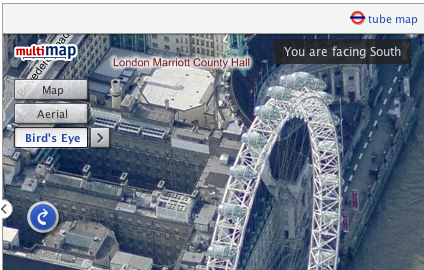
Another thing that I’ve been trying to get sorted out is the server that hosts my blog. I’ve been using the same dedicated server for a good 4-5 years now. That server was hosted at Sago Networks and it’s been through a lot, including Florida hurricanes, but has recently started hanging on a regular basis. A replacement NIC a few weeks ago gave promise of a reprieve but it has again crashed since then. Though I’ve had really good service from sago who have been happy to manually fsck it every time it went down recently, I decided I had to go with price and have now switched to Hetzner. Their prices were too good to miss, and though the fact that I don’t speak a word of German has caused a few issues along the way everything seems to be going well with it now.
I’ve even decided to be all modern and am hosting my site on a VMWare Server virtual machine. I’m hoping that this will allow me more control over that machine, making it safer to upgrade and reboot as I’ll always be able to get access to the console through VMWare. Hopefully it’ll also make things much easier when I eventually decide to move to a new server again (I’ve had this new server for a month now and have only just found the time over the long weekend to move everything across!) I’m also hoping it will lend me a little more security by allowing me to segregate important sites that I need to keep secure away from older less reliable code.
One other thing to mention, I’m going to San Francisco next week! Where 2.0 is the second most important conference for location based services providers (the most important, of course, being OSM’s State of the Map) but in past years I haven’t been able to attend. Fortunately this year some budget has turned up and I together with four of my colleagues will be there. Though the main event is the O’Reilley conference, I’ll also be going along to WhereCamp 2008 the following weekend, and as many other events as I can cram in on the Thursday and Friday between. If you’re going and I don’t already know it then get in touch with me on twitter or friend me on the WhereCamp site.
I’m also intending to map my journey there as much as possible, I have to get from Liverpool to London on Friday night, over to Heathrow on Saturday morning and then fly to San Francisco International airport at lunchtime (leaving 10am, arriving 1pm, still freaks me out ;-). Obviously it’s highly unlikely that I’ll be able to log anything while I’m flying but I’ll do my best, and I shouldn’t have too much problem on the train down. Check back later this week when I’ve figured out how I’m going to share my location with you :-)
-
Apple invents iPod maps - podmaps?
The other day, a friend sent through a link to an interesting “new” technology that Apple have applied for a patent for - podmaps. Reading through the article it seemed oddly familiar, perhaps because I came up with the same idea two years ago. As most good ideas do, this one came about over a few beers when someone suggested that Multimap should do a podcast. Of course the idea of a Multimap podcast was perhaps a little odd, but it did get me thinking about what we could do with podcasts.
 After a little investigation and playing around with Apple’s “ChapterTool” I knocked up the Multimap Travel Directions Podcast. You should be able to try it by downloading the file and launching it in either iTunes or Quicktime. It takes advantage of all the great features available to podcast files. The file is split into “chapters” with each chapter being a step of the route.
  Each chapter has audio with a computer voice talking you through the directions for that step, an image attached to it which shows a map of that step, the text is included as the “title” (and is readable on your iPod’s screen) and there’s even a link to the route on multimap.com for when you’re viewing the podcast on your computer. (Note that the podcast above was made 2 years ago so uses old maps and probably links to the old multimap.com, keep reading to hear about the improvements though…)
So this is all very nice, but this thing took me a few hours to make by hand, surely there’s a better way? Well with all the great APIs that Multimap provides, yes there is. Though I was busy with a few other things I played around with this idea over the following 15 months or so. Every few months I’d write a few lines of code, come across a problem, get bored and put it down again. Finally though I got past all the problems (how to tell the length, in seconds, of an audio file, how to concatenate audio snippets, how to convert to AAC, and a few more) and managed to knock up a ruby script that could take a source and a destination and give you a podcast containing the directions. That was 9 months ago though and I’ve been sitting on it since. Seeing the news on Apple’s patent application has spurred me on to releasing it.
I spent a few hours last night updating the script so that it now works with our recently launched Static Maps API meaning that you’ll see a vast improvement in the map quality. The script requires OS X to work because it uses Apple’s ChapterTool and “say” command. It also needs SoX (for various sound conversions), the Perl CPAN module Audio::Wav and the FAAC library. I’ve packaged the script into a zipfile and put a README in there with some information on using it, I mention how to get and install the 3rd party packages in there too.
There’s obviously lots of improvements that could be made to the podcast, and I’m sure Apple will make many if they actually do release “podmaps”. All of the podcasts I’ve generated here have been made on my OS X Tiger installation, if you have Leopard you will be able to use the new speech synthesis voice that came with it to make better sounding podcasts. All the routes generated are currently driving directions but it would be a simple tweak to make walking directions. Extra functionality could also be added using more Multimap API functionality, such as highlighting places to eat as you’re passing them and things like that. For now I just thought I’d release it as-is and see what people think.
So, please download the script, play around with it, and let me know in the comments what you think of it. It might be fiddly to get it working but rather than get too technical in this post I thought I’d put that sort of thing into the README files. If you haven’t already, you’ll need to sign up for the Multimap Open API to get a key to use. Here’s a few more routes to give you an idea of what it can do too:
Technorati tags: apple, ipod, podmap, routes, map, multimap, maps
-
Ed Parsons gets heavy, Fake SteveC gets heavier
Some interesting and amusing posts have shown up over the weekend that I just couldn’t go without mentioning. Ed Parsons posted an article about Nestoria’s new property site based around OSM maps. In this article Ed brings up the obvious problem that OSM’s coverage isn’t quite there yet, and goes as far as comparing it to the infamous Rabbit phone. Cue much discussion in the comments. I had been intending to write a response on here over the weekend, but didn’t get around to it. I was reminded this morning though when I saw Fake Steve Coast’s response. Absolutely hilarious (especially the carefully researched graph). I’ve really been enjoying reading the blogs of Fake Ed Parson and Fake SteveC (FSC) over the past few months so I just thought I’d say that if you’re not already reading them, you really should be.
So, obviously there’s things I want to say in response to Ed’s post, but as FSC says, he’s declared a temporary ceasefire so I won’t bring up some of the things I was thinking, I’ll just point out that Google’s coverage hasn’t always been as good as it is now:
Also, even now, there’s places where Google’s coverage just isn’t up to scratch:
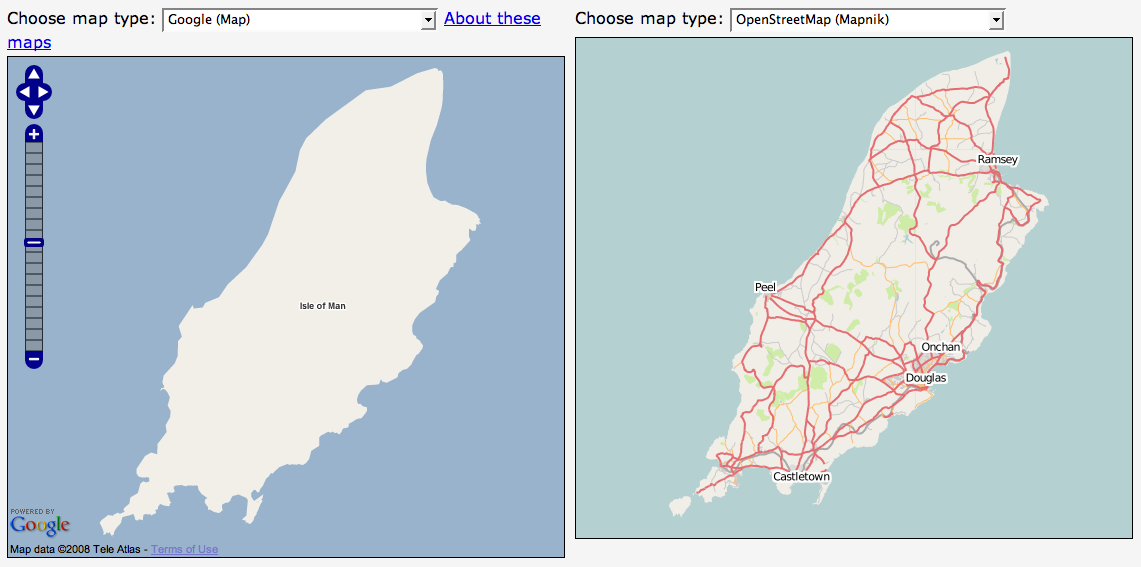
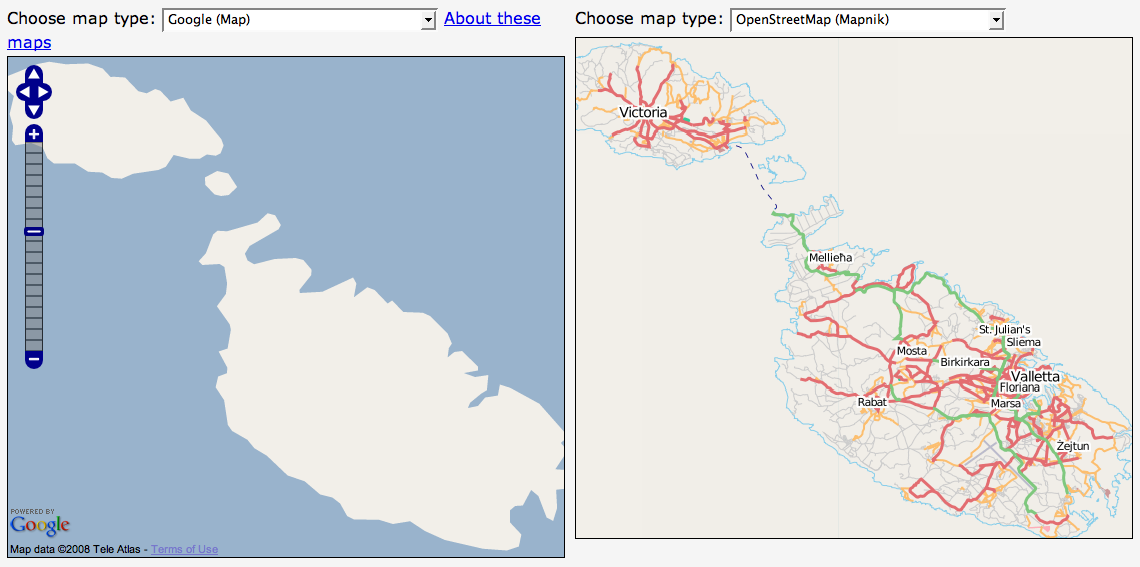
(I must give props to Ed for at least using recent screenshots though, some people have used very out of date screenshots in some of their presentations.)
-
Mate's great band releasing new single
Just a quick one to mention a friend’s band that have a new single out this week. Parka are a great band originating from Glasgow but currently residing in East London. They’ve been around for a couple of years but are preparing for the launch of their debut album with the re-release of their “manic anthem” Disco Dancer. Mark, the keyboard player for the band, used to work for Multimap and I first heard this single just over a year ago. Instantly loved it but at the time it wasn’t available to buy or download (legally).
In December a collection of Multimappers went down to see them play in a small club off Tottenham Court Road. Though they weren’t headlining (they were on second) they were definitely the best band who played on the night and had a good selection of really great sounding songs. I’m definitely looking forward to their debut album but for now I’ll have to make do with the single.


You’ll see a little flash widget thingey on the right which you can use to have a quick listen to the track but I recommend you head over to their website - parkamusic.com - where you can listen to the whole song (it’ll start playing a random track, to hear Disco Dancer keep skipping until it comes up, there’s also a remix which is pretty good too). If you like the track then you know what to do, either follow the links on their website to buy it or head over to disco.parkamusic.com to be linked straight to the shop. They have a special pack of the 7” Vinyl and CD that I’ve gone for, or you can just buy the CD using the link at the bottom of the page. I believe it’ll also be available on iTunes and probably other music download sites too.
Final note, they’re currently finishing off a tour - they’ve still got dates around the country for the next few months - I’m planning to go to their Liverpool gig on the 26th February so if you want to come along and you’re in the area, give me a shout.
-
New version of OSMify bookmarklet
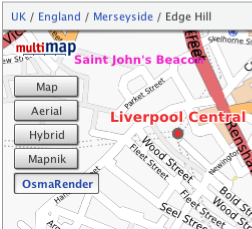
I’ve put together a new version of my OSMify bookmarklet. The main reason for doing this is because the old version is linking to the wrong set of Osmarender tiles; it’s linking to the ones on dev.openstreetmap.org rather than the newer ones on tah.openstreetmap.org. Rather than force you to regularly visit this site and setup a new bookmark every time there’s an update, I’ve decided to host the JavaScript for this version of OSMify on my site.
In the previous version, all of the JavaScript to make the new map types appear was contained within the one line bookmark. This time I’ve put all of the important JavaScript into a separate file hosted at johnmckerrell.com/files/osmify.js. The bookmark now only contains some simple JavaScript required to load that file in.
As well as allowing me to make improvements to the code this also makes the code a lot more readable, allowing you to read through it and understand what it’s doing. If you have any improvements that you’d like to suggest then either drop them as comments on here or email them through to me.
One improvement I did want to attempt was to make OSMify work on other sites than Multimap’s. The Multimap API’s custom map type support works in a very similar way to the Google API so it would be easy to support. Microsoft Virtual Earth/Live Maps also have a method for putting custom tiles into their API. Unfortunately with Google, they don’t expose the full API on their public site (i.e. maps.google.com) so it isn’t possible to add custom map types there. The current version of OSMify will work with third-party implementations, though they will need to expose a global
mapvariable that is of typeGMaporGMap2. I have also had to tell the code to add a newGMapTypeControlafter adding the new map types as for some reason the Google API’s map type control doesn’t update when you add new map types (something the Multimap API does do). I haven’t bothered with Virtual Earth/Live Maps support either yet as I would need to code up my own widget/control for switching between these map types (or tile layers as they call them).So, the link is at the top of this post, have a go with it and let me know what you think. I’d especially be interested in some feedback on using this with Google maps implementations, and any thoughts you have on getting this to work with more APIs.
Technorati tags: javascript, bookmarklet, osm, openstreetmap, map, liverpool, multimap, maps, favelet
-
OS releases OpenSpace API
I was invited to attend a private “hack day” at the offices of the Ordnance Survey on Friday last week for the launch of their new OpenSpace API. A number of other people from the Open Street Map community were also invited (leading to talk of attempts to extinguish the OSM project by doing away with us all!)
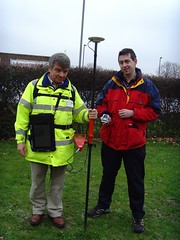 In actuality the guys at the OS were really friendly and had a day of activity planned for us. After the initial introductions we were split into two groups and went off for a mini-tour of how they collect their map data. My group first got to head outside and talk to one of the few hundred on-the-ground surveyors that the OS have. He showed us his collection of equipment, from the low-tech popeye to the 2 metre GPS mast, back-pack full of GPS equipment and the tablet PC for entering new data directly. It was really interesting to listen to his experiences of surveying and to compare it to my own. I’m not sure that he realised that most of those present would consider themselves to be “surveyors”, I’m sure he’d laugh if he heard it though considering the accuracy and quantity of the data that he would collect in an area would be far more than that taken by most OSM mappers.
After this we were taken off to the Photogrammetry department to find out about how OS are using aerial imagery for mapping. OS run two planes, one flying with a traditional film camera and one with a digital camera, to collect their own imagery of the country. They make sure that the imagery they collect overlaps and then use all sorts of advanced processes to convert this into a 3D model - processes such as wearing funny glasses while staring at a screen and clicking the imagery when features overlap. We saw some incredibly detailed imagery - yes, better than google maps - but unfortunately I didn’t get to see their imagery over my house and find my car.
After this mini-tour we were then given a longer introduction to the OpenSpace project itself, their reasons for launching it (a combination of “we want to” and “we had to”) and the terms and conditions of use, which unfortunately turned into an hour long discussion that nearly scuppered lunch! The terms that OS are using have various provisions for deriving data from the maps (which suggested a npemap.org.uk type postcode collector might be allowed) but also don’t allow for commercial usage. After we did finally have lunch we all signed up for the API and started hacking. Here’s what I ended up with, a low resolution plot of my route from London to Southampton:
The API itself is built on top of the existing OpenLayers API. I think this was a really good decision by the OpenSpace team as the world really doesn’t need yet another JS slippy map implementation, and to have a large company developing with OpenLayers, can only help to improve that project. Rather than going with a WGS84 based system though, OpenSpace centres around the use of BNG (British National Grid). Though in theory this is an obvious choice for OS, considering that BNG is “their” system and is the system in which all of their raster based mapping is available (I think), the fact that they require coordinates to be entered using BNG by default is definitely going to lower the number of people that bother to use it.
Though a conversion system is provided by the API, I was interested to find that they are using the algorithmic method to convert BNG eastings and northings to WGS84 latitudes and longitudes, rather than the full National Grid Transformation OSTN02. I’ve never been too sure of the difference in accuracy between these and looking at the page on wikipedia about BNG I find it’s about 7m accuracy for the Helmert datum transformation which I assume they’re using. I guess that’s fine in most cases but Multimap does have a free web service available for doing the more accurate translation, get in touch with me if you want more information :-)
When trying to put together the small implementation you can see above I also came across a few problems that also seemed to arise from the use of BNG. To give you a quick pseudocode run-down, my app basically does the following:
-
Setup data
-
On page load
-
Create new map object
-
Create GridProjection object for converting eastings/northings to lat/lon
-
Create Vector layer for drawing the line between points
-
Loop over the points for my route from London to Southampton
-
Convert position to BNG
-
Create marker at the point
-
Add the point to an array, for drawing the vector later
-
Extend a bounds object to contain the complete bounding box of the journey
-
-
Draw vector
-
Get centre of the journey’s bounding box, and the zoom factor to fully display it
-
Display the map of the journey.
-
I came across a number of problems when I tried passing my converted points into the OpenLayers.Bounds object and an array of the points into my vector. After playing around with it for a while I’d managed to get my markers to display, but not the vector, and the map wasn’t properly autoscaled to my journey. After looking at the vector example though I noticed that they were passing OpenLayers.Geometry.Point objects into the vector, and OpenSpace.MapPoint objects into the setCenter method. This is quite possibly a problem with OpenLayers rather than with the OpenSpace implementation, though I can’t be sure either way. After a little playing around though I found that adding the following line of code, then using the
pointvariable with the bounds and vector objects fixed my problems:point = new OpenLayers.Geometry.Point( mppoint.lon, mppoint.lat );So, conclusions: I have to say that I don’t think that this API is ever going to change the world. There are so many mapping APIs out there that are freely available anyway that this one is just not going to have that effect (especially with Multimap offering the same landranger 1:50k data, in a WGS84 environment). That said though, I can see definite uses for it in the UK, and I know that many UK based organisations will be happy to use the BNG system. It also means that Ordnance Survey are going to be meeting their mandate to promote the use of their data and noone can say anymore that there’s no way to get access to Ordnance Survey data free of charge (or at least when the API is available outside the current closed release anyway). There may be lots of restrictions on use at the moment, but at least it’s something and hopefully this small step will lead onto a lot more open-ness at the OS. Also I definitely don’t want to put down the guys that have been working on this, what they’ve achieved is great, they just need to keep working on it, and working on the people above them to allow more data and more freedom of use for the data.
-
-
Simple Static Maps API, similar to Google Charts
I’ve been subscribed to the 24 ways feed again this year. They’ve had some really interesting stuff I might make use of sometime such as the Javascript Internationalisation and Neverending Background Image articles. Today’s article on the new Google Charts API reminded me of something I thought of last week when the Charts API launched. Multimap have recently launched a new way of accessing their maps API which I think is actually pretty similar to the Google Charts API in some ways. The new static maps API is an incredibly simple way to insert a map onto your pages without having to write any actual code, it allows you to put maps on pages that you don’t expect your users to hang around on for long and they’re great for using with mobile devices.
The Multimap Static Maps API is similar to the Charts API because to get a map all you need to do is put some parameters on a URL, you can get a map with a single
qs=[postcode]parameter. A big difference is that you do have to sign up for an API key. This isn’t too difficult though, you’ll need to register for “My Multimap” then head over to the Open API Signup page to get your key. Once you’ve done that you can use this key to access the JavaScript API as well as the new Static API. You also must provide a link on your page to the terms of use.So, let’s get cracking shall we? Here’s a map featuring Multimap’s office on Fleet Street in London, the postcode for it is EC4A 2DY so I’ll just use that:
http://developer.multimap.com/API/map/1.2/[api_key]?qs=EC4A+2DYIf I’m going to give you lots of examples, I should probably trim that image down a bit, maybe make it a bit wider, but shorter. I think I’ll also change the label on the marker, in fact I’ll just get rid of it for now, how does this look?
http://developer.multimap.com/API/map/1.2/[api_key]?qs=EC4A+2DY&width;=450&height;=300&label;=+When passing in geocode search parameters or marker labels be sure to URL encode the strings, the Javascript function
encodeURIComponentis good for that. Also note that I passed a single space into my marker to give it a blank label.I think it would be good to display some landmarks on the map too so that you have an idea of whereabouts Fleet Street is in relation to, say, Saint Paul’s cathedral, Buckingham Palace, The Houses of Parliament and the London Eye, so how’s this:
http://developer.multimap.com/API/map/1.2/[api_key]?width=450&height;=300&labels;=+,1,2⪫_1=51.51428&lon;_1=-0.10823⪫_2=51.51373&lon;_2=-0.09901⪫_3=51.50182&lon;_3=-0.14061⪫_4=51.49917&lon;_4=-0.125⪫_5=51.50383&lon;_5=-0.11972-
Multimap’s Office, Fleet Street
-
Saint Paul’s Cathedral
-
Buckingham Palace
-
Houses of Parliament
-
London Eye
This is all very UK-centric though and it would be a shame to ignore the great mapping that Multimap provides around the world, so how about we do a bit of shopping in New York? We’ll hit a few of the big shops first then head somewhere a little more affordable to get a few things for ourselves:
http://developer.multimap.com/API/map/1.2/[api_key]?width=450&height;=300⪫_1=40.74982&lon;_1=-73.98954⪫_2=40.76221&lon;_2=-73.96821⪫_3=40.76266&lon;_3=-73.97395⪫_4=40.74225&lon;_4=-74.00426⪫_5=40.73986&lon;_5=-73.99497-
Macy*s Department Store
-
Bloomingdales
-
Tiffany
-
The new Apple Store
-
Old Navy
And finally to get things even more international how about all the places I’m lucky enough to have travelled to this year (largely due to weddings/honeymoon):
http://developer.multimap.com/API/map/1.2/[api_key]?width=450&height;=300&qs;_1=Liverpool⪫_1=53.41667&lon;_1=-3⪫_2=9.4759&lon;_2=99.9566⪫_3=22.32341&lon;_3=114.21175⪫_4=39.9045&lon;_4=116.391⪫_5=36.71963&lon;_5=-4.41991⪫_6=41.066&lon;_6=29.0061These are just some of the things you can do with the static maps module, take a look at the full documentation for more examples. I’m hoping that we’ll get quite a few people using this, it’s a really good way of getting a map onto a page without requiring the larger payload of a full JS API. If you do make something then why not put a comment on this page, maybe you could do a map of all the places you’ve been in 2007?
Technorati tags: staticmap, charts, google, multimap, map, api
-
-
Visiting Yahoo!
I paid a visit to the Yahoo! offices in London last week, having been invited to a “Yahoo! Developer Summit”. I was intrigued to find out what was going to happen at this “summit”, especially with 3 days allocated for it. I had assumed it was going to basically be a mini-conference with a mix of Yahoo! employees and outsiders attending. As it turned out it was basically an internal Yahoo! event with talks covering various topics, generally “web dev” related, to which a small number of external people had been invited.
Unfortunately, being pretty busy in work I was only able to attend on the Wednesday and some of Friday, but I still got to see a good range of talks. In fact the range of topics was pretty broad and not particularly Yahoo!-centric at all. I attended talks on “web security and XSS”, “High Performance Web Sites”, “Using Bazaar for Version Control”, “Working in Distributed Teams” and “Writing Engaging Tutorials”. There was also a great keynote from Simon Willison on using comet server push technologies, something I’m definitely going to use in the future.
I also have to mention the pub quiz that ended the summit. As Jeremy has mentioned we outsiders banded together to fight off the Yahoo! hordes. Apart from my absolute insistence that Firefox 1.0 was released on 19th December 2003 (I was thinking of the date of the New York Times advert, but got it wrong by 3 days and 1 year and the release actually occurred a month before anyway!) we still did pretty well coming in third, as Norm had said from the start “if you win, that means you’re the biggest geeks” so I’m glad to say our coolness held us back from that first place spot. I still got to choose a selection of Yahoo! merchandise to take home from which I took a delightful YDN t-shirt and an “Insta-Yodel!” (which I donated to SteveC at the OSM xmas party and he had lots of fun with).
So all-in-all I have to say I enjoyed the event, it was a shame I couldn’t make it to the whole thing, but 3 days was just too long to be out of the office (especially when Internets were in short supply at Yahoo!) I’d happily go along if invited again, hopefully Yahoo! will open it out to more people in the future too. Talking to some of the Yahoos there did seem to be a feeling that they should be doing more in the general community. I know that we at Multimap also want to get more involved in the web dev and mapping communities more in the future too so perhaps we can find a way to arrange a combined event in the future.
-
First Liverpool Mapping Party a Success
We held the first Liverpool mapping party over the weekend and I’m glad to say it went pretty well. Though we didn’t get as many new people turning up as we would have liked, we still managed to cover quite a lot of ground. Our main target for the weekend was to get as much of the centre of Liverpool mapped and it looks like we managed to achieve that aim. There’s still a few areas towards the North West that need finishing off, and the Paradise Street Project still needs to be marked as “under construction” somehow, but we’re basically there for central Liverpool as you can see from this animation:
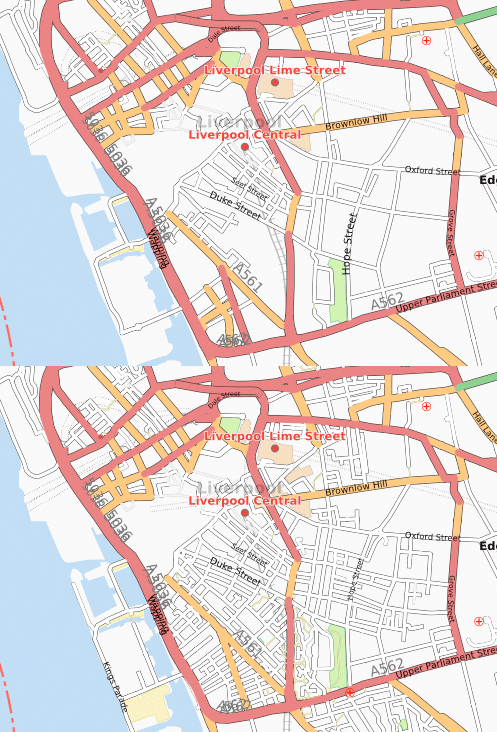

We also had people out mapping in other areas of Merseyside, Crosby got it’s first detailed OSM coverage, as did Birkenhead and Everton. Aigburth also saw numerous improvements including some path mapping in Sefton Park.
I have to say a big thank you to the guys at Glow New Media for their support, not only did they let us use their office as a base for most of Saturday, but they also provided breakfast and lunch! We also have to thank Rightmove for providing drinks and food in the evening.
We’re already planning the next party which we’re hoping to hold in January 2008. We should be able to get a dedicated space to use for the party to allow people to come and go more freely, and we’ll be advertising this one a lot more to try to get new people involved. I’m sure I’ll be blogging about it as soon as I have more information about that.
I’ll finish off by thanking everybody who came, it was great to see some people who hadn’t mapped at all before, and it was good to have lots of established mappers in attendance to help them out. I know some people travelled a long way just to help us out in Liverpool which is really appreciated. So, finally, the obligatory image showing all of our traces:
Click on image to see key
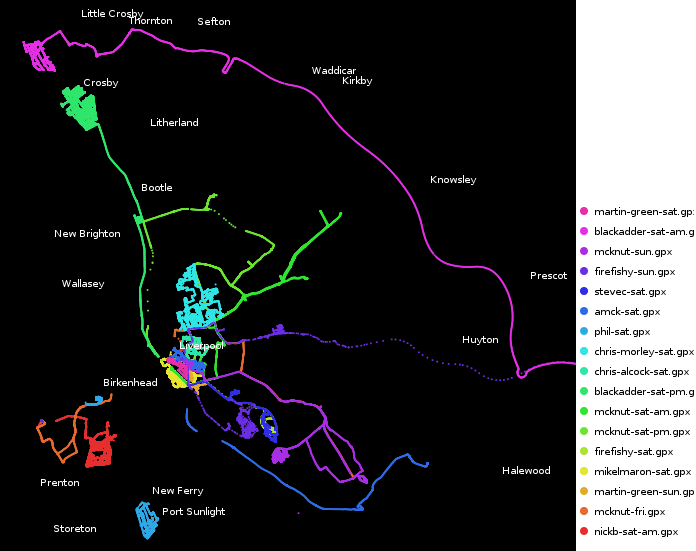
Technorati tags: liverpool, liverpool0711, osm, openstreetmap, map, maps
-
Recent Mapping Activities
I thought it was about time I mentioned mapping in my blog again. I’ll start by mentioning a recent development with the Multimap Open API. Expanded UK data coverage is now available which should enable a lot more interesting UK mashups. The article mentions in more detail what is now available but basically you can use Ordnance Survey Landranger maps together with full UK postcode lookups. I’m really hoping that this will get people excited enough to knock up some cool demos. The blog posting over on blog.multimap.com shows an example plotting a trace from when I took five multimappers off walking in the hills of Wales, but I’m sure there’s a lot more that can be done (geocachers are you listening?)
My second link is actually about something that Microsoft have done using the traffic logs from their Virtual Earth (Live Maps) traffic logs. It’s been a few weeks since the link was posted but I wanted to also link to a similar thing that was done using Open Street Map traffic data. You can also view stats on the 10 most popular tiles from the innovative “Tiles@home” project (scroll down the page, or search for “Popular areas”).
Arbitrary Map of Liverpool, see below for explanation
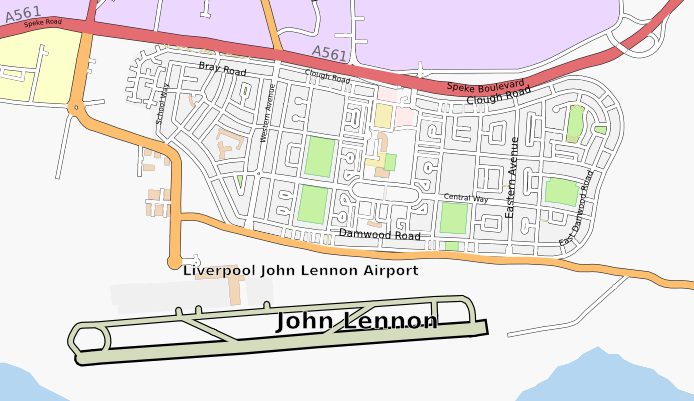
Finally I should mention that I’m organising an Open Street Map mapping party in Liverpool in a few weeks time. Venue is yet to be confirmed but the date has been set to the 10th and 11th November (2007). You can visit the OSM wiki page for Liverpool or the event page on upcoming.org for more information. Liverpool’s coming along really well but there’s still plenty more to be done, hope to see you there!
Technorati tags: osm, openstreetmap, maps, mapping, liverpool, merseyside, ordnancesurvey
-
Wedding and Honeymoon Over, Married Life Begins
 After taking numerous attempts to write this blog post and going into far too much detail I’ve decided to trim it down to a few paragraphs, I’ve got a few other ideas for posts but really should get this one out first!
First, the wedding. The day went really well and surprisingly smoothly. Everybody that we’d picked to help us out with our wedding was brilliant and helpful. About the biggest problem was the DJ (hired via an agency) but then it’s no big surprise to hear of a wedding DJ playing crap music. Apart from this the day was amazing, it was just great to be able to get all of our friends and family together and have a big party. It’s also great these days that with the wonders of modern technology we managed to see lots of photos taken on the day before we even went on honeymoon!
 Secondly, the honeymoon. We spent an amazing three weeks touring around China (Beijing, Xian, Guilin), visiting Hong Kong, and lazing on a beach in Koh Samui, Thailand. The culture and heritage in China was incredible, and our guides were really good at telling us all about it. Hong Kong was smoggy and cold (air conditioning!) but still an interesting place to visit. Finally Koh Samui was just a really nice place to relax for a week.
We travelled on 9 flights on our trip (going to and from the far east via Dubai) and apparently used 7 tonnes of CO2 to do it. Fortunately that’ll only cost us about £50 to offset apparently so we’ll probably do that soon. We used 4 currencies and needed 3 visas but it was all worth it for the great time we had, evident in the 830 photos that I took (select few now showing on flickr!)
So, I’ve kept this short, but if you’re interested in hearing more about the honeymoon then just drop me a line or ask me when you next see me. I’ll end this blog post in the only way appropriate by saying: my wife and I thank all of our friends for helping us make our wedding day go so smoothly and for helping us have such a great time.
-
Wedding Day Imminent
As usual I haven’t really been blogging much recently, and when I do it’s usually about some tech subject or other. Something that’s not particularly techy, but a pretty big event for me, will be occurring tomorrow though and I thought I really should put some mention of it up here. I’m getting married!
Pretty much everything is arranged now, though there’s still lots of jobs to get done today and tomorrow morning to make sure everything runs smoothly. As you may have seen from my twitter stream, we got the rings and the rest of the suits yesterday. Today we need to do some last bits of shopping for our honeymoon, we thought some new luggage might be useful, and then I need to start transporting stuff over to the hotel that we’re holding the event in. My fiancé obviously has all sorts of girly jobs to do, such as picking up dresses and getting her nails done and getting all her family together in our house.
In good tradition, I’m spending the night elsewhere - I have a lonely little single room in the hotel to keep me company. Fortunately half the wedding guests will be staying there too so it shouldn’t be too bad :-) Tomorrow there’ll be lots more jobs, making sure the hotel is all ready for us, and distributing the corsages. I’ll probably end up having to make sure everyone has transport to make it to the church and back too, but that shouldn’t be a big problem as there’ll be lots of cars around. After that there’s something about standing in front of a crowd of people and saying something along the lines of “I promise to give you all my money”, or something along those lines…
Well, my fiancé’s calling so I think I have some jobs to do. I’ll probably update my twitter feed if you’re interested in what’s going on, hmm.. and sometime I’ll start my speech.
-
State of the Map? Pretty damn good
I spent the weekend at the State of the Map conference in Manchester. This was the first annual conference for the Open Street Map project and featured a weekend of talks all about maps and geodata.
I have to say I really enjoyed the weekend. I’ve been to a few conferences in the past few years (though only a few) and I have to say I probably enjoyed this one more than any of the others. A lot was packed into the weekend - there were 22 talks scheduled to last between 15 and 30 minutes, and then there was lots of “lightening” 5 minute talks too. I think what made the talks so good was that, for the most part, they were given by people who were heavily involved in the project and had a real passion for what they were talking about.
A lot was said about the value of good cartography. Richard Fairhurst began this by outlining some of the benefits of good cartography (essentially getting a useful amount of information onto the map in a clear way) and it was followed later by Steve Chilton telling us some of the basic principles of cartography that may be getting ignored by us mapping newbies. The legal debate gave me some definite food for thought, unfortunately nothing was resolved (in my mind, let alone within the community) but it definitely helped to talk through some of the issues. There was also lots of talk about tagging, about definitions of “complete” and about making use of our maps on various devices too.
I definitely can’t go without mentioning Barry Crabtree’s talk on “Bringing Maps to Life”. Barry showed us a number of animations that he’d done using OSM data. Generally these involved vibrating nodes to make the maps move in various ways. Although it doesn’t initially sound of a huge amount of use, and many of his animations were essentially frivolous, it’s research like this that can highlight new and innovative ways of doing things. A very important point that he did make at the end was that none of his animations would have been possible without OSM. The only other way to do it would be to pay huge amounts for commercial data, it’s highly unlikely that anyone would do this in the name of “art”. Fortunately I have links to a few of his animations, take a look at the route animation, the beating heart of ipswich and the hypnotic squirming roads.
So all in all I think a great weekend was had by everyone, I was definitely inspired by much of what I saw. At times I felt I wanted to get my laptop out and write some code, but knew I’d miss things if I did that (and the wifi didn’t stretch to the lecture theatre anyway but that wasn’t much of a problem). I think the best way to finish this blog post is with a link to flickr for the group photo.
Technorati tags: osm, openstreetmap, multimap, events, sotm, sotm07, mapping, map, art, cartography
-
What my friends did at Hack Day
I went to the event with a number of other multimappers who all got down to hacking fairly sharpish...
So now that my friends have all got stuff online I can finally blog about what they got up to…
Firstly is Richard Rutter and Andy Hume, they knocked up a prototype of a really handy app that helps people to arrange an event. One person can setup a “potential” event (e.g. “John’s Stag Do”), they can then enter a number of possible dates, and a number of venues. They then invite all of the attendees to go in and select their preferred choice of date/venue and the dates/venues that they really don’t like. It’s a great little idea and was well put together and Rich did a good presentation in the 90 seconds he had. It was so good in fact that they won the “Most Useful Hack” prize! Take a look at Rich’s blog posting about it here.
Second is Colm McMullan and Richard Keen. They extended an existing Multimap project that they’ve been working on for the past few weeks. They’ve built a Twitter bot that you can send direct messages to and it will reply with directions between two points, a link to a map, or even directions to local points of interest. They spent hack day adding support for the new FireEagle API from Yahoo! and put together a great video to demo it. The video is a spoof of the iPhone advert using the Multimap Twitter Bot to get directions to the nearest cinema and “seafood”. Link to the video coming up, but you’ll want to either take a look at the Multimap blog posting about the Twitter bot or head straight over here to the documentation.
Ok, now you get to take a look at the video. The youtube version has lost a bit of quality in the conversion so a link to the original higher quality version follows it (26Mb download):
Oh yes, and a few final thoughts. It’s not mentioned on the documentation page yet but there’s experimental support for Open Street Map data in the Twitter bot, just ask for your nearest postbox, supermarket, recycling, telephone, toilets, or even your nearest peak! I got the following earlier so looks like I’ll need to keep my legs crossed while I drive over!
Directions from l19 to closest (the closest toilet) :: M62 > M6 > A534 (Old Mill Road)
Lastly, in my previous blog posting I asked whether anyone was interested in logging their position by DNS, a few people said they would be so I’m going to look into doing something with this soon, keep your eye on my blog for more information…
Technorati tags: iphone, hackdaylondon, multimap, events, twitter, upcoming
-
What I did at Hack Day
Got back from hack day a few hours ago (yes I left before the Rumble Strips played, was really tired for some reason even though I’d had a full night’s sleep last night). It was an interesting event, my favourite presentation being “New Geo Services from Yahoo!” presented by Mor Naaman and Tom Coates. They announced a new project from Yahoo! Research called FireEagle. The idea behind it is basically to have a centralised place for storing your current location, and offer an API so that third party services can update or read your location. It’s a great idea, allowing a single API to work with when doing “I’m here!” type apps, and one I’d actually been considering knocking up myself.
I went to the event with a number of other multimappers who all got down to hacking fairly sharpish. I on the other hand just couldn’t think of anything to do, I wasn’t needed on either of their projects and just ended up doing some other coding I’d been meaning to do for a while to help out a friend. While doing this though I was still thinking about FireEagle and about whether there might be something related to that which I could knock up. After going back into London and getting a nice long sleep I went back over to Alexandra Palace this morning and decided that I would knock up a few things to update my location on FireEagle.
The first of these is actually an extension of an existing PHP script that I already had. For a year now I’ve been logging my current location while out and about by using a bluetooth GPS and MobiTrack Pro java software on my mobile phone logging to a PHP script running on my web server. Modifying that script to update my location on FireEagle actually turned out to be ridiculously easy. The biggest problem was getting GPRS turned on for my new mobile phone!
The second thing I knocked up was a way to update my position via DNS. While this may sound like an odd thing to do it’s actually quite useful. Often when you’re connected to a pay-for WiFi service you’ll find that accessing web pages when you haven’t paid for access will take you to an “enter your username and password here and/or pay us some money” page. Usually when this happens though you’ll find that you actually have full access to make DNS queries. Considering that GPS data is essentially just two numbers I thought it would be pretty handy to knock up a DNS server that accepted these two numbers and sent them over to FireEagle, and so that’s what I did.
Fortunately it turned out to be quite simple as I already had an existing perl nameserver script that I could extend, 50 lines of code later and I had a daemon running on one of my server to which I can send lookup requests for hosts like this:
l51d59296.l-0d13174.temppublic.15.nmea.a.example.com
Which results in my location being updated (to Alexandra Palace in this example). It’s actually a fairly simple sequence, the parameters are as follows:
. . . .nmea.a.example.com Latitude and longitude are prefixed by the letter "l" simply to make sure there's no hyphen at the beginning (as there would be for negative lat/lon), and the decimal point is replaced by the letter "d". The "user key" is simply looked up in a text file to get the user's application token from FireEagle and the counter just makes sure the DNS record is never cached. So I'm quite tempted now to knock these into some sort of service that anyone can sign up for but I'm doubtful of whether there's much demand. If you think you would use either service then let me know in the comments. Technorati tags: [GPS](http://technorati.com/tag/GPS), [hackdaylondon](http://technorati.com/tag/hackdaylondon), [dns](http://technorati.com/tag/dns) -
Maps, maps, maps..
I’ve been contributing to a project called “Open Street Map” (OSM) now for about seven months. OSM is attempting to create a map of the world that is available to everyone to use, and modify, for no charge. During my time mapping with OSM I’ve been able to vastly improve the coverage of Liverpool (my home city). With a lot of help from my Dad the coverage has gone from basically nothing in Liverpool to a point where two postcodes have been comprehensively mapped, and the south of Liverpool is looking really rich in data. See the animation below to see how coverage has increased over the months:
Click the animation for a larger, slower, non-repeating version)
Now while I’ve spent lots of my spare time in the last seven months mapping, I’ve also spent all of my work time doing map-related activities (considering I work for multimap.com that’s not a big surprise). In September 2006 we made the Multimap API v1.1 available to the public (v1.0 being a private beta). Over the following four months we worked hard to build on that release, responding to comments from our clients and to build in new ideas that we had come up with while designing our new public site (more on that in a moment…) After the release of v1.2 of the Multimap API (incorporating such features as marker decluttering, our own take on “hybrid” maps and a hugely functional database backed spatial searching module) I moved onto helping out on the build of the new public site.
Our new public site is a great leap from the previous site: big maps, easy access to useful information on the map and really easy to use personalised services such as favourites and search history. We got a huge response to the launch of the new site, lots of people were happy to finally see draggable maps on multimap.com and loved being able to see things like wifi hotspots and cash points highlighted. There was also a number of people that weren’t so happy about us making such a big change to a service they make so much use of, the biggest problem being something we’ve recently remedied - the lack of Ordnance Survey Landranger maps. Unfortunately we weren’t able to get contractual terms and pricing agreed with OS in time for the initial launch.
So, I’ve covered Open Street Map, and Multimap in this blog post. OSM are creating a truly global, good looking and, most imporantly, free map. Multimap have a really good front-end for displaying maps, searching for locations and finding routes. Wouldn’t it be nice to see OSM maps inside Multimap? Well, using a little JavaScript hackery, and the “custom map type” features of the Multimap API it’s actually possible. I’ve knocked up a little “bookmarklet” that you can add to your browser’s favourites. Once you’ve added it you can browse to multimap.com, click on the new favourite and you will see two new map types appear in the widget on the top left: “mapnik” and “osmarender”. Clicking on either of these will make OSM maps appear in the page. The two options are provided by the two different methods that are used for rendering these images, you will probably notice differences in style and coverage between them but rather than go into detail on why that is here I’m going to direct you to the relevant pages on the OSM wiki.
You’re probably eager to try this out for yourself now so here’s the bookmarklet:
EDIT - please see this later blog post for an updated version of this bookmarklet
Either right click the link and add it directly to your favourites or simply drag it to your Bookmarks Toolbar. Clicking on it on this page won’t do anything as there’s no map! I’ve tried this in Firefox and Safari, I’m pretty sure Internet Explorer can’t handle bookmarklets like this and I haven’t tried Opera.
Everything on the site should continue to work fine, such as location searches and routing, though the route highlight might not overlay perfectly on the OSM maps. Unfortunately you’ll get [object Object] in the URL bar but that doesn’t actually affect the operation of the site.
In it’s current form this won’t be appearing on the public site by default, at the moment the tiles are being pulled directly from the OSM servers so we wouldn’t want to suddenly divert large amounts of traffic to them. Multimap are big fans of OSM though and we do already have the capability to display different types of map on the site so who knows, maybe in the future…
Update: 2nd August 2007 - We’ve rolled out some style changes to the API that will break the old version of the bookmarklet. Get hold of the new copy using the OSMify link above.
Update: 13th February 2008 - I’ve taken the link out from above as there’s a new version described on this page.
Technorati tags: javascript, bookmarklet, osm, openstreetmap, map, liverpool
-
Getting out of the house
Just thought I’d drop a note on here about a few events I’m going to soon…
Firstly, and most importantly - GeekUp Liverpool - on Thursday (31st May). I’m going to be doing a presentation on Open Street Map, and hopefully a bit of a practical demonstration too. It’ll be similar to one I did in Manchester last month (which was itself taken from one done by Steve Coast). This time though my intention is that by the end of it, the attendees will be able to go out and get mapping straight away without needing much more help.
Secondly, I’m happy to say that I’m one of the chosen few and will be attending the Yahoo! BBC Hackday 2007 in London. This should be a really fun event if only because I’ll be able to get together and have a few beers with lots of my friends. I know I have friends from Multimap, Yahoo!, OSM and GeekUp all going so it should be a great laugh. No idea what I’ll be hacking on, if anything, but I guess something map related would be the most likely.
So hopefully I’ll see you at one of the above events, if you’re coming to either don’t forget to mark your attendance on upcoming.org, I know for the GeekUp one we’ll be relying on it to get a good idea of numbers.
-
Announcing... JS Call Tracer
After seeing Rasmus Lerdorf demonstrate running Apache in Callgrind to get a diagram of the function calls that were made in his PHP app I decided I wanted something similar for use with JavaScript. I did a few searches to find something that would do the job but unfortunately there didn’t seem to be much out there. I think I found a single script but it seemed pretty old, and required you to register each individual function that you wanted to trace, unfortunately I can’t find a link to it now.
I actually decided not to bother going any further with this until a few weeks later when I was asked to provide support for a large JS implementation that I had nothing to do with designing or putting together. Having no idea what was going on in the app I decided that I really needed a function call tracer.
I briefly looked into hacking support into Firebug directly, hopefully making use of it’s existing JS debugging and profiling support. Unfortunately as far as I could tell this support only goes as far as a boolean flag that tells Firefox to log the total time spent in each function. Thus I knocked up a utility to do it myself.
It’s quite basic, and doesn’t work in all circumstances, but hopefully it should be useful to someone. I’ve setup a special page for it so that this blog page doesn’t go on too much, so head over there and take a look. Feel free to drop any comments in this blog posting though.
-
Geeking it up in t'North
I attended my first northern geek night tonight - GeekUp. I wasn’t really sure what to expect, I’m sad to say that in the past I’ve thought that there wasn’t really many geeks or general techies in the north of England that really knew what they were doing, or were anywhere near the cutting edge. I’m not entirely sure where I got that idea from, not having actually met all that many techies from the area, but I’d have to guess it’s something about the companies I’ve either had interviews with, or seen jobs advertised for, over the years.
I’m glad to say that my experience tonight has definitely changed my viewpoint. I only spoke to around five of the 20 or so people who attended, but I definitely got the impression that these people knew what was going on in the world of web and were interested in getting involved. I was also glad to see that the topics of the talks were on interesting relevant subjects which I’ll give a little run-down of now:
Firstly Dan Hardiker of Adaptavist showed us how to debug web pages using Firebug. Now Firebug is nothing new to me considering all I do these days is write JS, but Dan gave us a fast-paced run through of some of the most important features of firebug and he still threw in a few things that surprised me, especially with just how many ways you can the visible page using Firebug. Also interesting were the ways in which he uses Firebug to quickly get around a slow release process when making simple changes to a page (well in fact he uses it for some quite complex changes too, including running the JS of an entire page from scratch). That’s definitely one I’ll be looking at myself with a site I’ve been working on that in the development version can take a long time to load in the numerous JavaScript files.
Secondly John Baxendale gave us a quick run through about why we should use code versioning and why we should use Subversion to do it. I was looking forward to this initially as Subversion isn’t something I’ve used much, using CVS in the past and Perforce currently. He kept it fairly low on details, which is fair enough as you can never be entirely sure how much experience your audience has of a subject, but he did highlight some very good reasons for using code versioning systems and gave a quick run through of the best ways to use Subversion. He also gave us some ideas of how best to serve a Subversion repository (Apache/mod_dav/SSL or SVN+SSH) and also good ways to access one (SVN command line/TortoiseSVN/SCPlugin).
Lastly Dave Verwer gave us a talk about OpenID. OpenID is something that I’m quite sure most web developers have invented in their heads on their own, but have never got as far as doing anything with. I personally went as far as looking into what might be available around a year ago and discounted OpenID as not really going about things the right way (probably my own misunderstanding). Things have really changed though over the past year, and especially over the past few months, and it’s really come to the point where you can say that OpenID is a definite solution to some of the problems of having multiple accounts on the web, and has the potential to fix many more.
Dave gave a quick run-down on how OpenID works followed by a few demos showing how you would sign up to an OpenID provider and also how you log into a site using an OpenID. There was a few technical problems with the web site he was actually trying to log into (not a site that he has been involved with building) but he did manage to demonstrate the general principles of OpenID and accomplished logging into his chosen site without having to put any more than an OpenID URL into the sign-in box.
I talked to a few people in the pub afterwards about OpenID in general and unfortunately I can’t say that everyone was convinced. I think the real problem at the moment is more with the lack of take-up by websites, rather than any deficiencies with the technology (which in my opinion is definitely up to the job). As OpenID support grows though I think a lot more of the smaller website developers (and basically if you’re not working for Yahoo, Google, Microsoft or AOL then I’m talking to you) will realise that it has huge potential to increase their user-base by making it significantly easier for potential users to get in and start using their services.
Well, I have to say that I had an enjoyable night tonight and will definitely be up for attending in the future assuming I’m free on the second Tuesday of the month. I’m also very interested in the prospect of doing something similar in Liverpool in the near future, it turns out there’s even other geeks in my own city!
(After my comments about northern techies at the beginning of this post I realise I should probably add some sort of disclaimer. I’m a born and bred northerner so it’s not simply that I have anything against northerners. Also if you think I was talking about you, I wasn’t, I was talking about that guy next to you ;-)
Technorati tags: geekup, openid, firebug, firefox, subversion, svn, northern, england, manchester
-
Problems with Safari and innerHTML
Yesterday I had to look into a problem that was occuring in Safari with some code that I had written that was using the innerHTML property. This code works by creating some HTML using DOM functions, then adding some 3rd party HTML to one of the nodes. Though in most cases the 3rd party content is likely to be just a number, I wanted to allow for more interesting content, such as HTML entities, so I decide the simplest method would be to use innerHTML rather than parsing the content and generating the DOM nodes myself.
The code has been in use for several months without issue and has been working fine all this time in all the browsers I’ve tried it in. For some reason in this one particular scenario though, Safari was completely ignoring the attempts to set the innerHTML of the node. Setting the innerHTML and then on the following line attempting to read it was also giving an empty response. For example:
text = "foo";
node.innerHTML = text;
alert( "html="+node.innerHTML ); // Pops up message saying "html="
I tried numerous methods to fix this problem, including setting the property before and/or after adding the DOM node to the document. I also googled it which flagged up a number of related posts but these generally referred to pages that were served as XHTML (ie. pages with an .xhtml extension and MIME type application/xhtml+xml) and were not offering any solution.
One thing I did notice, though, was that if I typed into the address bar of Safari something along these lines:
javascript:node.innerHTML = "foo"Then my change would occur, so it seemed that Safari was happy enough to set the innerHTML of the node, just not at the time I wanted it to, which led me onto my solution:
setTimeout( function() { node.innerHTML = text; }, 50 );Yes, setting a timeout to occur in 50ms at which point the innerHTML would be set seemed to work. No idea why, and it is a bit nasty, but it was the only solution I could think of, and more importantly - it worked!
So hopefully if you see a similar problem and you need a solution, you’ll find this page and be able to make use of my dirty hack above to fix it.
Update
Firstly - something I should have mentioned. This problem has only been occurring since we started modifying the URL of the page from within JavaScript, i.e.
window.location.hash = '#foo'. We knew this didn’t work exactly as we’d hope, as the spinning status indicator stays spinning as soon as we modify the location, but we really really wanted to modify the location. Disabling the URL modifying does fix the .innerHTML problem though.Secondly - I recently noticed further problems. I was using code exactly like that above, setting the .innerHTML property, then setting it again 50ms later. Unfortunately this can have problems too because the first attempt might work, but the second one fail, leaving you with no content again! Also I have seen it fail twice in succession, only setting the content on the third time. The horrible solution I’ve ended up with is a recursive method that sets the .innerHTML, checks to see if it was set correctly (it will be empty if not) and sets a timeout to call itself after a short pause if it didn’t work. I have put a limiting factor of 5 loops on to make sure it doesn’t run forever, and I do check whether the value you’re trying to give to the content is empty as well. The complete code for the function is as follows then:
 function setInnerHTML( element, html, count ) {

     element.innerHTML = html;

     if( ! count )
         count = 1;

     if( html != '' && element.innerHTML == '' && count < 5 ) {
         ++count;
         setTimeout( function() {
             setInnerHTML( element, html, count );
         }, 50 );
     }
 }
Technorati tags: javascript, safari, bug, browser
-
FOWA: The day I met Rasmus Lerdorf
I recently attended the “Future of Web Apps” conference organised by the friendly guys at Carson Systems. It very much consisted of ups and downs, I think I’ll just summarise as follows:
Ups:
-
last.fm talk: in depth history, tech talk, passionate guys who really enjoy doing what they’re doing
-
openid: it’s there! basically everybody that matters in the world is now behind it, yay!
-
soocial and social: the guy from soocial.com gave a talk that was a breath of fresh air, but really my best bit of the conference was meeting up with friends and heading to the pub afterwards
Downs:
-
no free wifi: no free wifi, no free wifi sniff (stupid BT; Ryan - if only you’d told us more straight away)
-
odd mix of talks: looking back at the speaker list I’m sure that more than half of the talks should have been ok, but that’s not the experience I remember, I think a non-techy focus simply left some talks missing depth
Also, as I mention in the title, I got to meet Rasmus Lerdorf the creator of PHP. The first 5 years of my working life were spent building Content Management Systems using PHP so I was quite glad to meet him (in fact I told him that he’d “made my career” though I may have meant it a little tongue-in-cheek). I shook his hand, name dropped Stig Bakken (who used to work for my parent company and with whom I had maybe 2 IM exchanges) and told him a little about my past use of PHP. Don’t know if it meant much to him, with Stefan of moo fame thanking him for the past 10 years of PHP I doubt it did, but I’m happy I met him anyway.
To finish off, I couldn’t talk about FOWA without linking through to Stuart’s excellent notes from the days. I’ve already used them a number of times to remind me of things I heared.
Technorati tags: fowa, fowalondon07, php
-
-
Must.. blog.. more.. often
…and so I thought I would recount a memory from a cycle trip last summer:
In June 2006 I cycled from Hornsea on the east coast of England to Southport on the west coast of England. I followed a route called the Trans Pennine Trail which is a 213 mile (344km) route across the country that takes you across the pennines, on roads, along canals and following the paths of disused railways. I know that it was a long and tiring trip, but since doing it I’ve manage to forget most of the bad parts and now remember it as a great feat that I would even consider again (apart from the fact that there’s lots of other things I could do instead).
Until just a few minutes ago when for no particular reason I remembered something from the first day (which is always the worst as you’re just getting used to spending the day doing exercise). It could only have been a few hours into the cycle but I remember saying to my brother in law: “The best thing about this type of trip is the planning isn’t it? Maybe next year we should plan an amazing trip cycling across Cyprus, go into full detail finding equipment and flights, then go to the pub.”
This year I’ve decided that I’m going to try to enter the London to Brighton bike ride. That one’s “only” 55 miles, but it’s still more than I’d done when I made the aforementioned statement. It’s also a race. I’m fairly hopeful that I’ll be able to get through it but I’m definitely going to have to start training soon.
Wish me luck…
Technorati tags: blog, cycling, transpenninetrail
-
Microformats, Tails Export, Bluetooth
I was recently sent a link to this article. It basically describes an application that has been launched by the Bluetooth SIG that allows you to “embed a chunk of data … in a web page and have it copied to a mobile phone at the click of a mouse”. Although I must say I didn’t RTFA I did think to myself “What’s the point in this? Why not just link to a vCard, download it then send it to your phone?” I basically decided that all it did was convert a 2 step process (download file, send file by bluetooth) into a 1 step process.
After thinking about it a bit more (and, yes, still not reading the article, I’m very much of the slashdot generation) I realised that there was a bit of a similarity between this and microformats. I got to thinking about knocking up a program that would skim over a web page, pull out all the microformats on it, and allow you to send these using bluetooth. After a mention from Andy Hume and a visit to the WSG Meetup on Microformats I decided to have a go at hacking this support into tails export (edit: a great Firefox extension that already exists for pulling microformats out of a page and exporting them to your computer).
One slight problem I had to start with was that the export feature of tails export doesn’t actually work with OS X. Tails export appears to work by creating a file containing your event or address information, then setting the URL of the browser to point at that file. Quite ingenious really, it saves having to worry about what program to load the file in as the browser should take over and load the file in whatever program you have setup to handle it on your system. Unfortunately that doesn’t appear to work on OS X. On a mac, on the command line, we have the nice ‘open’ command which does exactly what we want, opens a file in the associated program. So all I needed to do was figure out how to make tails export use that when run on a mac. After spending a frustrating few hours on a train on Friday night trying to research this using the Opera mini browser on my phone, I finally found the solution on Saturday morning. “nsIProcess” is an XPCOM component that you can use to fire off programs from within a Mozilla based browser. I found a handy example online and then managed to add the support to tails export without too many problens (ok, maybe there was an hour of trying to figure out why it wouldn’t open in the Bluetooth File Exchange app which turned out to be because I was passing a file:// URL).
So, that’s about it, I’ve packaged up a new version of tails export, you can download/install it as tailsexport-0.3.1-jmck.xpi (update: see bottom of article). I make no guarantees for the reliability of this extension, if it blows up your computer and deletes all your blog postings, I’m taking no responsibility. This is the first time I’ve touched a Mozilla/Firefox extension so I have no idea if I’ve done things the right way. That said, it works nicely for me, my Sony Ericcson k750i works well with the vCards though unfortunately doesn’t seem to accept the iCal stuff. I’ll let Robert de Bruin know and see if he’d like to add my changes to the official build.
As a last note I thought I’d mention that I did eventually read the article that I’ve linked to right at the top of this page. I thought I should before writing this blog posting just in case it turned out that the application was doing something amazingly clever that I’d just missed. What they appear to be doing is having developers include a JS file on their page, then when users click the “TransSend” button some JS has to be run to either pick the bits of information out of the page and construct a vCard on the fly, or use a pre-built hardcoded vCard (I haven’t yet found docs on how to embed TransSend stuff yourself though, just looked at the examples). This seems like a really nasty solution to me though and I really wish they had heard about Microformats at the Bluetooth SIG. Microformats look like the perfect solution for them, just a shame they are a bit behind the times!
Update! 26th October 2006 - As I mentioned above the extension didn’t work for exporting calendar events to my phone. As it turns out it didn’t work for sending vCards to Nokia phones either (thanks Stuart for testing that). I’ve put small updates in to fix these problems which you can find in tails-export-0.3.1-jmck2.xpi. The calendar events problems were caused by a file extension problem, my phone only accepts .vcs not .ics so I’ve simply changed the file extension for now. Also the Nokia problem was due to bad line endings, I’ve fixed this using a JS replace but hopefully I’ll fix this in a better way when I update to Brian Suda’s latest XSL.
Update 2! 26th October 2006 - It seems Nokia phones are still having problems which appear to be due to a lack of support for URIs for the PHOTO value (and possibly other values). Also note that there are character set issues too, but these should be fixed when I update to the newer XSL.
Technorati tags: microformats, bluetooth, firefox
-
Resizing IFrames Across Domains
While recently looking into Google Gadgets and pondering on the possibility of an open gadgets API that allowed you to place gadgets on your own site that were hosted elsewhere, I came up with a method that can be used for resizing IFrames where the page within the IFrame is hosted on a different domain.
A simple search for “resizing iframes” on Google returns 581,000 results, and the first one that I found gave a perfectly reasonable method for resizing iframes when all the content is stored on a single domain. Unfortunately due to the security restrictions in modern browsers, JavaScript in a page hosted on one domain cannot access a page hosted on an alternative domain, even if you really really want it to. But there is a way to allow communication.
So first, before I describe the solution I’ll mention a caveat - this solution relies on the page in the iframe doing something. This means you can’t have resizable iframes for just any content - either you have to have control of the content in the iframe or its owner has to make functionality available to you, but I think that’s a good security restriction. You have to trust the content you’re linking to if you’re going to implement this.
So - on to the solution. Put an iframe in your iframe. That’s it, that’s all you need to do. Come back next week for how to make Windows completely safe from viruses and Mac OS popular………..
What? You want more details? How about if I tell you to make the inner iframe link to something in the main window’s domain, does that help?
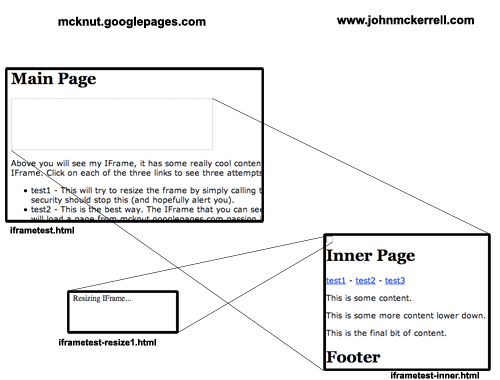
The diagram above aims to show you what I mean by this. You can also see this example in action. The main page in the example is served by the host mcknut.googlepages.com. It in turn has an iframe on it with some content from www.johnmckerrell.com. The three links inside the iframe try three different methods for resizing the iframe.
-
The first link tries to simply access the parent window directly. This will not work on any modern browsers as it will be flagged as a security violation.
-
The second link tries the best solution. There is a hidden iframe inside the main iframe. When you click on the second link iframe-resize1.html is loaded into the hidden iframe from mcknut.googlepages.com. iframe-resize1.html is passed a height value from the main iframe and then using JavaScript can access the main window, instructing it to resize the iframe. This is not flagged as a security risk because the domain of the page in the hidden iframe is the same as that of the main window.
-
The third link tries another alternative which also works, but is slightly more cumbersome. This version loads the resizing page in the main iframe. The resizing page is served from the same domain as the main page and calls some JavaScript on the main page to resize the iframe. It then uses a callback mechanism to return the iframe to the original page. This is more cumbersome as it has to reload the content in the iframe, and would not be suitable for an iframe with dynamic content that might need resizing numerous times.
So, to wrap up, the second solution mentioned above is the ideal way, as it resizes the iframe without affecting the content within it. I see a definite security problem here if you have multiple iframes with content from multiple domains in, as you might find that any iframe would end up with the ability to impersonate any other iframe. I think this could be solved though by labelling the iframes using random strings and using these strings when communicating from iframe to main page. I’m also not entirely sure about the validity of the window.parent.parent.updateIFrame() line. As you can see from the diagram below, it looks like I’m being allowed to cross domains in my JavaScript which of course should not be possible. If this turns out to be a security violation that browsers are likely to fix, though, I think window.top.updateIFrame() would suffice in most circumstances, and should in theory be fine.

Please leave comments to let me know what you think of this solution. I’ve not been able to find it in use anywhere else but if you’ve seen something similar before then let me know. Also if you have any suggestions for improvements I’d be happy to hear them. I’ve been intending to have a go at a mechanism to allow two way communication between the iframe and the main page (currently you still wouldn’t be able to pass information into the iframe from the main page) but I haven’t had time to knock something up so if you do, let me know.
UPDATE: IFrame Example Code - I’ve now collected the files together into a zip file that you can download. You will need to change the domains (mcknut.googlepages.com and johnmckerrell.com) to your own domains though for it to work correctly.
UPDATE2: Basic iframes demo - I’ve stripped the example down to the three files you need and structured them into a hierarchy that should make it clearer which files go on which domain.
-
-
New Blog, Old Blog
So I’ve decided to replace my previous blog with a standard WordPress blog.
My previous blog made use of whizzy fun modern technologies to allow me to host my entire site on Google Base, Google Pages and del.icio.us. Unfortunately, because it was something I had just knocked up there was no comment support, and of course it did require Java and JavaScript to be enabled in the browser.
Thus I’ve given up on it for now and moved over to WordPress. Who knows, maybe I’ll give up on this when I realise I have no idea how to customise it to my liking, or when something even more whizzy and fun comes along, but for now, this is it. If you would like to take a look at my older site, you can find it at mcknut.googlepages.com.












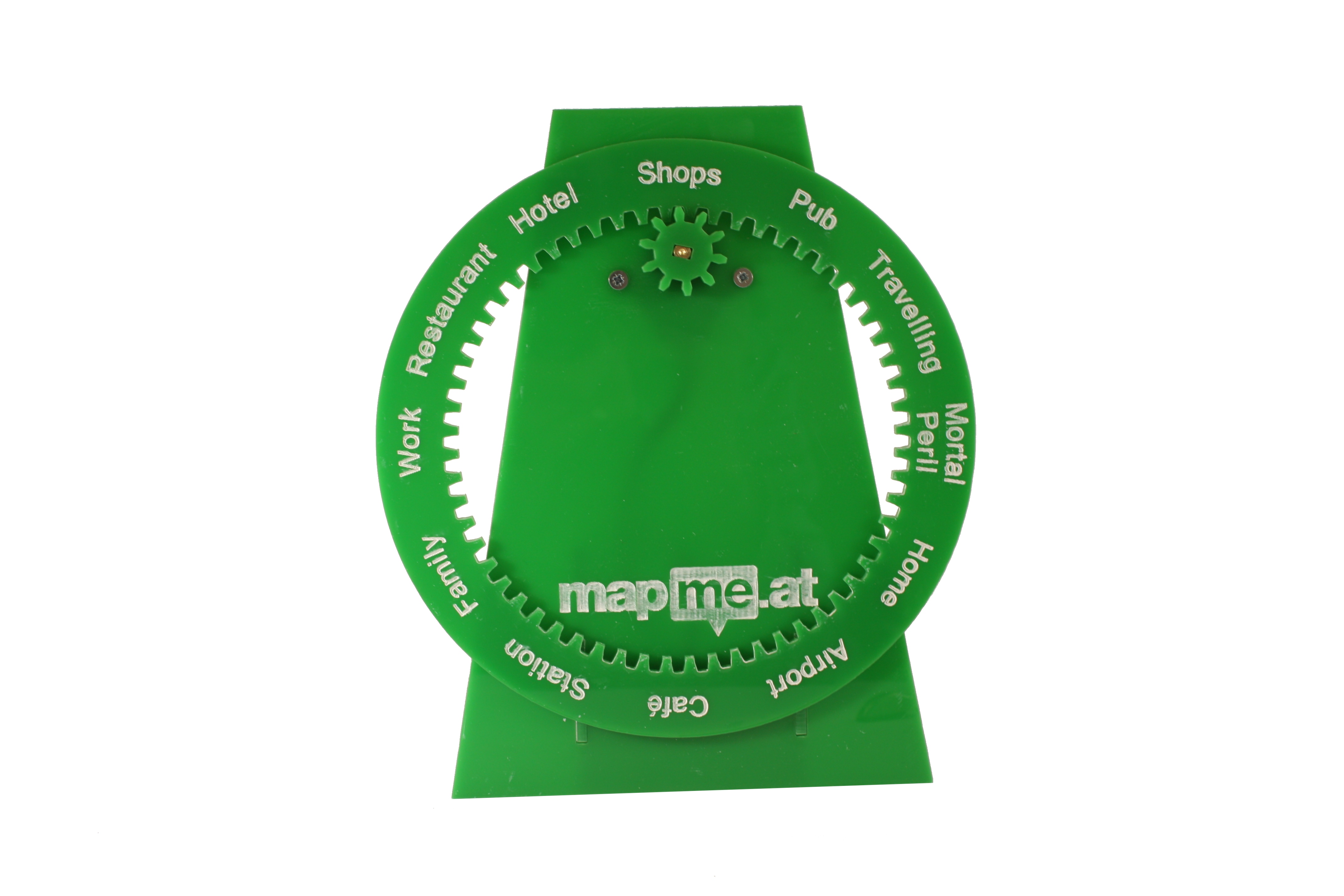



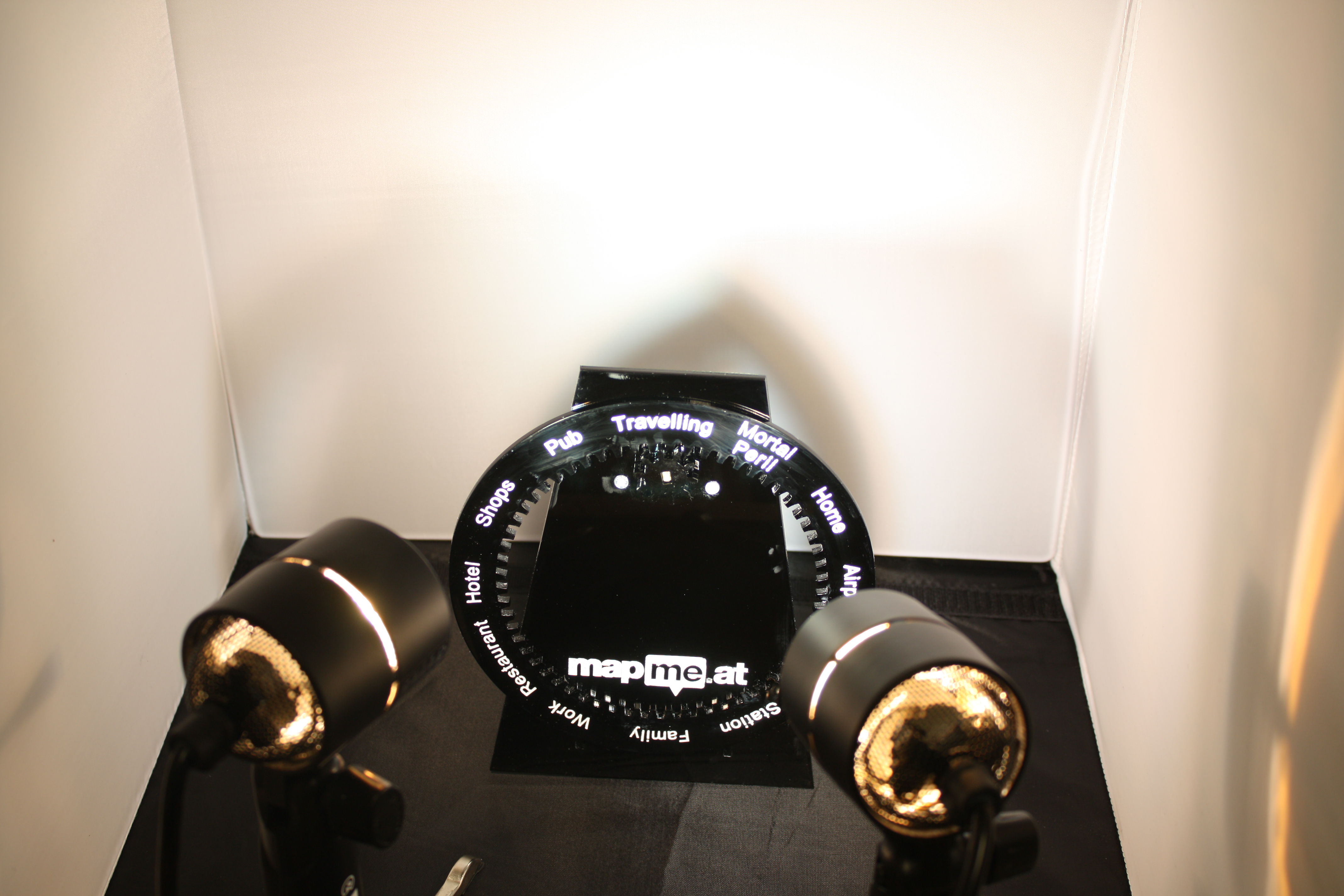
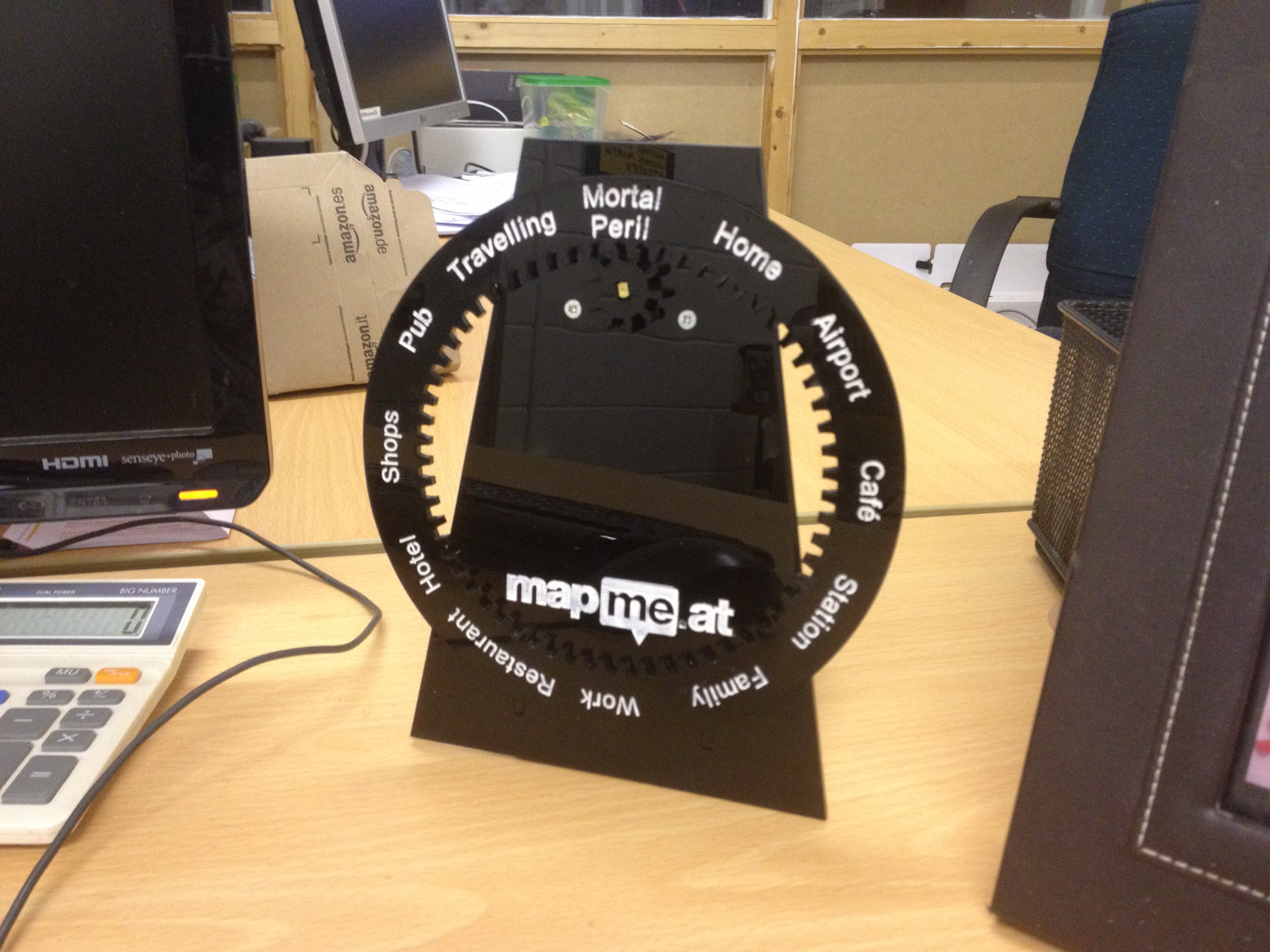
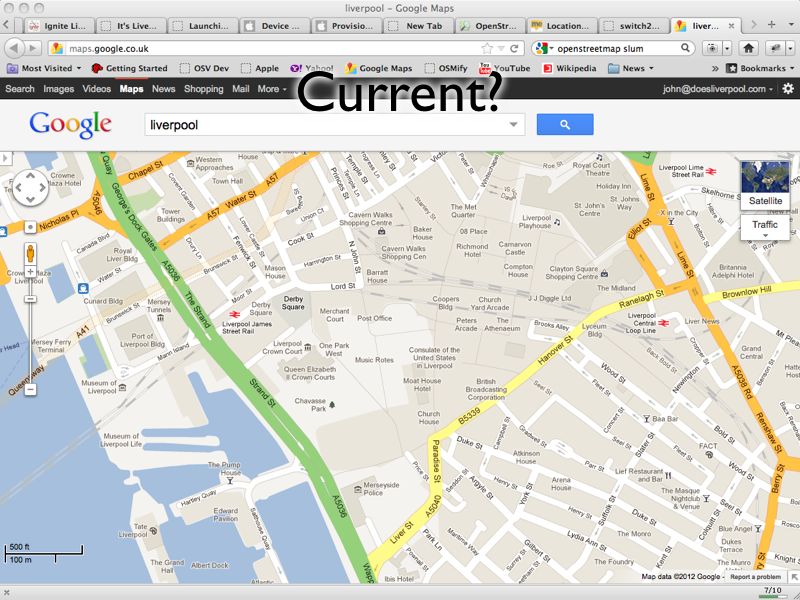
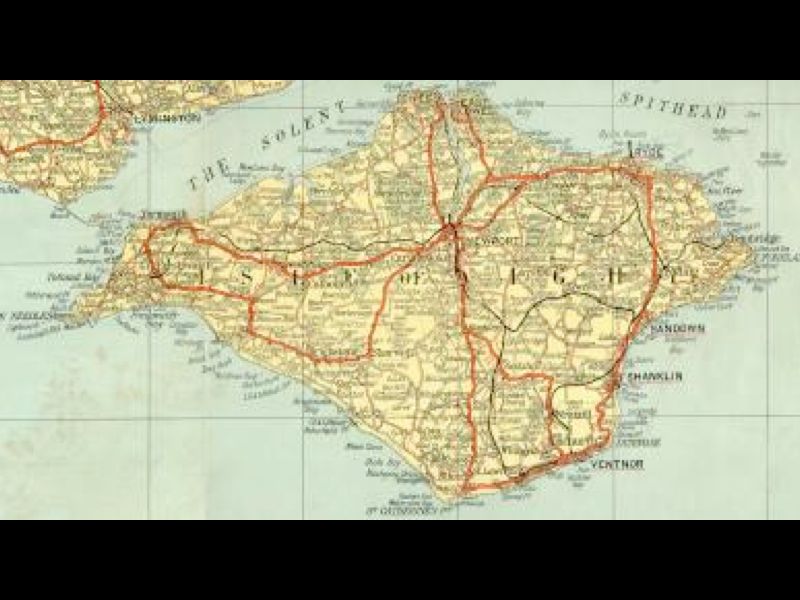
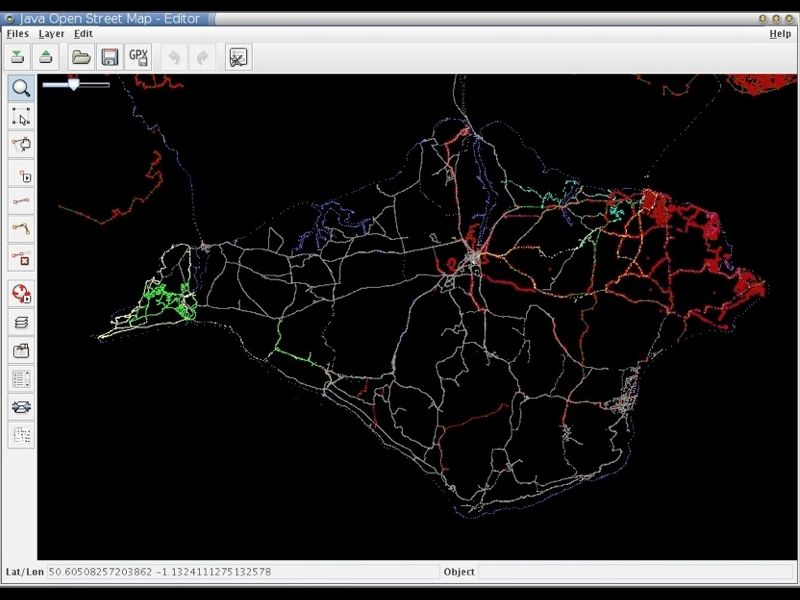
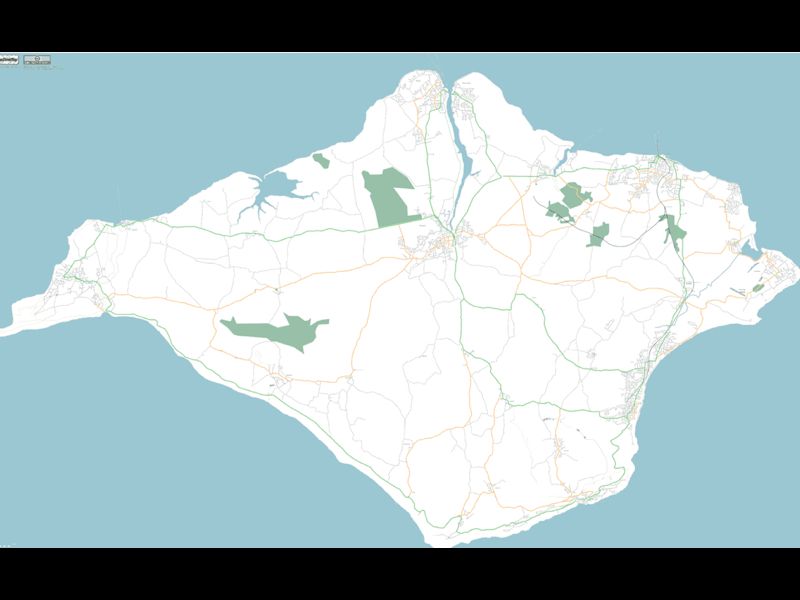

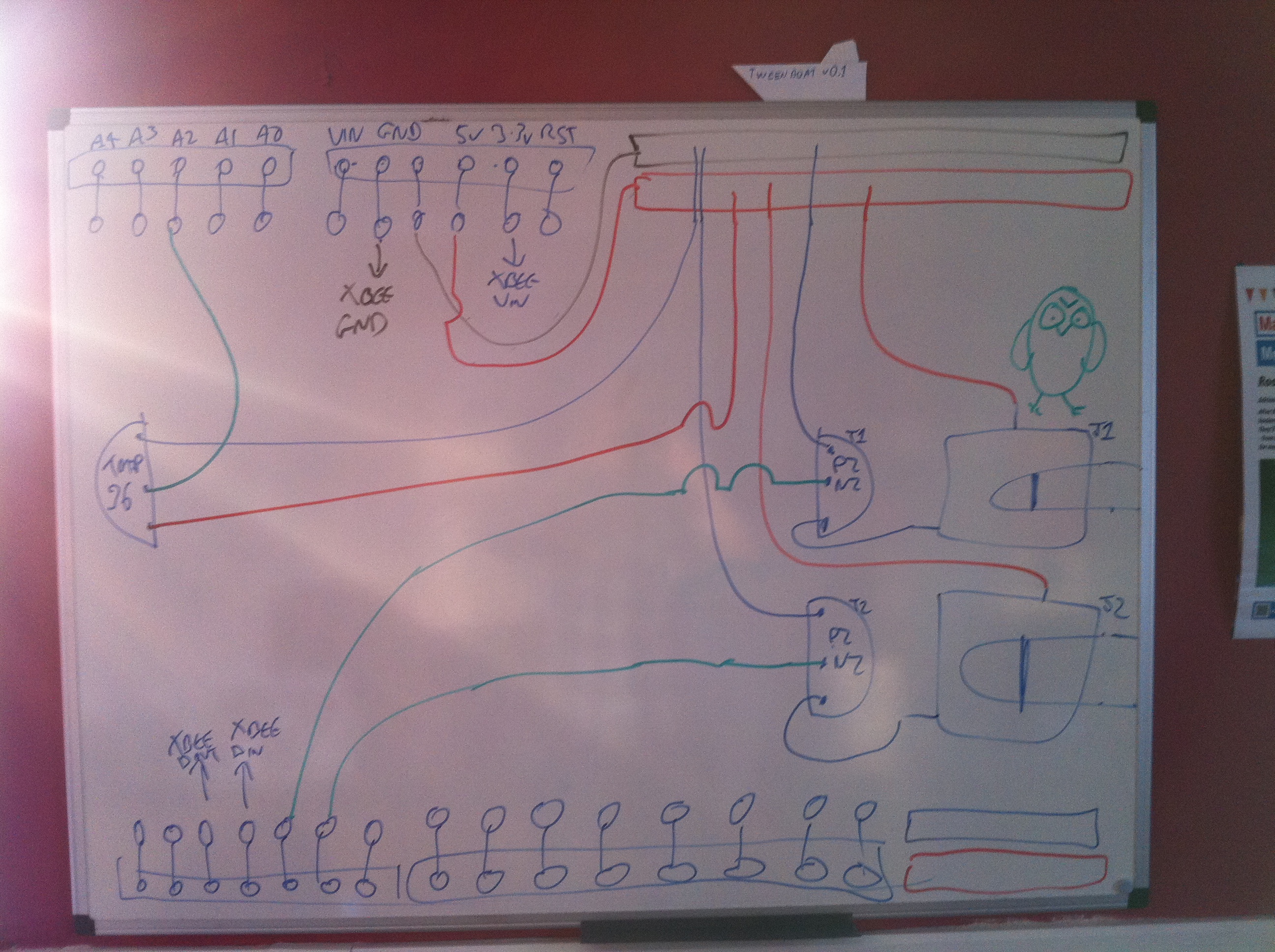








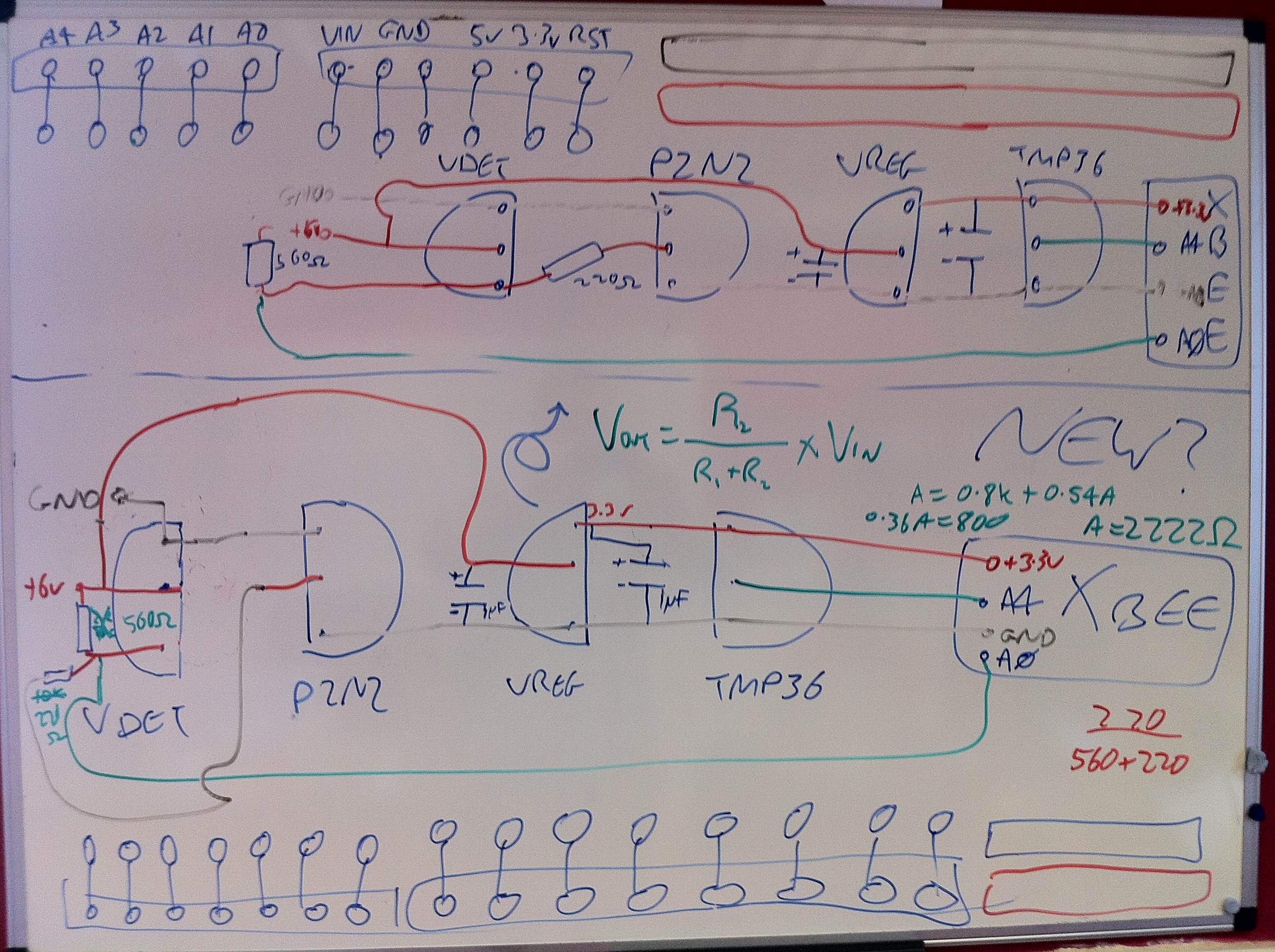


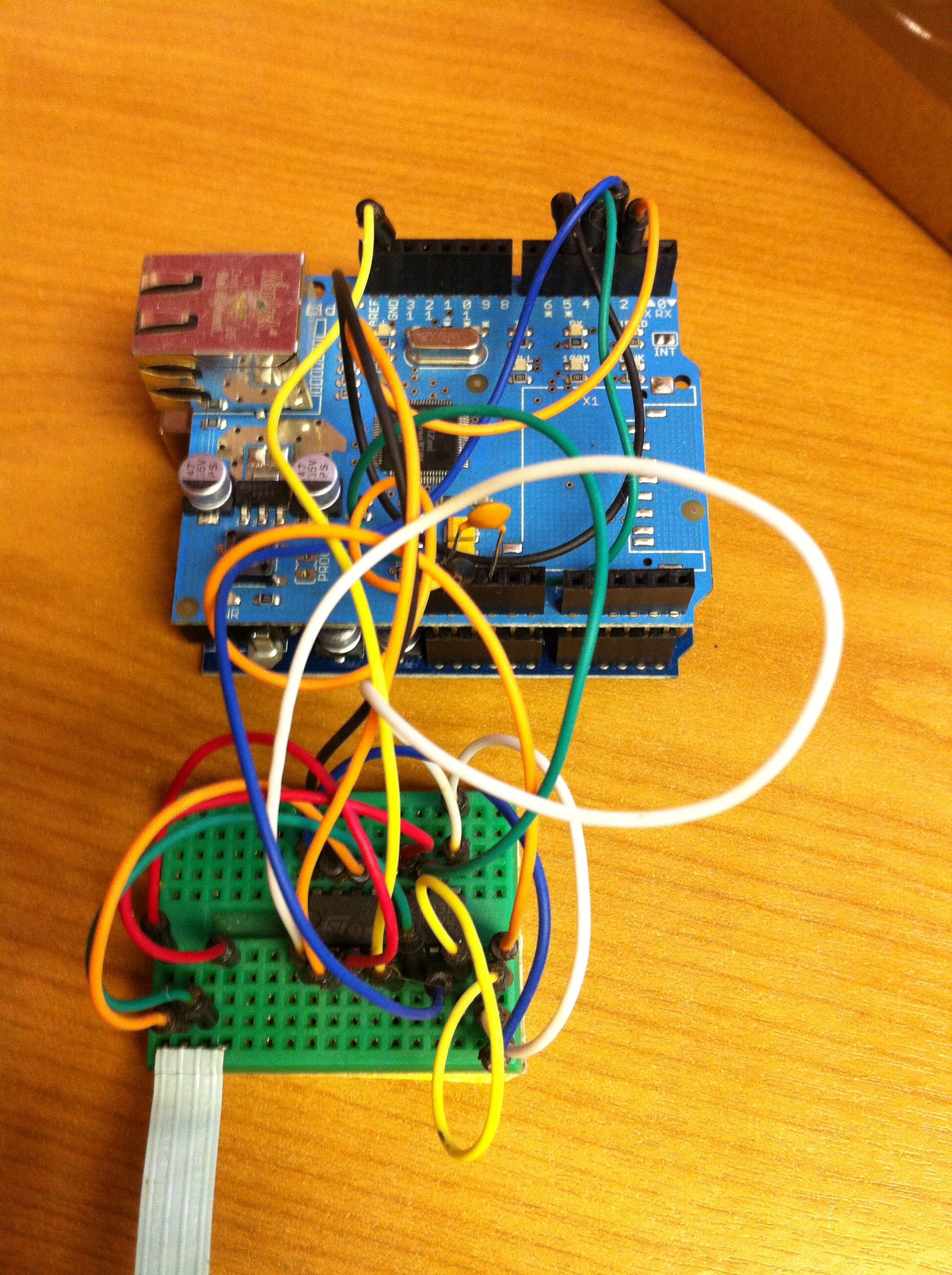




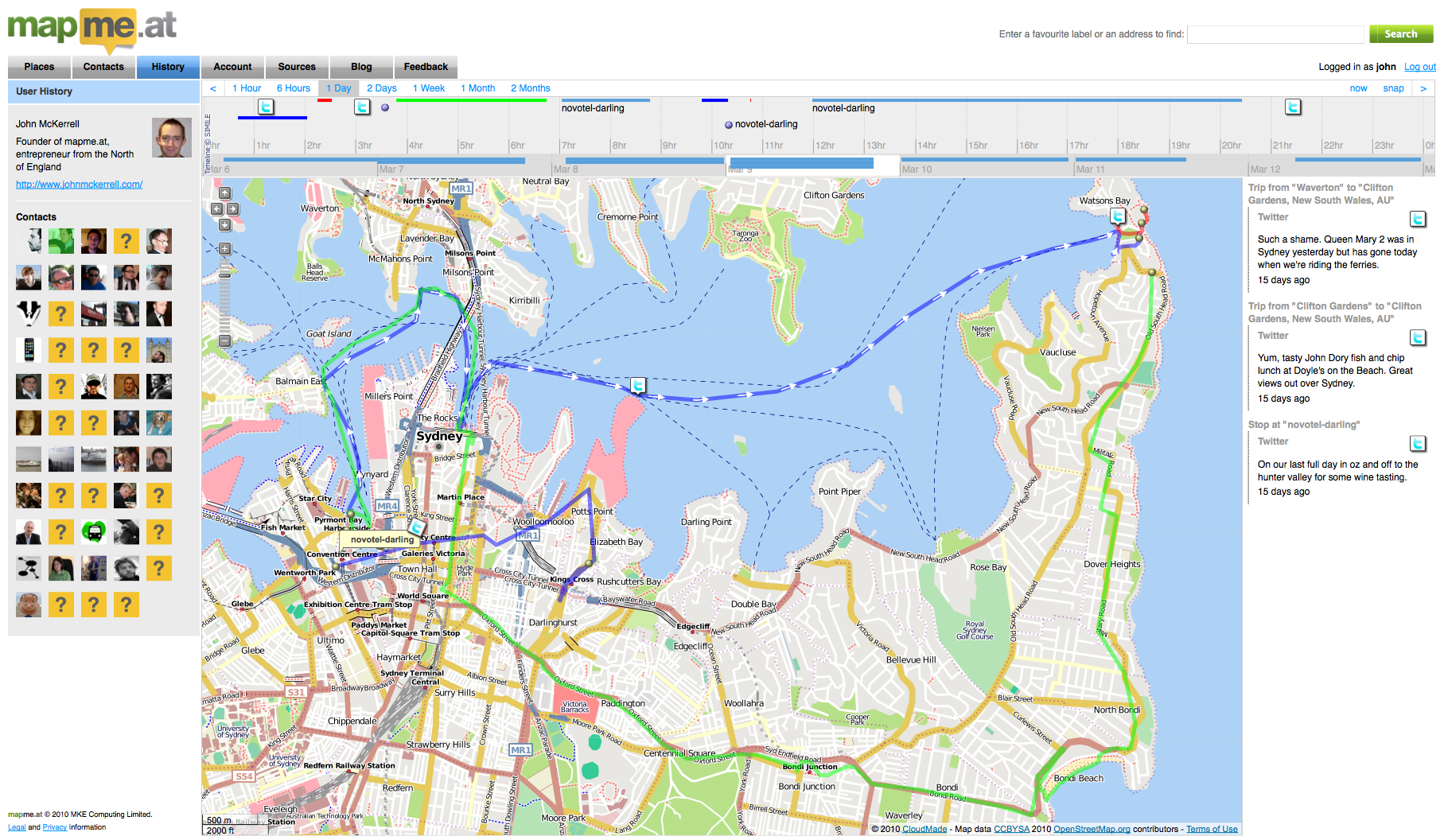

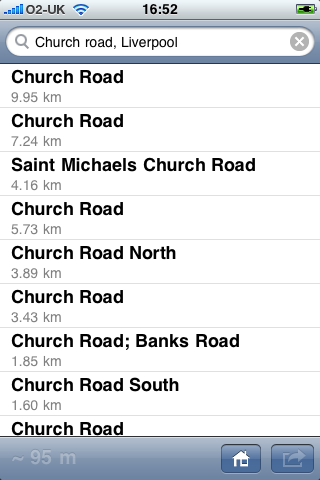
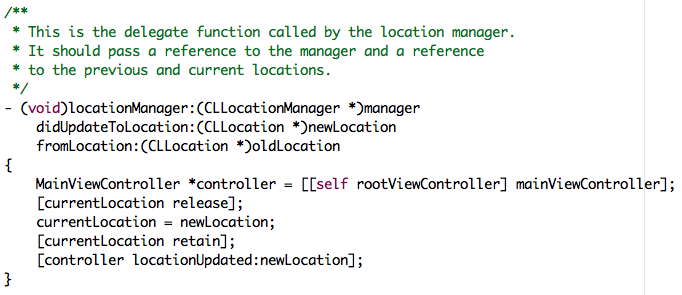
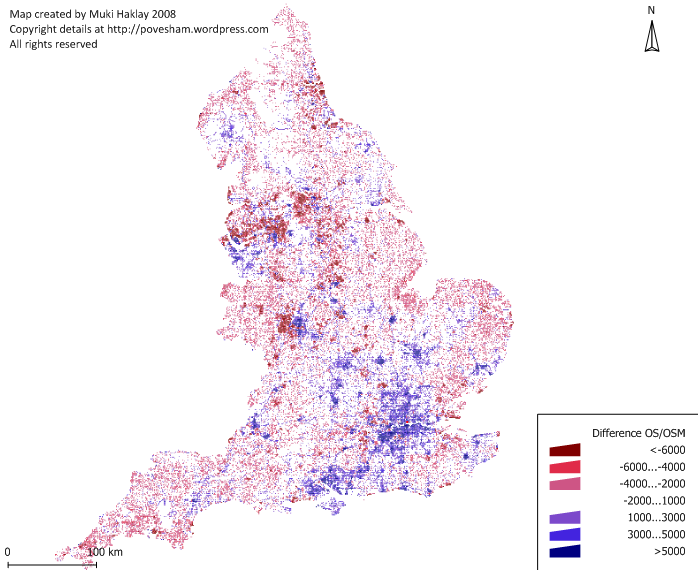
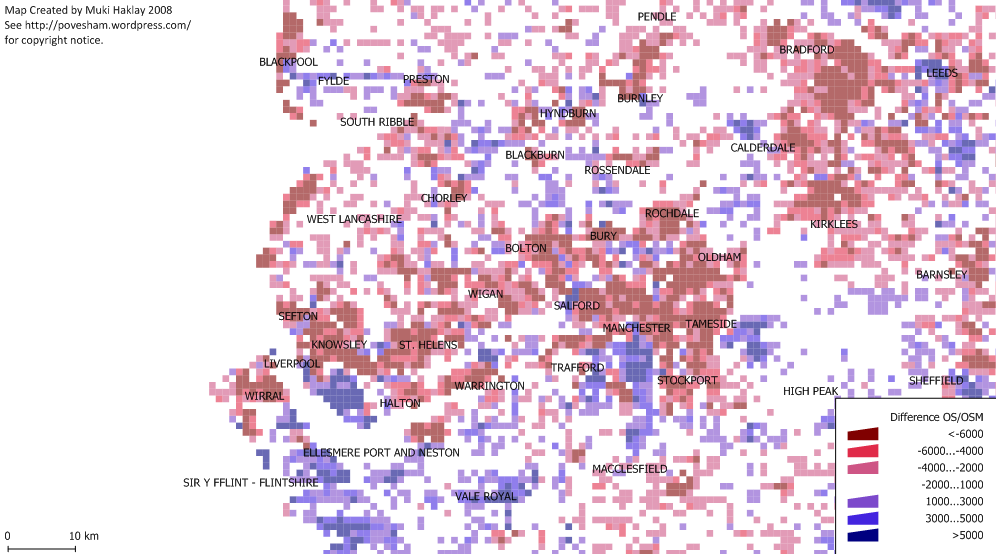
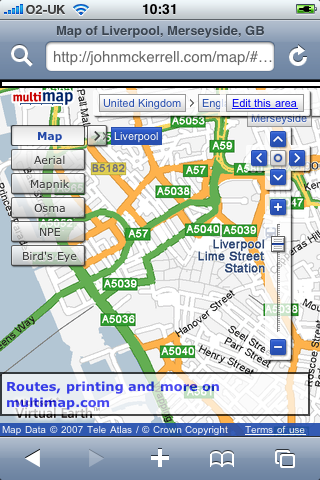
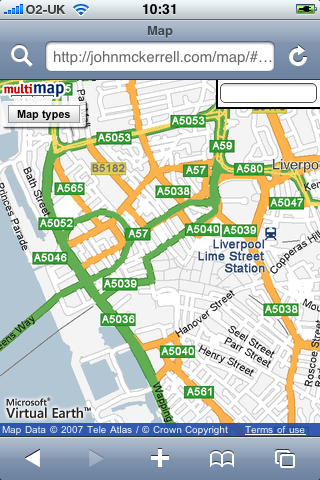
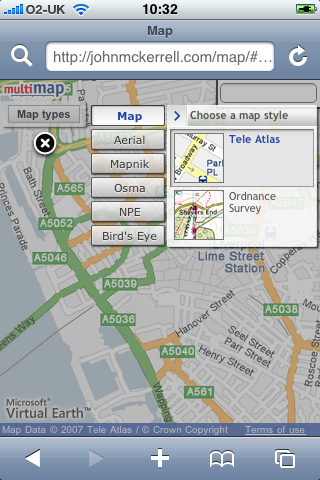
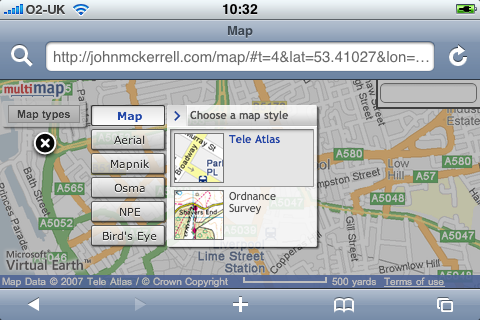
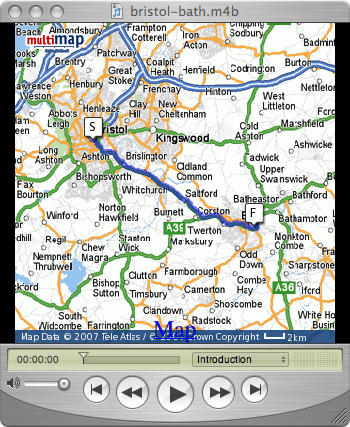
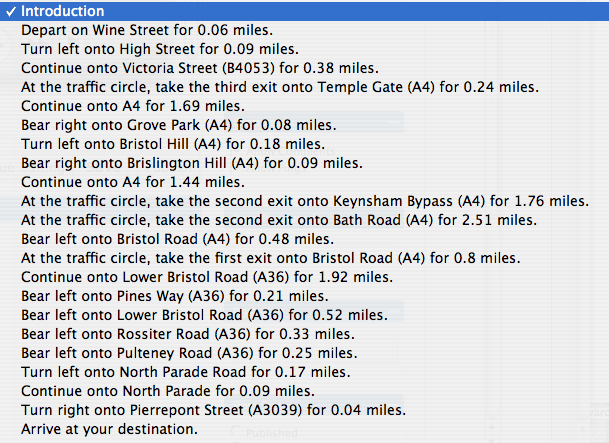
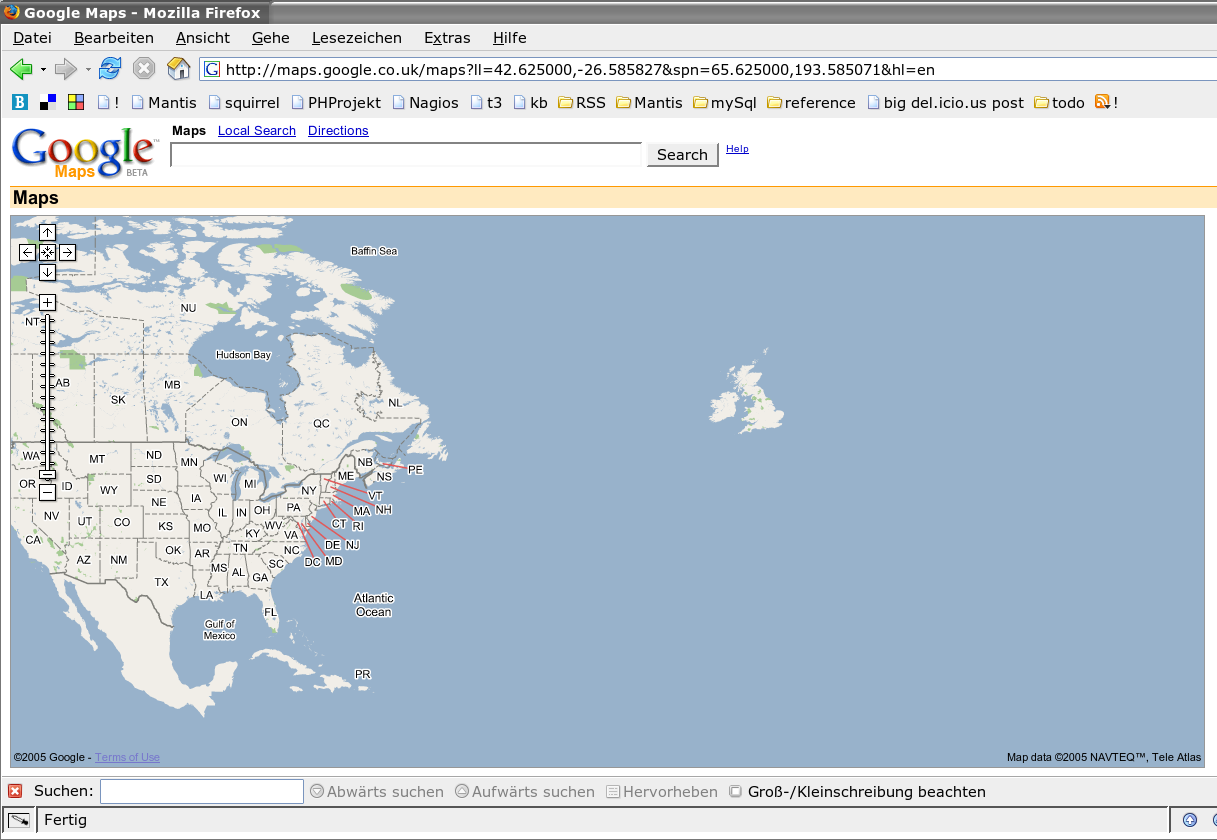
subscribe via RSS